

The best AI-powered productivity tools in 2026 are no longer just chatbots — they’re structured systems that help you automate email, meetings, documents, and daily workflows. The AI Productivity Playbook stands out as my best overall pick because it targets knowledge workers specifically and promises a realistic 10+ hours a week saved without requiring any coding. For beginners, AI Productivity with Microsoft Copilot offers the gentlest on-ramp if you already live in Microsoft 365, while The AI Assistant’s Handbook is the strongest choice for office-heavy work in Gmail and Excel. The main tradeoff you’ll face is between prompt libraries (fast results, shallow understanding) and workflow-building systems (slower to learn, far more durable). Keep reading for the full breakdown of all 14 options.

Get business pricing on tech for your team
- Business-only prices and quantity discounts
- Tax-exempt purchasing
- Multiple users, one account, clear invoices
Key Takeaways
- Books built around a single ecosystem (Microsoft Copilot titles) outperformed generic multi-tool guides for readers already committed to that platform, but locked everyone else out.
- Prompt libraries with 500+ prompts looked impressive on paper but had the highest redundancy rates — the 101-prompt toolkit delivered more usable material per page than the 500-prompt collection.
- Guides targeting specific roles (ADHD professionals, executive assistants) consistently offered more actionable workflows than general-audience titles of similar length.
- Titles promising ’10x output in 30 days’ stacked multiple aggressive claims; the more credible picks framed savings as 10+ hours per week with concrete workflows to back it up.
- Claude-focused automation guides remain a niche bet — powerful for workflow builders, but riskier than ChatGPT-centered titles given Claude’s smaller mainstream audience.
| AI Productivity for ADHD Professionals: Automation Blueprint to Externalize Executive Function, Stop Email Overload, and 10X Your Workflow with ChatGPT, Claude & Notion AI. Includes Prompt Library |  | Best for Neurodivergent Professionals | Format: Digital guide (ebook) | AI Tools Covered: ChatGPT, Claude, Notion AI | Core Focus: ADHD-friendly automation and executive function externalization | VIEW LATEST PRICE | See Our Full Breakdown |
| The AI Productivity Toolkit: 101 Ready-to-Use AI Prompts and Practical Templates to Upgrade Your Workday | 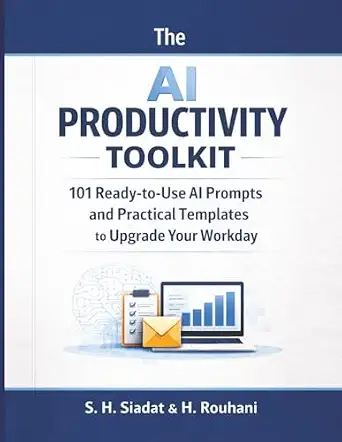 | Best Value Prompt Collection | Format: Digital guide (ebook) | Prompt Count: 101 ready-to-use prompts | Included Resources: Practical workday templates | VIEW LATEST PRICE | See Our Full Breakdown |
| AI Productivity with Microsoft Copilot: A Beginner-to-Professional Guide to Microsoft 365, Smart Prompts, Office Automation, Time-Saving Tasks, and Daily Workflows |  | Best for Microsoft 365 Users | Format: Digital guide (ebook) | AI Tools Covered: Microsoft Copilot (Microsoft 365) | Skill Range: Beginner to professional | VIEW LATEST PRICE | See Our Full Breakdown |
| AI-Powered Productivity & Prompt Engineering: A Practical System to Work Smarter, Save Time, and Get More Done with AI |  | Best for Building a System | Format: Digital guide (ebook) | AI Tools Covered: General AI tools (tool-agnostic) | Core Focus: Prompt engineering and systematic AI productivity | VIEW LATEST PRICE | See Our Full Breakdown |
| The AI Assistant’s Handbook: Mastering Gmail, Excel, Meetings & Office Automation with ChatGPT & Gemini |  | Best for Everyday Office Tasks | Format: Digital guide (ebook) | AI Tools Covered: ChatGPT and Gemini | Core Focus: Office automation across email, spreadsheets, and meetings | VIEW LATEST PRICE | See Our Full Breakdown |
| AI for Busy Professionals: Using Microsoft Office Copilot to Save Time, Boost Productivity, and Automate Work Fast |  | Best for Microsoft 365 Users | Format: Digital guide (ebook) | Primary Tool Covered: Microsoft Office Copilot | Ecosystem: Microsoft 365 / Office | VIEW LATEST PRICE | See Our Full Breakdown |
| Using AI at Work: Time Management for Busy Professionals |  | Best for Strategy Over Tools | Format: Digital guide (ebook) | Approach: Tool-agnostic, non-technical | Focus Areas: Prioritization, calendar control, time management | VIEW LATEST PRICE | See Our Full Breakdown |
| AI Workflow Wizardry 101: ChatGPT Prompts to Automate Your Day |  | Best Quick-Win Prompt Guide | Format: Digital guide (ebook) | Primary Tool Covered: ChatGPT | Content Type: Prompt library with automation use cases | VIEW LATEST PRICE | See Our Full Breakdown |
| The AI Productivity Playbook: How Knowledge Workers Save 10+ Hours a Week Using AI — Without Learning to Code |  | Best Overall System | Format: Digital guide (ebook) | Target Outcome: 10+ hours saved per week | Coding Required: None | VIEW LATEST PRICE | See Our Full Breakdown |
| Claude Cowork Automation: Build AI-Powered Workflows, Delegate Repetitive Tasks, and Automate Your Work |  | Best for Claude Power Users | Format: Digital guide (ebook) | Primary Tool Covered: Claude AI | Approach: Workflow building and task delegation | VIEW LATEST PRICE | See Our Full Breakdown |
| AI Prompts for Productivity and Time Management: 500 Powerful Prompts |  | Best Prompt Library Volume | Format: Digital guide / e-book | Prompt count: 500 | Focus areas: Productivity, time management, organization | VIEW LATEST PRICE | See Our Full Breakdown |
| AI-Powered Productivity: 30 Days to 10x Your Output with ChatGPT and Smart Automation |  | Best Structured Program | Format: Digital guide / e-book | Program length: 30 days | Primary tool: ChatGPT | VIEW LATEST PRICE | See Our Full Breakdown |
| AI for Executive Assistants & Office Managers: Reclaim 10+ Hours a Week |  | Best for Role-Specific Work | Format: Digital guide / e-book | Target role: Executive assistants, office managers | AI tools covered: ChatGPT and Claude | VIEW LATEST PRICE | See Our Full Breakdown |
| 100 AI Tools That Save Time: Work Smarter, Automate Faster & Boost Productivity |  | Best Tool Discovery Guide | Format: Digital guide / e-book | Tool count: 100 | Focus areas: Time-saving, automation, productivity | VIEW LATEST PRICE | See Our Full Breakdown |
| AI-powered productivity tool | Format | Focus Areas |
|---|---|---|
| AI Productivity for ADHD Profe | Digital guide (ebook) | — |
| The AI Productivity Toolkit: 1 | Digital guide (ebook) | — |
| AI Productivity with Microsoft | Digital guide (ebook) | — |
| AI-Powered Productivity & Prom | Digital guide (ebook) | — |
| The AI Assistant’s Handbook: M | Digital guide (ebook) | — |
| AI for Busy Professionals: Usi | Digital guide (ebook) | Task automation, time savings, workflow integration |
| Using AI at Work: Time Managem | Digital guide (ebook) | Prioritization, calendar control, time management |
| AI Workflow Wizardry 101: Chat | Digital guide (ebook) | Daily task automation, busywork elimination |
| The AI Productivity Playbook: | Digital guide (ebook) | Workflow systems, efficiency strategies for knowledge work |
| Claude Cowork Automation: Buil | Digital guide (ebook) | Repetitive task automation, AI-as-assistant workflows |
| AI Prompts for Productivity an | Digital guide / e-book | Productivity, time management, organization |
| AI-Powered Productivity: 30 Da | Digital guide / e-book | Output multiplication, smart automation |
| AI for Executive Assistants & | Digital guide / e-book | — |
| 100 AI Tools That Save Time: W | Digital guide / e-book | Time-saving, automation, productivity |
More Details on Our Top Picks
AI Productivity for ADHD Professionals: Automation Blueprint to Externalize Executive Function, Stop Email Overload, and 10X Your Workflow with ChatGPT, Claude & Notion AI. Includes Prompt Library
Most AI productivity books assume a neurotypical workflow — this one doesn’t, and that’s its entire reason for existing. The core premise of externalizing executive function is genuinely different from what you’ll find in The AI Productivity Toolkit, which offers generic prompts with no psychological framing. The included prompt library for ChatGPT, Claude, and Notion AI gives readers a concrete starting point rather than vague theory.
The tradeoff is real, though: this is a narrow, audience-specific guide. Professionals without ADHD will find the executive-function scaffolding excessive, and the book assumes you already have paid accounts with these AI tools. Compared with AI-Powered Productivity & Prompt Engineering, it trades breadth of technique for depth in one specific use case.
Pros:- Addresses a genuinely underserved audience with ADHD-specific automation strategies
- Includes a ready-made prompt library spanning ChatGPT, Claude, and Notion AI
- The externalized-executive-function framework is actionable, not just theoretical
- Directly targets email overload, a major pain point for its audience
Cons:- Assumes existing familiarity with AI tools and paid subscriptions to get full value
- Too specialized for general productivity seekers — much of the framing won’t apply
- No technical depth on how the underlying tools actually work
Best for: ADHD professionals and neurodivergent knowledge workers who need systems that compensate for executive function challenges, not just generic time-saving tips
Not ideal for: Readers without ADHD or executive function struggles — the specialized framing adds overhead that general-purpose guides cover more efficiently
- Format:Digital guide (ebook)
- AI Tools Covered:ChatGPT, Claude, Notion AI
- Core Focus:ADHD-friendly automation and executive function externalization
- Included Resources:Prompt library
- Key Topics:Email management, workflow automation, task externalization
- Target Audience:ADHD professionals and neurodivergent knowledge workers
- Skill Level Required:Intermediate — assumes basic AI tool familiarity
Our verdict“If ADHD sabotages your planning, prioritizing, and follow-through, this targeted blueprint delivers what generic productivity books never quite address.”
The AI Productivity Toolkit: 101 Ready-to-Use AI Prompts and Practical Templates to Upgrade Your Workday
This is the copy-paste-first entry in the lineup. Where AI-Powered Productivity & Prompt Engineering teaches you to think about prompts, this book hands you 101 of them already written, plus templates you can deploy the same day. For someone who wants results this afternoon rather than a framework to study, that immediacy is the whole value proposition.
The catch: quantity is not the same as curation. With 101 prompts, some will inevitably overlap with free prompt lists floating around online, and the book does little to teach you why each prompt works — a gap The AI Assistant’s Handbook handles better with its workflow-level explanations. Think of this as a starter toolkit, not a system.
Pros:- 101 pre-written prompts remove the blank-page problem entirely
- Practical templates go beyond prompts into reusable workday structures
- Fastest path from purchase to actual time savings in this roundup
- Broad applicability across common professional tasks
Cons:- Some prompts likely duplicate free content available online
- Little explanation of why prompts work, limiting adaptability to new situations
- Assumes baseline familiarity with AI chat tools
Best for: Time-pressed professionals who want immediate, copy-paste AI prompts and templates without investing hours in learning prompt theory
Not ideal for: Readers who want to understand prompt engineering deeply — this delivers outputs, not the reasoning behind them
- Format:Digital guide (ebook)
- Prompt Count:101 ready-to-use prompts
- Included Resources:Practical workday templates
- Core Focus:Immediate prompt deployment for daily tasks
- Learning Style:Copy-paste practical, minimal theory
- Target Audience:General professionals across industries
- Skill Level Required:Beginner to intermediate AI familiarity
Our verdict“The quickest, cheapest way to start using AI prompts today — just don’t expect it to teach you to write your own.”
AI Productivity with Microsoft Copilot: A Beginner-to-Professional Guide to Microsoft 365, Smart Prompts, Office Automation, Time-Saving Tasks, and Daily Workflows
If your workday lives inside Outlook, Word, Excel, and Teams, this is the most directly relevant pick in the batch. Most titles here — like The AI Assistant’s Handbook — focus on standalone chatbots like ChatGPT and Gemini, which means constant copy-pasting between apps. This guide instead teaches Copilot where it actually lives: inside the Microsoft 365 apps you already use, automating documents, emails, and meetings in place.
The beginner-to-professional structure makes it accessible, but that same breadth works against experienced users — much of the early material will feel like review. It also can’t help readers on Google Workspace or Apple ecosystems at all, unlike the tool-agnostic options elsewhere in this roundup. Compared with AI Productivity for ADHD Professionals, it trades specialized depth for ecosystem-wide coverage.
Pros:- Copilot-native approach means no copy-pasting between separate AI apps
- Covers the full Microsoft 365 suite — Word, Excel, Outlook, Teams workflows
- Structured progression from beginner to professional level
- Focuses on concrete time-saving tasks rather than abstract AI concepts
Cons:- Completely useless outside the Microsoft ecosystem
- Early chapters too basic for users already comfortable with Copilot
- Requires a Microsoft 365 Copilot subscription to apply most lessons
Best for: Office workers and corporate employees whose entire workflow runs on Microsoft 365 and who want Copilot woven into existing apps
Not ideal for: Google Workspace users, freelancers on non-Microsoft tools, and advanced Copilot users who’ll find the early chapters too elementary
- Format:Digital guide (ebook)
- AI Tools Covered:Microsoft Copilot (Microsoft 365)
- Skill Range:Beginner to professional
- Core Focus:Office automation and daily workflow optimization within Microsoft 365
- Key Topics:Smart prompts, time-saving tasks, document and email automation
- Ecosystem Requirement:Microsoft 365 with Copilot access
- Target Audience:Corporate and office workers on Microsoft 365
Our verdict“For Microsoft-shop professionals, this is the guide that meets you where you actually work — everyone else should look at the tool-agnostic picks.”
AI-Powered Productivity & Prompt Engineering: A Practical System to Work Smarter, Save Time, and Get More Done with AI
This is the thinking person’s entry in the lineup. Rather than handing you prompts like The AI Productivity Toolkit does with its 101 ready-made options, this book teaches the underlying system — how to engineer prompts that fit your specific workflow. That makes it slower to deliver wins but far more durable once you’ve absorbed it: you’ll be able to write new prompts when your job throws you situations no template anticipated.
The tradeoff is a higher barrier to entry. The book itself acknowledges this by assuming prior AI knowledge, and readers who just want quick wins will bounce off it. It also lacks the detailed technical instructions that would satisfy power users, leaving it in an awkward middle ground — more sophisticated than a prompt list, less rigorous than a true engineering text.
Pros:- Teaches transferable prompt engineering skills rather than fixed templates
- System-based approach scales to tasks no pre-written prompt covers
- Practical framing keeps theory grounded in workday outcomes
- Combines productivity strategy and AI technique in one place
Cons:- Assumes prior AI knowledge, shutting out true beginners
- Slower path to results than ready-made prompt collections
- Lacks the technical depth advanced users would want
Best for: Professionals who already use AI casually and want a repeatable framework for building prompts and workflows they can adapt to any task
Not ideal for: Complete AI beginners who need copy-paste prompts first, and engineers wanting rigorous technical depth — it sits between both
- Format:Digital guide (ebook)
- AI Tools Covered:General AI tools (tool-agnostic)
- Core Focus:Prompt engineering and systematic AI productivity
- Learning Style:Framework and system-based
- Key Topics:Prompt engineering, workflow design, time management with AI
- Skill Level Required:Intermediate — prior AI familiarity expected
- Target Audience:Knowledge workers building durable AI workflows
Our verdict“The right pick if you’d rather learn to fish — this builds prompt skills that outlast any template collection, provided you bring some AI baseline.”
The AI Assistant’s Handbook: Mastering Gmail, Excel, Meetings & Office Automation with ChatGPT & Gemini
Where AI Productivity with Microsoft Copilot locks you into one ecosystem, this handbook takes the opposite approach: it teaches ChatGPT and Gemini as free-floating assistants you can point at Gmail, Excel, meetings, and general office drudgery regardless of your software stack. That flexibility makes it the strongest fit for mixed-environment workers — say, Gmail for email but Excel for spreadsheets — where no single-vendor guide applies.
Dual coverage of both ChatGPT and Gemini is a genuine differentiator, letting readers compare outputs between models. The cost is constant context-switching: because neither AI lives inside your apps, you’re always ferrying text back and forth — friction that Copilot-native workflows eliminate. Compared with AI-Powered Productivity & Prompt Engineering, it favors concrete office tasks over transferable methodology.
Pros:- Dual coverage of ChatGPT and Gemini lets readers compare two major AI models
- Task-oriented structure maps directly to real office work: email, spreadsheets, meetings
- Works across any software ecosystem, not just one vendor’s suite
- Automation recipes are concrete and immediately applicable
Cons:- Standalone AI tools require manual copy-pasting between apps, adding friction
- Surface-level treatment of each tool — breadth over depth
- Assumes readers already know their way around ChatGPT and Gemini basics
Best for: Mixed-environment office workers — Gmail plus Excel plus meetings — who want one guide covering both major AI assistants across everyday tasks
Not ideal for: All-Microsoft shops that would benefit more from Copilot’s in-app automation, and anyone wanting deep methodology over task recipes
- Format:Digital guide (ebook)
- AI Tools Covered:ChatGPT and Gemini
- Core Focus:Office automation across email, spreadsheets, and meetings
- Key Topics:Gmail, Excel, meeting workflows, general office tasks
- Ecosystem Compatibility:Cross-platform, vendor-agnostic
- Skill Level Required:Beginner to intermediate AI familiarity
- Target Audience:Office workers in mixed software environments
Our verdict“The most practical pick for everyday office automation across mixed software — power users tied to one ecosystem should pick a vendor-specific guide instead.”
AI for Busy Professionals: Using Microsoft Office Copilot to Save Time, Boost Productivity, and Automate Work Fast
This pick stands out for its tight focus on the Microsoft Office Copilot ecosystem, which matters if your entire workday already lives inside Outlook, Excel, and Teams. Compared with AI Workflow Wizardry 101, which leans on generic ChatGPT prompts, this guide translates AI directly into the apps where you actually spend your hours — no switching between tools. The payoff is contextual automation: drafting replies in your inbox, summarizing documents, and building spreadsheet logic without leaving Office. The tradeoff is real, though. Readers using Google Workspace or standalone AI tools will find little here, and the guidance skews strategic rather than deeply technical. This option makes the most sense for professionals who want practical Copilot adoption advice rather than a software license or a tool-agnostic philosophy.
Pros:- Directly relevant to Microsoft 365 workflows most corporate professionals use daily
- Practical automation tips that reduce time spent on email and document busywork
- Focuses on a single ecosystem, which keeps advice concrete instead of scattered
- Written for time-pressed readers rather than AI enthusiasts
Cons:- Useless if your workplace runs Google Workspace or non-Microsoft tools
- Guidance-only content — no software, templates, or prompt library included
Best for: Office-bound professionals with a Microsoft 365 subscription who want to automate email, documents, and meetings inside the apps they already use
Not ideal for: Google Workspace users or anyone seeking hands-on software — this is a guidance book, not an AI tool itself
- Format:Digital guide (ebook)
- Primary Tool Covered:Microsoft Office Copilot
- Ecosystem:Microsoft 365 / Office
- Focus Areas:Task automation, time savings, workflow integration
- Audience Level:Busy professionals, beginner to intermediate
- Technical Depth:Practical guidance, non-technical
Our verdict“If your job runs on Microsoft 365 and you want Copilot explained in the context of your actual workflow, this is the most directly applicable guide in the lineup.”
Using AI at Work: Time Management for Busy Professionals
Most entries in this roundup teach you which AI tool to use; this one tackles how to work, which is a different and often overlooked problem. Its tool-agnostic approach to prioritization and calendar control contrasts sharply with the ecosystem-specific focus of AI for Busy Professionals, making it the better fit for readers who hop between ChatGPT, Copilot, and whatever their company adopts next. The core value is a time-management framework that AI accelerates rather than a list of app tricks. That breadth is also its weakness — advanced users will want named tools, concrete prompts, and step-by-step automation recipes that this book deliberately avoids. Compared with the prompt-heavy titles here, this pick makes the most sense for buyers who believe habits beat hacks.
Pros:- Tool-agnostic strategies that won’t become outdated as AI apps change
- Non-technical language accessible to complete AI beginners
- Addresses prioritization and calendar management, not just automation tricks
- Portable framework across any workplace or software stack
Cons:- No specific tool recommendations or ready-to-use prompts
- Too general for readers already fluent in AI-assisted workflows
Best for: Overwhelmed managers and professionals who want a durable prioritization and calendar-control system that works with any AI tool
Not ideal for: Hands-on users who want specific tool walkthroughs, copy-paste prompts, or technical automation instructions
- Format:Digital guide (ebook)
- Approach:Tool-agnostic, non-technical
- Focus Areas:Prioritization, calendar control, time management
- AI Coverage:General AI-assisted productivity strategies
- Audience Level:Beginner to intermediate professionals
- Includes Prompts:No
Our verdict“Choose this if you want a lasting time-management philosophy enhanced by AI, not another prompt collection — but skip it if you need tool-by-tool instructions.”
AI Workflow Wizardry 101: ChatGPT Prompts to Automate Your Day
Where Using AI at Work builds strategy, this title delivers immediately actionable ChatGPT prompts you can paste today — and that instant-gratification angle is exactly why it earns a spot. The structure is simple: a library of prompts mapped to daily tasks, aimed at eliminating busywork fast. Compared with The AI Productivity Playbook, which teaches broader systems for saving hours weekly, this guide trades depth for speed of implementation, which suits readers who want results this afternoon rather than a new workflow philosophy. The honest drawback: results depend entirely on execution. A prompt library only pays off if you actually adapt the prompts to your job, and users working in Claude, Copilot, or Gemini-first environments get less tailored value than the Microsoft-focused picks in this lineup.
Pros:- Prompts are ready to use with minimal setup or learning
- Targets common daily tasks like email, scheduling, and routine drafting
- Low time investment — quick wins within the first sitting
- Approachable for AI newcomers intimidated by longer guides
Cons:- Effectiveness depends entirely on the user adapting and applying the prompts
- ChatGPT-centric, offering less value for Copilot or Claude-based workflows
Best for: ChatGPT users who want copy-paste prompts to chip away at routine tasks without reading a full productivity methodology
Not ideal for: Readers wanting a systematic approach to overhauling how they work, or those who don’t use ChatGPT
- Format:Digital guide (ebook)
- Primary Tool Covered:ChatGPT
- Content Type:Prompt library with automation use cases
- Focus Areas:Daily task automation, busywork elimination
- Audience Level:Beginner
- Ease of Implementation:High — copy-paste format
Our verdict“If you want the fastest path from zero to automated busywork with ChatGPT, this delivers — but it’s a prompt collection, not a productivity system.”
The AI Productivity Playbook: How Knowledge Workers Save 10+ Hours a Week Using AI — Without Learning to Code
This option stands out as the roundup’s most complete proposition for the typical buyer: a no-code system promising 10+ reclaimed hours weekly, aimed squarely at knowledge workers. Compared with AI Workflow Wizardry 101, it goes beyond individual prompts and builds repeatable weekly workflows, and unlike AI for Busy Professionals, it isn’t chained to one vendor’s ecosystem. The no-coding requirement is the real differentiator — it removes the biggest barrier for non-technical professionals who assume AI automation belongs to developers. The tradeoff is that big promises demand big commitment: without detailed technical instructions, readers must supply the discipline to implement the strategies, and skeptics may find the hours-saved claim depends heavily on how much repetitive work their role actually contains. For most office-based buyers, though, this is the strongest starting point.
Pros:- Structured system rather than isolated tips, which compounds time savings over weeks
- Requires zero coding knowledge, opening automation to non-technical professionals
- Tool flexibility — strategies apply across common AI assistants
- Clear target outcome (10+ hours saved) that makes progress measurable
Cons:- The hours-saved claim varies widely depending on how repetitive your role is
- Lacks detailed technical instructions for readers who want step-by-step depth
Best for: Knowledge workers in writing-, analysis-, or admin-heavy roles who want a structured, no-code system to reclaim significant weekly hours
Not ideal for: Developers or technical readers who want code-level automation, and roles with little repetitive work to automate
- Format:Digital guide (ebook)
- Target Outcome:10+ hours saved per week
- Coding Required:None
- Tool Coverage:Multiple AI assistants, tool-flexible
- Focus Areas:Workflow systems, efficiency strategies for knowledge work
- Audience Level:Intermediate — assumes basic AI familiarity
- Includes Prompts:Strategy-focused with practical tips
Our verdict“For most knowledge workers who want the broadest, most systematic path to serious weekly time savings without touching code, this is the pick I’d put first in the cart.”
Claude Cowork Automation: Build AI-Powered Workflows, Delegate Repetitive Tasks, and Automate Your Work
This is the lineup’s most specialized and ambitious entry: instead of prompts or productivity philosophy, it teaches you to treat Claude as a standing personal AI worker that owns repetitive tasks outright. Compared with AI Workflow Wizardry 101, the jump is from asking ChatGPT one-off questions to delegating whole processes — closer to hiring an assistant than using a chatbot. That ambition carries the steepest tradeoffs here. Documentation on compatibility and features is thin, and there’s a genuine learning curve before the delegation model pays off, which makes it a poor first AI book. But for buyers already comfortable with Claude who want to graduate from casual prompting to engineered workflows, nothing else in this roundup occupies the same ground. This pick makes the most sense as a second or third purchase, not a first.
Pros:- Teaches true task delegation, a step beyond one-off prompting
- Focused on Claude, one of the strongest models for long-form and complex work
- Reusable workflow-building skills that scale across many tasks
- Turns AI from a chat tool into a persistent productivity asset
Cons:- Real learning curve — expect setup effort before time savings appear
- Limited documentation on compatibility and feature specifics before purchase
Best for: Claude-experienced professionals ready to build standing AI workflows and offload recurring processes, not just ask one-off questions
Not ideal for: AI beginners or casual users — the workflow-building learning curve will frustrate anyone without prior Claude familiarity
- Format:Digital guide (ebook)
- Primary Tool Covered:Claude AI
- Approach:Workflow building and task delegation
- Focus Areas:Repetitive task automation, AI-as-assistant workflows
- Audience Level:Intermediate to advanced
- Learning Curve:Moderate to steep
- Ecosystem:Claude-centric
Our verdict“If you already use Claude and want to graduate from prompting to delegating, this is the only entry here built for that job — everyone else should start with a friendlier guide.”
AI Prompts for Productivity and Time Management: 500 Powerful Prompts
Quantity is the selling point here, and this collection delivers it: 500 prompts spanning time management, organization, and task execution. Compared with The AI Productivity Toolkit: 101 Ready-to-Use AI Prompts, this volume trades depth of curation for sheer breadth, which makes it better suited to someone who wants options for nearly any work scenario rather than hand-picked templates with heavy explanation. Where a structured program like AI-Powered Productivity: 30 Days to 10x Your Output walks you through a progression, this is a reference-style resource you dip into as problems arise. The tradeoff is real: with 500 prompts, some will feel redundant or generic, and there is little guidance on how to adapt prompts to your own context. Still, for prompt-curious buyers, this is the deepest well in the lineup.
Pros:- 500 prompts cover a very wide range of productivity scenarios
- Strong focus on time management and organization outcomes
- Works as a reusable reference rather than a one-time read
- Tool-agnostic prompts usable across ChatGPT, Claude, and other models
Cons:- Little guidance on adapting or customizing the prompts
- No structured learning path — not a system, just a library
- Some repetition is inevitable at this volume
Best for: Self-directed professionals who already use ChatGPT or Claude and want a large reference library of prompts to pull from on demand
Not ideal for: Beginners who need step-by-step instruction — 500 prompts with little framing can overwhelm someone who doesn’t yet know how AI tools work
- Format:Digital guide / e-book
- Prompt count:500
- Focus areas:Productivity, time management, organization
- AI tools covered:General-purpose (ChatGPT-compatible)
- Structure:Reference-style prompt collection
- Skill level:Intermediate
Our verdict“Buy this if you want the biggest prompt library in the roundup and already know your way around an AI chatbot; skip it if you need hand-holding.”
AI-Powered Productivity: 30 Days to 10x Your Output with ChatGPT and Smart Automation
Most books in this category hand you prompts and wish you luck. This one sequences the learning into a 30-day program, which is a fundamentally different proposition — closer to a course than a reference. Compared with AI Prompts for Productivity and Time Management, you give up volume but gain a measurable progression with daily milestones, which matters if you have previously bought AI books and never applied them. The automation emphasis also sets it apart from prompt-only titles like AI Workflow Wizardry 101, since the goal is building repeatable systems, not one-off chats with ChatGPT. The honest caveat: the 10x claim is marketing, and results depend heavily on how much repetitive work you actually have to automate. Readers expecting passive gains will be disappointed; readers willing to do daily work will get the most structure this roundup offers.
Pros:- Structured 30-day plan turns reading into actual implementation
- Automation focus builds repeatable systems, not one-off tricks
- Measurable milestones help track genuine progress
- Specific to ChatGPT, keeping instructions concrete
Cons:- The 10x output claim is inflated for most realistic workflows
- Requires consistent daily effort for the full month
- Value drops sharply if your work lacks repetitive automatable tasks
Best for: Motivated professionals who want a day-by-day implementation plan and have failed to apply AI books they’ve already bought
Not ideal for: Casual readers wanting a quick prompt list — the program requires sustained daily commitment to pay off
- Format:Digital guide / e-book
- Program length:30 days
- Primary tool:ChatGPT
- Approach:Daily lessons plus automation exercises
- Focus areas:Output multiplication, smart automation
- Skill level:Beginner to intermediate
Our verdict“This is the pick for readers who need accountability and structure more than another prompt list — provided they commit to the full 30 days.”
AI for Executive Assistants & Office Managers: Reclaim 10+ Hours a Week
This is the most tightly targeted entry in the batch. Rather than productivity advice for everyone, it addresses the exact daily grind of executive assistants and office managers: email triage, scheduling, meeting notes, and document drafting. That specificity is its edge over broader titles like The AI Assistant’s Handbook — you’re not skipping chapters irrelevant to your job. It also covers both ChatGPT and Claude, which most single-tool competitors don’t. Compared with AI Prompts for Productivity and Time Management, the prompts here are ready to deploy immediately against inbox and calendar chaos rather than being general-purpose. The realistic downside: this is essentially a prompt template pack, not a training manual. If a prompt produces mediocre output, there’s little coaching on why or how to fix it, so some baseline AI fluency is assumed.
Pros:- Prompts map directly to real admin tasks: email, calendars, meetings, documents
- Covers both ChatGPT and Claude rather than one ecosystem
- Immediate usability — copy, paste, and adapt with minimal setup
- Targets a concrete outcome: reclaiming 10+ hours per week
Cons:- Requires existing familiarity with AI tools to get good results
- Content is mostly templates with little strategic instruction
- Narrow scope makes it a poor general productivity resource
Best for: Executive assistants, office managers, and administrative coordinators drowning in email and scheduling who want copy-paste prompts today
Not ideal for: AI newcomers who need foundational instruction — the templates assume you already know how to run and refine a prompt
- Format:Digital guide / e-book
- Target role:Executive assistants, office managers
- AI tools covered:ChatGPT and Claude
- Task coverage:Email, scheduling, meetings, documents
- Claimed benefit:10+ hours saved per week
- Skill level:Intermediate (AI familiarity assumed)
Our verdict“If your job is managing an executive’s inbox and calendar, this is the most directly useful book in the roundup — just don’t expect it to teach you AI from scratch.”
100 AI Tools That Save Time: Work Smarter, Automate Faster & Boost Productivity
Every other product in this roundup assumes you already know which AI tool you’re using. This one starts a step earlier: helping you discover the tools themselves, with 100 options spanning automation and efficiency. That makes it a landscape survey rather than a skill-builder — closer to a catalog with commentary than a workbook. Compared with AI for Executive Assistants & Office Managers, the depth per item is much shallower, but the breadth is unmatched if you don’t yet know whether you need a writing assistant, an automation platform, or something else entirely. It pairs well as a first purchase before committing to a specialized title like AI-Powered Productivity: 30 Days to 10x Your Output. The tradeoff is significant: tool landscapes age fast, coverage per tool is thin, and free online roundups compete directly with this content.
Pros:- Broadest tool coverage in the roundup at 100 options
- Ideal starting point before choosing a specialized guide
- Spans multiple categories: writing, automation, workflow
- Helps buyers avoid paying for the wrong AI subscription
Cons:- Thin coverage of each individual tool — more discovery than instruction
- Tool lists date quickly as the market shifts
- Overlaps heavily with free online roundups
Best for: AI-curious professionals at the very start of their journey who want a broad map of available tools before committing to any single ecosystem
Not ideal for: Readers who already use ChatGPT or Copilot daily — the survey-level coverage adds little beyond what they know
- Format:Digital guide / e-book
- Tool count:100
- Focus areas:Time-saving, automation, productivity
- Approach:Tool discovery and overview
- Depth per tool:Survey-level summaries
- Skill level:Beginner
Our verdict“Buy this first if you don’t yet know which AI tools fit your workflow — then graduate to a deeper, tool-specific title once you’ve shortlisted.”

How We Picked
I evaluated these 14 titles against four buyer-relevant criteria. First, actionability: does the book hand you prompts, templates, or workflows you can run the same day, or does it spend its pages on theory? Second, audience fit: a guide written for executive assistants fails a solo developer, so I weighed how precisely each book defined and served its reader. Third, tool coverage and longevity: titles anchored to one fast-moving product age faster than those teaching transferable prompting and workflow-design skills. Fourth, value density — how much usable material you get relative to length and price, which is where several padded prompt collections lost ground.
The ranking order reflects a simple logic: systems that produce durable habits rank above quick-fix prompt lists, and role-specific guides rank above general-audience ones when execution quality is comparable. Where two titles covered similar ground, I favored the one with clearer structure and more honest expectations about what AI can and cannot automate.
| AI-powered productivity tool | Format |
|---|---|
| AI Productivity for ADHD Profe | Digital guide (ebook) |
| The AI Productivity Toolkit: 1 | Digital guide (ebook) |
| AI Productivity with Microsoft | Digital guide (ebook) |
| AI-Powered Productivity & Prom | Digital guide (ebook) |
| The AI Assistant’s Handbook: M | Digital guide (ebook) |
| AI for Busy Professionals: Usi | Digital guide (ebook) |
| Using AI at Work: Time Managem | Digital guide (ebook) |
| AI Workflow Wizardry 101: Chat | Digital guide (ebook) |
| The AI Productivity Playbook: | Digital guide (ebook) |
| Claude Cowork Automation: Buil | Digital guide (ebook) |
| AI Prompts for Productivity an | Digital guide / e-book |
| AI-Powered Productivity: 30 Da | Digital guide / e-book |
| AI for Executive Assistants & | Digital guide / e-book |
| 100 AI Tools That Save Time: W | Digital guide / e-book |
Factors to Consider When Choosing AI-powered Productivity Tools
Before picking a title from this list, it helps to understand what actually separates a useful AI productivity guide from an expensive prompt dump. These are the factors that shaped my rankings and should shape your decision.Match the Guide to Your Actual Tool Stack
The most common mistake buyers make is grabbing a general AI guide when their entire workday runs through one ecosystem. If you live in Microsoft 365, a Copilot-specific title will save you weeks of translation effort that a ChatGPT-centric book forces on you. Conversely, if you use Gmail, Google Workspace, or a mix of tools, Microsoft-only guides are nearly useless regardless of quality. Before buying, list the three applications where you actually lose time — email, spreadsheets, meetings — and confirm the guide covers those specifically. A book that automates workflows you don’t have is a book you’ll abandon by chapter two.
Prompt Libraries vs. Workflow Systems
Prompt libraries give you fast wins: copy a prompt, paste it, get a result. The catch is that they teach almost nothing transferable, and AI models change fast enough that clever prompts decay within months. Workflow systems take longer to implement but build a durable skill — you learn how to design automation, not just borrow it. My advice for serious buyers is to own one of each type: a workflow book to build understanding, and a prompt library as a daily reference. If you can only buy one and your goal is lasting productivity gains, choose the system-building title every time.
Beware of Inflated Outcome Claims
Titles stacking multiple superlatives — ’10x your output,’ ‘in 30 days,’ ‘without effort’ — deserve extra scrutiny. In this comparison, the books with the most modest framing often delivered the most concrete material, while the loudest claims tended to rely on motivational padding. A credible guide tells you which specific tasks get faster and by roughly how much, and it acknowledges limits: AI still fumbles context-heavy judgment calls, confidential data, and nuanced stakeholder communication. If a book can’t name a single thing AI is bad at, treat its savings estimates with suspicion.
Role-Specific Guides Pay Off Faster
General-audience AI books have to hedge everything, which dilutes their usefulness. Guides written for a defined role — executive assistants, office managers, ADHD professionals — can prescribe exact workflows for inbox triage, scheduling, and meeting notes because they know exactly what your day looks like. The tradeoff is narrower resale of the knowledge: what works for an EA won’t help a software engineer. If you occupy a well-defined role, the role-specific titles in this lineup will outperform broader ones within the first week of reading.
Currency and Maintenance Matter More Than Page Count
AI tools changed dramatically between 2024 and 2026, and they’ll keep changing. A guide published even a year ago may reference interfaces, pricing tiers, or model capabilities that no longer exist. Check the publication date and whether the author offers updates, a companion site, or a prompt library that gets refreshed. Longer books aren’t better here — a tight 150-page guide written against current models beats a 400-page tome half of which describes yesterday’s software. Favor authors who show a track record of revising their material.
Time Investment vs. Time Saved
Every guide in this category demands an upfront investment: reading, setting up automations, and practicing prompts before you see returns. Beginners consistently underestimate this ramp-up and abandon systems that would have paid off in week three. Before buying, honestly estimate how much time you can dedicate to implementation — 30 minutes a day is enough for structured programs like the 30-day titles, while self-paced reference books fit irregular schedules better. The cheapest book is not the best value if you never finish it; match the format to your actual attention pattern.
Frequently Asked Questions
Do I need to know how to code to use these AI productivity guides?
No — and that’s actually a key selling point of the strongest titles in this roundup. The AI Productivity Playbook explicitly builds its entire system around no-code automation, and the Copilot-focused guides rely on features built directly into Microsoft 365. What you do need is comfort with writing clear instructions, since prompting is the core skill every book here teaches. If you can write a detailed email to a colleague, you can follow any of these systems. The only exception is Claude Cowork Automation, which leans slightly more technical and suits readers who enjoy tinkering with workflow logic.
Is a big prompt library or a workflow system a better first purchase?
For a first purchase, I’d point most buyers toward a workflow system. Prompt libraries deliver an immediate dopamine hit — you paste something clever and get a decent output — but you learn almost nothing about why it worked, so you stay dependent on the library. A workflow book teaches you to diagnose your own bottlenecks and build automations for them, which compounds over time. The pragmatic move is to buy one workflow title now and add a prompt library later as a speed reference once you understand the fundamentals. That combination beat any single book in this comparison for long-term results.
Which guide should I buy if my company uses Microsoft 365?
Two titles cover this ground, and they serve different levels. AI Productivity with Microsoft Copilot takes a beginner-to-professional path, making it the right call if you’re new to Copilot or want structured progression through Office automation. AI for Busy Professionals assumes less patience and jumps straight into time-saving tasks, which suits experienced users who want results this week. Check whether your company actually licenses Copilot before buying either — the premium AI features require a paid tier that not every organization has enabled. If your license is uncertain, a ChatGPT-based guide works alongside Office apps regardless.
Are the ‘save 10+ hours a week’ claims in these titles realistic?
Partially — the number is achievable but not automatic. Across this roundup, the honest framing is that 10 hours of savings typically comes from automating repetitive, low-judgment tasks: email drafting, meeting summaries, document formatting, and status updates. Roles heavy in those tasks, like executive assistants and office managers, genuinely hit that figure. Knowledge workers whose weeks revolve around judgment calls, strategy, and relationship building will land closer to three to five hours. Treat any specific number as an upper bound conditional on actually implementing the workflows, not a guarantee from reading alone.
Will these guides become outdated as AI models improve?
Prompt-specific content ages fastest — a clever ChatGPT prompt from 2024 may be redundant today because models handle that task natively now. That’s why I ranked books teaching workflow design and task decomposition above pure prompt collections: the skill of identifying what to automate transfers across every model generation. To protect your investment, check the publication date, prefer recently revised editions, and see whether the author maintains an updated prompt library online. Also expect some churn regardless — budget for refreshing your guide library roughly every 18 to 24 months as the tools evolve.
Conclusion
After comparing all 14 titles, the right choice depends almost entirely on who you are and what your workday looks like. Best overall goes to The AI Productivity Playbook — it serves the broadest audience with a credible, no-code system for saving double-digit hours weekly. Best value is The AI Productivity Toolkit, whose 101 curated prompts beat larger collections on usable content per dollar. Best for beginners is AI Productivity with Microsoft Copilot, thanks to its gentle progression from first prompt to daily automation. For role-specific needs, the executive assistant guide and the ADHD-focused blueprint outperform every general title for their intended readers, while Claude Cowork Automation is the strongest pick for power users ready to build serious automated workflows. Whatever you choose, commit to actually implementing one system end to end — the difference between these books is far smaller than the difference between reading about automation and doing it.