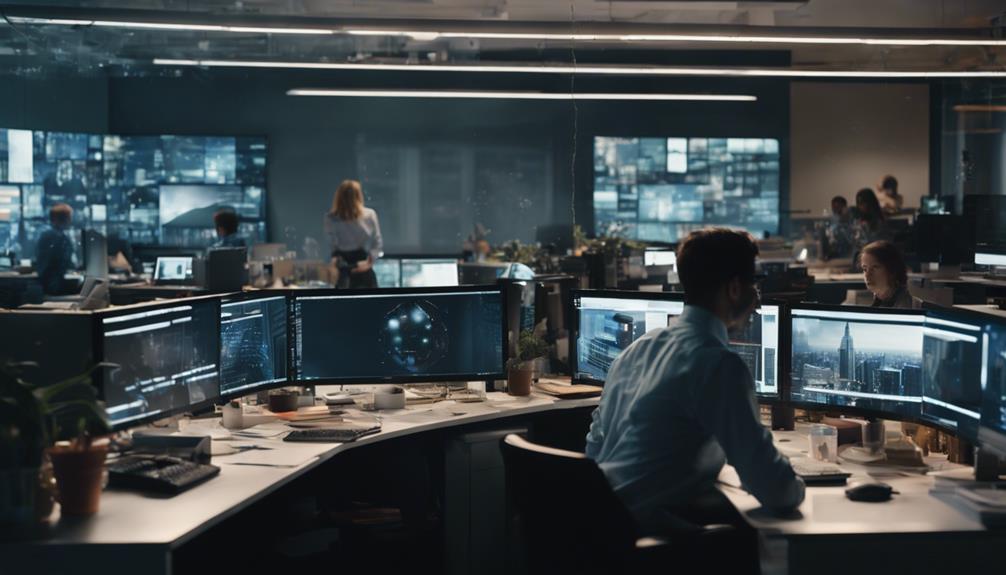
Your conference room cameras greatly influence hybrid collaboration quality by ensuring everyone is visible, engaged, and connected. Proper placement and high-quality features help mimic in-person eye contact, making conversations feel natural and inclusive. Advanced technology like PTZ and wide-angle lenses improve the overall experience, fostering better teamwork. When you optimize your camera setup, remote participants feel more involved and collaborative. To discover how to craft the perfect setup, keep exploring the key elements that make hybrid meetings successful.

Get business pricing on tech for your team
- Business-only prices and quantity discounts
- Tax-exempt purchasing
- Multiple users, one account, clear invoices
Key Takeaways
- Proper camera placement ensures clear visibility and mimics eye contact, fostering natural interaction among hybrid participants.
- High-quality cameras with advanced features improve visual clarity and focus on active speakers, enhancing engagement.
- Strategic positioning reduces feelings of detachment for remote attendees, promoting inclusivity and collaboration.
- Incorporating innovative camera technology ensures seamless integration with conferencing tools and adapts to dynamic meeting needs.
- An optimized camera setup creates a more fluid, responsive virtual environment, boosting overall hybrid collaboration effectiveness.

As organizations increasingly adopt hybrid work models, selecting the right conference room cameras becomes essential for seamless collaboration. The success of virtual meetings hinges on how well everyone can see and be seen, making camera quality and placement critical. When you choose the right conference room cameras, you improve virtual meeting dynamics by guaranteeing that remote participants feel as engaged and connected as those physically present. Proper camera placement is fundamental here; it determines what’s captured on video and how natural the interaction feels. If the camera is poorly positioned, it can create awkward angles or obscure important visuals, disrupting the flow of conversation and causing frustration.
You need to think about where to place the camera so it captures the entire room or focus on specific speakers, depending on your meeting style. For example, a camera mounted at the far end of the room might only show a limited view, making remote attendees feel disconnected. Conversely, a camera that’s strategically positioned at eye level and centrally located can deliver a more inclusive experience, allowing everyone to see each other clearly. This placement can also help facilitate better virtual meeting dynamics by mimicking in-person eye contact, which encourages engagement and natural conversation. When remote participants see the room as if they’re there, it reduces feelings of detachment and fosters a more collaborative environment.
Beyond placement, the quality of the camera itself matters. High-definition cameras with wide-angle lenses can capture more of the room and participants, providing clarity and reducing the need for constant adjustments. Some cameras come with PTZ (pan, tilt, zoom) features, allowing you to focus on active speakers automatically, which keeps the meeting flowing smoothly without manual intervention. Incorporating these advanced features into your conference room setup enhances virtual meeting dynamics by creating a more fluid and responsive environment that adapts to the conversation. Additionally, considering camera technology can ensure your setup stays up-to-date with the latest innovations, further improving collaboration. Selecting cameras with advanced features can help optimize the user experience and adapt to various meeting scenarios.
Ultimately, the right combination of camera quality and strategic placement makes all the difference in hybrid collaboration. It’s not just about having a camera; it’s about positioning it correctly and choosing one that can deliver a clear, all-encompassing view of your space. When you prioritize these elements, you build a virtual meeting experience that feels natural, inclusive, and productive—no matter where your team members are located. This thoughtful approach ensures your hybrid meetings are not just functional but genuinely effective, fostering stronger teamwork and communication across distances. Recognizing the importance of video conferencing technology can further enhance your setup’s effectiveness and ensure seamless integration with other collaboration tools.
As an affiliate, we earn on qualifying purchases.
Frequently Asked Questions
How Do Camera Angles Impact Participant Engagement?
Camera angles directly impact your participant focus and visual clarity. When the camera is positioned to capture faces clearly and at an engaging angle, you stay more attentive and involved. Wide or poorly angled shots can make it harder to read expressions or feel connected, reducing engagement. By choosing best camera angles, you create a more immersive experience, encouraging active participation and ensuring everyone stays visually connected throughout the meeting.
What Features Improve Camera Usability for All Users?
They say, “The devil is in the details,” and camera usability features prove that true. To improve usability for all users, guarantee the user interface is intuitive and easy to navigate. Incorporate accessibility features like adjustable angles, high contrast modes, and voice commands. These enhancements make it simple for everyone to participate confidently, fostering better hybrid collaboration and making meetings more inclusive and productive.
How Do Cameras Affect Meeting Security and Privacy?
You should know that cameras impact meeting security and privacy considerably. They often use encryption protocols to protect data during transmission, ensuring unauthorized parties can’t access sensitive content. Privacy safeguards, like camera shutters or user-controlled visibility, help prevent accidental or intentional breaches. By choosing cameras with robust security features, you can confidently hold meetings, knowing your discussions remain private and secure from potential cyber threats or intrusions.
Can Camera Quality Influence Decision-Making During Meetings?
Yes, camera quality can substantially influence decision-making during meetings. Clear visuals foster better understanding, enabling you to interpret body language and facial expressions accurately. High-quality cameras offer visual clarity, reducing miscommunication. When meetings require real-time adjustments, superior camera technology ensures you see the details instantly, helping you make informed choices quickly. Poor visual quality, on the other hand, can lead to misunderstandings, delaying decisions and impacting collaboration effectiveness.
How Do Different Room Sizes Impact Camera Selection?
You need to ensure room size when selecting cameras, as larger rooms require wide-angle lenses to capture everyone clearly, while smaller spaces benefit from focused cameras. Room acoustics and lighting conditions influence camera choice too; poor acoustics may necessitate cameras with better audio pickup, and inconsistent lighting calls for cameras with good low-light performance. Matching your equipment to room size, acoustics, and lighting ensures effective communication during hybrid meetings.
wide angle video conferencing camera
As an affiliate, we earn on qualifying purchases.
As an affiliate, we earn on qualifying purchases.
Conclusion
Investing in high-quality conference room cameras transforms your hybrid meetings from good to legendary. They become the bridge that connects remote and in-person teams with crystal-clear clarity, making every voice heard and every idea shine. Without these cameras, your collaboration efforts risk falling into chaos, like a ship lost in a storm. But with the right technology, you’ll craft seamless, engaging meetings that elevate your team’s productivity to heights you’ve only dreamed of—truly, a game-changer.
high definition conference camera
As an affiliate, we earn on qualifying purchases.
As an affiliate, we earn on qualifying purchases.
auto focus speaker tracking camera
As an affiliate, we earn on qualifying purchases.
As an affiliate, we earn on qualifying purchases.
Fall Picks
fall essentials
As an affiliate, we earn on qualifying purchases.