
Mini PC clusters offer a hands-on, affordable way to grasp key Kubernetes concepts like resource management, workload distribution, and container orchestration. They simulate real-world scenarios such as edge computing, helping you understand decentralized processing and troubleshooting issues. Managing multiple nodes in a small setup builds foundational skills for larger deployments, whether on-premises or in the cloud. Keep exploring, and you’ll uncover how these small clusters prepare you for more complex systems and bigger challenges ahead.

Get business pricing on tech for your team
- Business-only prices and quantity discounts
- Tax-exempt purchasing
- Multiple users, one account, clear invoices
Key Takeaways
- Mini PC clusters provide a practical, cost-effective environment for hands-on Kubernetes learning and experimentation.
- They simulate real-world edge computing scenarios, illustrating resource allocation and workload balancing.
- Small-scale clusters highlight core Kubernetes concepts like scheduling, resource management, and container orchestration.
- They help identify and troubleshoot common distributed system issues, building troubleshooting skills.
- Mini PC clusters serve as accessible platforms for scaling knowledge towards deploying larger, complex Kubernetes environments.
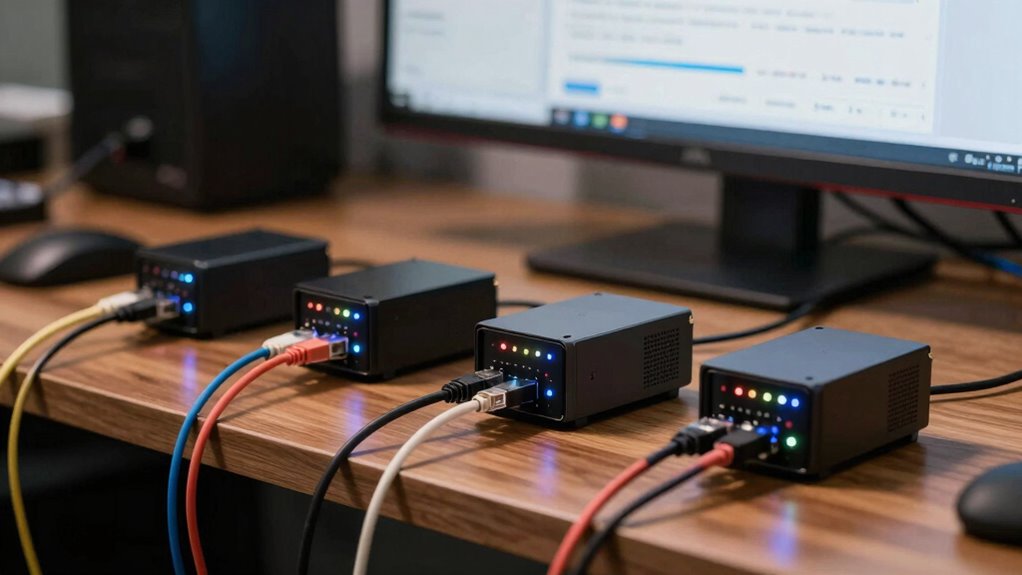
Setting up a mini PC cluster might seem intimidating, but it’s a practical way to learn about distributed computing and container orchestration. When you work with a cluster of small, affordable PCs, you get firsthand experience managing multiple nodes, which is essential for understanding how larger, more complex systems operate. This hands-on approach helps you grasp key Kubernetes concepts like resource management and workload distribution, all within a manageable environment. Plus, mini PC clusters are ideal for exploring edge computing, where processing power is decentralized and close to data sources.
Mini PC clusters offer a practical, hands-on way to learn distributed computing and Kubernetes fundamentals.
Edge computing is increasingly important as data sources grow and latency becomes a critical factor. By deploying a mini PC cluster, you can simulate real-world edge scenarios, where processing needs to happen near sensors, IoT devices, or remote locations. You learn how to allocate resources efficiently across nodes, balancing workloads to prevent bottlenecks. This resource management skill is crucial in both small-scale clusters and large distributed systems, helping you optimize performance and reduce costs. Additionally, working with mini PC clusters offers a low-cost, low-risk environment to experiment with different configurations and approaches.
Managing resources across multiple mini PCs teaches you the importance of container orchestration. Kubernetes automates deployment, scaling, and maintenance of containerized applications, but understanding its core principles starts with simple setups. As you experiment with deploying containers on your mini cluster, you see how Kubernetes schedules tasks based on resource availability, node capacity, and workload priorities. This knowledge translates directly to larger systems, where effective resource management ensures reliability and efficiency. Developing these skills with mini PC clusters provides a foundational understanding that applies universally in distributed environments.
Furthermore, working with mini PC clusters offers a low-cost, low-risk environment to troubleshoot and learn about common challenges in distributed computing. You’ll encounter issues like node failures, network latency, and resource contention, and develop strategies to mitigate them. Additionally, you gain insight into cluster scalability, which is vital for adapting systems to increased workloads or expanding infrastructure. Recognizing the significance of distributed systems helps you understand the broader context of managing multiple interconnected nodes. These lessons are invaluable when scaling up or migrating to cloud-based solutions, where similar principles apply. You also gain a deeper appreciation for the importance of monitoring, logging, and maintaining your cluster’s health, all vital for keeping systems running smoothly.
In essence, mini PC clusters serve as a microcosm of real-world distributed systems. They teach you about resource management, edge computing, and the fundamentals of container orchestration in an accessible, tangible way. These lessons aren’t just academic—they prepare you for managing complex environments, whether on-premises or in the cloud. By starting small, you build the confidence and skills necessary to tackle larger, more intricate Kubernetes deployments and edge computing architectures in the future. Understanding mini PC clusters provides a foundational grasp of many core principles used in larger-scale systems.
Products Worth Considering

DJI Osmo Mobile 7P with Mic Mini TX (Infinity Black) Gimbal Stabilizer

DJI Osmo Mobile 8 Phone Gimbal with Mic Mini Transmitter, Infinity Black

Samsung 27-Inch Odyssey QD-OLED G8 4K 240Hz Gaming Monitor
As an affiliate, we earn on qualifying purchases.
Frequently Asked Questions
How Do Mini PC Clusters Compare to Cloud-Based Kubernetes Environments?
Mini PC clusters offer a hands-on experience that cloud-based Kubernetes environments can’t easily match, especially for learning about edge computing and resource management. You can directly control hardware, experiment with real-world deployments, and better understand resource constraints. While cloud platforms provide scalability, mini clusters teach you essential skills like managing limited resources and optimizing workloads, making them invaluable for foundational Kubernetes lessons.
What Are the Cost Advantages of Using Mini PC Clusters for Learning?
You save money with mini PC clusters because they offer budget flexibility and hardware customization. Unlike cloud services with ongoing subscription fees, you invest upfront in affordable hardware tailored to your learning needs. This hands-on approach reduces costs, letting you experiment freely without breaking the bank. Plus, you can upgrade or modify components as needed, making it a cost-effective, flexible way to master Kubernetes concepts firsthand.
Can Mini PC Clusters Handle Large-Scale Kubernetes Deployments Effectively?
Mini PC clusters can handle large-scale Kubernetes deployments quite effectively, especially when you focus on edge computing needs. They offer good hardware scalability, allowing you to add more units as your workload grows. While they might not match the power of data center servers, their flexibility and low cost make them ideal for testing, learning, and deploying scalable applications at the edge. Just make certain your network setup supports the increased traffic.
What Hardware Specifications Are Ideal for Building a Mini PC Cluster?
You should select hardware with diversity in CPU, RAM, and storage to optimize performance metrics across your mini PC cluster. Aim for quad-core or better processors, at least 8GB of RAM per node, and fast SSD storage. This hardware diversity guarantees balanced workloads and resilience. Prioritize reliable networking options, like gigabit Ethernet, to support seamless communication between nodes, making your cluster efficient and scalable for Kubernetes testing or small-scale deployments.
How Do Mini PC Clusters Facilitate Hands-On Kubernetes Troubleshooting?
Imagine the thrill of mastering complex systems—mini PC clusters help you do just that. They facilitate hands-on Kubernetes troubleshooting by simulating real-world edge computing environments, where resource allocation challenges often arise. You learn to identify bottlenecks, optimize workloads, and understand network intricacies, all in a manageable setup. This practical experience sharpens your skills and deepens your confidence in deploying resilient, efficient Kubernetes solutions across diverse, resource-constrained environments.
Conclusion
Just like a ship’s crew learns to navigate choppy waters with a tiny boat, mini PC clusters teach you the fundamentals of Kubernetes without sinking your budget. These small, mighty setups act as your training grounds, revealing the secrets of orchestration and scalability. Embrace the journey, and you’ll find that mastering these lessons today sets you afloat on the vast ocean of cloud computing tomorrow. Your Kubernetes voyage starts with these miniature ships—ready to sail?