
📊 Full opportunity report: Undervolting Your GPU for Local Inference: Lower Heat, Same Tokens/sec on ThorstenMeyerAI.com — validation score, market gap, and execution plan.
TL;DR
Undervolting a GPU using power limiting reduces heat and noise without significantly affecting inference speed. This is especially effective for memory-bandwidth-bound workloads like local LLM inference.
Recent practical testing confirms that undervolting GPUs through power limiting can significantly reduce heat output and noise during local AI inference workloads, with minimal impact on tokens per second.
Multiple sources, including developer tests and technical guides, show that capping the power limit of high-end GPUs like the RTX 4090 at around 60-80% retains over 90% of its inference performance while decreasing power draw by up to 30-40%. This method leverages the fact that most inference workloads are memory-bandwidth-bound, so reducing core voltage and clock speeds does not substantially impact throughput.
Power limiting is a simple, reversible adjustment available through tools like MSI Afterburner. It involves setting a maximum power threshold, prompting the GPU to automatically adjust voltage and clock speeds to stay within that limit. This approach is safer and easier for most users than manual undervolting, which involves editing voltage-frequency curves and stability testing.
Data from recent tests indicate that at 70% power limit, performance drops by less than 2%, while temperature and power consumption decrease notably. For example, on an RTX 4090, reducing power from 390W to approximately 300W resulted in a temperature drop of about 5°C and a significant reduction in heat output, with negligible performance loss.
Undervolt for inference:
lower heat, same tokens/sec.
Local inference is memory-bound — the GPU core spends much of its time waiting on VRAM, not maxing out compute. So when you cap its power, heat falls fast while throughput barely moves. Drag the slider in Part 2 to see the trade for yourself.
(the real limit)
(often waiting)
you pay for in heat
| Power limit | Power draw | Temp | Speed kept | Efficiency |
|---|---|---|---|---|
| 100% (stock) | 390 W | 72°C | 100% | baseline |
| 80% | 330 W | 70°C | 98.6% | +17% |
| 70%recommended | 300 W | 67°C | 93.4% | +22% |
| 60% | 260 W | 62°C | 91.5% | +37% |
| 55%peak efficiency | 240 W | 60°C | 89.2% | +45% |
| 50% | 220 W | 58°C | 82.6% | +46% |
| 40% (too far) | 180 W | 52°C | 61.3% | falls off |
- One slider, 100% → 70%. The card reduces voltage and clocks on its own.
- Can’t damage anything — you’re restricting the card, not pushing it.
- No stability testing needed.
- Captures most of the available benefit.
- Edit the voltage-frequency curve — hold a clock at lower voltage.
- Target around 0.9–0.95V to start; better chips go lower.
- Keeps more performance for the same heat cut.
- Test under your real workload — a curve stable for 10 min can fail on hour 3.
MSI Afterburner (works on any brand). Headless Linux: nvidia-smi or LACT.sudo nvidia-smi -pl 300.Impact of Power Limiting on Inference Efficiency
This development matters because it demonstrates a practical way to optimize high-power GPUs for inference tasks, reducing heat, noise, and energy costs without sacrificing throughput. For AI practitioners and hobbyists, this means more efficient hardware operation, lower cooling requirements, and quieter environments, especially in setups running all day.
Since most local large language model inference is memory-bound, users can safely apply power limits to extend hardware lifespan and improve operational comfort while maintaining near-maximum performance. This approach also offers an accessible entry point for those new to GPU tuning, avoiding the risks associated with manual undervolting.
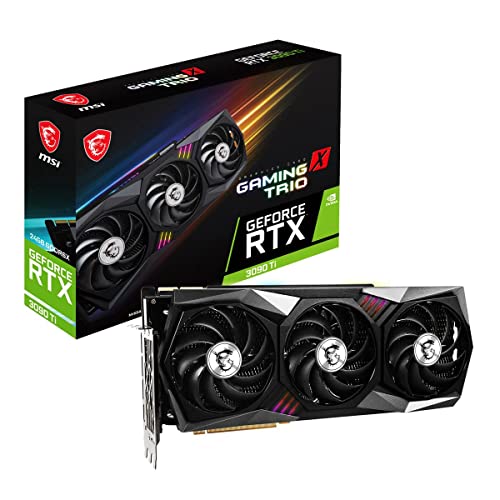
msi Gaming GeForce RTX 3090 Ti 24GB GDRR6X 384-Bit HDMI/DP Nvlink Tri-Frozr Ampere Architecture OC Graphics Card (RTX 3090 Ti Gaming X Trio 24G)
Chipset: GeForce RTX 3090 Ti
As an affiliate, we earn on qualifying purchases.
As an affiliate, we earn on qualifying purchases.
GPU Factory Settings and Inference Workloads
Modern high-end GPUs like the NVIDIA RTX 4090 are factory-tuned to maximize benchmark scores, with conservative voltage curves to ensure stability at rated clocks. This results in excess voltage and heat generation, especially unnecessary during inference tasks, which are predominantly memory-bandwidth-bound rather than compute-bound.
Historically, gamers have been cautious with undervolting due to the compute-bound nature of gaming, where performance drops directly affect frame rates. In contrast, inference workloads do not rely heavily on core clock speeds once the memory bandwidth is saturated, allowing for more aggressive power and heat management strategies.
Recent testing confirms that capping power at around 60-80% of the GPU's rated power yields near-original inference throughput while reducing heat output substantially, making this a practical optimization for AI workstations.
"Most inference workloads are memory-bound, so reducing core voltage and clock speeds doesn't significantly impact tokens/sec. It’s a simple way to cut heat and noise."
— Thorsten Meyer, AI hardware tuning expert

JONSBO D31 MESH Black Micro ATX Computer Case, MATX/ITX Mainboard/Support RTX 4090(335-400mm) GPU 360/280AIO,Power ATX/SFX: 100mm-220mm Multiple Tool-Free Design,Black
D31 "Pine cone" series-Mesh Screen PC Case This model D31 is a Micro ATX model. If you need...
As an affiliate, we earn on qualifying purchases.
As an affiliate, we earn on qualifying purchases.
Limitations and Uncertainties of Power Limiting
While current tests show promising results, the exact performance impact may vary depending on specific workloads, GPU models, and cooling setups. Manual undervolting can potentially yield better results but requires stability testing and expertise. Long-term effects of sustained power limiting are not yet fully documented, and some workloads may still be sensitive to core clock reductions.

VIPERA NVIDIA GeForce RTX 4090 Founders Edition Graphic Card
As an affiliate, we earn on qualifying purchases.
As an affiliate, we earn on qualifying purchases.
Next Steps for GPU Optimization in AI Inference
Further testing across different GPU models and workloads will clarify the optimal power limits for various inference tasks. Software tools may introduce more precise or automated undervolting options, making this process easier for users. Additionally, hardware manufacturers might incorporate more fine-tuned power management features tailored for inference workloads in future GPU designs.
Users should monitor temperature, stability, and performance during initial adjustments and consider incremental changes to find the best balance for their specific setup.

SCCCF 3x90mm 92mm Graphic Card Fans, Graphics Card Video Card VGA PCI Slot Fan GPU Cooler
3 x 92mm fans combined into one interface, can be connected to the motherboard's 3-pin or 4-pin interface...
As an affiliate, we earn on qualifying purchases.
As an affiliate, we earn on qualifying purchases.
Key Questions
Does undervolting or power limiting affect inference speed?
In most cases, especially for memory-bound inference workloads, reducing power or voltage has minimal impact on tokens per second—often less than 2% performance loss.
Is power limiting safe for my GPU?
Yes, setting a power limit is a reversible adjustment that does not damage the hardware. It is a common practice to improve efficiency and reduce heat and noise.
Can I manually undervolt my GPU for better results?
Yes, but it requires editing voltage-frequency curves and stability testing. For most users, starting with simple power limiting is safer and sufficient.
Will undervolting impact gaming performance?
Yes, since gaming workloads are often compute-bound, reducing core voltage and clock speeds can lead to noticeable performance drops. This technique is mainly suited for inference workloads.
What tools are recommended for power limiting?
MSI Afterburner is a widely used free tool that allows easy adjustment of power limits on compatible GPUs.
Source: ThorstenMeyerAI.com