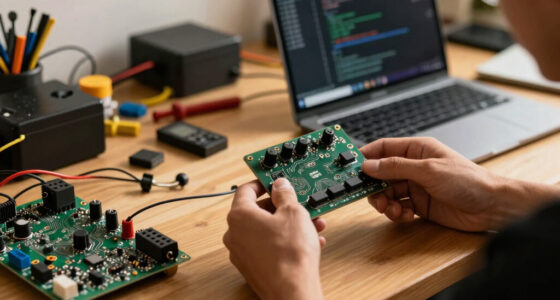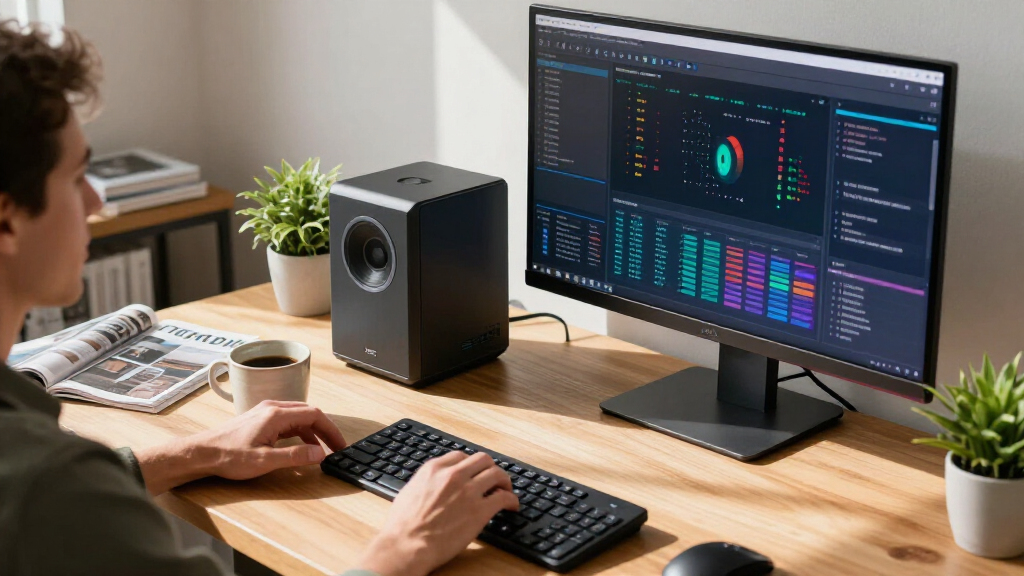

The best AI computer overall in this roundup is the GMKtec EVO-X3 Mini PC, whose Ryzen AI Max+ 395, 128GB of memory, and 2TB SSD make it a strong fit for local workloads without a tower-sized footprint. For serious model development, the NVIDIA DGX Spark and its GB10-based rivals prioritize an AI-focused platform, while the MacBook Pro 16-inch with M5 Pro suits people who need a capable laptop for creative and AI work. The main tradeoff is between compact everyday systems, high-memory AMD mini PCs, and specialized AI desktops built for heavier local computing. Memory capacity, software compatibility, cooling, and portability can matter more than a headline AI feature. Read on for the full breakdown and guidance on matching a system to your work.

Get tech for your team delivered free — and shop member deals
- Fast, free delivery on millions of items
- Access to Prime Big Deal Days deals on October 6–7
- Prime Video, Amazon Music and more included
Key Takeaways
High memory separates the strongest local-AI mini PCs. Several Ryzen AI Max+ 395 systems pair 128GB of memory with 2TB storage, a useful combination for workloads that exceed ordinary office-PC needs.
GB10 systems target a different buyer. The NVIDIA DGX Spark, ASUS Ascent GX10, and GIGABYTE AI TOP ATOM emphasize dedicated AI-computing platforms rather than conventional desktop versatility.
Specifications alone do not settle the ranking. A system’s software support, cooling, memory configuration, and intended workload shape whether its hardware is useful in practice.
Not every AI-labeled computer is a local-model workstation. The HP all-in-one, Dell business tower, and MacBook Air options make more sense for general computing with AI features than for demanding local model work.
Several entries are near-duplicates or repeated listings. The GMKtec EVO-X3 and X3 share a core configuration, and AMD Ryzen AI Halo appears twice, so buyers should verify the exact model and configuration before comparing options.
| GMKtec EVO-X3 Mini PC with AMD Ryzen AI Max+ 395, 128GB LPDDR5X, and 2TB PCIe 4.0 SSD |  | Best Overall AI Mini PC | Processor: AMD Ryzen AI Max+ 395, 16 cores and 32 threads, up to 5.1GHz | Graphics: AMD Radeon 8060S, 40 compute units, up to 2900MHz | NPU: AMD XDNA 2, up to 50 TOPS | VIEW LATEST PRICE | See Our Full Breakdown |
| HP OmniStudio 27-inch All-in-One Desktop, Ryzen AI 7 445, 16 GB RAM, 512 GB SSD, FHD, Windows 11 Home |  | Best AI Computer for Beginners | Display: 27-inch Full HD (1920 x 1080) | Processor: AMD Ryzen AI 7 445 | Graphics: AMD Radeon 840M | VIEW LATEST PRICE | See Our Full Breakdown |
| NVIDIA DGX Spark Personal AI Desktop Supercomputer |  | Best for Serious Local AI Development | Processor: NVIDIA GB10 Grace Blackwell Superchip | Processor speed: 3.8GHz | Memory: 128GB unified DDR5 | VIEW LATEST PRICE | See Our Full Breakdown |
| ASUS Ascent GX10 Mini PC with NVIDIA GB10 Superchip and 128GB Memory |  | Best for Scalable AI Work | Processor: NVIDIA GB10 Grace Blackwell Superchip | AI performance: 1 petaFLOP | Memory: 128GB | VIEW LATEST PRICE | See Our Full Breakdown |
| GIGABYTE AI TOP ATOM Personal AI Supercomputer, NVIDIA GB10 Grace Blackwell, 128GB Memory, 4TB SSD |  | Best Compact AI Supercomputer | Processor: NVIDIA GB10 Grace Blackwell Superchip with 20-core Arm CPU | Processor speed: 3.8GHz | Memory: 128GB unified memory; memory technology is listed as LPDDR5X in the title and DDR5 in product information | VIEW LATEST PRICE | See Our Full Breakdown |
| GEEKOM IT15 Mini PC, Intel Core Ultra 9 285H, 32GB DDR5 RAM, 1TB SSD |  | Best for Multi-Display Work | Processor: Intel Core Ultra 9 285H | AI performance: 99 TOPS combined: 13 TOPS NPU, 77 TOPS Arc GPU, 9 TOPS CPU | Graphics: Intel Arc 140T | VIEW LATEST PRICE | See Our Full Breakdown |
| Dell Pro Tower Business Desktop with Intel Core Ultra 5, 32GB DDR5 RAM, and 1TB SSD |  | Best for Windows Business Work | Processor: Intel Core Ultra 5 235, 14 cores and 14 threads, up to 5.0GHz | NPU: 13 TOPS | Memory: 32GB DDR5 | VIEW LATEST PRICE | See Our Full Breakdown |
| MacBook Air 13-inch Laptop with M5 chip, 13.6-inch Liquid Retina Display, 16GB Unified Memory, 512GB SSD, 12MP Center Stage Camera, Touch ID, Wi-Fi 7 – Silver |  | Best for Portable AI Work | Processor: Apple M5 chip | Memory: 16GB unified memory | Storage: 512GB SSD | VIEW LATEST PRICE | See Our Full Breakdown |
| AMD Ryzen AI Halo Personal AI Desktop Computer |  | Best for Large Local AI Models | Operating system: Linux | Processor: AMD Ryzen AI Max+ 395, 16 cores and 32 threads | Graphics: AMD Radeon 8060S integrated graphics with 40 RDNA 3.5 compute units | VIEW LATEST PRICE | See Our Full Breakdown |
| GMKtec X3 AI Mini PC AMD Ryzen AI Max+ 395 128GB LPDDR5X 2TB PCIe 4.0 SSD |  | Best for Expandable AI Mini-PC Setups | Processor: AMD Ryzen AI Max+ 395 with 16 Zen 5 cores | AI performance: 126 TOPS stated | Graphics: Integrated Radeon RX 8060S | VIEW LATEST PRICE | See Our Full Breakdown |
| MINISFORUM MS-S1 MAX Mini AI Workstation PC, Ryzen AI Max+ 395, 128GB RAM, 2TB SSD |  | Best for Expandable AI Workstations | Processor: AMD Ryzen AI Max+ 395, 16 cores / 32 threads, up to 5.1GHz | Graphics: Integrated RDNA 3.5 GPU | NPU: 50 TOPS | VIEW LATEST PRICE | See Our Full Breakdown |
| Apple MacBook Air 15-inch Laptop with M5 Chip, 16GB Memory, 512GB SSD, and Liquid Retina Display (Midnight) |  | Best for Portable Everyday AI | Processor: Apple M5 chip | Display: 15.3-inch Liquid Retina | Memory: 16GB unified memory | VIEW LATEST PRICE | See Our Full Breakdown |
| Apple MacBook Pro 16.2-inch with M5 Pro, 18-core CPU, 20-core GPU, 24GB Memory, 1TB SSD, Wi-Fi 7, Silver |  | Best Premium Creative Laptop | Processor: Apple M5 Pro with 18-core CPU | Graphics: 20-core GPU | Display: 16.2-inch Liquid Retina XDR | VIEW LATEST PRICE | See Our Full Breakdown |
| AMD Ryzen AI Halo Personal AI Desktop Computer | | Best for Local Model Development | Processor: AMD Ryzen AI Max+ 395, 16 cores / 32 threads | Graphics: AMD Radeon 8060S integrated graphics, 40 RDNA 3.5 compute units | NPU: AMD XDNA 2, up to 50 TOPS | VIEW LATEST PRICE | See Our Full Breakdown |
| BOSGAME M5 Mini PC with Ryzen AI Max+ 395, 128GB RAM, and 2TB SSD |  | Best for Multi-Display AI Work | Processor: AMD Ryzen AI Max+ 395, 16 cores / 32 threads, up to 5.1GHz | Graphics: Integrated AMD Radeon 8060S, 40 RDNA 3.5 compute units | Memory: 128GB LPDDR5X-8000 unified memory | VIEW LATEST PRICE | See Our Full Breakdown |
| AI computer | Processor | Memory | Storage | Graphics |
|---|---|---|---|---|
| GMKtec EVO-X3 Mini PC with AMD | AMD Ryzen AI Max+ 395, 16 cores and 32 threads, up to 5.1GHz | 128GB LPDDR5X, 8000MT/s | 2TB PCIe 4.0 SSD | AMD Radeon 8060S, 40 compute units, up to 2900MHz |
| HP OmniStudio 27-inch All-in-O | AMD Ryzen AI 7 445 | 16GB DDR5, 5600MHz | 512GB PCIe NVMe M.2 SSD | AMD Radeon 840M |
| NVIDIA DGX Spark Personal AI D | NVIDIA GB10 Grace Blackwell Superchip | 128GB unified DDR5 | 4TB NVMe M.2 SSD | — |
| ASUS Ascent GX10 Mini PC with | NVIDIA GB10 Grace Blackwell Superchip | 128GB | — | — |
| GIGABYTE AI TOP ATOM Personal | NVIDIA GB10 Grace Blackwell Superchip with 20-core Arm CPU | 128GB unified memory; memory technology is listed as LPDDR5X in the title and DDR5 in product information | 4TB PCIe 5.0 NVMe SSD | — |
| GEEKOM IT15 Mini PC | Intel Core Ultra 9 285H | 32GB DDR5, upgradeable to 128GB | 1TB NVMe Gen 4 SSD | Intel Arc 140T |
| Dell Pro Tower Business Deskto | Intel Core Ultra 5 235, 14 cores and 14 threads, up to 5.0GHz | 32GB DDR5 | 1TB PCIe SSD | Intel Graphics |
| MacBook Air 13-inch Laptop wit | Apple M5 chip | 16GB unified memory | 512GB SSD | — |
| AMD Ryzen AI Halo Personal AI | AMD Ryzen AI Max+ 395, 16 cores and 32 threads | 128GB LPDDR5x unified memory; maximum supported memory listed as 192GB | 2TB M.2 SSD | AMD Radeon 8060S integrated graphics with 40 RDNA 3.5 compute units |
| GMKtec X3 AI Mini PC AMD Ryzen | AMD Ryzen AI Max+ 395 with 16 Zen 5 cores | 128GB LPDDR5X, soldered | Dual PCIe 4.0 M.2 2280 SSD slots, up to 16TB total | Integrated Radeon RX 8060S |
| MINISFORUM MS-S1 MAX Mini AI W | AMD Ryzen AI Max+ 395, 16 cores / 32 threads, up to 5.1GHz | 128GB LPDDR5x-8000MT/s | 2TB SSD; dual M.2 PCIe 4.0 slots, supports up to 16TB RAID 0/1 | Integrated RDNA 3.5 GPU |
| Apple MacBook Air 15-inch Lapt | Apple M5 chip | 16GB unified memory | 512GB SSD | — |
| Apple MacBook Pro 16.2-inch wi | Apple M5 Pro with 18-core CPU | 24GB unified memory | 1TB SSD | 20-core GPU |
| AMD Ryzen AI Halo Personal AI | AMD Ryzen AI Max+ 395, 16 cores / 32 threads | 128GB LPDDR5x unified memory, 8000 MT/s, 256GB/s bandwidth | 2TB M.2 SSD | AMD Radeon 8060S integrated graphics, 40 RDNA 3.5 compute units |
| BOSGAME M5 Mini PC with Ryzen | AMD Ryzen AI Max+ 395, 16 cores / 32 threads, up to 5.1GHz | 128GB LPDDR5X-8000 unified memory | 2TB PCIe 4.0 NVMe SSD; second M.2 2280 PCIe 4.0 slot | Integrated AMD Radeon 8060S, 40 RDNA 3.5 compute units |
More Details on Our Top Picks
GMKtec EVO-X3 Mini PC with AMD Ryzen AI Max+ 395, 128GB LPDDR5X, and 2TB PCIe 4.0 SSD
The GMKtec EVO-X3 is my strongest all-round pick for buyers who want local AI capability without giving up a compact, flexible desktop. Its 128GB of memory and Ryzen AI Max+ 395 give it room for demanding creative work and AI tasks, while the Radeon 8060S adds more graphics muscle than the integrated Radeon 840M in the HP OmniStudio. That makes the EVO-X3 better suited to mixed workloads than a conventional all-in-one, though it does not include the HP’s display, camera, keyboard, or mouse. OCuLink expansion offers a path to an external GPU, but connecting or removing OCuLink devices requires powering down. The memory is soldered, so buyers cannot upgrade it later. I’d choose this over the NVIDIA systems here for a more general-purpose PC, not for maximum specialized AI throughput.
Pros:- 128GB LPDDR5X memory gives demanding local AI and creative workloads generous capacity.
- Ryzen AI Max+ 395 and Radeon 8060S combine CPU, NPU, and graphics capability in a compact system.
- OCuLink provides an external GPU expansion route.
- USB4, Wi-Fi 7, and 2.5G LAN offer flexible high-speed connectivity.
Cons:- LPDDR5X memory is installed on-board and cannot be upgraded.
- OCuLink devices must be connected or disconnected while the PC is powered off.
- Unlike the HP OmniStudio, it does not include a built-in display or bundled keyboard and mouse.
Best for: AI enthusiasts and creators who need a compact Windows desktop with substantial memory, strong integrated graphics, and the option to add an external GPU.
Not ideal for: Buyers who need user-upgradeable memory, an included monitor, or a system focused chiefly on NVIDIA’s local AI development stack.
- Processor:AMD Ryzen AI Max+ 395, 16 cores and 32 threads, up to 5.1GHz
- Graphics:AMD Radeon 8060S, 40 compute units, up to 2900MHz
- NPU:AMD XDNA 2, up to 50 TOPS
- AI performance:Up to 126 TOPS
- Memory:128GB LPDDR5X, 8000MT/s
- Storage:2TB PCIe 4.0 SSD
- Expansion:OCuLink PCIe Gen4 x4
- Connectivity:USB4, Wi-Fi 7, Bluetooth 5.4, and 2.5G LAN
Our verdict“Choose the EVO-X3 for a capable, flexible AI mini PC with ample memory, but skip it if you need upgradeable RAM or an all-in-one setup.”
HP OmniStudio 27-inch All-in-One Desktop, Ryzen AI 7 445, 16 GB RAM, 512 GB SSD, FHD, Windows 11 Home
The HP OmniStudio is the most approachable choice here for someone who wants an AI-capable home computer rather than a compact workstation to configure. Its 27-inch display, Windows Hello camera, keyboard, and mouse arrive as one setup, while the GMKtec EVO-X3 asks buyers to supply a monitor and peripherals. The Ryzen AI 7 445 and 16GB of memory suit everyday computing and lighter AI-enabled tasks, but this is not the right pick for running large local models: the EVO-X3 and NVIDIA DGX Spark both offer 128GB of memory. The OmniStudio’s Full HD resolution is also modest for a screen this size, and the listed maximum memory of 16GB leaves little room for heavier workloads. I’d pick it for convenience, not AI development headroom.
Pros:- 27-inch display and included wired keyboard and mouse make setup straightforward.
- FHD infrared camera supports Windows Hello facial recognition.
- 16GB DDR5 memory and a 512GB NVMe SSD provide a useful everyday desktop configuration.
- USB-C, USB-A, HDMI-out, Wi-Fi 6, and RJ-45 cover common connections.
Cons:- The 1920 x 1080 resolution is relatively limited across a 27-inch screen.
- Listed maximum memory is 16GB, restricting heavier AI and creative workloads.
- Radeon 840M graphics and the Ryzen AI 7 445 are less suited to demanding local AI than the EVO-X3.
Best for: Home users or first-time AI PC buyers who want a ready-to-use desktop for everyday tasks, video calls, and lighter AI features.
Not ideal for: Local-model developers, demanding creators, or buyers who want a sharper display and the option to expand memory.
- Display:27-inch Full HD (1920 x 1080)
- Processor:AMD Ryzen AI 7 445
- Graphics:AMD Radeon 840M
- Memory:16GB DDR5, 5600MHz
- Storage:512GB PCIe NVMe M.2 SSD
- Camera:FHD infrared camera with HDR auto-switch
- Operating system:Windows 11 Home
- Connectivity:Wi-Fi 6, Bluetooth, and RJ-45
Our verdict“Pick the OmniStudio if you want a convenient all-in-one for everyday use and lighter AI features, not a machine for large local models.”
NVIDIA DGX Spark Personal AI Desktop Supercomputer
The NVIDIA DGX Spark is the clearest specialist choice in this group: it is built around local AI development, inference, fine-tuning, and analytics rather than general desktop flexibility. Its Grace Blackwell system and 128GB unified memory are specified to support models up to 200 billion parameters at FP4, giving AI practitioners a more purpose-built platform than the general-use GMKtec EVO-X3. The EVO-X3 may be the more versatile everyday mini PC, but the DGX Spark pairs its hardware with NVIDIA DGX OS and software aimed at AI workflows. Its 4TB SSD also gives projects more local storage than the EVO-X3’s 2TB. The tradeoff is a specialized system with limited expansion detail and a small selection of listed ports. I’d choose it for model work, not as the default family or office computer.
Pros:- Up to 1 PFLOP of FP4 AI performance targets demanding local AI workloads.
- 128GB unified memory supports models up to 200 billion parameters at FP4.
- 4TB NVMe SSD provides substantial local workspace and project storage.
- NVIDIA DGX OS supports AI development and deployment workflows.
Cons:- Its specialized AI software and workload focus may be a poor fit for ordinary desktop use.
- Compact form factor may limit expandability compared with a tower workstation.
- The listed connection options are sparse, with four USB ports and one HDMI port.
Best for: AI developers, researchers, and technical teams who want a compact local system for inference, fine-tuning, and model experimentation.
Not ideal for: General desktop buyers who need broad upgrade options, a conventional Windows setup, or a machine centered on everyday office and entertainment use.
- Processor:NVIDIA GB10 Grace Blackwell Superchip
- Processor speed:3.8GHz
- Memory:128GB unified DDR5
- Storage:4TB NVMe M.2 SSD
- Operating system:NVIDIA DGX OS
- AI performance:Up to 1 PFLOP FP4
- Maximum model size:Up to 200 billion parameters at FP4
- Networking:ConnectX-7 Smart NIC, Ethernet, and Bluetooth
Our verdict“Choose the DGX Spark for a compact NVIDIA-based local AI development platform, but look elsewhere for a broadly expandable everyday PC.”
ASUS Ascent GX10 Mini PC with NVIDIA GB10 Superchip and 128GB Memory
The ASUS Ascent GX10 earns its place for buyers who may want to scale beyond a single compact AI computer. Like the NVIDIA DGX Spark, it uses the GB10 Grace Blackwell Superchip and lists 1 petaFLOP of AI performance with 128GB of memory. Its distinguishing feature is dual-system scaling: two GX10 units can be connected for a larger setup, a path not specified for the Spark. That flexibility comes with a major caveat—the second system is an additional purchase, and the product details supplied here do not state storage capacity or the port selection. Compared with the DGX Spark’s listed 4TB SSD and NVIDIA DGX OS, the GX10’s configuration is less fully documented. I’d shortlist it when scaling is the priority, but ask for complete storage and software details before choosing it over the Spark.
Pros:- GB10 Grace Blackwell Superchip is specified for 1 petaFLOP of AI performance.
- 128GB of memory supports substantial on-device AI workloads.
- Supports private, on-device inference.
- Dual-system scaling provides a stated growth path not listed for the DGX Spark.
Cons:- Storage capacity and detailed port configuration are not provided in the supplied product information.
- Scaling requires a second GX10, adding another system to the setup.
- Compared with the DGX Spark, fewer operating-system and storage details are specified.
Best for: AI practitioners and technical teams planning a compact development setup that can grow by connecting a second GX10.
Not ideal for: Buyers who need a clearly specified storage configuration, broad port details, or a complete single-system comparison before purchase.
- Processor:NVIDIA GB10 Grace Blackwell Superchip
- AI performance:1 petaFLOP
- Memory:128GB
- Networking:NVIDIA ConnectX-7
- CPU-GPU interconnect:NVIDIA NVLink-C2C
- Form factor:Mini PC
- Scaling:Supports connecting two GX10 systems
Our verdict“Choose the GX10 if connecting two systems is central to your AI plans, but favor the DGX Spark if you need a more fully specified configuration.”
GIGABYTE AI TOP ATOM Personal AI Supercomputer, NVIDIA GB10 Grace Blackwell, 128GB Memory, 4TB SSD
The GIGABYTE AI TOP ATOM combines a very small desktop footprint with a storage configuration well suited to keeping AI projects close at hand. Its GB10 Grace Blackwell chip, 128GB unified memory, and 4TB PCIe 5.0 SSD put it in the same local-AI class as the NVIDIA DGX Spark, while its listed dimensions are especially compact. GIGABYTE also includes NVIDIA DGX OS and AI TOP Utility for developing and running workloads. The DGX Spark has more clearly stated details for model size, networking, and ports; the AI TOP ATOM’s product information instead lists just three USB ports and HDMI. Its memory technology is also described inconsistently as LPDDR5X in the title and DDR5 in the product information. I’d favor it when compactness and SSD capacity matter, provided the buyer confirms the memory configuration.
Pros:- GB10 Grace Blackwell provides up to 1 petaFLOP of FP4 AI performance.
- 128GB of unified memory and a 4TB PCIe 5.0 NVMe SSD suit substantial local projects.
- NVIDIA DGX OS and GIGABYTE AI TOP Utility support AI development and deployment.
- Compact listed dimensions suit a desk with limited space.
Cons:- Memory technology is inconsistent across the supplied product information.
- Only three USB ports and one HDMI port are listed.
- Scaling across two systems requires an additional AI TOP ATOM.
Best for: AI developers who want a compact local AI desktop with 128GB of memory, a 4TB SSD, and bundled NVIDIA-oriented tools.
Not ideal for: Buyers who need unambiguous memory specifications, extensive port details, or a documented expansion plan without adding another system.
- Processor:NVIDIA GB10 Grace Blackwell Superchip with 20-core Arm CPU
- Processor speed:3.8GHz
- Memory:128GB unified memory; memory technology is listed as LPDDR5X in the title and DDR5 in product information
- Storage:4TB PCIe 5.0 NVMe SSD
- Operating system:NVIDIA DGX OS, Ubuntu Linux
- AI performance:Up to 1 petaFLOP FP4
- Dimensions:5.91 x 5.91 x 1.99 inches
- Ports:3 USB ports and 1 HDMI port
Our verdict“Pick the AI TOP ATOM for a compact, high-capacity local AI desktop, but verify its memory specification before buying.”
GEEKOM IT15 Mini PC, Intel Core Ultra 9 285H, 32GB DDR5 RAM, 1TB SSD
The GEEKOM IT15 is a strong fit for a desk built around several screens and a mix of creative, coding, and everyday AI-assisted work. Its Core Ultra 9 285H and stated 99 TOPS of combined AI performance give it more headroom than the Dell Pro Tower’s Core Ultra 5, while its four-display support is useful for keeping tools and reference material visible at once. The upgradeable 32GB memory also gives it a longer upgrade path than compact systems with soldered RAM. That flexibility comes with limits: Arc 140T graphics are integrated, so demanding games and GPU-heavy tasks favor a system with stronger graphics or external GPU support. Compared with the AMD Ryzen AI Halo, the IT15 is the more conventional multi-display desktop, not the better choice for fitting very large models into local memory.
Pros:- Core Ultra 9 processor with 99 TOPS of stated combined AI performance
- Upgradeable DDR5 memory, with support up to 128GB
- Supports up to four displays, including two 8K and two 4K outputs
- Wi-Fi 7, 2.5Gbps Ethernet, and Linux distribution support
Cons:- Integrated Arc graphics may limit demanding games and GPU-heavy creative work
- The installed 32GB of memory is far below the 128GB in the AMD Ryzen AI Halo
- External GPU expansion adds extra hardware and setup complexity
Best for: Developers and creative workers who want a compact Linux-capable desktop with multiple monitors and room to expand memory.
Not ideal for: Buyers focused on demanding gaming or running large AI models locally, since integrated graphics and 32GB of installed memory are less suited to those workloads.
- Processor:Intel Core Ultra 9 285H
- AI performance:99 TOPS combined: 13 TOPS NPU, 77 TOPS Arc GPU, 9 TOPS CPU
- Graphics:Intel Arc 140T
- Memory:32GB DDR5, upgradeable to 128GB
- Storage:1TB NVMe Gen 4 SSD
- Display support:Up to four displays: two 8K and two 4K
- Networking:Wi-Fi 7, Bluetooth 5.4, and 2.5Gbps Ethernet
- Operating system support:Linux distributions including Manjaro and Ubuntu, plus Android x86
- Warranty:3 years
Our verdict“Choose the GEEKOM IT15 if your priority is a flexible, multi-display mini PC rather than maximum local-model memory or high-end gaming graphics.”
Dell Pro Tower Business Desktop with Intel Core Ultra 5, 32GB DDR5 RAM, and 1TB SSD
The Dell Pro Tower brings AI-capable hardware into a straightforward business desktop rather than chasing workstation-class local AI. Its Core Ultra 5 235, 32GB of DDR5, and 1TB SSD suit office multitasking, professional applications, and routine AI features in Windows 11 Pro. The NPU is rated at 13 TOPS, a modest foundation compared with the GEEKOM IT15’s stated 99 TOPS across its CPU, GPU, and NPU; buyers seeking heavier AI processing should look beyond this Dell. Its tower format also provides more conventional desktop connectivity than a laptop, but graphics remain integrated and wireless networking relies on the included USB adapter. That makes it a sensible managed-office pick, not a compact AI development box or a graphics-focused system.
Pros:- Windows 11 Pro provides business and security features
- 32GB DDR5 memory and a 1TB PCIe SSD support multitasking and quick file access
- 14-core Core Ultra 5 processor includes a 13 TOPS NPU
- DisplayPort and HDMI support 4K output at 60Hz
Cons:- Integrated Intel Graphics is a poor fit for demanding gaming or GPU-heavy creative work
- Wireless networking depends on the included USB Wi-Fi adapter
- Its NPU capability is substantially more modest than the GEEKOM IT15’s stated combined AI performance
Best for: Small-business teams and office professionals who need Windows 11 Pro, ample multitasking memory, and a conventional desktop for productivity workloads.
Not ideal for: Local AI developers, graphics-heavy creators, or buyers who want built-in wireless networking without using a USB adapter.
- Processor:Intel Core Ultra 5 235, 14 cores and 14 threads, up to 5.0GHz
- NPU:13 TOPS
- Memory:32GB DDR5
- Storage:1TB PCIe SSD
- Graphics:Intel Graphics
- Operating system:Windows 11 Professional 64-bit
- Networking:Gigabit Ethernet and included USB Wi-Fi adapter
- Display outputs:DisplayPort 1.4a and HDMI 2.1; supports 4K at 60Hz
- Dimensions and weight:12.77 × 6.06 × 11.54 inches; 12 lbs
Our verdict“Pick the Dell Pro Tower for familiar Windows business computing, but choose a stronger AI-focused system for substantial local inference or graphics work.”
MacBook Air 13-inch Laptop with M5 chip, 13.6-inch Liquid Retina Display, 16GB Unified Memory, 512GB SSD, 12MP Center Stage Camera, Touch ID, Wi-Fi 7 – Silver
The 13-inch MacBook Air is the portable pick for people who want AI-capable computing without a desktop setup. Apple’s M5 chip, 16GB unified memory, and claimed battery life of up to 18 hours suit mobile productivity, calls, and everyday creative work; the 2.71-pound design is far easier to carry than the Dell Pro Tower or the compact-but-stationary GEEKOM IT15. Its Liquid Retina display and 12MP Center Stage camera also make it a polished option for video calls and work on the move. The tradeoff is expandability: its two Thunderbolt 4 ports leave less room for peripherals than the Dell’s desktop connections, and 16GB of memory and a 512GB SSD are less generous than several desktop picks here. It is a laptop first, not a local-AI workstation.
Pros:- M5 chip brings AI acceleration in a thin, 2.71-pound laptop
- Up to 18 hours of battery life supports work away from an outlet
- 13.6-inch Liquid Retina display and 12MP Center Stage camera suit mobile work and calls
- Wi-Fi 7 and Thunderbolt 4 provide current wireless and high-speed connectivity
Cons:- 16GB unified memory is less suited to large local AI workloads than the 128GB in the AMD Ryzen AI Halo
- Two Thunderbolt 4 ports limit direct peripheral connections
- No SD card slot or HDMI port
Best for: Students, consultants, and mobile professionals who want an AI-capable Mac for everyday work, video calls, and travel.
Not ideal for: People running memory-hungry local AI models, needing extensive built-in ports, or seeking desktop-style storage and upgrade flexibility.
- Processor:Apple M5 chip
- Memory:16GB unified memory
- Storage:512GB SSD
- Display:13.6-inch Liquid Retina
- Battery life:Up to 18 hours
- Camera:12MP Center Stage
- Connectivity:Wi-Fi 7 and Thunderbolt 4
- Dimensions and weight:8.46 × 0.44 × 11.97 inches; 2.71 pounds
- Model:MDH74LL/A
Our verdict“Choose the MacBook Air if portability and battery life matter more than desktop-level memory, ports, or local AI capacity.”
AMD Ryzen AI Halo Personal AI Desktop Computer
The AMD Ryzen AI Halo is the standout here for developers who want to run substantial AI workloads locally rather than rely on a cloud service. Its 128GB of unified memory and stated support for models up to 200 billion parameters set it apart from the GEEKOM IT15 and Dell Pro Tower, whose installed memory is much smaller. The 16-core Ryzen AI Max+ 395, Radeon 8060S graphics, and XDNA 2 NPU make this compact Linux desktop a more ambitious development system, while 10GbE and Wi-Fi 7 help it fit into fast home labs and studios. That capability asks more of its owner: Linux and ROCm tools suit technically confident users, not people wanting a simple Windows desktop. Its one-year limited warranty is also shorter than the GEEKOM’s three years.
Pros:- 128GB unified memory supports workloads that exceed the installed memory of the GEEKOM IT15 and Dell Pro Tower
- Listed support for models up to 200 billion parameters
- Ryzen AI Max+ 395, Radeon 8060S graphics, and XDNA 2 NPU combine CPU, GPU, and NPU resources
- Compact chassis includes 10GbE, Wi-Fi 7, and Bluetooth 5.4
Cons:- Linux and ROCm workflows require more technical familiarity than Windows desktops
- One-year limited warranty is shorter than the GEEKOM IT15’s three-year coverage
- Maximum supported memory is listed as 192GB, but the installed configuration is 128GB
Best for: AI developers and technically confident Linux users who need a large shared memory pool for local inference and model experimentation.
Not ideal for: Windows-first buyers, casual users seeking a plug-and-play office PC, or anyone who does not need high-capacity local AI workloads.
- Operating system:Linux
- Processor:AMD Ryzen AI Max+ 395, 16 cores and 32 threads
- Graphics:AMD Radeon 8060S integrated graphics with 40 RDNA 3.5 compute units
- NPU:AMD XDNA 2, up to 50 TOPS
- Memory:128GB LPDDR5x unified memory; maximum supported memory listed as 192GB
- Memory bandwidth:256GB/s
- Storage:2TB M.2 SSD
- Networking:10GbE, Wi-Fi 7, and Bluetooth 5.4
- Dimensions:6 × 6 × 2 inches
Our verdict“Choose the AMD Ryzen AI Halo if your main goal is running large models locally and you are comfortable building around a Linux development environment.”
GMKtec X3 AI Mini PC AMD Ryzen AI Max+ 395 128GB LPDDR5X 2TB PCIe 4.0 SSD
The GMKtec X3 combines a high-end Ryzen AI platform with unusual expansion options for a compact desktop. Its Ryzen AI Max+ 395, 128GB of LPDDR5X, and stated 126 TOPS of AI performance put it in a different class from the Dell Pro Tower or MacBook Air for memory-intensive local work. The OCuLink external GPU connection adds a path to stronger graphics, while two PCIe 4.0 SSD slots offer up to 16TB of stated storage capacity. Compared with the AMD Ryzen AI Halo, this model emphasizes storage and external GPU flexibility rather than a Linux-first development setup. The tradeoff is that its memory is soldered, so the 128GB configuration cannot be upgraded later, and its dense feature set may be unnecessary for ordinary office and browsing tasks.
Pros:- Ryzen AI Max+ 395 platform with stated 126 TOPS of AI performance
- 128GB LPDDR5X memory and dual PCIe 4.0 SSD slots
- OCuLink enables external GPU expansion
- Wi-Fi 7, 2.5GbE Ethernet, and Bluetooth 5.4
Cons:- Soldered memory cannot be upgraded after purchase
- The performance-focused hardware and expansion options may be excessive for everyday use
- A 54W power figure and dual-fan cooling may be a poor match for buyers prioritizing minimal power use or a silent setup
Best for: AI creators and power users who want a compact high-memory system with room for substantial SSD storage and an external GPU.
Not ideal for: Casual users who do not need high-end AI hardware, or buyers who want replaceable memory and a clear, specified operating system configuration.
- Processor:AMD Ryzen AI Max+ 395 with 16 Zen 5 cores
- AI performance:126 TOPS stated
- Graphics:Integrated Radeon RX 8060S
- NPU:XDNA 2, 50+ TOPS
- Memory:128GB LPDDR5X, soldered
- Storage:Dual PCIe 4.0 M.2 2280 SSD slots, up to 16TB total
- Expansion:OCuLink external GPU support
- Networking:Wi-Fi 7, 2.5GbE Ethernet, and Bluetooth 5.4
- Power and cooling:54W listed power consumption; dual-fan cooling
Our verdict“Choose the GMKtec X3 if you want a compact, high-memory AI system with strong storage and external GPU expansion options, and do not need upgradeable RAM.”
MINISFORUM MS-S1 MAX Mini AI Workstation PC, Ryzen AI Max+ 395, 128GB RAM, 2TB SSD
The MS-S1 MAX is the pick for buyers who want a compact AI workstation with room to build beyond its base configuration. Its 128GB unified memory, Ryzen AI Max+ 395 processor, and 50-TOPS NPU suit local model work and demanding creative tasks, while the full-length PCIe x16 slot and dual 10GbE connections give it more expansion and networking flexibility than the BOSGAME M5. Dual M.2 slots also support substantial storage expansion, and the 2U rack option makes multi-unit deployment more practical. The tradeoff is that its compact chassis still has to manage sustained workloads, so placement and airflow matter. Buyers should also verify the memory configuration before purchase, since the supplied product information is inconsistent about capacity.
Pros:- Ryzen AI Max+ 395 combines a 16-core processor, integrated graphics, and a 50-TOPS NPU.
- 128GB of unified memory gives local AI workloads a large shared memory pool.
- Full-length PCIe x16 slot and dual 10GbE provide uncommon expansion and networking options for a compact workstation.
- Dual M.2 slots support storage expansion, while 2U rack deployment can suit multi-unit setups.
Cons:- Compact chassis may need careful airflow management during sustained heavy workloads.
- Provided product information is inconsistent about memory capacity, so buyers should confirm the configuration.
- A workstation with extensive expansion may be more system than users need for routine desktop tasks.
Best for: AI developers and creative professionals who need 128GB of unified memory, fast wired networking, and PCIe expansion in a rack-capable compact workstation.
Not ideal for: Buyers who want a simple, low-maintenance everyday PC or need clearly confirmed memory specifications before committing.
- Processor:AMD Ryzen AI Max+ 395, 16 cores / 32 threads, up to 5.1GHz
- Graphics:Integrated RDNA 3.5 GPU
- NPU:50 TOPS
- Memory:128GB LPDDR5x-8000MT/s
- Storage:2TB SSD; dual M.2 PCIe 4.0 slots, supports up to 16TB RAID 0/1
- Expansion:Full-length PCIe x16 slot
- Connectivity:USB4 V2 up to 80Gbps, dual 10GbE LAN, HDMI 2.1 up to 8K60, Wi-Fi 7
- Cooling and deployment:Aluminum chassis, copper base plate, six heat pipes, dual fans; supports 2U rack deployment
Our verdict“Choose the MS-S1 MAX if PCIe expansion, dual 10GbE, and rack deployment matter as much as local AI capability.”
Apple MacBook Air 15-inch Laptop with M5 Chip, 16GB Memory, 512GB SSD, and Liquid Retina Display (Midnight)
The 15-inch MacBook Air suits people who want AI-capable computing in a light, quiet laptop rather than a dedicated local-model workstation. Its M5 chip, 16GB of unified memory, and up-to-18-hour battery-life claim make it better suited to mobile productivity, supported on-device features, and everyday creative work than the desk-bound MINISFORUM MS-S1 MAX. The larger 15.3-inch display gives documents and creative apps more room than the 13-inch Air, while a 12MP Center Stage camera is useful for video calls. That convenience comes with limits: 16GB of memory and 512GB of storage leave less headroom for large local AI models than the 128GB AMD systems in this roundup. Two Thunderbolt 4 ports also mean peripherals may require a hub.
Pros:- M5 chip brings AI-capable processing to a portable laptop format.
- 15.3-inch Liquid Retina display offers more workspace than the 13-inch MacBook Air.
- Up-to-18-hour battery life supports long mobile work sessions.
- 12MP Center Stage camera, Wi-Fi 7, and support for up to two external displays suit hybrid work.
Cons:- 16GB unified memory is a constraint for large local AI models compared with 128GB systems in this roundup.
- Two Thunderbolt 4 ports limit direct peripheral connections.
- 512GB SSD provides less built-in storage than the 1TB MacBook Pro 16-inch.
Best for: Students, frequent travelers, and mobile professionals who want a large-screen macOS laptop for everyday AI-enabled work and long stretches away from an outlet.
Not ideal for: Local AI developers who need large model memory, extensive built-in connectivity, or workstation-class expansion.
- Processor:Apple M5 chip
- Display:15.3-inch Liquid Retina
- Memory:16GB unified memory
- Storage:512GB SSD
- Camera:12MP Center Stage
- Battery life:Up to 18 hours
- Ports:Two Thunderbolt 4, MagSafe charging port, headphone jack
- Weight:3.32 pounds
- Operating system:macOS
Our verdict“Choose this MacBook Air if mobility, battery life, and a roomy laptop display matter more than running large AI models locally.”
Apple MacBook Pro 16.2-inch with M5 Pro, 18-core CPU, 20-core GPU, 24GB Memory, 1TB SSD, Wi-Fi 7, Silver
The 16-inch MacBook Pro is the premium mobile choice for creative professionals who value a high-end display, strong processing, and a broad port selection in one laptop. Its M5 Pro with an 18-core CPU and 20-core GPU is a more substantial professional configuration than the M5 MacBook Air, and the 16.2-inch Liquid Retina XDR display is suited to detailed visual work. Three Thunderbolt 5 ports, HDMI, and an SDXC slot also reduce the need for adapters compared with the Air’s two Thunderbolt 4 ports. It remains a compromise for buyers focused specifically on large local AI models: 24GB of unified memory is far below the 128GB in the AMD Ryzen AI Halo. At 4.71 pounds, it is also less appealing for frequent lightweight travel.
Pros:- M5 Pro combines an 18-core CPU with a 20-core GPU for demanding professional workloads.
- 16.2-inch Liquid Retina XDR display provides a large, high-contrast workspace.
- Three Thunderbolt 5 ports, HDMI, and an SDXC card slot support varied creative setups.
- Wi-Fi 7 and all-day battery capability support work away from a fixed desk.
Cons:- 24GB unified memory offers far less room for large local AI models than the 128GB AMD systems.
- At 4.71 pounds, it is heavier than the MacBook Air 15-inch.
- Warranty details require contacting customer service, according to the supplied product information.
Best for: Video editors, designers, and other mobile creative professionals who need a large XDR screen, powerful M5 Pro processing, and built-in pro-oriented ports.
Not ideal for: Local AI developers who need very large unified memory, or travelers who prioritize a lightweight laptop.
- Processor:Apple M5 Pro with 18-core CPU
- Graphics:20-core GPU
- Display:16.2-inch Liquid Retina XDR
- Memory:24GB unified memory
- Storage:1TB SSD
- Wireless:Wi-Fi 7, Bluetooth 6
- Ports:Three Thunderbolt 5, MagSafe 3, SDXC card slot, HDMI, headphone jack
- Camera:12MP Center Stage
- Weight:4.71 pounds
Our verdict“Pick the MacBook Pro 16-inch for demanding creative work on the move, but choose a 128GB desktop if large local AI models are the priority.”
AMD Ryzen AI Halo Personal AI Desktop Computer
The AMD Ryzen AI Halo is the most clearly aimed at running substantial AI workloads locally: its 128GB unified memory and stated support for models up to 200 billion parameters set it apart from the MacBook Pro 16-inch, which has 24GB. The Ryzen AI Max+ 395, Radeon 8060S graphics, and 50-TOPS NPU bring CPU, GPU, and NPU resources together in a compact Windows 11 Pro desktop. Its 6 x 6 x 2-inch footprint and Wi-Fi 7 plus 10GbE make it suitable for a development desk where fast networking matters. The tradeoff is limited flexibility after purchase: the memory is described as integrated, despite a separate maximum-RAM figure of 192GB. Buyers should confirm what that capacity note means before planning future upgrades.
Pros:- 128GB unified LPDDR5x memory is suited to memory-intensive local AI workloads.
- Product description states support for models up to 200 billion parameters.
- Ryzen AI Max+ 395, Radeon 8060S graphics, and a 50-TOPS NPU offer multiple forms of compute.
- Compact 6 x 6 x 2-inch design includes Wi-Fi 7 and 10GbE connectivity.
Cons:- Memory appears integrated, limiting upgrade options despite the listed 192GB maximum RAM figure.
- Integrated graphics are not a separate, replaceable graphics card.
- Compact desktop format requires an external display, keyboard, and pointing device.
Best for: AI developers and technically confident users who want to experiment with large local models on a compact Windows 11 Pro desktop with fast wired networking.
Not ideal for: Buyers who need clearly upgradeable memory, a conventional dedicated graphics card, or a laptop they can use away from a desk.
- Processor:AMD Ryzen AI Max+ 395, 16 cores / 32 threads
- Graphics:AMD Radeon 8060S integrated graphics, 40 RDNA 3.5 compute units
- NPU:AMD XDNA 2, up to 50 TOPS
- Memory:128GB LPDDR5x unified memory, 8000 MT/s, 256GB/s bandwidth
- Maximum RAM:192GB listed
- Storage:2TB M.2 SSD
- Operating system:Windows 11 Pro
- Connectivity:10GbE LAN, Wi-Fi 7, Bluetooth 5.4, USB-C, HDMI 2.1b
- Dimensions:6 x 6 x 2 inches
Our verdict“Choose the Ryzen AI Halo if local model capacity is your main goal and its memory configuration meets your needs as supplied.”
BOSGAME M5 Mini PC with Ryzen AI Max+ 395, 128GB RAM, and 2TB SSD
The BOSGAME M5 makes sense for buyers who want a 128GB AI-capable desktop that can also anchor a multi-screen setup. Its Ryzen AI Max+ 395, Radeon 8060S graphics, and 50-TOPS NPU overlap with the AMD Ryzen AI Halo, but the M5 specifically lists support for up to four displays and includes an SD 4.0 card reader. A second M.2 slot adds a practical route to more storage, while Windows 11 Pro and Wi-Fi 7 fit a modern work desk. This is still integrated graphics, not a dedicated GPU, so buyers should not treat its AI performance figures as a guarantee of desktop-class graphics or compatibility with every local model. Its listed 240W power consumption and 3.8kg weight also make it less of a tiny, light mini PC than the name may suggest.
Pros:- 128GB unified memory and Ryzen AI Max+ 395 support memory-heavy local AI and multitasking.
- Supports up to four displays, with video outputs including dual USB4, HDMI 2.1, and DisplayPort 1.4.
- Second M.2 PCIe 4.0 slot allows storage expansion.
- Wi-Fi 7, 2.5GbE, and an SD 4.0 card reader serve varied desk and media workflows.
Cons:- Integrated Radeon graphics are not a separate dedicated graphics card.
- Listed power consumption is 240W, which may not suit buyers seeking a low-power always-on machine.
- At 3.8kg, it is heavier than many compact mini PCs.
Best for: Developers and creative users who need a compact Windows desktop with 128GB unified memory, four-display support, and room to add storage.
Not ideal for: Buyers who need a dedicated graphics card, the smallest possible mini PC, or low-power operation for a continuously running system.
- Processor:AMD Ryzen AI Max+ 395, 16 cores / 32 threads, up to 5.1GHz
- Graphics:Integrated AMD Radeon 8060S, 40 RDNA 3.5 compute units
- Memory:128GB LPDDR5X-8000 unified memory
- NPU performance:50 TOPS
- Storage:2TB PCIe 4.0 NVMe SSD; second M.2 2280 PCIe 4.0 slot
- Operating system:Windows 11 Pro
- Display support:Up to four displays; up to 8K at 60Hz
- Networking:Wi-Fi 7, Bluetooth 5.4, 2.5GbE
- Dimensions and weight:7.48 x 2.05 x 8.66 inches; 3.8kg
Our verdict“Choose the BOSGAME M5 if you want a 128GB AI desktop with four-display support and storage expansion, not a dedicated-GPU workstation.”

How We Picked
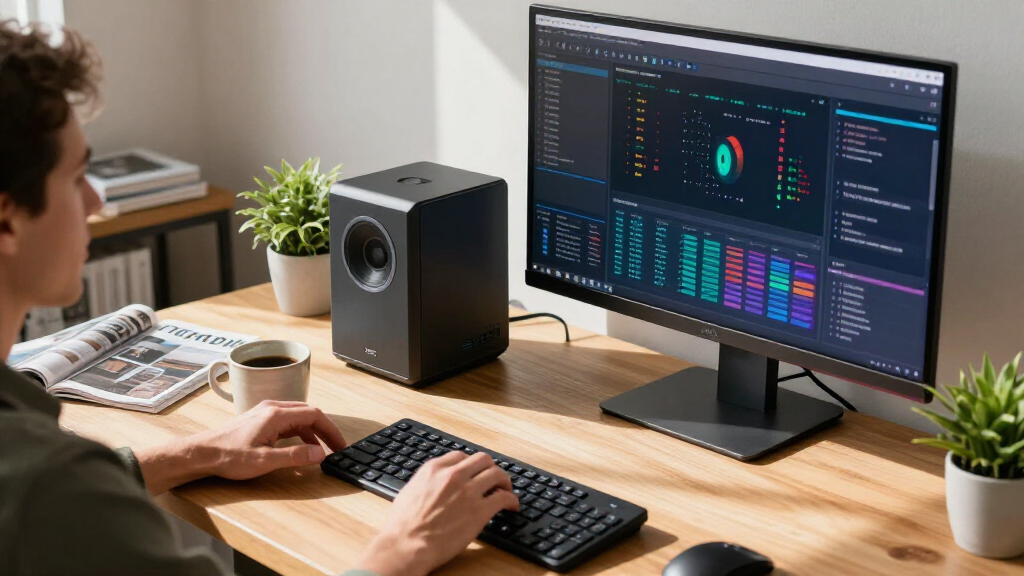
I ranked these systems by how well their stated hardware and form factor match distinct AI-computing needs: running models locally, developing and experimenting, using AI-enabled creative software, or handling everyday work with AI features. Memory capacity, processor and graphics capabilities, storage, portability, expandability, and the likely fit between the device and its intended workload all informed the order. A high-memory mini PC can be a better match for local experimentation than a mainstream laptop, while a specialized AI desktop may make sense only when its platform and software ecosystem fit the buyer’s workflow.
The ranking favors systems with a clear role and a strong balance of capability and usability, rather than treating an AI label or a large specification as a guarantee of value. I also account for practical tradeoffs: compact systems can face thermal and upgrade limits, laptops trade sustained desktop performance for mobility, and specialized platforms may involve a narrower software path. Where listings repeat a product or describe very similar configurations, I treat them as one buying choice unless the supplied details establish a meaningful difference. The product rankings should be checked against final regional specifications and supported software before purchase.
Factors to Consider When Choosing Best AI Computers
Choosing an AI computer starts with the work you plan to run, not the phrase printed on its box. These broader checks can help separate a system that supports your actual workflow from one whose headline specs are more than you need.
Decide Whether AI Runs Locally or in the Cloud
Local AI computing keeps models and files on your device, but it places more demand on memory, graphics resources, storage, and cooling. Cloud tools shift much of that computing to remote servers, so an everyday laptop or business desktop may be sufficient if your work mostly uses web-based assistants. Before paying for a specialized desktop, list the models and applications you plan to run and confirm that they support your operating system and hardware. Privacy or offline access can favor local processing, though a local setup may need model downloads, updates, and ongoing maintenance. A common mistake is buying hardware for an imagined future workload instead of checking the requirements of the software you use now.
Match Memory to Model Size and Multitasking
Memory capacity can set a practical ceiling on the models and datasets a computer can handle at once. Large unified-memory or shared-memory configurations can be appealing for local experimentation, but memory is not a direct substitute for every form of GPU performance. Check whether the stated amount is system memory, dedicated graphics memory, or a pool shared by CPU and GPU, since those arrangements behave differently. Also check whether memory is upgradeable; compact machines and many laptops can leave little room to expand later. Leave headroom for the operating system and other applications rather than planning around a model that barely fits.
Check Software and Accelerator Compatibility First
AI frameworks, drivers, and model tools do not support every processor or accelerator in the same way. A specialized platform can offer an appealing path for supported AI workloads, yet still be a poor fit if your preferred tools depend on a different software stack. Look up compatibility for your main frameworks, inference software, and any professional applications before choosing between an NVIDIA-focused system, an AMD-based mini PC, or a Mac. Ask whether the workflow needs a specific accelerator feature or merely benefits from a fast CPU and ample memory. This check can prevent a technically capable computer from becoming a frustrating environment for your daily work.
Treat Cooling and Sustained Performance as Buying Criteria
Small computers save desk space, but compact cooling systems may have less room to dissipate heat during long AI runs. Short bursts of speed do not tell the whole story if your workloads run continuously for hours. Look for detailed information about cooling design, fan behavior, power limits, and sustained performance from reliable product documentation. A larger workstation can be a better choice for extended compute sessions, while a mini PC may suit lighter experiments and occasional inference. Remember to account for the surrounding setup too: ventilation, noise tolerance, and the ability to keep the machine unobstructed affect day-to-day use.
Buy for the Whole Workflow, Not Just the Compute
Storage fills quickly when you keep several model files, datasets, and project backups on the same computer. Check the included SSD capacity, the available expansion options, and the ports needed for external storage, displays, and fast networking. For a laptop, weigh screen size and battery life against the comfort of a larger display for reviewing code or output. For desktops, check whether memory and storage can be serviced or upgraded, and whether the machine has the connections your peripherals require. Spending more on capacity and connectivity can improve a real workflow; paying for unused compute may not.
Choose a Form Factor That Fits Your Work Pattern
A desktop mini PC, tower, all-in-one, and laptop solve different space and mobility problems. A laptop can travel between home and work, but a small desktop may offer a more practical always-on setup for a fixed desk. All-in-ones simplify the workspace by combining display and computer, though they can limit upgrade choices and reuse if one component becomes outdated. Towers often provide more room for service and expansion, which can matter as workloads change. Decide where the computer will live and how often you need to move it before treating compactness as an automatic advantage.
Frequently Asked Questions
Do I need a specialized AI desktop to use AI tools?
No. Many AI assistants run in a web browser or through cloud-connected apps, so a conventional laptop or desktop can handle them well. A specialized AI computer makes more sense when you plan to run models locally, need offline access, or work with applications that benefit from specific accelerator hardware. Check the software requirements for your tasks rather than relying on an AI label alone. If your use is mostly web-based, prioritize memory, a comfortable display, and reliable everyday performance.
Is 128GB of memory worth choosing for local AI work?
It can be useful when your local models, datasets, or concurrent applications need more memory than a mainstream computer provides. That capacity can also give experimentation more room, but it does not guarantee that every model will run quickly or be supported by your chosen software. Confirm how the computer allocates memory between its processor and graphics hardware, and compare that arrangement with the requirements of your tools. If you mainly use cloud services or smaller local models, a lower-memory system may be the more sensible fit.
Should I choose an NVIDIA GB10 system or a Ryzen AI Max+ mini PC?
Start with the software you intend to run, because platform compatibility may decide the question before raw specifications do. GB10 systems are aimed at AI-focused computing, while Ryzen AI Max+ mini PCs offer a compact general-purpose form factor with high memory configurations. Check framework support, model deployment instructions, and any needed development tools for each platform. Also compare your expected workload: a dedicated AI environment may suit focused development, while a versatile mini PC may be a better everyday desktop. Confirm the exact configuration and support details for the specific model you plan to buy.
Can a MacBook Air handle AI work, or should I choose a MacBook Pro?
A MacBook Air can suit mobile productivity and AI features delivered through supported applications or cloud services. The MacBook Pro is the more appropriate option when your work calls for sustained performance, a more demanding creative workflow, or additional memory and storage in the listed configuration. Neither choice should be selected on the assumption that every AI framework supports macOS or Apple hardware equally. Verify compatibility for your tools, and consider whether the work must happen locally. If long compute sessions are central to your plans, compare a desktop workstation as well.
How should I compare listings when several products have similar names or specifications?
Compare exact model numbers, processor names, memory type and capacity, storage, ports, and included operating system rather than relying on a shared product-family name. This roundup includes closely matched GMKtec configurations and two entries named AMD Ryzen AI Halo, so the supplied names do not establish that every listing is a distinct machine. Check the seller’s current configuration details and manufacturer documentation before making a decision. Also confirm warranty and regional availability, since those can vary even when the headline specification appears identical. If the configuration cannot be clearly verified, treat the listing as uncertain rather than assuming it matches another entry.
Conclusion
For a balanced compact system suited to local AI experimentation, my best overall pick is the GMKtec EVO-X3 Mini PC. Buyers seeking a more focused AI-development platform should compare the NVIDIA DGX Spark, ASUS Ascent GX10, and GIGABYTE AI TOP ATOM against their software requirements, while the best premium portable choice is the MacBook Pro 16-inch for people whose AI work sits alongside demanding creative and mobile tasks. For best value, shortlist the GEEKOM IT15 or Dell Pro Tower if your AI use is moderate and you do not need a high-memory local-model system; check the final configuration before choosing. For beginners who mainly use cloud AI, the HP OmniStudio or MacBook Air is a more approachable everyday computer than a specialized AI desktop. For buyers with specific needs, choose an AMD Ryzen AI Max+ 395 mini PC for a compact, high-memory setup, a GB10 system for an AI-centered platform, or a MacBook Air for mobility—and verify software support before committing.
Halloween Picks
halloween
As an affiliate, we earn on qualifying purchases.