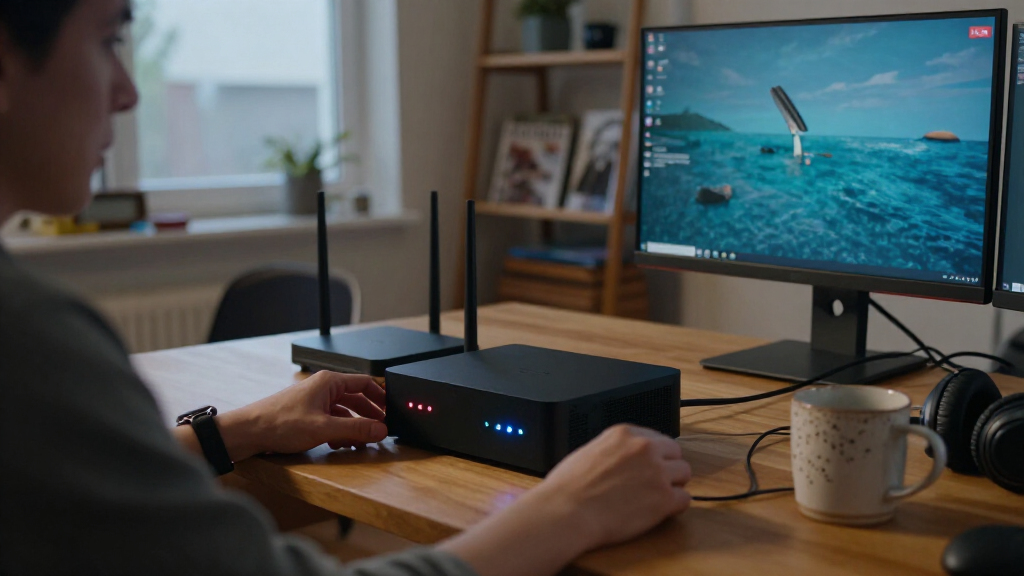

The best homelab mini PC overall in this lineup is the GEEKOM A7, pairing a Ryzen 7 7730U with 32GB of RAM and a 500GB SSD for room to run several services. The MINISFORUM NAB6 Lite is a stronger fit for processor-heavy tasks, while the Beelink EQi with Thunderbolt 4 and dual LAN stands out for flexible connectivity. Your main tradeoffs are processing headroom, memory and storage capacity, network options, and how much power your lab will need. Lower-spec models can handle lightweight services, but may leave less room for multiple virtual machines or future expansion. Read on for the full breakdown and recommendations by homelab workload.

Get business pricing on tech for your team
- Business-only prices and quantity discounts
- Tax-exempt purchasing
- Multiple users, one account, clear invoices
Key Takeaways
- The GEEKOM A7 has the most balanced ready-to-run setup in this group: its Ryzen 7 7730U, 32GB RAM, and 500GB SSD give multitasking more headroom than the 16GB configurations.
- The MINISFORUM NAB6 Lite is the processing-focused choice: its Core i5-12600H is a better fit for demanding workloads than the lower-power Ryzen 3 and Intel N100 systems, though the workload and cooling needs still matter.
- Connectivity can matter as much as CPU choice: the Beelink EQi with dual LAN and Thunderbolt 4 is unusually well suited to network-heavy experiments and fast external devices.
- Several listings share similar hardware but differ in memory and storage: the BOSGAME E5 variants and Beelink EQi models make configuration checking important before choosing.
- The Intel N100 Beelink MINI S12 and entry-level Ryzen 3 models suit lighter labs: they are better matches for a few modest services than for a large collection of virtual machines or resource-heavy containers.
| Beelink SER3 Mini PC, AMD Ryzen 3 3200U, 8GB DDR4 RAM, 256GB NVMe SSD, Dual 4K HDMI |  | Best for a Basic, Low-Complexity Lab | Processor: AMD Ryzen 3 3200U, 2.6–3.5 GHz | Graphics: Integrated AMD Radeon Vega 3, 1200 MHz | Memory: 8GB DDR4 | VIEW LATEST PRICE | See Our Full Breakdown |
| GMKtec NucBox M5 Ultra Mini PC with AMD Ryzen 7 7730U, 16GB RAM, 256GB SSD |  | Best for Multi-Service Virtualization | Processor: AMD Ryzen 7 7730U, 8 cores/16 threads, 2.0–4.5 GHz | Memory: 16GB DDR4 (1 × 16GB), expandable to 64GB | Storage: 256GB M.2 2280 PCIe 3.0 SSD; dual slots support up to 4TB | VIEW LATEST PRICE | See Our Full Breakdown |
| BOSGAME E5 Plus Mini PC with AMD Ryzen 3 5400U, 8GB RAM, 256GB SSD |  | Best for a Dual-Network Starter Lab | Processor: AMD Ryzen 3 5400U, 4 cores/8 threads, 2.6–4.0 GHz | Graphics: Integrated AMD Radeon Vega 8, up to 1600 MHz | Memory: 8GB DDR4, expandable to 64GB via two SODIMM slots | VIEW LATEST PRICE | See Our Full Breakdown |
| GEEKOM A7 Mini PC, Ryzen 7 7730U, 32GB RAM, 500GB SSD |  | Best Ready-to-Run Homelab | Processor: AMD Ryzen 7 7730U, 8 cores/16 threads, up to 4.5 GHz | Memory: 32GB RAM, expandable to 64GB | Storage: 500GB PCIe Gen4 x4 SSD, expandable to 4TB | VIEW LATEST PRICE | See Our Full Breakdown |
| GEEKOM A8 Mini PC with AMD Ryzen 7 8745HS, 16GB DDR5 RAM, and 1TB SSD |  | Best for CPU-Heavy Workloads | Processor: AMD Ryzen 7 8745HS, 8 cores/16 threads, up to 4.9 GHz | Memory: 16GB DDR5, upgradeable to 128GB | Storage: 1TB PCIe 4.0 NVMe SSD, expandable to 4TB | VIEW LATEST PRICE | See Our Full Breakdown |
| BOSGAME E5 Mini PC with Ryzen 3 5300U, 16GB DDR4 RAM, and 512GB NVMe SSD |  | Best for Multi-Port Networking | Processor: AMD Ryzen 3 5300U, 4 cores / 8 threads, up to 3.8GHz | Memory: 16GB DDR4-3200; maximum 64GB | Storage: 512GB M.2 2280 NVMe PCIe 3.0 SSD | VIEW LATEST PRICE | See Our Full Breakdown |
| Beelink EQR5 Mini PC with AMD Ryzen 3 7330U, 16GB RAM and 500GB SSD |  | Best Compact General-Purpose Host | Processor: AMD Ryzen 3 7330U, 4 cores / 8 threads, up to 4.3GHz | Memory: 16GB DDR4; upgradeable to 64GB | Storage: 500GB M.2 PCIe 3.0 x4 SSD | VIEW LATEST PRICE | See Our Full Breakdown |
| Beelink EQi Mini PC with Intel Core 3 304, 24GB DDR5 RAM, 512GB UFS 3.1 Storage, Triple 4K Display, Dual LAN, Thunderbolt 4, Wi-Fi 6E |  | Best for Fast Networking and Connectivity | Processor: Intel Core 3 304, 5 cores / 5 threads, up to 4.3GHz | Memory: 24GB DDR5-5200; upgradeable to 64GB | Storage: 512GB UFS 3.1 | VIEW LATEST PRICE | See Our Full Breakdown |
| KAMRUI E1 Mini PC with AMD Ryzen 5 3500U |  | Best for a Low-Cost Upgrade Path | Processor: AMD Ryzen 5 3500U, 4 cores / 8 threads, up to 3.7GHz | Memory: 8GB DDR4; upgradeable to 16GB | Storage: 256GB M.2 SSD; supports up to 2TB | VIEW LATEST PRICE | See Our Full Breakdown |
| KAMRUI Mini PC with AMD Ryzen 5 3501U, 8GB RAM and 256GB SSD |  | Best for a Multi-Network Lab on a Tight Footprint | Processor: AMD Ryzen 5 3501U | Graphics: Integrated AMD Radeon Vega 8 | Memory: 8GB DDR4; upgradeable to 32GB | VIEW LATEST PRICE | See Our Full Breakdown |
| Beelink EQI Mini PC with Intel Processor 304, 16GB RAM, and 512GB Storage |  | Best for Fast Network Links | Processor: Intel Processor 304, 5 cores and 5 threads, up to 4.3 GHz | Memory: 16GB LPDDR5, 3200 MHz | Storage: 512GB UFS 3.1 | VIEW LATEST PRICE | See Our Full Breakdown |
| MINISFORUM NAB6 Lite Mini PC, Intel Core i5-12600H, 16GB RAM, 500GB SSD |  | Best for Multi-Display Lab Consoles | Processor: Intel Core i5-12600H, 12 cores and 16 threads, up to 4.5 GHz | Memory: 16GB DDR4, supplied as a single module | Storage: 500GB PCIe 4.0 M.2 2280 SSD; expandable up to 2TB | VIEW LATEST PRICE | See Our Full Breakdown |
| BOSGAME E5 Mini PC with AMD Ryzen 3 5300U, 8GB RAM and 256GB SSD |  | Best Upgradeable Starter Node | Processor: AMD Ryzen 3 5300U, 4 cores and 8 threads, up to 3.8 GHz | Memory: 8GB DDR4 dual-channel; upgradeable to 64GB | Storage: 256GB M.2 2280 SSD | VIEW LATEST PRICE | See Our Full Breakdown |
| Beelink MINI S12 Mini PC, Intel N100, 16GB DDR4 RAM, 500GB SSD |  | Best for Low-Complexity Homelabs | Processor: Intel N100, 4 cores, up to 3.4 GHz | Memory: 16GB DDR4, 2400 MHz | Storage: 500GB SSD | VIEW LATEST PRICE | See Our Full Breakdown |
| Beelink SER5 Mini PC with AMD Ryzen 5 5500U, 16GB RAM, 480GB SSD |  | Best for Expandable Virtualization | Processor: AMD Ryzen 5 5500U, 6 cores and 12 threads, up to 4.0 GHz | Graphics: Integrated AMD Radeon Graphics, 7 cores at 1800 MHz | Memory: 16GB dual-channel DDR4 SO-DIMM; expandable to 64GB | VIEW LATEST PRICE | See Our Full Breakdown |
| homelab mini PC | Processor | Memory | Storage | Networking |
|---|---|---|---|---|
| Beelink SER3 Mini PC | AMD Ryzen 3 3200U, 2.6–3.5 GHz | 8GB DDR4 | 256GB NVMe SSD | Gigabit Ethernet, Wi-Fi 5, Bluetooth 5.0 |
| GMKtec NucBox M5 Ultra Mini PC | AMD Ryzen 7 7730U, 8 cores/16 threads, 2.0–4.5 GHz | 16GB DDR4 (1 × 16GB), expandable to 64GB | 256GB M.2 2280 PCIe 3.0 SSD; dual slots support up to 4TB | Dual 2.5GbE, Wi-Fi 6E, Bluetooth 5.2 |
| BOSGAME E5 Plus Mini PC with A | AMD Ryzen 3 5400U, 4 cores/8 threads, 2.6–4.0 GHz | 8GB DDR4, expandable to 64GB via two SODIMM slots | 256GB M.2 2280 SATA SSD; additional M.2 2280 NVMe PCIe 3.0 x4 slot | Dual 2.5GbE, Wi-Fi 5, Bluetooth 5.0 |
| GEEKOM A7 Mini PC | AMD Ryzen 7 7730U, 8 cores/16 threads, up to 4.5 GHz | 32GB RAM, expandable to 64GB | 500GB PCIe Gen4 x4 SSD, expandable to 4TB | 2.5G LAN, Wi-Fi 6E |
| GEEKOM A8 Mini PC with AMD Ryz | AMD Ryzen 7 8745HS, 8 cores/16 threads, up to 4.9 GHz | 16GB DDR5, upgradeable to 128GB | 1TB PCIe 4.0 NVMe SSD, expandable to 4TB | 2.5GbE LAN, Wi-Fi 6E |
| BOSGAME E5 Mini PC with Ryzen | AMD Ryzen 3 5300U, 4 cores / 8 threads, up to 3.8GHz | 16GB DDR4-3200; maximum 64GB | 512GB M.2 2280 NVMe PCIe 3.0 SSD | Dual 2.5GbE RJ45, Wi-Fi 5, Bluetooth |
| Beelink EQR5 Mini PC with AMD | AMD Ryzen 3 7330U, 4 cores / 8 threads, up to 4.3GHz | 16GB DDR4; upgradeable to 64GB | 500GB M.2 PCIe 3.0 x4 SSD | Dual Gigabit Ethernet, Wi-Fi 6, Bluetooth 5.2 |
| Beelink EQi Mini PC with Intel | Intel Core 3 304, 5 cores / 5 threads, up to 4.3GHz | 24GB DDR5-5200; upgradeable to 64GB | 512GB UFS 3.1 | 10G and 2.5G dual LAN, Wi-Fi 6E, Bluetooth 5.3 |
| KAMRUI E1 Mini PC with AMD Ryz | AMD Ryzen 5 3500U, 4 cores / 8 threads, up to 3.7GHz | 8GB DDR4; upgradeable to 16GB | 256GB M.2 SSD; supports up to 2TB | Gigabit Ethernet |
| KAMRUI Mini PC with AMD Ryzen | AMD Ryzen 5 3501U | 8GB DDR4; upgradeable to 32GB | 256GB SSD; dual M.2 2280 slots, expandable up to 4TB | Dual Gigabit Ethernet |
| Beelink EQI Mini PC with Intel | Intel Processor 304, 5 cores and 5 threads, up to 4.3 GHz | 16GB LPDDR5, 3200 MHz | 512GB UFS 3.1 | 10GbE and 2.5GbE LAN, Wi-Fi 6E, Bluetooth 5.2 |
| MINISFORUM NAB6 Lite Mini PC | Intel Core i5-12600H, 12 cores and 16 threads, up to 4.5 GHz | 16GB DDR4, supplied as a single module | 500GB PCIe 4.0 M.2 2280 SSD; expandable up to 2TB | Dual 2.5Gb Ethernet, Wi-Fi 6, Bluetooth 5.2 |
| BOSGAME E5 Mini PC with AMD Ry | AMD Ryzen 3 5300U, 4 cores and 8 threads, up to 3.8 GHz | 8GB DDR4 dual-channel; upgradeable to 64GB | 256GB M.2 2280 SSD | 2× 2.5GbE LAN |
| Beelink MINI S12 Mini PC | Intel N100, 4 cores, up to 3.4 GHz | 16GB DDR4, 2400 MHz | 500GB SSD | 2.5GbE LAN, Wi-Fi 6, Bluetooth 5.2 |
| Beelink SER5 Mini PC with AMD | AMD Ryzen 5 5500U, 6 cores and 12 threads, up to 4.0 GHz | 16GB dual-channel DDR4 SO-DIMM; expandable to 64GB | 480GB M.2 NVMe 2280 SSD; supports up to 2TB | 2.5Gb Ethernet, Wi-Fi 6, Bluetooth 5.2 |
More Details on Our Top Picks
Beelink SER3 Mini PC, AMD Ryzen 3 3200U, 8GB DDR4 RAM, 256GB NVMe SSD, Dual 4K HDMI
The Beelink SER3 is the simplest fit here for a light-duty homelab: its Ryzen 3 3200U, 8GB of RAM, and NVMe drive can handle basic Linux services, a lightweight network utility, or a small always-on test machine. Four 10Gbps USB ports and Gigabit Ethernet make peripheral and wired-network connections straightforward, while the VESA mount keeps it out of the way. Compared with the BOSGAME E5 Plus, it offers less memory flexibility on paper and lacks that model’s dual 2.5GbE ports, so it is a weaker base for multiple network appliances or growing virtual-machine workloads. Its 8GB RAM and 256GB SSD also limit how much you can run locally without upgrades. I’d choose it for a modest starter setup, not as the foundation for a busy lab.
Pros:- Four USB 3.2 Gen 2 ports provide flexible connections for external devices.
- NVMe storage and M.2 plus 2.5-inch expansion options give room to add capacity.
- Gigabit Ethernet provides a wired connection for a basic server role.
- Compact chassis includes a VESA mount for tidy placement.
Cons:- 8GB of RAM is a tight starting point for virtualization or multiple services.
- A single Gigabit Ethernet port offers less networking headroom than the dual 2.5GbE BOSGAME E5 Plus.
- The Ryzen 3 3200U is a modest processor for a lab with sustained or concurrent workloads.
Best for: Beginners who want a compact machine for a few lightweight Linux services, basic network tools, or a small home test environment.
Not ideal for: Homelab builders planning several virtual machines, storage-heavy services, or multi-gigabit routing; its included memory and single Gigabit Ethernet connection are limiting.
- Processor:AMD Ryzen 3 3200U, 2.6–3.5 GHz
- Graphics:Integrated AMD Radeon Vega 3, 1200 MHz
- Memory:8GB DDR4
- Storage:256GB NVMe SSD
- Storage expansion:M.2 2280 and 2.5-inch HDD slots; supports up to 2TB
- Networking:Gigabit Ethernet, Wi-Fi 5, Bluetooth 5.0
- USB:4 USB 3.2 Gen 2 ports
- Dimensions:4.9 × 4.4 × 1.7 inches
Our verdict“Choose the SER3 for a small, simple homelab where compactness and basic wired connectivity matter more than VM capacity or faster networking.”
GMKtec NucBox M5 Ultra Mini PC with AMD Ryzen 7 7730U, 16GB RAM, 256GB SSD
The NucBox M5 Ultra earns its place for homelab users who need CPU threads and network throughput in a compact machine. Its 8-core, 16-thread Ryzen 7 7730U is better suited to running several services or test workloads together than the Beelink SER3’s Ryzen 3, and dual 2.5GbE ports give it useful flexibility for router, firewall, or segmented-network experiments. It also supports up to 64GB of memory and two storage slots, so the modest included configuration can grow. The tradeoff is that the 16GB arrives as a single module, while the 256GB SSD leaves little room for data-heavy services until expanded. Integrated graphics are fine for a server role but not a substitute for a dedicated GPU. This is a stronger compute-and-network base than the SER3, though it calls for planned upgrades.
Pros:- Eight cores and 16 threads provide more capacity for concurrent services than the Beelink SER3.
- Dual 2.5GbE ports suit faster LAN links and network segmentation.
- Memory can be expanded to 64GB, and dual storage slots support up to 4TB.
- Wi-Fi 6E and support for up to three displays add flexible connectivity.
Cons:- The included 16GB is a single memory module, leaving an asymmetric starting configuration.
- The 256GB SSD may need replacement or supplementation for containers, VM images, and datasets.
- Integrated Radeon graphics do not suit workloads that require a dedicated GPU.
Best for: Homelab builders running several lightweight virtual machines or containers who want dual 2.5GbE networking and a clear upgrade path.
Not ideal for: Buyers seeking a fully provisioned storage server out of the box, or anyone who needs dedicated graphics for GPU workloads.
- Processor:AMD Ryzen 7 7730U, 8 cores/16 threads, 2.0–4.5 GHz
- Memory:16GB DDR4 (1 × 16GB), expandable to 64GB
- Storage:256GB M.2 2280 PCIe 3.0 SSD; dual slots support up to 4TB
- Graphics:Integrated AMD Radeon Graphics, 8 CUs, 2000 MHz
- Networking:Dual 2.5GbE, Wi-Fi 6E, Bluetooth 5.2
- Display support:Up to three displays; HDMI 2.0 supports 4K at 60Hz
- Ports:USB-C with PD/DP/data, 2 USB 3.2, 2 USB 2.0, HDMI, DisplayPort, 3.5mm audio
- Operating system:Windows 11 Pro
Our verdict“Pick the NucBox M5 Ultra if you want a compact multi-service host with dual 2.5GbE and are prepared to expand its memory and storage.”
BOSGAME E5 Plus Mini PC with AMD Ryzen 3 5400U, 8GB RAM, 256GB SSD
The BOSGAME E5 Plus stands out as a network-first starter machine. Its dual 2.5GbE ports offer more room for a separate LAN, firewall experiments, or faster local transfers than the Beelink SER3’s single Gigabit port. It also provides three display outputs and an additional M.2 NVMe slot, useful if the machine doubles as a workstation or you want to add faster storage later. The Ryzen 3 5400U has four cores and eight threads, making it a more capable starting point for multitasking than the SER3’s older two-core processor. Still, the 8GB RAM and 256GB SATA SSD are lean for virtualization, and Wi-Fi 5 is less current than the M5 Ultra’s Wi-Fi 6E. I’d treat it as an expandable network utility or modest server, not a ready-made VM host.
Pros:- Dual 2.5GbE ports allow more flexible network roles than the Beelink SER3.
- Four-core, eight-thread processor supports everyday multitasking and light services.
- Two SODIMM slots support memory expansion up to 64GB.
- A spare M.2 NVMe slot lets you add a faster second drive.
Cons:- 8GB of included RAM is restrictive for a multi-VM setup.
- The 256GB SATA SSD is a modest starting drive compared with the M5 Ultra’s PCIe SSD.
- Wi-Fi 5 is older than the Wi-Fi 6E connectivity on the GMKtec NucBox M5 Ultra.
Best for: Home network tinkerers who want dual 2.5GbE for firewall, routing, or segmented-LAN projects and plan to upgrade memory or storage.
Not ideal for: Users who want to run multiple virtual machines without upgrades, or who need newer Wi-Fi and larger included storage.
- Processor:AMD Ryzen 3 5400U, 4 cores/8 threads, 2.6–4.0 GHz
- Graphics:Integrated AMD Radeon Vega 8, up to 1600 MHz
- Memory:8GB DDR4, expandable to 64GB via two SODIMM slots
- Storage:256GB M.2 2280 SATA SSD; additional M.2 2280 NVMe PCIe 3.0 x4 slot
- Networking:Dual 2.5GbE, Wi-Fi 5, Bluetooth 5.0
- Video outputs:HDMI 2.0, DisplayPort, and USB-C; up to 4K at 60Hz per output
- Operating systems:Windows 11 Pro; Ubuntu supported
- Dimensions:5.04 × 5 × 1.69 inches
Our verdict“Choose the E5 Plus for dual-2.5GbE network projects if you are comfortable upgrading its memory and storage before expanding the workload.”
GEEKOM A7 Mini PC, Ryzen 7 7730U, 32GB RAM, 500GB SSD
The GEEKOM A7 is the most balanced ready-to-run pick here for a homelab that needs useful memory from day one. Its Ryzen 7 7730U has the same core and thread count as the GMKtec NucBox M5 Ultra, but the A7 includes 32GB of RAM and a 500GB SSD rather than 16GB and 256GB. That reduces the immediate pressure to upgrade before hosting several containers, development tools, or a small collection of virtual machines. The aluminum chassis, 2.5G LAN, Wi-Fi 6E, and broad USB/USB4 selection add flexibility; Linux and Ubuntu support also suit a server-oriented build. The tradeoff is that it still uses integrated graphics, and its single listed 2.5G LAN connection is less versatile for routing experiments than the M5 Ultra’s dual ports. Expansion remains possible, but the initial setup favors convenience over networking flexibility.
Pros:- 32GB of included memory offers more room for services than the GMKtec NucBox M5 Ultra’s 16GB configuration.
- 500GB PCIe Gen4 SSD gives a more usable starting capacity than the smaller drives in the SER3 and E5 Plus.
- 2.5G LAN, Wi-Fi 6E, USB4, and multiple USB-C and HDMI connections support varied setups.
- Aluminum chassis and selectable power modes support a compact, adjustable system build.
Cons:- One listed 2.5G LAN connection is less flexible for firewall or dual-network projects than the M5 Ultra.
- Integrated Radeon graphics limit GPU-dependent compute workloads.
- Memory and storage expansion still require additional components as the lab grows.
Best for: Homelab users who want to start with multiple containers or modest virtual machines without immediately upgrading RAM and storage.
Not ideal for: Network lab builders who need two Ethernet interfaces, or buyers whose workloads depend on a dedicated GPU.
- Processor:AMD Ryzen 7 7730U, 8 cores/16 threads, up to 4.5 GHz
- Memory:32GB RAM, expandable to 64GB
- Storage:500GB PCIe Gen4 x4 SSD, expandable to 4TB
- Graphics:Integrated AMD Radeon Graphics
- Networking:2.5G LAN, Wi-Fi 6E
- Ports:Dual USB-C, 5 USB 3.2, dual HDMI 2.0, 2 USB4, SD card slot
- Power modes:Silent 10W, Balanced 15W, Performance 20W, High-Speed 30W
- Chassis and cooling:Aluminum alloy chassis; IceBlast 3.0 air cooling
Our verdict“Pick the GEEKOM A7 if you want a compact Linux-capable host with stronger out-of-box memory and storage than the other Ryzen 7 option here.”
GEEKOM A8 Mini PC with AMD Ryzen 7 8745HS, 16GB DDR5 RAM, and 1TB SSD
The GEEKOM A8 is the performance-oriented choice in this group, built around a Ryzen 7 8745HS and Radeon 780M graphics. Its 8-core, 16-thread processor is a step up from the Ryzen 7 7730U in the GEEKOM A7, making the A8 a stronger candidate for CPU-heavy development tasks or more demanding concurrent jobs. It also arrives with a 1TB PCIe 4.0 NVMe SSD, double the A7’s listed capacity, and DDR5 memory that can be expanded substantially. USB4, 2.5GbE, and support for Linux/Ubuntu help it fit a modern lab or workstation role. The compromise is a higher-power 60W design and only one listed Ethernet port, so it is less compelling as a low-draw network appliance than the SER3 or the dual-port M5 Ultra. Its integrated graphics also remain a limit for dedicated-GPU workloads.
Pros:- Ryzen 7 8745HS offers more CPU headroom than the Ryzen 7 7730U in the GEEKOM A7.
- 1TB PCIe 4.0 NVMe storage provides more working room than the A7’s 500GB drive.
- DDR5 memory can be upgraded to 128GB, leaving room for a larger workload.
- USB4, 2.5GbE, Linux support, and VESA mounting make it adaptable to a compact setup.
Cons:- Listed 60W power consumption is higher than the lower-power SER3 and GEEKOM A7 configurations.
- One 2.5GbE port provides less network flexibility than the dual-port GMKtec NucBox M5 Ultra.
- The Radeon 780M is integrated graphics, not a dedicated GPU.
Best for: Homelab builders who need stronger CPU performance for development, heavier services, or concurrent workloads and value a large included NVMe drive.
Not ideal for: Users prioritizing low power draw, dual-Ethernet network experiments, or workloads that require a dedicated graphics card.
- Processor:AMD Ryzen 7 8745HS, 8 cores/16 threads, up to 4.9 GHz
- Memory:16GB DDR5, upgradeable to 128GB
- Storage:1TB PCIe 4.0 NVMe SSD, expandable to 4TB
- Graphics:Integrated AMD Radeon 780M
- Networking:2.5GbE LAN, Wi-Fi 6E
- Video outputs:2 × HDMI 2.0, USB4 Type-C, USB 3.2 Type-C
- Additional features:VESA mount and SD card slot
- Power consumption:60 watts
Our verdict“Choose the A8 when CPU capacity and a roomy SSD matter more than minimum power draw or dual-port networking.”
BOSGAME E5 Mini PC with Ryzen 3 5300U, 16GB DDR4 RAM, and 512GB NVMe SSD
I’d choose this BOSGAME E5 when two 2.5GbE ports matter more than a newer processor or faster wireless. That pair suits a compact router, firewall, or network-services host, while the 16GB of RAM gives a modest virtualized setup more breathing room than the 8GB KAMRUI models. Its four-core, eight-thread Ryzen 3 5300U is a sensible fit for everyday services, but not demanding compute work; the Beelink EQR5 offers a newer Ryzen 3 7330U and Wi-Fi 6, though its Ethernet ports are Gigabit rather than 2.5GbE. The BOSGAME also supports memory expansion and two M.2 drives, so capacity can grow. The tradeoff is Wi-Fi 5 and a relatively large 6.42-inch footprint for a mini PC.
Pros:- Dual 2.5GbE ports suit faster wired networking and firewall roles.
- 16GB of RAM is a stronger starting point than the 8GB KAMRUI options.
- Two M.2 slots and memory expansion leave room to add capacity.
- USB-C supports data, video, and Power Delivery 3.0.
Cons:- Ryzen 3 5300U is a modest four-core processor, not a fit for demanding compute workloads.
- Wi-Fi 5 is older than the Wi-Fi 6 and Wi-Fi 6E options in this lineup.
- The 6.42-inch square chassis is larger than the Beelink EQR5.
Best for: Homelab builders setting up a wired firewall, router, or small server who want dual 2.5GbE and 16GB of RAM out of the box.
Not ideal for: Buyers prioritizing low-power, high-performance computing, Wi-Fi 6, or the smallest possible chassis.
- Processor:AMD Ryzen 3 5300U, 4 cores / 8 threads, up to 3.8GHz
- Memory:16GB DDR4-3200; maximum 64GB
- Storage:512GB M.2 2280 NVMe PCIe 3.0 SSD
- Storage expansion:Two M.2 2280 NVMe PCIe 3.0 slots
- Networking:Dual 2.5GbE RJ45, Wi-Fi 5, Bluetooth
- Display support:Up to three 4K displays at 60Hz
- Operating system:Windows 11 Pro
- Dimensions:6.42 × 6.42 × 4.02 inches
Our verdict“Pick the BOSGAME E5 if your homelab benefits most from dual 2.5GbE and a 16GB starting configuration, and skip it if newer wireless or a smaller footprint matters more.”
Beelink EQR5 Mini PC with AMD Ryzen 3 7330U, 16GB RAM and 500GB SSD
The Beelink EQR5 is the straightforward choice for a small, general-purpose homelab host that can also handle desktop duties. Its Ryzen 3 7330U reaches up to 4.3GHz, and the supplied 16GB of RAM gives it a more useful starting point than the 8GB KAMRUI E1. The 4.96-inch square chassis is notably smaller than the BOSGAME E5, making it easier to place on a crowded desk or shelf. Dual Gigabit Ethernet is useful for separating a management connection from a lab network, but it lacks the 2.5GbE ports on that BOSGAME. Wi-Fi 6 and expandable dual-SSD storage add flexibility; the second drive is not included. I’d look elsewhere for faster wired links or workloads that need stronger graphics.
Pros:- Small 4.96-inch-square chassis is easy to fit into a compact setup.
- Ryzen 3 7330U offers up to 4.3GHz and four cores with eight threads.
- Wi-Fi 6 and dual Gigabit Ethernet offer flexible connectivity.
- Memory and dual-SSD storage can be expanded.
Cons:- Ethernet is Gigabit, not 2.5GbE like the BOSGAME E5.
- The second SSD must be added separately.
- Integrated graphics are not suited to demanding graphics workloads.
Best for: New homelab owners who want a compact machine for light services, basic virtualization, and everyday desktop use with room to expand.
Not ideal for: Network builders who need 2.5GbE or heavier virtualization users who need more than a four-core processor and 16GB of included memory.
- Processor:AMD Ryzen 3 7330U, 4 cores / 8 threads, up to 4.3GHz
- Memory:16GB DDR4; upgradeable to 64GB
- Storage:500GB M.2 PCIe 3.0 x4 SSD
- Storage expansion:Dual SSD support; up to 8TB total
- Networking:Dual Gigabit Ethernet, Wi-Fi 6, Bluetooth 5.2
- Display output:Dual HDMI, up to 4K at 60Hz
- Cooling noise:Specified at 32 dB
- Dimensions:4.96 × 4.96 × 1.74 inches
Our verdict“Choose the EQR5 for a compact, expandable starter host with Wi-Fi 6, but prefer the BOSGAME E5 if faster wired networking is your priority.”
Beelink EQi Mini PC with Intel Core 3 304, 24GB DDR5 RAM, 512GB UFS 3.1 Storage, Triple 4K Display, Dual LAN, Thunderbolt 4, Wi-Fi 6E
This Beelink EQi stands out for connectivity: 10G and 2.5G LAN, Wi-Fi 6E, and Thunderbolt 4 give a homelab builder more options for high-speed networking and peripherals than the dual-Gigabit Beelink EQR5. Its 24GB of DDR5 memory is also the largest included capacity among these five picks, and can expand to 64GB. That makes it appealing for a compact host handling several services, though its Intel Core 3 304 has five cores and five threads, so core count alone does not promise a better fit for every parallel workload. The unusual 512GB UFS 3.1 boot storage is supplemented by two PCIe 4.0 M.2 slots, with expansion up to 8TB. I’d account for the limited built-in storage and unspecified operating system when planning a build.
Pros:- 10G and 2.5G LAN provide more wired-network flexibility than the Gigabit Beelink EQR5.
- 24GB DDR5 memory is expandable to 64GB.
- Thunderbolt 4 and Wi-Fi 6E support a broad range of modern connections.
- Two PCIe 4.0 M.2 slots support storage expansion up to 8TB.
Cons:- The included 512GB UFS 3.1 storage may be restrictive for data-heavy services.
- Operating system is not specified in the product data.
- Five processor cores and five threads may be less suitable for parallel tasks than higher-thread-count alternatives.
Best for: Homelab users who need fast wired links, modern external connectivity, and more than 16GB of memory in a compact host.
Not ideal for: Buyers who want a clearly specified preinstalled operating system or substantial built-in storage without adding an M.2 drive.
- Processor:Intel Core 3 304, 5 cores / 5 threads, up to 4.3GHz
- Memory:24GB DDR5-5200; upgradeable to 64GB
- Storage:512GB UFS 3.1
- Storage expansion:Dual PCIe 4.0 M.2 slots; up to 8TB total
- Networking:10G and 2.5G dual LAN, Wi-Fi 6E, Bluetooth 5.3
- Display support:Up to three 4K displays at 60Hz
- Power and cooling:Integrated 85W power supply; air cooling with 32 dB fan
- Operating system:Not specified
Our verdict“Choose the EQi for its 10G networking, Thunderbolt 4, and generous starting memory, but plan to add storage and verify the operating-system setup.”
KAMRUI E1 Mini PC with AMD Ryzen 5 3500U
The KAMRUI E1 makes the most sense as a basic host to upgrade over time, rather than a ready-made virtualization box. Its Ryzen 5 3500U has four cores and eight threads, but the included 8GB of RAM and 256GB SSD are modest for running several services or virtual machines. That is a tighter starting point than the 16GB BOSGAME E5 or Beelink EQR5, although the E1’s memory can reach 16GB and storage can expand to 2TB. A VESA mount and broad mix of USB ports, HDMI, DisplayPort, and USB-C make it convenient to attach behind a display or connect peripherals. Its Gigabit Ethernet is less capable than the 2.5GbE BOSGAME, and the product data advises contacting customer service before installing drivers.
Pros:- Four-core, eight-thread Ryzen 5 3500U supports light multitasking and services.
- Memory can be upgraded to 16GB and storage to 2TB.
- Includes HDMI, DisplayPort, USB-C, and six USB 3.2 ports.
- VESA mount and HDMI cable are included.
Cons:- 8GB RAM and 256GB storage make the stock configuration limiting for virtualization.
- Memory expansion tops out at 16GB, below the BOSGAME E5 and Beelink EQR5.
- Gigabit Ethernet lacks the faster links offered by the BOSGAME E5 and Beelink EQi.
- Product information advises contacting customer service before driver installation.
Best for: A hands-on beginner building a light homelab who is comfortable adding memory and storage and wants a VESA-mountable machine.
Not ideal for: Users who need multiple virtual machines immediately, more than 16GB of RAM, or faster-than-Gigabit Ethernet.
- Processor:AMD Ryzen 5 3500U, 4 cores / 8 threads, up to 3.7GHz
- Memory:8GB DDR4; upgradeable to 16GB
- Storage:256GB M.2 SSD; supports up to 2TB
- Operating system:Windows 11 Pro
- Display output:Two 4K displays at 60Hz
- Ports:Six USB 3.2, USB-C with data and DisplayPort 1.4, HDMI 2.0, DisplayPort 1.4
- Networking:Gigabit Ethernet
- Weight:13.7 ounces
Our verdict“Pick the KAMRUI E1 for a light, upgradeable starter build with VESA mounting, but choose a 16GB model if you plan to host several services from day one.”
KAMRUI Mini PC with AMD Ryzen 5 3501U, 8GB RAM and 256GB SSD
For a compact homelab that needs two wired network connections and three display outputs, this KAMRUI has a useful layout: dual Gigabit Ethernet, HDMI, DisplayPort, and USB-C. Compared with the KAMRUI E1, it trades the E1’s included VESA mount for dual LAN and three-display support, making it a better fit for a small network appliance that also serves as a local console. Its Ryzen 5 3501U and Vega 8 graphics are adequate for lighter services and media use, not demanding compute or graphics workloads. The bigger catch is the starting configuration: 8GB of RAM and a 256GB SSD leave less headroom than the 16GB BOSGAME E5 or Beelink EQR5. Both memory and storage can be expanded, but upgrades should be part of the plan.
Pros:- Dual Gigabit Ethernet supports separate network connections for a small lab.
- HDMI, DisplayPort, and USB-C support up to three 4K displays.
- Memory can be expanded to 32GB.
- Dual M.2 slots allow storage expansion up to 4TB.
Cons:- The included 8GB RAM and 256GB SSD are restrictive for multiple services or virtual machines.
- Dual Gigabit Ethernet is slower than the 2.5GbE BOSGAME E5 and 10G-capable Beelink EQi.
- Radeon Vega 8 graphics are not intended for demanding graphics workloads.
Best for: Homelab users who want a compact dual-Gigabit machine for basic routing or network services with a directly connected multi-display console.
Not ideal for: Virtualization users seeking a capable out-of-box setup, or anyone who needs 2.5GbE, 10GbE, or demanding graphics performance.
- Processor:AMD Ryzen 5 3501U
- Graphics:Integrated AMD Radeon Vega 8
- Memory:8GB DDR4; upgradeable to 32GB
- Storage:256GB SSD; dual M.2 2280 slots, expandable up to 4TB
- Networking:Dual Gigabit Ethernet
- Display output:HDMI 2.0, DisplayPort 1.4, and USB-C; up to three 4K displays
- Operating system:Windows 11 Pro
- Cooling and power:28W power consumption; dual copper heat pipes and low-noise fan
Our verdict“Choose this KAMRUI if dual Gigabit ports and three-display output matter more than included memory, but budget for upgrades before using it as a multi-service host.”
Beelink EQI Mini PC with Intel Processor 304, 16GB RAM, and 512GB Storage
The standout homelab feature here is the unusual pairing of 10GbE and 2.5GbE, which gives a storage server or virtualized router more network headroom than the single 2.5GbE port on the Beelink SER5. PXE boot, Wake-on-LAN, and RTC wake also suit a machine managed remotely or scheduled to run as a headless node. The dual M.2 PCIe 4.0 slots provide room to grow beyond the included 512GB UFS drive, though the system drive type is less conventional than the NVMe storage in the SER5. Its 16GB LPDDR5 memory is fixed at the listed maximum, making this a better fit for focused network and storage services than a crowded virtual-machine host. Thunderbolt 4 and three-display support add flexibility, but integrated graphics are not a reason to choose it for GPU workloads.
Pros:- 10GbE and 2.5GbE LAN support fast links and network separation.
- Two M.2 PCIe 4.0 slots allow storage expansion up to 8TB total.
- PXE boot, Wake-on-LAN, RTC wake, and automatic power-on suit unattended operation.
- Built-in 85W power supply avoids a separate external adapter.
Cons:- Memory is listed as 16GB LPDDR5 with no upgrade path.
- The included 512GB UFS 3.1 storage is less conventional for a system drive than an M.2 NVMe SSD.
- Integrated graphics limit its appeal for GPU-intensive workloads.
Best for: Homelab builders prioritizing 10GbE connectivity, remote boot controls, and expandable M.2 storage for network or storage services.
Not ideal for: Users planning several memory-heavy virtual machines, since the listed 16GB LPDDR5 memory has no stated upgrade path.
- Processor:Intel Processor 304, 5 cores and 5 threads, up to 4.3 GHz
- Memory:16GB LPDDR5, 3200 MHz
- Storage:512GB UFS 3.1
- Storage expansion:Dual M.2 PCIe 4.0 slots; up to 8TB total
- Networking:10GbE and 2.5GbE LAN, Wi-Fi 6E, Bluetooth 5.2
- Video outputs:2× Thunderbolt 4 with DisplayPort, 1× HDMI 2.0; up to three 4K displays
- Power:Built-in 85W power supply
Our verdict“Choose the EQI if fast wired networking and remote-management features matter more than expandable memory.”
MINISFORUM NAB6 Lite Mini PC, Intel Core i5-12600H, 16GB RAM, 500GB SSD
For a homelab desk where monitoring dashboards, a management console, and other screens stay open together, the NAB6 Lite offers four 4K display outputs and a 12-core, 16-thread Core i5-12600H. That combination gives it more processing headroom than the Beelink MINI S12, whose N100 is better suited to lighter, simpler services. Dual 2.5GbE ports are useful for separating a management network from other traffic, while the upgradeable memory and SSD make this a more flexible base than the fixed-memory Beelink EQI. One caveat: it arrives with a single memory module, so reaching dual-channel operation calls for replacing or adding memory as supported. Its integrated graphics suit dashboards and general server duties, not GPU compute.
Pros:- Core i5-12600H supplies 12 cores and 16 threads for concurrent services and desktop tasks.
- Supports up to four 4K displays at 60Hz.
- Dual 2.5Gb Ethernet can serve separate networks or links.
- Memory and M.2 SSD can be upgraded.
Cons:- The supplied memory is a single module; dual-channel operation requires a memory change.
- Integrated graphics are not suited to GPU-heavy compute.
- The product data lists SSD expansion up to 2TB, which may constrain larger local storage plans.
Best for: Homelab operators who want a powerful desk-side console with several 4K monitors, dual 2.5GbE, and upgradeable components.
Not ideal for: Buyers seeking a very low-power, single-purpose node or a system with dedicated graphics; its H-series processor and integrated graphics make different tradeoffs.
- Processor:Intel Core i5-12600H, 12 cores and 16 threads, up to 4.5 GHz
- Memory:16GB DDR4, supplied as a single module
- Storage:500GB PCIe 4.0 M.2 2280 SSD; expandable up to 2TB
- Graphics:Integrated Intel Iris Xe Graphics
- Video output:2 HDMI and 2 USB-C; up to four 4K displays at 60Hz
- Networking:Dual 2.5Gb Ethernet, Wi-Fi 6, Bluetooth 5.2
- Cooling:Dual heat pipes, dual air vents, active solid-state heat sink
Our verdict“Pick the NAB6 Lite when a multi-screen management station and stronger CPU headroom matter more than minimal power use.”
BOSGAME E5 Mini PC with AMD Ryzen 3 5300U, 8GB RAM and 256GB SSD
The BOSGAME E5 is a practical starting point for a small homelab that will grow over time: its 8GB RAM and 256GB SSD are modest out of the box, but memory can expand to 64GB and a second M.2 slot gives storage another path forward. That makes it more adaptable than the Beelink MINI S12, whose memory tops out at 16GB, while the MINI S12 arrives with more memory and storage for immediate use. Dual 2.5GbE ports, Ubuntu support, and a VESA mount suit a compact router, test server, or network appliance. The Ryzen 3 5300U has four cores and eight threads, so it can handle a measured collection of services, but the starter configuration may need upgrades before it can host several demanding guests. The included Windows 11 Pro is useful for desktop use, though Linux is supported.
Pros:- Memory is upgradeable to 64GB.
- Second M.2 PCIe 3.0 slot supports up to 2TB of additional storage.
- Dual 2.5GbE LAN is useful for routing and network services.
- Ubuntu support, VESA mounting, and quiet cooling suit a compact server role.
Cons:- The included 8GB RAM and 256GB SSD can limit heavier workloads.
- Additional memory and storage are not included.
- Four CPU cores offer less concurrency than the 12-core MINISFORUM NAB6 Lite.
Best for: First-time homelab builders who want dual 2.5GbE and a low-capacity system they can expand as their services grow.
Not ideal for: Anyone who needs substantial RAM or storage immediately and does not want to buy and install upgrades.
- Processor:AMD Ryzen 3 5300U, 4 cores and 8 threads, up to 3.8 GHz
- Memory:8GB DDR4 dual-channel; upgradeable to 64GB
- Storage:256GB M.2 2280 SSD
- Storage expansion:Second M.2 PCIe 3.0 slot supports up to 2TB additional storage
- Graphics:Integrated AMD Radeon Graphics, 6 graphics cores at 1500MHz
- Networking:2× 2.5GbE LAN
- Display outputs:HDMI 2.0, DisplayPort, full-function USB-C; up to three 4K displays at 60Hz
- Operating system:Windows 11 Pro; supports Ubuntu Linux
Our verdict“Choose this BOSGAME if you want an expandable, dual-2.5GbE starter node and are prepared to upgrade its basic configuration.”
Beelink MINI S12 Mini PC, Intel N100, 16GB DDR4 RAM, 500GB SSD
The MINI S12 is the straightforward pick for a light-duty node: its 16GB of memory and 500GB SSD provide a more ready-to-run base than the 8GB BOSGAME E5, while the N100 keeps the hardware simple for basic services, media tasks, and a small monitoring setup. A 2.5GbE port, PXE boot, and Wake-on-LAN add useful homelab basics without requiring a more elaborate network configuration. It is less capable for running many concurrent virtual machines than the Ryzen 5 5500U in the Beelink SER5, and its memory is capped at 16GB. Two HDMI outputs support a dual-screen console, but the single wired Ethernet port is a drawback for routing or network separation. The included VESA mount helps place it out of the way, although its compact size does not make it a high-capacity server.
Pros:- 16GB DDR4 memory and a 500GB SSD provide a usable starting configuration.
- 2.5GbE, PXE boot, Wake-on-LAN, and scheduled power features support basic homelab use.
- Two HDMI outputs support dual 4K displays at up to 60Hz.
- Four USB 3.2 Gen 2 ports and an included VESA mount help with peripherals and placement.
Cons:- Memory is limited to 16GB maximum.
- Only one wired Ethernet port is listed, limiting network separation compared with dual-LAN options.
- The four-core N100 is less suited to CPU-heavy or highly parallel workloads than the Beelink SER5.
Best for: Beginners running a few lightweight services who want a compact node with PXE boot, 2.5GbE, and enough memory for a simple setup.
Not ideal for: Homelab users running several memory-intensive virtual machines or needing dual Ethernet for routing and network separation.
- Processor:Intel N100, 4 cores, up to 3.4 GHz
- Memory:16GB DDR4, 2400 MHz
- Storage:500GB SSD
- Networking:2.5GbE LAN, Wi-Fi 6, Bluetooth 5.2
- Display support:Two 4K displays via HDMI, up to 60Hz
- Ports:4× USB 3.2 Gen 2, 2× HDMI, 2.5Gb RJ45 LAN, audio jack, DC jack
- Dimensions:115 × 102 × 41 mm
- Additional features:Wake-on-LAN, PXE boot, RTC wake, auto power-on; VESA mount included
Our verdict“Choose the MINI S12 for a simple, compact homelab node, but skip it if you need expandable memory or multiple wired network ports.”
Beelink SER5 Mini PC with AMD Ryzen 5 5500U, 16GB RAM, 480GB SSD
Among these five, the SER5 is the most balanced base for a growing set of homelab services: its six-core, 12-thread Ryzen 5 5500U pairs with upgradeable memory and two kinds of storage expansion. That gives it a stronger path to a busy virtualized setup than the Beelink MINI S12, which is a simpler light-duty node with memory capped at 16GB. The SER5’s included 16GB can grow to 64GB, and its M.2 slot plus 2.5-inch bay allow different storage layouts for system files and larger data. It has only one 2.5GbE port, so the dual-LAN BOSGAME E5 is more convenient for routing or separating networks. Integrated Radeon graphics handle display output, but shared memory and the lack of dedicated graphics make GPU compute a poor fit.
Pros:- Six CPU cores and 12 threads offer useful headroom for concurrent services.
- Memory can be expanded to 64GB.
- M.2 SSD support and a 2.5-inch drive bay allow flexible storage expansion.
- 2.5GbE and three display outputs suit a capable desktop or server-node setup.
Cons:- Only one 2.5GbE port is listed, unlike the dual-LAN BOSGAME E5.
- The 2.5-inch drive is not included.
- Integrated graphics use shared memory and are not suited to dedicated GPU workloads.
Best for: Homelab builders planning multiple services or virtual machines who want upgradeable memory and both M.2 and 2.5-inch storage options.
Not ideal for: Users who need dual wired Ethernet, dedicated graphics, or a populated 2.5-inch bay without sourcing a drive separately.
- Processor:AMD Ryzen 5 5500U, 6 cores and 12 threads, up to 4.0 GHz
- Graphics:Integrated AMD Radeon Graphics, 7 cores at 1800 MHz
- Memory:16GB dual-channel DDR4 SO-DIMM; expandable to 64GB
- Storage:480GB M.2 NVMe 2280 SSD; supports up to 2TB
- Additional storage:2.5-inch 7mm HDD/SSD bay; supports up to 2TB
- Networking:2.5Gb Ethernet, Wi-Fi 6, Bluetooth 5.2
- Display outputs:HDMI, DisplayPort, USB-C; supports up to three displays
- Mounting:VESA mount included
Our verdict“Choose the SER5 for a versatile, upgradeable virtualization node, unless dual Ethernet is a core requirement.”
How We Picked
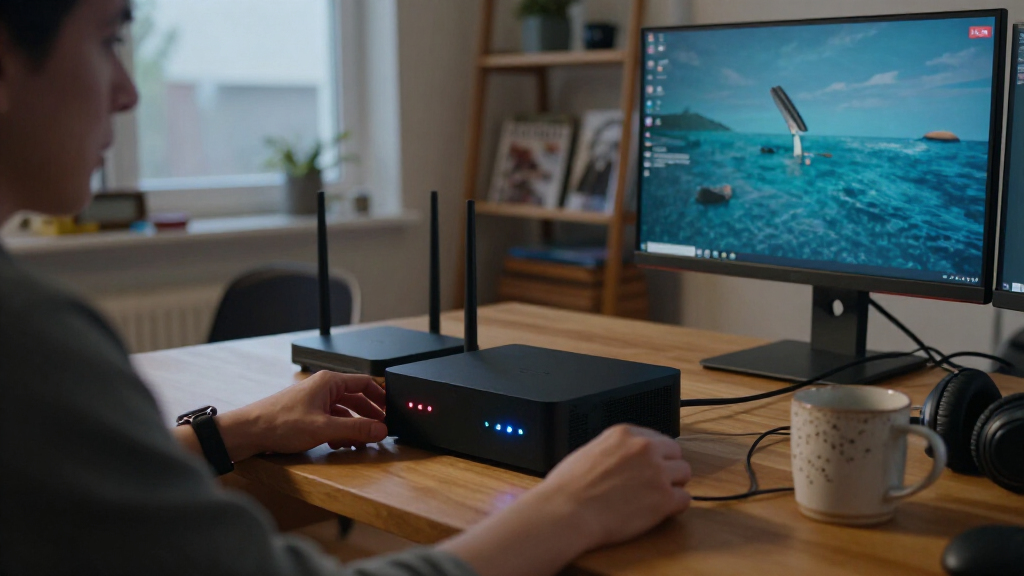
I ranked these mini PCs for homelab usefulness, not general desktop performance. I weighed CPU capability against installed memory and storage, since a capable processor can still feel constrained when a lab runs several services or virtual machines. I also gave weight to network connectivity, listed ports, and whether the configuration offers practical room for the buyer’s planned workload.
The order reflects how easily each listed configuration can serve a range of common home-server roles, from basic containers and monitoring to heavier virtualization. Models with stronger overall hardware or distinctive connectivity rank ahead of entry-level options, while similar machines are separated by their bundled RAM and storage. I treat specifications as a starting point rather than a guarantee: buyers should verify the exact configuration, expansion options, network ports, and cooling details for the listing they plan to purchase.
Factors to Consider When Choosing Best Homelab Mini PCs
Choosing a homelab mini PC starts with the jobs you expect it to run, not the longest specification list. I would map out the number of services, virtual machines, and storage devices first, then match the hardware to that plan. These factors help avoid paying for power you will not use—or buying a compact system that runs out of room too soon.
Match CPU Headroom to Your Workloads
Containerized services, DNS, file sharing, and lightweight monitoring usually need less processing capacity than several virtual machines or software builds. A higher-performance chip can shorten demanding jobs and leave room to run more services at once, but it may also draw more power and produce more heat under sustained load. Do not choose by processor name alone: workload type, memory, cooling, and storage all affect how the system behaves as a server. For a first lab, a modest processor can be a sensible way to learn without overbuilding. If you plan to consolidate multiple machines onto one host, leave CPU headroom rather than sizing for today’s smallest workload.
Size RAM for Virtualization, Not Just Startup
Memory is easy to underestimate because a mini PC may boot and run a single service with a small allocation. A collection of virtual machines can consume RAM quickly, especially when each guest runs its own operating system and background services. Check whether memory is replaceable or expandable before assuming you can add more later; compact PCs vary, and product listings may describe configurations rather than upgrade limits. Avoid paying for memory you cannot use, but do not treat an included RAM figure as a permanent ceiling if the system supports upgrades. For a multi-VM lab, capacity often matters more than a small jump in processor speed.
Plan Storage Around Data and Redundancy
An included SSD is convenient for an operating system and a few services, but virtual-machine images, backups, media, and logs can fill it faster than expected. Separate fast system storage from bulk data when your setup allows it, and check the number and type of internal storage connections before buying. External drives can add capacity, though they bring extra cables and may not suit every always-on deployment. A single large drive is not a backup: keep a separate copy of data that would be costly to lose. Also check whether the listed storage is an SSD or another storage type, since the interface and upgrade path affect practical use.
Treat Networking as a Core Lab Feature
For a machine that hosts services, network ports can shape what you can test just as much as the processor. Dual LAN can support routing experiments, network separation, or a dedicated connection to another device, while a single port may be enough for a basic server behind a router. Check the actual Ethernet specifications and port count rather than assuming every mini PC offers the same connectivity. Wi-Fi can help with setup, but a wired connection is usually a more dependable fit for a server that should remain reachable. Thunderbolt and other fast connections can expand external-device options, but only matter if your planned gear supports them.
Check Power, Cooling, and Noise for Always-On Use
A homelab computer may run around the clock, so idle power can affect long-term operating costs more than occasional peak performance. Manufacturer specifications rarely show what a system will draw in your exact setup, so treat processor class as a clue, not a power guarantee. Stronger hardware can bring more thermal output, and a small chassis may rely on active cooling that becomes audible during sustained work. Look for useful details about ventilation, fan behavior, and power management before placing a unit in a quiet room or enclosed cabinet. If the lab will mostly run low-demand services, a lower-power configuration may be a better fit than a chip chosen solely for maximum speed.
Verify Upgrade Options and Exact Configuration
Product families can have several configurations that look almost identical in a listing, including different memory, storage, and connectivity. Compare the exact model and included components, not just the family name, before deciding which system gives better value. Check whether RAM and storage can be replaced, how many internal slots are available, and whether the operating system or power supply is included if those details matter to your setup. A slightly more expensive configuration may save hassle if you would otherwise need immediate upgrades, but only when the included parts match your plan. For a long-lived lab, accessible upgrades can matter more than a small performance advantage at purchase.
Frequently Asked Questions
Is 16GB of RAM enough for a homelab mini PC?
It can be enough for a small setup built around several lightweight containers, basic network services, or a limited number of virtual machines. The answer changes quickly when each VM runs a full operating system, or when you add databases, development environments, and monitoring tools. The 32GB GEEKOM A7 configuration in this roundup offers more immediate room for concurrent workloads than the 16GB systems. Before buying, check whether the RAM can be upgraded and whether the listed capacity is supplied as one or more modules. If you already know you will run many guests, plan memory capacity before focusing on a modest CPU difference.
Should I choose a mini PC with dual LAN for my home lab?
Dual LAN is useful if you plan to experiment with routing, firewalls, network segmentation, or separate connections to different parts of your setup. It is less valuable for a basic server that connects to one home network and runs services behind an existing router. The Beelink EQi configuration with dual LAN is the clearest match in this roundup for network-focused experiments, but its other listed features should also fit your workload. Confirm the number and type of Ethernet ports on the exact model, since similarly named configurations can differ. If networking is not part of your project, prioritize RAM, storage, and workload capacity instead.
Is the Intel N100 Beelink MINI S12 enough for a home server?
The Beelink MINI S12’s Intel N100 and 16GB of RAM are a reasonable starting point for lighter server duties, such as a small set of containers or basic home-network services. It is a less suitable choice for a lab built around several demanding virtual machines or heavy, sustained processing. Its included 500GB SSD gives a useful starting point, but the planned data volume and backup method still matter. If you expect your setup to grow, check the available upgrade paths before treating the initial configuration as sufficient for the long term. Choose it for a modest workload, not simply because a mini PC can run server software.
Which matters more for virtualization: a faster CPU or more RAM?
For many small virtualization setups, RAM becomes the immediate limit because each virtual machine needs memory for its operating system and services. A faster CPU helps when guests are busy at the same time, but it cannot make up for insufficient memory capacity. Start by estimating how many VMs will run concurrently and how much memory each needs, then compare CPU capability among systems that meet that target. This explains why the GEEKOM A7’s 32GB configuration stands out for general multitasking, while the NAB6 Lite’s Core i5-12600H is appealing for more processor-heavy work. If your workload is uncertain, choose a system with a credible memory upgrade path.
Can I use one of these mini PCs as both a home server and a desktop?
Yes, but the best fit depends on whether server duties or desktop tasks take priority. A model with a stronger processor and enough memory can handle a desktop workload alongside services, though simultaneous use may compete for CPU, RAM, and storage. The GEEKOM A7 and MINISFORUM NAB6 Lite offer more processing headroom than the Intel N100 and entry-level Ryzen 3 options in this roundup. For an always-on server, consider whether desktop use will require frequent restarts, a monitor, or access that disrupts hosted services. Separating the roles may be cleaner when uptime and reliability matter more than having one compact machine do everything.
Conclusion
For the broadest mix of home-server tasks, I would choose the GEEKOM A7 as best overall: its Ryzen 7 7730U, 32GB RAM, and 500GB SSD make it the most balanced ready-to-run configuration here. The best premium performance pick is the MINISFORUM NAB6 Lite for buyers whose workloads benefit from its Core i5-12600H. For network experiments, the Beelink EQi with dual LAN and Thunderbolt 4 is the standout specialist. I would treat the lower-spec Beelink, BOSGAME, and KAMRUI models as value-oriented choices for modest services, after checking their exact RAM and storage configuration; the Beelink MINI S12 is the best beginner option for a lightweight first lab. Choose by workload: more memory for multiple VMs, stronger processing for sustained compute, and extra network ports only when your setup will use them.