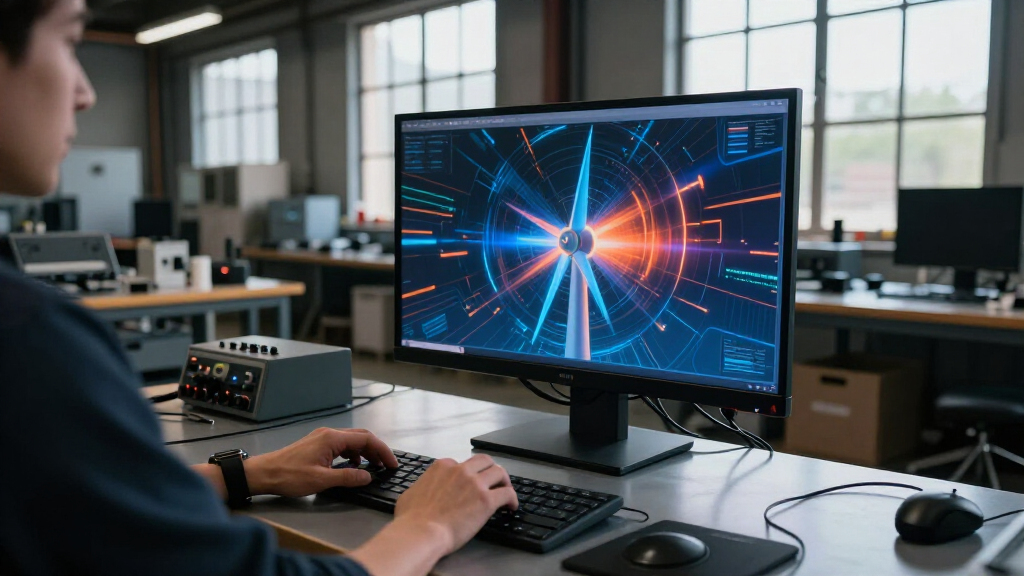

🔍 Read the full analysis: AI And Interactive Motion: A Look Inside “TURBINE — WERK 9” on ThorstenMeyerAI.com

Get tech for your team delivered free — and shop member deals
- Fast, free delivery on millions of items
- Access to Prime Big Deal Days deals on October 6–7
- Prime Video, Amazon Music and more included
TL;DR
TURBINE — WERK 9 is presented as an interactive field guide in which scrolling drives an SVG rotor, linking movement through a web page to the mechanics of an industrial setting. The project description says a full design teardown is available, but provides few technical details about the implementation or the team behind it.
TURBINE — WERK 9 is an interactive web field guide built around a scroll-driven SVG rotor, turning a visitor’s movement down the page into part of the experience, as explored in the original project analysis. ThorstenMeyerAI.com presents the project as a browser-based interpretation of an industrial space, with a full design teardown and a live version offered for visitors to explore.
The project description frames the page as something closer to a machine a visitor can move through than a conventional brochure. Its main interaction ties scrolling to the rotor’s motion, using vector artwork to give the movement a visible mechanical reference. The description says the interaction is intended to connect progress through the page with the mechanics of the place it represents.
The page is described as an interactive field guide, a format that gives the exploration a defined purpose rather than presenting the interaction as decoration alone. ThorstenMeyerAI.com says the full case study covers how the rotor’s movement was shaped, how the visual system was organized and how a sense of physical space was translated into a browser experience. The description does not provide those design details directly.
The project is presented as relevant to people interested in AI tools and automation, but the stated interaction itself relies on a browser, vector paths and the visitor’s scroll input. The available description does not specify that an AI model powers the rotor, generates its artwork or changes the experience dynamically. It points readers to a live room and to the case study for further examination.
Interactive field guide · Web motion
AI and Interactive Motion: A Look Inside “TURBINE — WERK 9”
A browser-based exploration of an industrial space turns the visitor’s scroll into movement for an SVG rotor. Here is what the project description confirms—and what it leaves open.
01 / The interaction
When scrolling becomes a control
A familiar page gesture also acts as an interface for a visual object, connecting progress through the page with the industrial setting it represents.
Move through the page
The visitor scrolls through a browser-based experience. The project description identifies scrolling as the main interaction.
See the rotor turn
An SVG rotor provides a visible mechanical reference, tying movement down the page to motion on screen.
Explore with purpose
The “field guide” format gives the experience an exploration-oriented frame rather than presenting motion as decoration alone.
02 / Visitor journey
A page with a sense of place
The presentation describes a spatial idea: an industrial environment translated into a browser experience visitors can move through.
Open the guide
Meet an industrial visual setting presented as a browser-based space.
Scroll onward
Use the page’s familiar movement as the primary stated input.
Follow the rotor
Watch the SVG rotor respond as the visitor progresses.
Read the teardown
Consult the full case study for more on motion and visual organization.
03 / Evidence check
What the description tells us
The available account is specific about the central interaction, while several production and evaluation details remain undisclosed.
Stated in the project presentation
- TURBINE — WERK 9 is an interactive web field guide.
- Scrolling drives an SVG rotor.
- The experience interprets an industrial space in a browser.
- A live room and a full design teardown are offered for further exploration.
Not established by the description
- Whether AI contributes to production or operation.
- Who designed or built the experience, and when it launched.
- How motion behaves across devices or scroll directions.
- Whether reduced-motion and keyboard alternatives are provided.
- Visitor outcomes, performance data, or independent evaluation.
04 / Claim and evidence
Keep the AI connection in perspective
The project is presented to readers interested in AI and automation, but its described mechanism is a browser interaction.
| Topic | What is described | Evidence status |
|---|---|---|
| Core mechanism | Browser scrolling drives a vector SVG rotor. | Specified |
| AI involvement | No model, generated artwork, or dynamic AI behavior is identified. | Unconfirmed |
| Accessibility | No reduced-motion behavior or keyboard alternative is documented. | Unreported |
| Audience response | No visitor numbers, usability findings, or engagement measures are given. | Unreported |
“The most intriguing detail is how the interaction changes what ‘turning the page’ can mean.”
Project description · ThorstenMeyerAI.com05 / Key questions
What to know before exploring
What is TURBINE — WERK 9?
An interactive web field guide presented as an exploration of an industrial setting, with page movement linked to a rotating SVG graphic.
How does the main interaction work?
The project description says scrolling drives the SVG rotor. It does not detail the animation’s behavior across devices.
Does it use artificial intelligence?
The available description does not confirm an AI system. The AI connection is an editorial or audience framing, not a stated technical feature.
Where can readers learn more?
ThorstenMeyerAI.com points readers to the live room and a design teardown covering the rotor, visual system, and browser-based spatial design.
When Scroll Becomes a Control
The project highlights a design choice with practical relevance for interactive web work: a familiar input can guide a more spatial experience. Scroll is already how people move through most pages. Here it also acts as a control for a visual object, making the visitor’s progress feel tied to the setting rather than separate from it.
That approach may interest designers and developers exploring motion and browser-based interaction, particularly where an interface needs to retain the clarity of a designed object. The project description presents the rotor and field-guide framing as ways to give exploration structure. Whether the interaction improves usability, accessibility or visitor engagement has not been documented in the available details, so those outcomes should not be assumed.
For readers following AI-related creative work, the distinction between subject matter and implementation matters. The experience is grouped with AI and automation interests, yet its described mechanism is a scroll-responsive SVG. Without further technical information, the project is best understood as an interactive web design presentation, not evidence of an AI-powered system.
As an affiliate, we earn on qualifying purchases.
A Field Guide in the Browser
The project’s central question is what a web page might feel like if it behaved less like a brochure and more like a place visitors could move through. TURBINE — WERK 9 answers that question through an industrial visual setting and motion linked to the page’s scroll. The field-guide framing supplies a way to organize that movement and exploration.
ThorstenMeyerAI.com directs readers to a design teardown describing the rotor, visual system and translation of a physical-feeling environment into a browser experience. The short project presentation does not identify individual designers or developers, give a launch date, or set out the production process. It also does not provide metrics or independent evaluation of how visitors use the page.
“What if a web page behaved less like a brochure and more like a machine you could walk around?”
— ThorstenMeyerAI.com project description
As an affiliate, we earn on qualifying purchases.
Details Beyond the Rotor
The available project description does not state who designed or built the experience, when it launched, or what technologies beyond SVG and browser scrolling it uses. It does not explain how the rotor responds to different scroll directions or devices, or whether the interaction includes reduced-motion and keyboard-accessible alternatives.
It is also unclear whether AI has any role in the project’s production or operation. The page’s association with AI and automation audiences does not establish that the experience uses an AI system. No visitor numbers, usability findings, performance measurements or accessibility review are provided, so the project’s real-world impact cannot be assessed from the description alone.
browser-based industrial visualization software
As an affiliate, we earn on qualifying purchases.
As an affiliate, we earn on qualifying purchases.
Explore the Live Experience
ThorstenMeyerAI.com directs readers to the live room and the full design teardown. Those are the next places to look for detail on how the motion is constructed and how the visual system supports navigation. The project description does not announce a future release, update or development milestone.
Until additional technical or production information is published, the confirmed account remains narrow: scrolling drives an SVG rotor in a browser-based field guide intended to evoke movement through an industrial space. Further claims about AI involvement, accessibility or audience response would require more evidence.
Source: ThorstenMeyerAI.com
As an affiliate, we earn on qualifying purchases.
Key Questions
What is TURBINE — WERK 9?
It is an interactive web field guide presented as an exploration of an industrial setting, with page movement linked to a rotating SVG graphic.
How does the main interaction work?
The project description says that scrolling drives an SVG rotor. It does not give further implementation details, such as how the animation behaves across devices.
Does the project use artificial intelligence?
The available description does not confirm any AI system in the experience. It describes a browser, vector paths and scroll input; its connection to AI is an audience or editorial framing, not a confirmed technical feature.
Where can readers see more?
ThorstenMeyerAI.com points readers to the live room and a full design teardown. The project description says the teardown discusses the rotor’s motion, visual organization and browser-based spatial design.
Source: ThorstenMeyerAI.com
Halloween Picks
halloween
As an affiliate, we earn on qualifying purchases.