
TL;DR
A November 19 comparison of published specifications and software documentation finds that the right AI workstation depends on whether models run locally and which tools a workload needs. Mac Mini suits always-on agents and smaller local models; Mac Studio offers more unified memory, Nvidia PCs favor CUDA-based workloads, and cloud APIs provide access to leading closed models.
A November 19 comparison of Apple and Nvidia specifications and AI software documentation maps common workloads to four options: Mac Mini, Mac Studio, an Nvidia GPU PC and a cloud API. The guide’s central finding is that the workload matters more than the label “AI workstation”: an always-on agent calling a cloud model may need only a small computer, while large local models and CUDA-dependent software call for different hardware.

Get business pricing on tech for your team
- Business-only prices and quantity discounts
- Tax-exempt purchasing
- Multiple users, one account, clear invoices
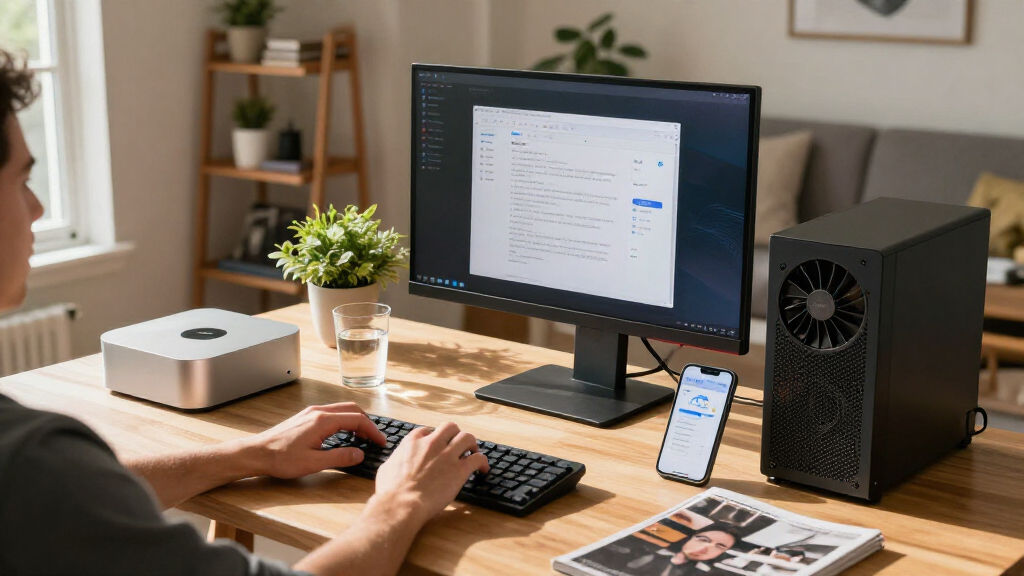
For agents that call cloud models, the guide points to a Mac Mini or an existing Mac. Apple lists the base Mac Mini at 4 watts at idle; in this setup, the computer runs the agent’s loop, files and tools while the model runs remotely. That arrangement still sends prompts and data to the cloud service, and the agent can act using whatever account access its operator grants it.
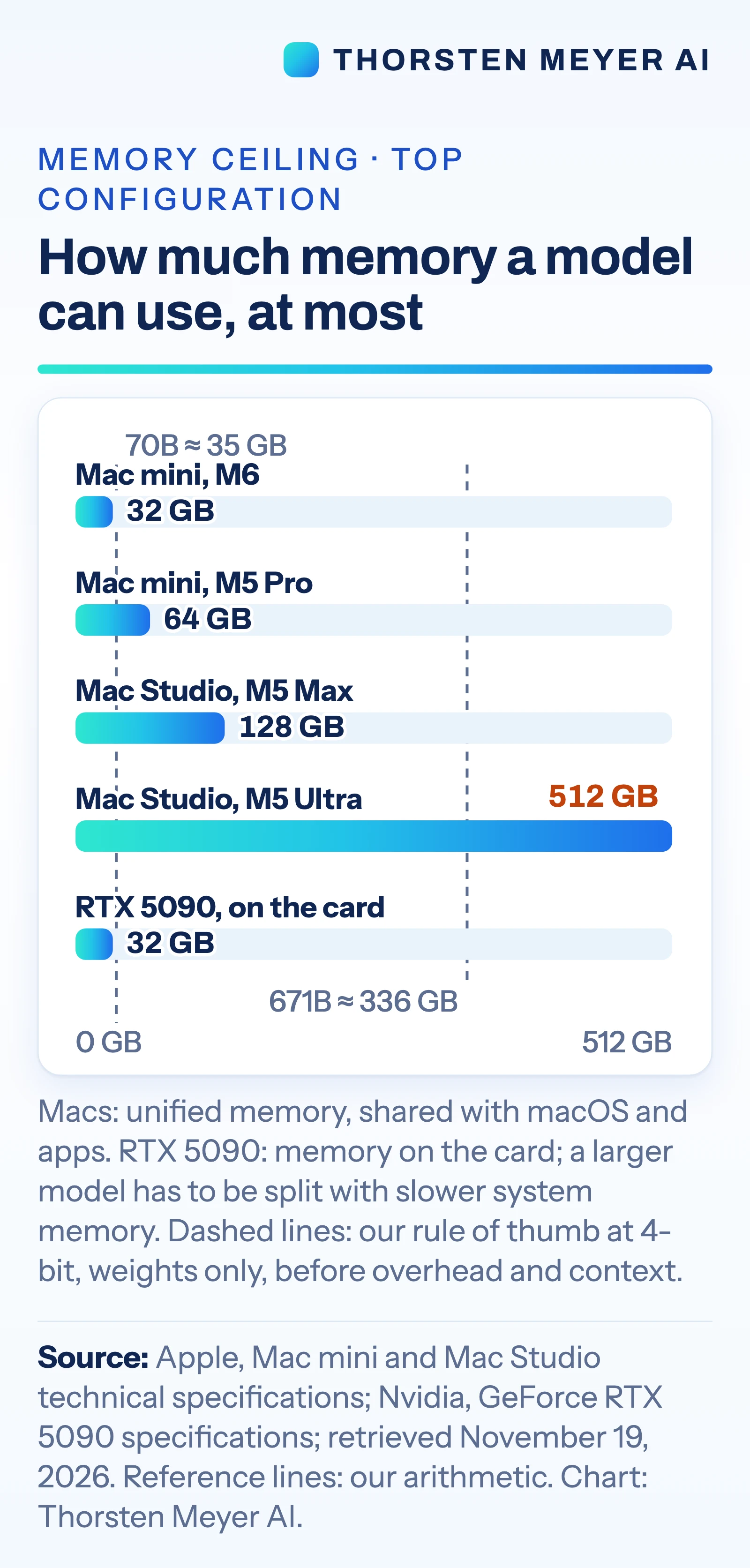
For local models, memory capacity is a main constraint. The guide lists Mac Mini configurations up to 64 GB of unified memory and Mac Studio options up to 128 GB with M5 Max or 512 GB with M5 Ultra. Nvidia’s GeForce RTX 5090 has 32 GB of graphics memory. As a rough estimate for weights alone, the source uses about 0.5 GB per billion parameters at 4-bit precision; that implies about 35 GB for a 70-billion-parameter model and 336 GB for a 671-billion-parameter model, before overhead and conversation context.
Software support and power also affect the choice. The guide says vLLM ships CUDA binaries and points Apple silicon users to a community-maintained plugin. Apple’s MLX documentation supports LoRA and QLoRA fine-tuning, while PyTorch supports GPU training on Mac. Apple lists the M5 Ultra Mac Studio at up to 385 watts for the whole system; Nvidia rates the RTX 5090 card at 575 watts and recommends a 1,000-watt system power supply. These figures describe different things and do not establish comparative performance.
The Workload Sets the Hardware
The choice affects what can run locally, how much it costs to operate and where data is processed. A small computer can keep an agent available around the clock when inference happens through an API, but the model’s prompts and inputs still go to the provider. Running an open model on local hardware can keep inference on the machine, subject to the software and configuration used.
For buyers, memory limits can matter more than headline processor specifications: a model’s weights must fit alongside runtime overhead and context. An Nvidia PC may be the practical fit when a team relies on software built for CUDA. A cloud API avoids buying hardware sized for occasional demanding tasks, though it brings per-token charges. The guide presents these as workload tradeoffs, not independently tested buying recommendations.
Products Worth Considering

Sony WH-1000XM6 Wireless Noise-Cancelling Headphones – Midnight Blue

Samsung Odyssey OLED G8 34-Inch Curved Ultra WQHD Gaming Monitor

Sonos Era 100 SL Compact Microphone-Free Speaker, Black
As an affiliate, we earn on qualifying purchases.
A Guide to Four AI Setups
The source article, published by Thorsten Meyer AI on November 19, 2026, follows an earlier piece about what models Mac Mini configurations with 16 to 64 GB of memory can run. It says Apple introduced a new Mac Mini on August 25, 2026, describing it as “the leading desktop for always-on agentic computing.” That characterization is Apple’s launch language as quoted by the source, not an independently established ranking.
The comparison says its hardware figures came from Apple and Nvidia specification pages and its software findings from tool documentation, checked November 19. It also notes that Apple documents clustering Macs, but setup requires Thunderbolt 5 links between each pair and a macOS Recovery setting; the base M6 Mac Mini has Thunderbolt 4. The source says large-model training generally requires more than a desktop setup.
Performance Depends on the Task
The comparison does not provide independent speed tests for the listed machines, including the Mac Studio running very large models. Actual results will depend on the model, quantization, software, context length and number of users. The memory estimates cover weights only; they do not establish that a model will fit or perform acceptably in a particular setup.
The source does not give a like-for-like operating cost comparison between buying hardware and paying for API use. It also does not specify the privacy, retention or pricing terms of any particular cloud provider. Those details vary by service and configuration, so the guide’s workload matches should be read as an interpretation of published specifications and documentation.
Test Against Your Own Workload
The next step for a buyer is to identify whether the model must run locally, which software must be supported, and how much memory the target model needs with overhead and context. Compare those requirements with the intended Mac or GPU configuration, then test representative prompts, documents and concurrency before committing to a system.
For cloud use, buyers will need to compare provider pricing and data-handling terms for their specific service. The source offers no follow-up benchmark or price comparison, so those remain open parts of the purchasing decision.
Key Questions
Which setup fits an AI agent that calls a cloud model?
The guide says a Mac Mini or an existing Mac may be enough because the computer runs the agent and its tools while inference happens through the API. Prompts and data sent to the model still go to the cloud provider.
How much memory do local models need?
It depends on model size, precision, runtime overhead and context. The source’s rough estimate is about 0.5 GB per billion parameters for weights at 4-bit precision, before overhead and context; it is not a full system-memory requirement.
When does a GPU PC make sense?
The guide favors an Nvidia GPU PC when the required tools are built around CUDA, including serving software with CUDA support. The RTX 5090 is listed with 32 GB of memory, and Nvidia rates the card at 575 watts.
Can a Mac handle fine-tuning?
The source says Apple’s MLX tools document LoRA and QLoRA support and PyTorch supports GPU training on Mac. Fine-tuning can require more memory than running the same model, and the article provides no comparative benchmark.
Why use a cloud API?
The guide identifies cloud APIs as the route to leading closed models that are not available for download, and as an option for demanding or bursty tasks. Costs are billed per token, and prompts or other submitted data leave the local machine.
Source: Thorsten Meyer AI