
TL;DR

Get business pricing on tech for your team
- Business-only prices and quantity discounts
- Tax-exempt purchasing
- Multiple users, one account, clear invoices
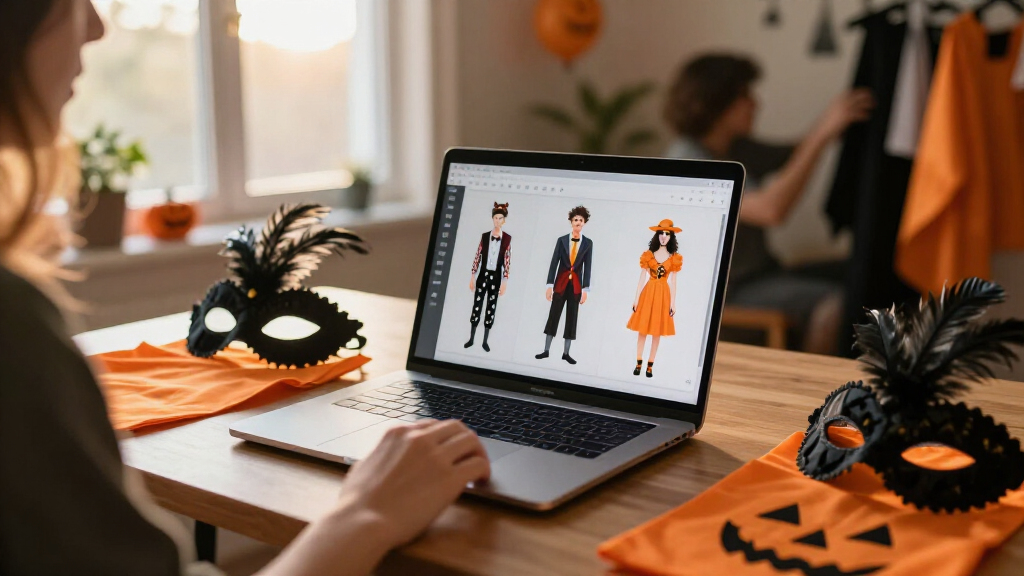
AI-powered Halloween costume generators use prompts, questionnaires, or reference images to suggest costume ideas, create visual concepts, and sometimes draft DIY plans. Give them practical constraints such as budget, weather, mobility, and materials, then treat images as inspiration rather than build-ready instructions. Before uploading a selfie or using a design commercially, check the tool’s privacy policy and terms.
A costume can look spectacular on a glowing screen and still be impossible to wear past the front door. A flowing cape catches on the stairs; a perfect digital mask fogs up after five minutes. AI-powered Halloween costume generators can help you get from “I have no idea” to a promising concept, but the best results come when you treat them as sketchbooks, not magic wardrobes.
These tools use artificial intelligence to suggest ideas, create visual concepts, or adapt a costume to someone’s preferences. Some take a text prompt or questionnaire. Others can use a selfie or reference image, and some add materials lists or assembly suggestions. This guide explains what they can do, how to ask for useful results, and what to check before you spend money or share a photo. You’ll leave with a prompt you can adapt—and a practical way to turn a digital idea into a wearable costume.
Describe both the costume theme and practical limits such as budget, weather, mobility, time, and materials already on hand.
Use AI-generated images as mood boards, not sewing patterns or guarantees that a costume can be built as shown.
Check a generator’s current image-retention and privacy terms before uploading a selfie, especially a child’s photo.
Test costumes for visibility, movement, comfort, and accessory safety before Halloween night.
Ask for original designs when you want more personal control, and check legal and tool terms before commercial use.
What an AI Halloween costume generator can actually do for you
An AI Halloween costume generator uses artificial intelligence to suggest costume ideas, make visual concepts, or help plan a look from your preferences. It can work like a creative friend who keeps throwing ideas onto the kitchen table: some are brilliant, some are bizarre, and a few need serious editing before you wear them.
Tools vary. A text-based generator might offer a list of concepts from your favorite colors and films. An image generator can create a visual mock-up from a prompt, while an image-to-image tool may use a reference picture to guide the style. Some services also propose materials, makeup, accessories, or assembly steps, though those practical features differ between products and change over time.
For example, you could ask for an original “moonlit lighthouse keeper” costume. One result might pair a navy coat with silver trim and a lantern-shaped accessory; another may show a beautifully dramatic coat with impossible buttons and a floating lantern. The first is a workable starting point. The second is a mood board, not a sewing pattern.
Think of the process like planning a meal. The concept image is the glossy cookbook photo; your closet and budget are the ingredients. AI can suggest the recipe, but you still check whether the ingredients exist and whether the finished dish suits the people at your table. Generators use artificial intelligence to suggest and create visual concepts; they do not automatically know what you own, what fits, or what feels comfortable unless you tell them.
That distinction matters because a generator is strongest at combining patterns and proposing possibilities, not verifying them. A polished image can make an idea feel more certain than it is, even when the clothing, construction, or materials are invented. Use each output for the job it handles well: text suggestions to widen your options, images to communicate a mood, and any build advice as a draft to check against your own skills and resources.
There is also a tradeoff between specificity and flexibility. A broad prompt can spark surprising ideas, but may ignore what is practical for you; a tightly constrained prompt is more likely to fit your needs, but can produce less unexpected results. Start with enough limits to rule out deal-breakers, then loosen nonessential details if you want more imaginative directions.
Halloween costume ideas AI generator
As an affiliate, we earn on qualifying purchases.
As an affiliate, we earn on qualifying purchases.
Why these generators help when your costume ideas run dry
AI-powered Halloween costume generators are useful when you want personalized ideas quickly, a visual preview before shopping, or a fresh direction beyond familiar costumes. They can combine a theme with a budget, comfort preference, or group size, making them handy when “just wear a sheet” feels less like a plan and more like surrender.
Imagine you have one evening to prepare for a neighborhood party, a black jacket in your closet, and a strict $25 limit for extras. A detailed prompt might produce three options: a midnight astronomer with a paper star map, a classic film detective with a thrifted magnifying glass, or a storm cloud with cotton batting and blue ribbon. You can compare those ideas against what you already own instead of browsing random costume photos for an hour.
The tools can help with couples, families, friend groups, or workplace themes, too. A group of four could request an original “haunted botanical garden” set: gardener, carnivorous plant, moth, and talking watering can. That shared theme gives everyone a role without requiring matching outfits or identical budgets.
Still, speed does not equal accuracy. A generator may suggest delicate shoes for a night of walking, an expensive fabric for a budget costume, or an awkward group idea that one person dislikes. Use suggestions as options, not orders. Ask each wearer what they would enjoy, then check the cost, fit, movement, and available materials before committing.
The real benefit is often not that the first suggestion is perfect, but that it gives you something concrete to react to. Seeing three different directions can reveal whether you prefer a recognizable character, a color palette, or a handmade prop—and that makes the next prompt more useful. This can save browsing time, but it does not remove the need to compare prices or make decisions. In a group, it is especially important to treat the output as a starting point for discussion: a shared theme can make planning easier, while assigning roles without asking can make one person feel like an afterthought.
DIY Halloween costume materials list
As an affiliate, we earn on qualifying purchases.
As an affiliate, we earn on qualifying purchases.
How to get a costume idea you can really wear
To get a wearable idea, tell the generator what you want and what you cannot use. A theme alone—“witch,” “robot,” or “space explorer”—leaves too many gaps. Add budget, weather, time, comfort, materials, and mobility needs so the suggestions fit the actual Halloween you have planned.
- Name the wearer and event: For example, an adult going to an outdoor neighborhood party, or a child walking between houses.
- Set practical limits: Give a budget, available preparation time, temperature, and any no-mask or easy-to-walk requirements.
- List what you own: Mention clothing, craft supplies, makeup, or accessories already on hand.
- Ask for a useful format: Request three options, each with materials, estimated extra cost, and a simple makeup alternative.
- Check and revise: Remove anything uncomfortable, unsafe, expensive, or hard to build; ask for a simpler version.
For instance: “Suggest three original, comfortable Halloween costumes for an adult using clothes I already own, under $30 in extra materials. No mask, easy to walk in, suitable for cold weather. Include a materials list and makeup alternatives.” That prompt gives the tool a creative brief with real boundaries.
If you want an image, specify colors, style, level of detail, and wearer preferences. You can ask for “a cozy, handmade-looking forest guardian in moss green and copper, shown in practical layered clothing.” Then ask a follow-up: “Replace the hard-to-find feathered cape with a scarf and felt leaves.” Like tailoring a jacket, the first suggestion is a fitting; the revision is where it starts to feel like yours.
Constraints do more than make a prompt detailed: they tell the tool which compromises are acceptable. “Cold weather” might mean adding layers, while “no mask” rules out an entire category of looks. Name hard requirements plainly, and distinguish them from preferences—for example, “must be easy to walk in; ideally uses green.” That helps you judge results sensibly instead of rejecting a useful idea because it misses a minor preference.
Ask for estimates as ranges or alternatives rather than treating a generated price as a quote. The tool may not know local prices, what is in stock, or whether you already own a substitute. A good follow-up is to ask for a low-cost version using household materials, then compare its list with what you can actually source. This extra check takes a little time, but it can prevent a visually appealing suggestion from quietly growing beyond your budget.
wearable Halloween costume accessories
As an affiliate, we earn on qualifying purchases.
As an affiliate, we earn on qualifying purchases.
What a generated costume image gets right—and what it invents
A generated costume image is a visual starting point, not a reliable construction plan. It can communicate mood, colors, and silhouette quickly, but it may distort proportions, blend objects together, or show details that have no realistic way to attach. A picture can be useful and wrong at the same time.
Say an image shows a red velvet coat with six perfectly placed pockets, a glowing brooch, and boots that match the fabric exactly. The result may look like a polished shop display, but the generator has not confirmed that the coat exists in your size, that the brooch is safe to wear, or that you can make the boots without specialist materials. Use the image like a mood board: identify the parts you like, then translate them into ordinary objects you can buy or build.
A practical check is to separate the look from the construction. Write down the colors, shapes, and recognizable accessories first. Then inspect every piece: Can you find it? Can it stay attached while you walk? Can you see and breathe comfortably? Does the image depend on a cape, prop, or makeup effect that will fail in rain, heat, or a crowded room?
For a child’s costume, a generated glowing helmet might become a comfortable cardboard headband with reflective stars instead. For an adult with limited mobility, an elaborate floor-length robe might become a decorated jacket and seated-friendly accessories. Good adaptation protects the spirit of the idea while changing the parts that do not work in real life.
Images are persuasive because they make design decisions look finished: the fabric appears chosen, every accessory seems to fit, and the silhouette looks intentional. But those visual details are not evidence that a pattern, product, or safe attachment method exists. Treat the image as a collection of separate choices rather than a single recipe. Keeping the palette but changing the material, or keeping one signature prop and dropping the rest, can preserve the idea without forcing you into a costly or uncomfortable build.
This is a useful tradeoff to make early. Chasing every visible detail can consume time and money while adding little to whether other people recognize the costume. Prioritize details that communicate the concept from a distance, then test comfort and movement with the actual pieces. If a decorative element blocks vision, snags, or weighs down a garment, simplify it; the point is a costume you can enjoy wearing, not a precise copy of an image.
As an affiliate, we earn on qualifying purchases.
How to protect privacy, safety, and cultural respect
Before you upload a selfie, share a child’s photo, or follow a costume suggestion, check privacy, physical safety, and cultural context. A photo may reveal someone’s face and surroundings, and each service sets its own rules for storing, using, or deleting images. Features, prices, and policies can change, so check the current terms directly with the tool you plan to use.
For example, if a generator asks for a photo to create a costume preview, see whether you can use a text description instead. If you do upload an image, read how the service handles it and avoid sharing another person’s photo without permission. Free access can also come with limits on generations, image quality, accounts, or commercial use; check before planning around a feature you may not be able to keep using.
Next, test the costume in the conditions where you’ll wear it. Check visibility, movement, heat, makeup, and accessories. For children, pay special attention to small parts, flammable fabrics, face coverings, and whether the costume is easy to spot after dark. A child dressed as a “tiny galaxy” might look magical under indoor lights, but reflective stars and a clear view of the sidewalk matter more outdoors.
Finally, review the idea for stereotypes or disrespect. A tool can suggest a costume that treats a culture, religion, or traumatic history as a prop. Ask instead for an original mood or archetype—such as “stormy sea captain with handmade details”—rather than turning another group’s identity into a costume. Representation also matters: state preferences around gender, skin tone, body shape, age, or disability, and judge whether the result actually suits the person wearing it.
Privacy checks matter because the convenience of a photo-based preview can come with a cost that is hard to see at upload time: you may not know how long the image is retained or whether it is used beyond generating your result. If the policy is unclear, a text description or an image that does not identify the wearer is a lower-disclosure option. The tradeoff is that a text-only result may be less tailored, but avoiding an unnecessary upload is often worthwhile, especially for a child.
Safety also depends on the whole setting, not just the costume item. A prop that is harmless in a living room may be difficult to carry in a crowd, and a dark outfit can be hard for drivers to see on a residential street. Try the costume on before the event, move and sit in it, and check it in similar lighting. These small tests expose problems that a still image cannot show.
Respect is more than avoiding an obviously offensive suggestion. A costume can borrow sacred or identity-specific clothing in a way that turns someone else’s lived experience into decoration, even if the prompt was not intended to cause harm. When uncertain, choose a fictional role, atmosphere, or color direction instead of imitating a real community. Likewise, representation prompts are requests, not guarantees: check that the generated wearer is portrayed as an individual with the fit and adaptations you asked for, rather than relying on the tool to get those details right automatically.
How to turn a clever concept into a finished Halloween look
Turn a generated concept into a costume by keeping the recognizable idea and simplifying the build. Think of it as translating a song from a full orchestra to a small acoustic set: you preserve the melody, even when you cannot reproduce every instrument. Your most useful pieces may be a signature color, one clear accessory, and a hint of makeup.
Suppose the generator suggests a “clockwork raven” with metallic wings, a feathered coat, glowing eyes, and intricate gears. You might make the look with a black jacket, folded cardboard feather shapes painted copper, a simple gear pin, and safe face paint. The silhouette and colors do the storytelling; you do not need a working clock built into your shoulders.
Before buying supplies, ask the tool for a materials list and simpler alternatives, then check the list yourself. Prices and availability depend on where you live, and an AI estimate is not a store quote. Compare the suggestion with your closet, a local thrift shop, and basic craft materials. If a single accessory costs more than the rest of the costume, ask for a substitute.
For a powered Halloween costume with lights or sound, add a practical safety check. Keep electronics secure and away from rain, leave a clear path for movement, and avoid exposed wires or hot components near fabric and skin. A battery-powered lantern carried by hand may be more comfortable and less fussy than a complicated light-up cape. The finished costume should feel like a person dressed for Halloween—not a fragile prototype that needs a handler.
Simplifying is not merely a compromise; it is a way to decide which parts do the most work. A strong silhouette and one memorable accessory may communicate “clockwork raven” more clearly than a collection of tiny gears that no one notices. Before making anything, pick the two or three details that carry the concept, then let comfort, skill, and budget guide the rest. This reduces the chance of spending hours on details that do not improve the costume’s overall effect.
Think through the build in the order you will wear it: how pieces attach, whether they stay put while walking, and how quickly you can remove them if you get too warm or need to sit. A material list is useful only when it accounts for those practical questions. For electronics, complexity adds more failure points—batteries can run out, wires can snag, and weather can damage components—so a simpler effect may be more dependable. The best version is not necessarily the closest match to the generated image; it is the version that preserves the idea without making the wearer manage a problem all evening.
When a famous character is less useful than an original idea
An AI generator can suggest famous characters or original designs, but a familiar reference is not the same as permission to sell a design. If you want a costume for personal use, a character may help you explain a style quickly. If you plan to sell costumes, publish promotional images, or use a protected design commercially, check the tool’s terms and the laws that apply where you are.
For example, “a famous space princess” gives an image model a recognizable direction, but it may echo protected costume details or produce an awkward imitation. You can ask for an original alternative instead: “a brave desert astronomer in a white and bronze outfit, with a star-map cape and handmade goggles.” That prompt keeps the broad mood while giving you a more distinctive design.
Original prompts also give you more control over comfort and representation. You can specify modest clothing, no mask, adjustable layers, or a particular mobility need without having to force those details into an existing character’s look. The generator may still miss a detail, so review the result and request changes in plain, specific language.
Think of a character reference as a shortcut in a conversation, not a legal clearance stamp or a guarantee of accuracy. If your goal is a personal party outfit, use the output as inspiration and make it your own. If your goal involves selling or advertising, pause and check the rules before relying on an AI-generated image or costume plan.
A familiar character can be a useful shorthand, but it also narrows what the generator is likely to produce: the result may lean toward recognizable signature colors or accessories instead of your actual priorities. An original prompt takes more words, yet it lets you keep the qualities you like—such as a brave, otherworldly mood—while changing details that are uncomfortable, hard to find, or unsuitable for the wearer. That extra control is practical as well as creative.
Commercial use adds a different kind of uncertainty. The tool’s terms may govern how you can use its output, while separate rules may apply to recognizable characters or designs; an AI-generated image does not automatically settle those questions. If the costume is for a personal event, inspiration may be enough. If you are selling, advertising, or publishing the design, verify the relevant terms and requirements before investing in production or promotion.
Frequently Asked Questions
What is an AI Halloween costume generator?
An AI Halloween costume generator is a tool that uses artificial intelligence to suggest costume ideas, create visual concepts, or help plan a costume from prompts or reference images. Some tools also suggest materials or makeup, but you should verify that advice against what you can actually find and wear.
Are AI costume generators free?
Some offer free access or a limited number of generations, while others charge for credits, subscriptions, or premium features. Pricing and limits can change, so check the service’s current terms before you depend on a specific image or feature.
Can I upload a photo of myself?
Some tools accept selfies or reference photos, but check how the service stores, uses, and deletes images first. You can often get useful results from a detailed text description instead, and you should not upload someone else’s photo without permission.
Can AI design a costume I can actually make?
It can give you a helpful starting point, especially if you state your budget, available materials, and time. Treat the image and instructions as suggestions: check whether each item exists, fits, attaches safely, and works for the event.
How can I avoid offensive or impractical costume suggestions?
Ask for an original concept and name your comfort, mobility, and respect requirements directly. Review the result for stereotypes, unsafe accessories, poor visibility, and details that would be hard to build, then request simpler or more respectful alternatives.
Conclusion
Use AI as your sketchbook, then let real life edit the sketch. Give the generator clear limits, choose the idea that fits your wearer and budget, and check every image against actual clothes, materials, privacy rules, and safety needs.
The best costume is not the one with the most impossible glowing details. It is the one you can walk in, enjoy wearing, and recognize as yours when the porch lights turn gold.
Halloween Picks
halloween
As an affiliate, we earn on qualifying purchases.