📊 Full opportunity report: How To Protect Sensitive Data On Remote Work Devices With SMB Security on IdeaNavigator AI — validation score, market gap, and execution plan.

Get business pricing on tech for your team
- Business-only prices and quantity discounts
- Tax-exempt purchasing
- Multiple users, one account, clear invoices
TL;DR
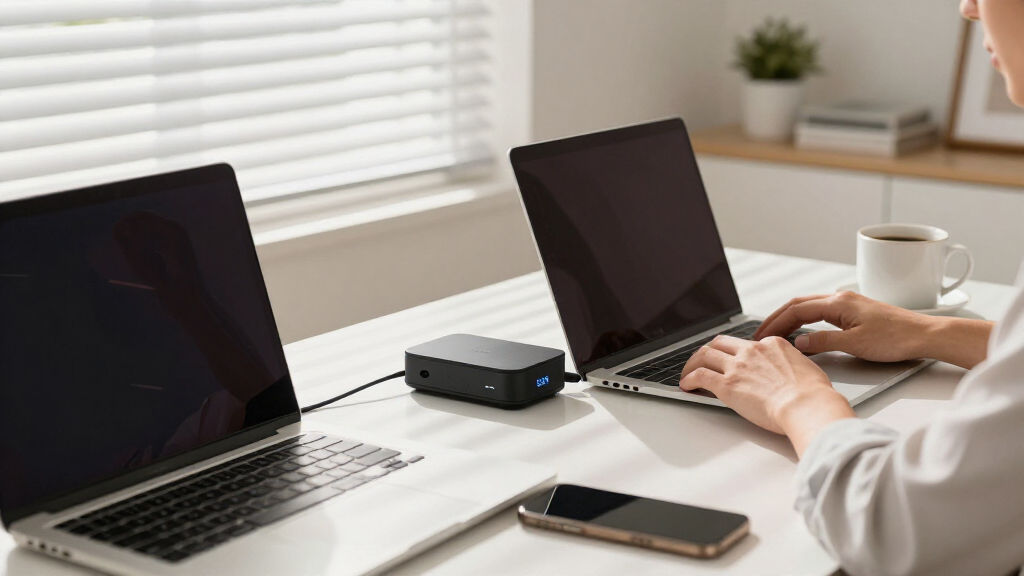
A new device security checker for remote teams allows SMBs to verify employee-owned device security without invasive management. It reports compliance status to support audits and reduce breach risk.
A new lightweight device security checker has been introduced to help remote SMB teams verify the security posture of employee-owned devices, addressing a growing compliance gap. The tool, which is voluntary for employees to install, assesses encryption, OS updates, screen lock status, and password manager presence, reporting results to security teams without remote control capabilities. This development comes as companies face increasing pressure from SOC 2 and customer security reviews, with traditional management tools often too invasive for personal devices.
The device security checker is designed as a minimal agent that employees install voluntarily, providing a pass/fail report on key security metrics such as disk encryption, OS version, and screen lock activation. It avoids remote control or invasive management, making it suitable for employee-owned devices across different operating systems, including MacOS, Windows, and unmanaged phones. Initial validation is underway at ten remote startups facing SOC 2 audits, where deployment success and auditor acceptance of the reports as evidence are being measured.
This solution aims to fill a verification gap created by the limitations of mobile device management (MDM) tools, which are often considered too invasive for personal devices. By providing a lightweight, self-remediable check, companies can improve compliance without infringing on employee privacy or disrupting workflows. The service is offered on a per-device monthly pricing model, with compliance reports exportable for audit purposes, making it attractive for SMBs seeking scalable security verification.
Why SMBs Need Lightweight Device Security Verification
This development is significant because it addresses a critical compliance and security challenge for SMBs operating remotely. As regulatory requirements like SOC 2 tighten, companies must demonstrate their security posture, including on employee-owned devices. Traditional management tools are often too invasive and may not cover all device types in a mixed hardware environment. The new checker offers a practical, scalable solution that can improve security posture, reduce breach risk, and streamline audit processes, all without compromising employee privacy.
Products Worth Considering

Logitech MX Mechanical Wireless Illuminated Keyboard, Tactile Quiet, Graphite

Logitech MX Ergo S Advanced Wireless Trackball Mouse USB-C – Graphite

Samsung Galaxy Tab A11+ 8GB RAM, 256GB Storage, Gray
As an affiliate, we earn on qualifying purchases.
Growing Security and Compliance Challenges in Remote SMBs
Remote work has expanded rapidly, especially among SMBs, leading to a proliferation of employee-owned devices used for work. Many of these devices lack consistent security controls such as disk encryption, regular updates, or screen locks, creating vulnerabilities. Currently, companies rely on compliance questionnaires or manual audits, which are often reactive and incomplete. Mobile device management (MDM) solutions, while effective for corporate-owned hardware, are often considered too invasive for personal devices, leaving a verification gap. As regulatory scrutiny increases, especially with SOC 2 and customer security reviews, SMBs are seeking scalable, non-invasive solutions to verify device security status across diverse hardware.
Unverified Adoption and Auditor Acceptance of Reports
It is still unclear how widely the device security checker will be adopted by SMBs and whether auditors will accept its reports as sufficient evidence of compliance. The initial deployment at ten startups is ongoing, and feedback from auditors and security teams is still being gathered to determine if the tool can replace or supplement existing verification methods. Additionally, questions remain about the tool’s effectiveness across different device types and operating systems in varied real-world environments.
Next Steps for Deployment and Validation
The next phase involves deploying the security checker at more SMBs, expanding beyond the initial ten startups. Companies will monitor device enrollment rates, compliance improvement, and auditor feedback to validate its effectiveness. If successful, the tool could become a standard part of SMB security workflows, especially for organizations with high device diversity. Further development may include integrating self-remediation features and expanding reporting capabilities to enhance usability and compliance assurance.
Key Questions
How does the device security checker work without remote control?
The checker is a voluntary, lightweight agent installed on employee devices that assesses specific security metrics locally, then reports pass/fail status to security teams without remote control or invasive management.
Will this tool replace traditional MDM solutions?
No, it is designed as a complementary solution specifically for employee-owned devices where MDM is too invasive or impractical.
Is the security report sufficient for compliance audits?
Initial validation is ongoing, but early indications suggest that auditor acceptance depends on the robustness of the report and integration with existing compliance workflows.
Which operating systems does the tool support?
The initial focus is on MacOS, Windows, and unmanaged phones, with potential expansion based on demand and technical feasibility.
How much does the service cost?
The service is offered on a per-device monthly basis, with additional features like compliance report exports available on paid tiers.
Source: IdeaNavigator AI