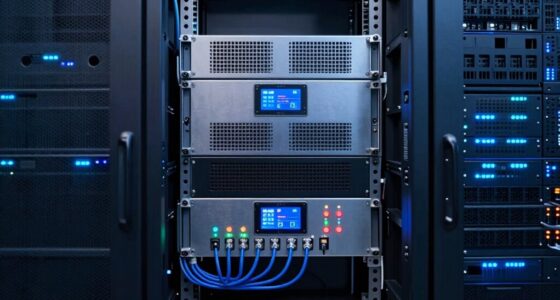
Choosing the right cloud managed switch for a branch office involves balancing performance, ease of management, and scalability. The Omada ES206X-M2 stands out as the best overall due to its reliable 2.5G ports and straightforward setup. For those needing extensive port capacity, the Cisco Meraki MS320-48FP offers robust Layer 3 features, though at a higher cost. Meanwhile, the NETGEAR GS748T provides a cost-effective, high-port option for growing offices. These picks reflect differing priorities: ease of use, advanced features, or budget. Continue reading for detailed comparisons to find the best fit for your branch office needs.

Get business pricing on tech for your team
- Business-only prices and quantity discounts
- Tax-exempt purchasing
- Multiple users, one account, clear invoices
Key Takeaways
- Top-tier products like the Cisco Meraki MS320-48FP excel in advanced security and Layer 3 routing, suitable for larger or security-sensitive branches.
- Affordable options such as the NETGEAR GS748T deliver high port density without complex management, ideal for budget-conscious setups.
- Ease of deployment and management remain consistent strengths among leading picks, especially with integrated cloud features.
- PoE capabilities are a key consideration for offices deploying IP cameras or VoIP phones, with some models offering high wattage budgets.
- Most top switches balance performance and manageability but often come with tradeoffs in cost or complexity—buyers should prioritize based on growth plans and IT expertise.
| Omada ES206X-M2 5-Port 2.5G Managed Switch |  | Best for Compact, High-Speed Branch Office Connections | Ports: 5× 2.5 Gbps RJ45 | SFP+ Slot: 1× 10 Gbps | Management: Cloud management via web or app | VIEW ON AMAZON | See Our Full Breakdown |
| NETGEAR 8-Port Gigabit Ethernet Easy Smart Managed Network Switch (GS308E) |  | Best for Budget-Friendly Small Network Management | Ports: 8 x 1Gbps | Management: Easy Smart web GUI | VLANs: Up to 64 | VIEW ON AMAZON | See Our Full Breakdown |
| Cisco Meraki MS320-48FP Layer 3 Cloud Managed 48-Port Gigabit Ethernet Switch |  | Best for Large, Power-Intensive Branch Networks | Ports: 48 Gigabit Ethernet | PoE Power: 740W | Management: Cloud managed | VIEW ON AMAZON | See Our Full Breakdown |
| Meraki MS225-48FP Cloud-Managed Stackable Access Switch (48 Ports, PoE, 740W) |  | Best for Scalable, PoE-Enabled Branch Deployments | Number of Ports: 48 | PoE Power: 740W | Management: Cloud-managed | VIEW ON AMAZON | See Our Full Breakdown |
| Cisco Meraki MS120-24P Ethernet Switch |  | Best for Cost-Effective PoE Management in Small Networks | Ports: 24 Ethernet, 4 SFP | PoE: Yes | PoE+: Yes | VIEW ON AMAZON | See Our Full Breakdown |
| Cisco Meraki MS225-48FP-HW 48-Port PoE Cloud-Managed Gigabit Switch (Renewed) |  | Best Overall for Large Branch Deployments | Number of Ports: 48 | PoE Support: Yes, up to 740W | Uplink Interfaces: 4 x 10G SFP+ | VIEW ON AMAZON | See Our Full Breakdown |
| NETGEAR 26-Port PoE Gigabit Ethernet Smart Managed Network Switch (GS724TP) |  | Best Value for Mid-Sized Networks | Number of Ports: 26 | PoE Power Budget: 190W | SFP Ports: 2 | VIEW ON AMAZON | See Our Full Breakdown |
| Zyxel 24 Port Managed Gigabit Ethernet Switch GS1915-24E |  | Best for Quiet, Small Business Environments | Number of Ports: 24 | Switch Type: Managed | Data Transfer Rate: 24 Gbps | VIEW ON AMAZON | See Our Full Breakdown |
| Omada SG3428, 24 Port Gigabit L2+ Smart Managed Switch |  | Best for Enterprise-Grade Security and Flexibility | Ports: 24 × 10/100/1000 Mbps RJ45 | SFP Slots: 4 | Warranty: 5 years | VIEW ON AMAZON | See Our Full Breakdown |
| NETGEAR 48-Port Gigabit Ethernet Smart Managed Network Switch (GS748T) |  | Best for Large, High-Density Networks | Number of Ports: 48 | SFP Ports: 4 (2 shared) | Management: SNMP, remote via NETGEAR Insight | VIEW ON AMAZON | See Our Full Breakdown |
| cloud managed switch for branch office | Management | Ports | Number of Ports |
|---|---|---|---|
| Omada ES206X-M2 5-Port 2.5G Ma | Cloud management via web or app | 5× 2.5 Gbps RJ45 | — |
| NETGEAR 8-Port Gigabit Etherne | Easy Smart web GUI | 8 x 1Gbps | — |
| Cisco Meraki MS320-48FP Layer | Cloud managed | 48 Gigabit Ethernet | — |
| Meraki MS225-48FP Cloud-Manage | Cloud-managed | — | 48 |
| Cisco Meraki MS120-24P Etherne | Cisco Meraki Dashboard | 24 Ethernet, 4 SFP | — |
| Cisco Meraki MS225-48FP-HW 48- | — | — | 48 |
| NETGEAR 26-Port PoE Gigabit Et | — | — | 26 |
| Zyxel 24 Port Managed Gigabit | — | — | 24 |
| Omada SG3428 | Web, CLI, SNMP, RMON | 24 × 10/100/1000 Mbps RJ45 | — |
| NETGEAR 48-Port Gigabit Ethern | SNMP, remote via NETGEAR Insight | — | 48 |
More Details on Our Top Picks
Omada ES206X-M2 5-Port 2.5G Managed Switch
The Omada ES206X-M2 stands out for its high-speed 2.5Gbps ports and simple setup, making it ideal for small branch offices that need quick, reliable connectivity without complex infrastructure. Unlike larger switches like the Cisco Meraki MS320-48FP, it offers a more streamlined, fanless design suited for desktop or wall mounting, ensuring silent operation. While its 5 ports limit expansion, this makes it a perfect fit for offices with minimal device counts. The support for VLANs and IGMP snooping adds valuable network segmentation, but advanced features require some network familiarity. Compared to the NETGEAR GS308E, it provides faster port speeds, though it sacrifices scalability and PoE support. This switch is best for small teams prioritizing speed and quiet operation over extensive port counts or PoE capabilities.
Pros:- High-speed 2.5Gbps Ethernet ports for fast local data transfer
- Plug-and-play setup with cloud management interface
- Fanless, silent operation ensures minimal noise in office environments
- Durable metal casing suitable for various mounting options
Cons:- Limited to 5 ports, restricting growth for larger setups
- Requires some network knowledge for advanced configuration
Best for: Small branch offices needing fast, silent, and easy-to-deploy switches with limited device requirements
Not ideal for: Larger networks or offices requiring Power over Ethernet or more ports for extensive device connectivity
- Ports:5× 2.5 Gbps RJ45
- SFP+ Slot:1× 10 Gbps
- Management:Cloud management via web or app
- Design:Fanless, metal casing
- Mounting:Desktop/wall mountable
Our verdict“This switch is ideal for small offices prioritizing high-speed, quiet operation with minimal expansion needs.”
NETGEAR 8-Port Gigabit Ethernet Easy Smart Managed Network Switch (GS308E)
The NETGEAR GS308E offers reliable, basic management for small networks with its 8 gigabit ports and simple web GUI. It excels in environments where noise must be minimized, thanks to its fanless metal housing. Compared with the Omada ES206X-M2, it has fewer high-speed ports but is more affordable and straightforward for users who want basic VLAN and QoS support without extra complexity. Its limited port count and lack of PoE make it less suited for larger or device-rich branch offices. The auto-negotiating ports and intuitive management make it accessible for small teams, but advanced features are limited. Compared to the Cisco Meraki MS120-24P, it offers no PoE and fewer security features, appealing more to cost-conscious setups that don’t need advanced security or device powering.
Pros:- Easy setup with auto-negotiating gigabit ports
- Fanless, quiet metal housing for silent operation
- Web GUI management simplifies configuration
- Supports VLANs, QoS, and network protection features
Cons:- Limited to 8 ports, restricting expansion
- No PoE support for powering devices
Best for: Small offices or home setups needing manageable gigabit switching without PoE or extensive features
Not ideal for: Offices with multiple PoE devices or larger networks requiring advanced management
- Ports:8 x 1Gbps
- Management:Easy Smart web GUI
- VLANs:Up to 64
- Features:QoS, IGMP snooping, port mirroring
- Housing:Rugged fanless metal
Our verdict“This switch provides reliable, straightforward management for small-scale networks where cost and simplicity matter most.”
Cisco Meraki MS320-48FP Layer 3 Cloud Managed 48-Port Gigabit Ethernet Switch
The Cisco Meraki MS320-48FP is designed for larger branch networks needing substantial port density and power delivery, supporting 48 Gigabit Ethernet ports with 740W PoE+. Its Layer 3 capabilities allow for advanced routing directly on the switch, which is advantageous for complex network architectures. Compared with the Meraki MS225-48FP, it offers higher port counts and more PoE power, making it suitable for deploying multiple PoE devices like VoIP phones and cameras. However, this size and feature set come with a premium price tag, which might be excessive for small branches. The cloud management simplifies remote configuration, but detailed specs and features are somewhat less transparent. This model suits larger offices or those with extensive PoE device needs, rather than small or simple setups.
Pros:- High port density with 48 Gigabit Ethernet ports
- Power over Ethernet+ (PoE+) support for many devices
- Layer 3 routing for complex network configurations
- Cloud management for centralized control
Cons:- High cost compared to smaller switches
- Limited detailed specifications available
Best for: Large branch offices or distributed networks requiring extensive PoE and advanced routing capabilities
Not ideal for: Small offices or budget-conscious deployments where high port density and PoE are unnecessary
- Ports:48 Gigabit Ethernet
- PoE Power:740W
- Management:Cloud managed
- Layer:Layer 3
Our verdict“This switch is best suited for large branch networks needing high port density and power delivery, with significant management complexity and cost.”
Meraki MS225-48FP Cloud-Managed Stackable Access Switch (48 Ports, PoE, 740W)
The Meraki MS225-48FP combines extensive port count with stackability, making it well-suited for growing branch environments that demand PoE support for multiple devices. Its cloud-based management ensures easy remote oversight, and the 740W PoE capacity can power a variety of endpoints like VoIP phones, cameras, or wireless access points. Compared to the Meraki MS120-24P, this model offers more ports and stacking capabilities, but at a higher cost. The limited temperature ratings and lack of detailed feature descriptions could restrict deployment in demanding environments. Nonetheless, its ease of management and scalability make it a strong choice for expanding branches that need reliable PoE provisioning in a manageable package.
Pros:- Cloud-managed for remote configuration and monitoring
- Supports stacking for scalable expansion
- High PoE capacity for powering multiple devices
- 48 Gigabit Ethernet ports for extensive connectivity
Cons:- Limited temperature and environmental specifications
- No detailed info on advanced features or security options
Best for: Branches with growing device needs that require PoE and network scalability
Not ideal for: Small offices with minimal PoE requirements or environmental constraints
- Number of Ports:48
- PoE Power:740W
- Management:Cloud-managed
- Stackable:Yes
Our verdict“This switch is ideal for scalable, PoE-rich branch deployments that benefit from cloud management and stacking capabilities.”
Cisco Meraki MS120-24P Ethernet Switch
The Meraki MS120-24P provides a capable management platform with 24 PoE+ ports, making it suitable for smaller offices needing secure, remote management of PoE devices. Its extensive security features and cloud interface streamline deployment and oversight, but it lacks the port density of larger switches like the MS225-48FP. Compared with the MS225 model, it offers fewer ports and slightly less power, but at a more accessible price point. The switch’s reliance on internet connectivity for management and absence of accessories could be drawbacks for some setups. Nonetheless, for offices that prioritize security and remote management over sheer port count, it remains a solid choice.
Pros:- Managed via intuitive Meraki Dashboard
- Supports PoE and PoE+ for powering devices
- Advanced security features including ACLs and VLAN support
- Remote management and firmware control
Cons:- No included accessories or optional hardware
- Requires internet connection for full management capabilities
Best for: Small to medium offices requiring PoE with strong security and remote management
Not ideal for: Large networks or offices needing extensive port counts or advanced routing features
- Ports:24 Ethernet, 4 SFP
- PoE:Yes
- PoE+:Yes
- Management:Cisco Meraki Dashboard
Our verdict“This switch offers robust PoE and security features for small to medium offices with remote management needs.”
Cisco Meraki MS225-48FP-HW 48-Port PoE Cloud-Managed Gigabit Switch (Renewed)
This switch stands out for its comprehensive cloud management, high PoE capacity, and stacking capabilities, making it ideal for sizable branch offices that need scalable, centralized control. Compared with the NETGEAR GS748T, it offers better PoE support and easier zero-touch deployment, though it requires an additional license purchase and the renewal status might limit support options. Its fanless design ensures quiet operation, perfect for environments where noise matters. However, the lack of included licenses and limited info on power redundancy are tradeoffs that might affect long-term reliability.
Pros:- Easy cloud-based management with zero-touch provisioning
- Supports stacking and high-speed 10G uplinks for scalability
- Fanless design ensures quiet, energy-efficient operation
Cons:- Requires additional purchase for management licenses
- Renewed product may have limited warranty or support
- Limited details on power redundancy options
Best for: Large branch offices or educational campuses seeking easy cloud management and high PoE power for multiple devices
Not ideal for: Small offices or environments with tight budgets, since renewal costs and licensing add ongoing expenses
- Number of Ports:48
- PoE Support:Yes, up to 740W
- Uplink Interfaces:4 x 10G SFP+
- Stacking:Yes
- Layer:2
- Form Factor:1U Rack-mountable
Our verdict“This switch is best suited for large branch sites needing scalable cloud management and PoE power, despite some licensing and support considerations.”
NETGEAR 26-Port PoE Gigabit Ethernet Smart Managed Network Switch (GS724TP)
Compared with the Cisco Meraki MS225, the NETGEAR GS724TP offers a solid PoE power budget and fiber support at a more accessible price point. It supports 24 PoE+ ports with 190W of power, making it well-suited for powering multiple IP devices in a mid-sized office. Its remote cloud management via NETGEAR Insight simplifies setup, but with only 26 total ports, it’s less suitable for very large networks. The lightweight design may affect stability if not properly mounted, and it lacks advanced Layer 3 features found in higher-end switches like the Omada SG3428. This makes it a good choice for those prioritizing cost-efficiency and moderate expansion.
Pros:- Supports 24 PoE+ ports with a high power budget
- Includes fiber optic SFP ports for network expansion
- Remote management via NETGEAR Insight simplifies setup
Cons:- Limited to 26 ports, not ideal for large-scale deployments
- Relatively lightweight, which may impact stability if not secured
- No advanced Layer 3 routing features
Best for: Mid-sized branch offices needing PoE, fiber connectivity, and simple management without high complexity
Not ideal for: Very large networks requiring extensive port counts or advanced Layer 3 features
- Number of Ports:26
- PoE Power Budget:190W
- SFP Ports:2
- Data Transfer Rate:1000 Mbps
- Switch Type:Managed
- Warranty:30-Day Return Guarantee
Our verdict“This switch offers a strong balance of PoE, fiber support, and cloud management for mid-sized networks on a budget, with some limitations on scale.”
Zyxel 24 Port Managed Gigabit Ethernet Switch GS1915-24E
The Zyxel GS1915-24E is a quiet, fanless switch suitable for small offices or retail environments where noise is a concern. Its advanced VLAN, QoS, and NebulaFlex cloud management features make it versatile, though it doesn’t support PoE, limiting its use for powering devices directly. Compared with the NETGEAR GS724TP, this model is less scalable for PoE-heavy setups but excels in silent operation and simple management. Its plastic case is lightweight but may not be the best for physically demanding environments. This switch is ideal for small businesses prioritizing silent, reliable performance over extensive PoE or Layer 3 features.
Pros:- Fanless, silent operation suitable for quiet environments
- Flexible mounting options including wall and rack mount
- Advanced management features with NebulaFlex support
Cons:- No PoE support, limiting device powering options
- Designed for small-scale use, not suitable for large networks
- Requires some network knowledge to configure optimally
Best for: Small offices or retail spaces needing silent operation and basic cloud-managed networking
Not ideal for: Environments requiring PoE or large-scale network expansion
- Number of Ports:24
- Switch Type:Managed
- Data Transfer Rate:24 Gbps
- Interface:RJ45
- Color:Black
- Supported Features:VLAN, QoS, NebulaFlex
Our verdict“This switch fits small business environments needing quiet, reliable management without PoE, though it’s not suited for PoE-dependent setups or large networks.”
Omada SG3428, 24 Port Gigabit L2+ Smart Managed Switch
Compared with the simpler Zyxel GS1915-24E, the Omada SG3428 offers extensive security features, SDN support, and comprehensive management options suitable for larger or more security-conscious networks. Its 24 gigabit ports and 4 SFP slots provide high-speed connectivity, while features like ACLs, 802.1X authentication, and storm control enhance security. The setup might be complex for smaller teams or less experienced administrators, and SDN requirements mean more advanced firmware. This switch is an excellent fit for enterprise environments that demand robust security and flexible management, but it may be overkill for smaller, simpler networks.
Pros:- Supports cloud access and centralized management
- Advanced security features including ACLs and 802.1X
- Flexible configuration with multiple management options
Cons:- Requires SDN firmware for full features, adding complexity
- Setup can be challenging for less experienced users
- Limited suitability for small or simple networks
Best for: Large branch offices or enterprise networks requiring advanced security and flexible management options
Not ideal for: Small offices or users without dedicated IT support due to setup complexity
- Ports:24 × 10/100/1000 Mbps RJ45
- SFP Slots:4
- Warranty:5 years
- Management:Web, CLI, SNMP, RMON
- Security Features:802.1Q VLAN, ACL, 802.1X
- Layer:2+
Our verdict“This switch is ideal for enterprise environments needing extensive security and management flexibility, with a tradeoff in setup complexity.”
NETGEAR 48-Port Gigabit Ethernet Smart Managed Network Switch (GS748T)
Compared with the NETGEAR GS724TP, the GS748T provides double the port count, making it suitable for expansive network environments that demand high-density connectivity. Its 48 gigabit ports and 4 SFP ports support fiber integration and remote management via NETGEAR Insight, all in a fanless, compact case ideal for rack mounting. While it offers excellent scalability and energy efficiency, it lacks detailed info on power supply options and may require a certain level of network expertise for configuration. This switch is best suited for large offices or data centers where high port density and remote management are priorities, but it might be overkill for smaller setups.
Pros:- High port density suitable for large networks
- Supports fiber optic connections with SFP ports
- Energy-efficient and silent operation
Cons:- Lacks detailed power supply info, which could impact deployment planning
- Requires network expertise for advanced features
- Potentially overpowered for small or medium networks
Best for: Large enterprise or business environments needing extensive port capacity and remote cloud management
Not ideal for: Small offices or setups with limited technical support, due to potential complexity
- Number of Ports:48
- SFP Ports:4 (2 shared)
- Management:SNMP, remote via NETGEAR Insight
- Design:Fanless, metal case
- Energy Efficiency:IEEE 802.3az
- Form Factor:Desktop or rack-mount
Our verdict“This high-density switch excels in large, demanding environments requiring scalable, remote-managed connectivity, with some considerations for deployment details.”

How We Picked
To evaluate these cloud managed switches, I focused on performance, scalability, ease of management, and integration capabilities. Price was a factor but secondary to features that support reliable branch office connectivity and remote management. I compared user interfaces, setup complexity, and the breadth of security features, emphasizing models suitable for small to medium branch environments. The rankings reflect a combination of value, functionality, and future-proofing, ensuring each product serves a distinct buyer need and budget range.Factors to Consider When Choosing Cloud Managed Switch For Branch Offices
When selecting a cloud managed switch for a branch office, it’s important to consider several key factors. These decisions impact not only initial setup but also long-term network stability, security, and scalability. Making informed choices helps avoid costly upgrades or management headaches down the line.Port Capacity and Scalability
Assess your current needs and future growth plans. A switch with more ports provides room to expand without replacing hardware, but larger models often cost more and may be more complex to manage. Consider whether your office requires PoE for devices like VoIP phones or cameras, which can influence port selection and wattage needs. Balancing current capacity with future expansion is key to avoiding frequent hardware refreshes.
Ease of Cloud Management
The primary advantage of cloud managed switches is remote control. Look for intuitive dashboards, straightforward firmware updates, and good integration with your existing cloud platforms. Beware of models that claim cloud management but have clunky interfaces or limited remote troubleshooting features. Ease of use is especially critical if your IT team has limited networking experience.
Security and Network Features
Security features such as VLAN support, access controls, and traffic monitoring are essential, particularly for branch offices handling sensitive data. Layer 3 routing capabilities can add security and flexibility but come at a higher price and complexity. Evaluate whether integrated security aligns with your compliance needs, and consider whether the switch supports features like SNMP or 802.1X for better network oversight.
Build Quality and Reliability
Branch office switches must operate reliably 24/7. Look for models with solid build quality, good thermal management, and proven track records. Cheaper switches may save money upfront but often fail prematurely or have inconsistent performance. Prioritize brands with positive reviews for durability and support, especially if your office relies heavily on stable network connectivity.
Total Cost of Ownership
Beyond the initial purchase price, consider licensing fees, management costs, and potential upgrade expenses. Some models include free cloud management, while others charge ongoing fees. Evaluate whether the added features justify the expense, and remember that investing in higher-quality hardware can reduce downtime and maintenance costs over time. A clear understanding of total costs helps avoid budget overruns.
Frequently Asked Questions
Do I need a Layer 3 switch for my branch office?
If your branch office requires advanced routing, inter-VLAN communication, or segregation of network traffic, a Layer 3 switch offers these capabilities without relying on a separate router. For small offices with simple network needs, Layer 2 switches may suffice, but as your network grows or security becomes a concern, investing in Layer 3 features can simplify management and improve performance.
Is PoE necessary for a branch office switch?
PoE can be very useful if your office deploys VoIP phones, IP cameras, or wireless access points that are powered directly through Ethernet cables. It reduces the need for separate power supplies and simplifies cabling. However, high PoE wattage models tend to be more expensive, so evaluate your device needs carefully before choosing a switch with PoE support.
How important is cloud management compared to traditional switches?
Cloud management provides the convenience of remote control, monitoring, and troubleshooting, which is especially beneficial for distributed branch offices. It allows IT teams to manage multiple sites from anywhere, saving time and reducing onsite visits. However, cloud-based solutions can introduce dependency on internet connectivity and may involve ongoing licensing costs, so consider these factors carefully.
Can I upgrade my switch later if my needs grow?
Many switches support stacking or modular upgrades, allowing you to expand capacity without replacing hardware. However, not all models offer this flexibility, and upgrading may still involve purchasing entirely new switches. Planning for future growth by choosing scalable models upfront can save money and minimize disruption later.
What is the typical lifespan of a managed switch in a branch office?
With proper maintenance and realistic workload expectations, a good-quality managed switch can last between 5 to 7 years. Regular firmware updates, environmental controls, and support contracts help extend hardware lifespan and keep the network secure. Investing in reputable brands tends to yield longer service life and better support options.
Conclusion
For small to medium-sized branch offices prioritizing ease of management and quick deployment, the Omada ES206X-M2 offers a reliable, budget-friendly choice. Larger or security-conscious organizations will find the Cisco Meraki MS320-48FP provides comprehensive features, justifying the higher investment. For those seeking value without sacrificing capacity, the NETGEAR GS748T balances cost and performance well. If you’re new to networking, consider simpler, cloud-managed options, while experienced IT teams aiming for scalability might prefer layered, modular solutions. Matching the switch to your specific needs ensures your network remains robust, manageable, and ready for growth.
As an affiliate, we earn on qualifying purchases.Fall Picks
fall essentials