
AI-powered home automation devices have moved from gimmicky voice commands to genuinely useful systems that learn your routines, predict energy use, and act on your behalf. After comparing the current field, the HomeClaw Smart Home Gateway stands out as the best overall pick because it combines Home Assistant flexibility with OpenClaw AI in a single local-first package. Budget-minded buyers should shortlist the Shelly 1PM Gen4, a low-cost relay that adds intelligence to dumb appliances, while homeowners focused on energy savings will get more from the Nest Learning Thermostat 4th gen. The central tradeoff in this category is between cloud-dependent convenience and local privacy-focused control, plus the tension between easy ecosystems and open platforms that demand more setup. Read on for the full breakdown of all ten options.

Get business pricing on tech for your team
- Business-only prices and quantity discounts
- Tax-exempt purchasing
- Multiple users, one account, clear invoices
Key Takeaways
- Local AI processing emerged as the biggest differentiator: devices running Home Assistant or OpenClaw AI on-device (HomeClaw Gateway, SwitchBot AI Hub) beat cloud-only alternatives on privacy, speed, and reliability during internet outages.
- Protocol flexibility matters more than raw AI features — the top-ranked hubs (HomeClaw, Hubitat C-8 Pro) support Zigbee, Z-Wave, and Matter, avoiding lock-in to a single device ecosystem.
- The cheapest way into AI automation isn’t a hub at all: the Shelly 1PM Gen4 relay delivers power-metering intelligence to existing appliances for a fraction of a hub’s price.
- Two of the ten entries are guide books, not hardware — useful for planning, but buyers wanting plug-and-play devices should focus on the hubs and thermostat picks instead.
- Energy intelligence is the most practical AI application in 2026: the Nest Learning Thermostat and the standalone Home Energy Monitor both translate AI analysis into measurable utility-bill savings.
| HomeClaw Smart Home Gateway with Home Assistant & OpenClaw AI |  | Best Overall AI Hub | Item Weight: 4.3 ounces | Product Dimensions: 6.57 x 3.98 x 2.05 inches | Color: Black | VIEW LATEST PRICE | See Our Full Breakdown |
| Shelly 1PM Gen4 UL Smart Relay Switch with Power Metering, Wi-Fi, Zigbee & Matter |  | Best Value Pick | Connectivity: Wi-Fi, Zigbee, Matter, Bluetooth | Certification: UL | Setup Time: Under 10 minutes | VIEW LATEST PRICE | See Our Full Breakdown |
| Google Nest Learning Thermostat (4th gen) + Nest Temperature Sensor (2nd gen) – Silver |  | Best for Climate Control | Compatibility: Most 24V systems: gas, electric, oil, forced air, heat pump, radiant | Display: 60% larger than previous generation | Included Sensor: Nest Temperature Sensor (2nd gen) | VIEW LATEST PRICE | See Our Full Breakdown |
| SwitchBot AI Hub with OpenClaw Support, Local Camera Storage, and Home Assistant Pre-Installed |  | Best for Camera-Heavy Setups | Product Dimensions: 7.8 x 5.79 x 2.2 inches | Item Weight: 1.17 pounds | MicroSD Included: 16GB | VIEW LATEST PRICE | See Our Full Breakdown |
| AI-Powered Smart Home Devices |  | Skip or Research Deeper | Specifications Published: None provided | Connectivity: Unspecified | Compatibility: Unspecified; potential issues noted | VIEW LATEST PRICE | See Our Full Breakdown |
| Third Reality Voice/Music Assistant Dev Edition |  | Best for Tinkerers and Open-Source Builders | Microphones: Dual digital microphones | Speaker: 3W/4Ω built-in | Connectivity: 2.4GHz WiFi | VIEW LATEST PRICE | See Our Full Breakdown |
| Hubitat Elevation C-8 Pro Smart Home Hub |  | Best Hub for Multi-Protocol Control | Dimensions: 2.95 x 3.23 x 0.67 inches | Weight: 2.56 ounces | Protocols: Matter 1.5, Z-Wave 800 Series with Long Range, Zigbee 3.0, Bluetooth | VIEW LATEST PRICE | See Our Full Breakdown |
| Home Energy Monitor with IoT Support |  | Best for Energy Data and AI Insights | Monitoring Channels: 10 (scalable to 30) | Connectivity: WiFi and Ethernet | Power Systems: Single-phase, three-phase (TN/TT) | VIEW LATEST PRICE | See Our Full Breakdown |
| AI Powered Smart Home Guide for Beginners 2026 |  | Best Starter Book for Smart Home Newcomers | Format: Guide book | Audience Level: Beginner | Topics Covered: Home automation, energy efficiency, smart security, AI assistants, connected devices | VIEW LATEST PRICE | See Our Full Breakdown |
| AI-Powered Smart Home Guide 2026: A Step-by-Step Guide to Designing, Optimizing, and Mastering a Fully Automated Smart Home Ecosystem |  | Best for Planning a Full Ecosystem | Format: Guide book | Audience Level: Intermediate to advanced | Topics Covered: Ecosystem design, AI technologies, optimization, automation mastery | VIEW LATEST PRICE | See Our Full Breakdown |
| AI-powered home automation device | Connectivity |
|---|---|
| HomeClaw Smart Home Gateway wi | — |
| Shelly 1PM Gen4 UL Smart Relay | Wi-Fi, Zigbee, Matter, Bluetooth |
| Google Nest Learning Thermosta | Wi-Fi, Google Assistant, Alexa, Siri, Matter |
| SwitchBot AI Hub with OpenClaw | — |
| AI-Powered Smart Home Devices | Unspecified |
| Third Reality Voice/Music Assi | 2.4GHz WiFi |
| Hubitat Elevation C-8 Pro Smar | — |
| Home Energy Monitor with IoT S | WiFi and Ethernet |
| AI Powered Smart Home Guide fo | — |
| AI-Powered Smart Home Guide 20 | — |
More Details on Our Top Picks
HomeClaw Smart Home Gateway with Home Assistant & OpenClaw AI
HomeClaw earns the top spot because it solves the single biggest barrier to serious home automation: the pain of setting up Home Assistant. With one-click installation, it turns what is normally a weekend project into a ten-minute task, and its Matter protocol bridging means mixed-brand homes don’t need a compatibility spreadsheet. Compared with the SwitchBot AI Hub below, HomeClaw is far lighter at 4.3 ounces and doubles as a compact AI server for general tasks, which SwitchBot doesn’t attempt. Its local-first architecture keeps automations running during internet outages — a real advantage over the Shelly 1PM, which leans on cloud connectivity. The tradeoff: Z-Wave support needs a separately sold USB dongle, and published specs are thin, so buyers committed to Z-Wave devices should factor that extra cost in before choosing it over a Hubitat-style hub.
Pros:- One-click Home Assistant installation with no coding required
- AI automation learns routines and proactively recommends them
- Matter bridge unifies mixed-brand devices into one control center
- Local control keeps everything private and running offline
Cons:- Z-Wave requires a separately purchased USB dongle
- Detailed technical specifications are scarce, making pre-purchase research difficult
Best for: Tech-curious homeowners who want Home Assistant power without the DIY setup grind
Not ideal for: Households running Z-Wave-heavy setups — the required dongle is sold separately and adds cost
- Item Weight:4.3 ounces
- Product Dimensions:6.57 x 3.98 x 2.05 inches
- Color:Black
- AI Platform:OpenClaw AI
- Software:Home Assistant (one-click install)
- Protocols:Matter bridge, multiple protocols (Z-Wave via separate dongle)
- Privacy:Local control, no internet required
Our verdict“This is the smart buy for anyone who wants a genuine AI-driven command center for a multi-brand smart home without building one from scratch.”
Shelly 1PM Gen4 UL Smart Relay Switch with Power Metering, Wi-Fi, Zigbee & Matter
Not every AI home needs a brain — sometimes it needs muscles, and that’s the Shelly 1PM Gen4’s role. At a fraction of a hub’s cost, this UL-certified relay slides behind an existing wall switch or socket and instantly makes a dumb appliance smart, with real-time power metering that feeds consumption data into whatever automation logic you build. Where the HomeClaw Gateway orchestrates your whole home, the Shelly handles one circuit brilliantly — and its quad-protocol connectivity (Wi-Fi, Zigbee, Matter, Bluetooth) means it joins nearly any ecosystem without a hub at all. The energy monitoring is the standout compared to standard smart switches: seeing actual wattage per appliance is what makes AI-driven savings possible. The catch is that it’s a component, not a system — you need an existing switch or socket to install it into, and there’s no confirmed offline local control, unlike HomeClaw’s privacy-first design.
Pros:- Real-time power metering that supports AI-driven energy savings
- Works hub-free with Alexa, Google Home, Home Assistant, and SmartThings
- Compact design retrofits invisibly behind switches and sockets
- UL certified with a 3-year warranty and under-10-minute setup
Cons:- Requires an existing wall socket or switch for installation
- Local offline operation isn’t clearly documented, unlike hub-based rivals
Best for: Budget-minded DIYers who want to retrofit existing switches with energy monitoring
Not ideal for: Renters or anyone unwilling to wire into a wall switch — installation requires an existing socket or switch
- Connectivity:Wi-Fi, Zigbee, Matter, Bluetooth
- Certification:UL
- Setup Time:Under 10 minutes
- Compatibility:Amazon Alexa, Google Home, Home Assistant, Samsung SmartThings
- Monitoring:Real-time power consumption
- Design:Compact, fits behind wall switches and sockets
- Warranty:3 years
Our verdict“The most cost-effective entry point into AI home automation for people comfortable with basic wiring who want per-appliance intelligence.”
Google Nest Learning Thermostat (4th gen) + Nest Temperature Sensor (2nd gen) – Silver
The Nest Learning Thermostat 4th gen is the specialist of this lineup: where HomeClaw and SwitchBot try to run everything, Nest does one job exceptionally well. Its learning algorithms study your schedule and adjust heating and cooling automatically, and Google claims savings of up to 31% on HVAC bills — a figure the Shelly’s power metering can help verify. The bundled 2nd-gen temperature sensor enables room-specific comfort, fixing the classic problem of one thermostat reading for a whole house. A 60% larger display and Matter support make it friendlier and more open than earlier generations, and Adaptive Eco modes squeeze out savings without sacrificing comfort. Tradeoffs are real, though: it’s dependent on Wi-Fi for full functionality, first-time installers may find setup fiddly, and its intelligence is confined to climate — you’ll still want a hub like the SwitchBot for whole-home AI.
Pros:- Self-learning schedule can cut heating and cooling bills by up to 31%
- Room-specific control via the included Nest Temperature Sensor
- Broad compatibility with gas, electric, oil, forced air, heat pump, and radiant systems
- Works with Google Assistant, Alexa, Siri, and Matter
Cons:- Wi-Fi is required for full functionality
- Setup can be complex for users without prior smart thermostat experience
Best for: Homeowners with multi-room temperature imbalances who want automated energy savings on HVAC
Not ideal for: Households without reliable Wi-Fi or with non-24V heating systems, since full features depend on both
- Compatibility:Most 24V systems: gas, electric, oil, forced air, heat pump, radiant
- Display:60% larger than previous generation
- Included Sensor:Nest Temperature Sensor (2nd gen)
- Connectivity:Wi-Fi, Google Assistant, Alexa, Siri, Matter
- Control:Google Home app, voice control
- Adaptive Features:Adaptive Eco, natural heating and cooling
- Color:Silver
Our verdict“The clear choice if climate comfort and HVAC savings are your top automation priority, provided your wiring and Wi-Fi are up to it.”
SwitchBot AI Hub with OpenClaw Support, Local Camera Storage, and Home Assistant Pre-Installed
If your smart home revolves around cameras and security, the SwitchBot AI Hub is the stronger pick over the HomeClaw Gateway. It also ships with Home Assistant pre-installed, but where HomeClaw focuses on general AI server duties, SwitchBot’s OpenClaw camera integration supports multiple cameras with local storage via the included 16GB microSD or an external hard drive — no cloud subscription for footage, which is a genuine privacy and cost win. Its heavier 1.17-pound build also suggests more processing muscle for faster automations across connected devices. The tradeoffs sting: the AI features sit behind an AI+ subscription, and unlike SwitchBot’s other hubs, this one omits IR control, so it won’t command TVs or air conditioners. If infrared device control matters more to you than cameras, this drops below the HomeClaw in the ranking; for security-first households, it’s the better fit.
Pros:- OpenClaw support integrates multiple cameras and devices
- Home Assistant pre-installed for fast deployment
- Local storage via included 16GB microSD plus external hard drive support
- Faster automations for compatible SwitchBot devices
Cons:- Core AI features require an ongoing AI+ subscription
- No IR control for TVs or air conditioners, unlike SwitchBot’s other hubs
Best for: Security-focused homeowners running multiple cameras who want local footage storage
Not ideal for: Buyers expecting to control TVs and AC units — IR control is absent, and AI features need a paid AI+ subscription
- Product Dimensions:7.8 x 5.79 x 2.2 inches
- Item Weight:1.17 pounds
- MicroSD Included:16GB
- AI Platform:OpenClaw (AI+ subscription for AI features)
- Software:Home Assistant pre-installed
- Storage:MicroSD plus external hard drive support
- Camera Support:Multiple cameras via OpenClaw integration
Our verdict“The right hub for camera-centric, privacy-conscious setups — just budget for the AI+ subscription and use another device for IR control.”
AI-Powered Smart Home Devices
This listing is included as a cautionary entry rather than a recommendation. The product is sold as generic “AI-powered smart home devices” with no published specifications, no named platform, and no compatibility details — everything that the other picks in this roundup make explicit. Compare that with the Shelly 1PM, which lists its protocols, certifications, and warranty upfront, or the Nest Learning Thermostat, which documents exact system compatibility. Buying smart home gear blind is how people end up with devices that won’t join their ecosystem, and “seamless integration” claims without specifics are a red flag in this category. There may be a legitimate product behind the listing, but the absence of any verifiable detail makes it impossible to judge against HomeClaw or SwitchBot on the criteria that matter: protocols, privacy, and platform support. My advice: skip this unless the seller provides real specifications first.
Pros:- Marketed as automation-ready with intelligent control features
- Potentially low-cost entry point if the hardware proves legitimate
- Claims broad smart home system integration
Cons:- No specifications, protocols, or platform details published anywhere
- Potential compatibility issues with existing devices, per the listing itself
- Impossible to verify AI claims against documented rivals like HomeClaw or SwitchBot
Best for: Nobody in this roundup’s audience — potentially only extremely budget-driven experimental buyers
Not ideal for: Practically everyone: buyers who need guaranteed ecosystem compatibility and documented features
- Specifications Published:None provided
- Connectivity:Unspecified
- Compatibility:Unspecified; potential issues noted
- AI Features:Claimed but undocumented
- Setup Requirements:Unknown
- Warranty:Not stated
Our verdict“An unlisted-specification gamble in a category where compatibility details are everything — spend your money on a documented option instead.”
Third Reality Voice/Music Assistant Dev Edition
Third Reality’s Dev Edition is the only device in this lineup aimed squarely at people who want to modify their home automation stack rather than just use it. It ships with Home Assistant Voice and Music Assistants preloaded, so it works as a local voice control point out of the box, and the built-in 3W speaker means you don’t need a separate audio endpoint like you would with the SwitchBot AI Hub. Compared with the Hubitat Elevation C-8 Pro, this is a satellite, not a brain — it controls an ecosystem rather than orchestrating one. The tradeoff is steep: 256MB of RAM, 512MB of storage, and 2.4GHz-only WiFi mean it chokes on demanding wake-word engines and won’t fit homes running on 5GHz networks.
Pros:- Home Assistant Voice and Music Assistants come preloaded for local control
- Built-in 3W speaker delivers audio playback without extra hardware
- Open firmware flashing and live logs make debugging and customization genuinely possible
- Local processing keeps voice data off third-party clouds
Cons:- 2.4GHz-only WiFi excludes homes on 5GHz networks and weakens placement flexibility
- 256MB RAM / 512MB storage limits demanding voice engines and complex apps
- Setup and development require real technical skill
Best for: Hobbyists already running Home Assistant who want a hackable, local voice satellite with music playback
Not ideal for: Non-technical buyers — firmware flashing, live logs, and Linux underpinnings assume real development knowledge
- Microphones:Dual digital microphones
- Speaker:3W/4Ω built-in
- Connectivity:2.4GHz WiFi
- Processor:Quad-core ARM A53 CPU
- RAM:256MB
- Storage:512MB flash
- Operating System:Linux
Our verdict“Buy this if you want a customizable local voice and music satellite for an existing Home Assistant setup — skip it if you want something that works the moment you plug it in.”
Hubitat Elevation C-8 Pro Smart Home Hub
If you’re building a serious automation system, Hubitat’s C-8 Pro is the anchor this roundup orbits around. It speaks Z-Wave 800, Zigbee 3.0, Matter 1.5, and Bluetooth, where the Third Reality Dev Edition relies on your existing network and the HomeClaw Gateway covers fewer protocols. Local processing means automations fire in milliseconds without cloud round-trips, and the Rule Machine plus AI-assisted routines handle logic far beyond simple schedules. The external Z-Wave and Zigbee antennas give it real reach in multi-story homes. The catch: this is a power-user tool. Compared with plug-and-play options like the Google Nest Learning Thermostat, expect an afternoon of configuration and a learning curve before things click.
Pros:- Broad protocol support spans Z-Wave 800, Zigbee 3.0, Matter 1.5, and Bluetooth
- Local processing delivers fast automations and keeps device data private
- No subscription fees, with continuous platform updates
- External antennas extend wireless range for larger homes
Cons:- Setup and Rule Machine have a real learning curve for non-technical users
- Devices outside supported protocols (notably some WiFi-only brands) won’t integrate
- Initial setup and firmware updates require an internet connection
Best for: Smart home owners with mixed Z-Wave, Zigbee, and Matter devices who prioritize speed, privacy, and no monthly fees
Not ideal for: First-time buyers wanting a five-minute setup — the interface and rule engine assume patience and technical comfort
- Dimensions:2.95 x 3.23 x 0.67 inches
- Weight:2.56 ounces
- Protocols:Matter 1.5, Z-Wave 800 Series with Long Range, Zigbee 3.0, Bluetooth
- External Antennas:2 (Z-Wave and Zigbee)
- Compatibility:Alexa, Google Home, Apple HomeKit
- Automation:AI-assisted routines, Rule Machine
- Subscription:None required
Our verdict“This pick makes the most sense for anyone consolidating a multi-protocol smart home under one fast, private, subscription-free hub.”
Home Energy Monitor with IoT Support
Every other device here controls your home; this one tells you what it’s costing you. With 10 monitored circuit channels (scalable to 30), real-time collection over WiFi or Ethernet, and AI-powered analysis that surfaces savings opportunities, it turns abstract utility bills into actionable data. It pairs naturally with the Hubitat C-8 Pro or Home Assistant setups, letting you trigger automations off consumption spikes — something the Shelly 1PM Gen4 does for a single circuit, this does for your whole panel. Two honest caveats: the suggests inconsistent buyer experiences, and installation means opening your electrical panel, so most people will want an electrician. Data retention of 45 days at minute-level resolution is solid for spotting patterns.
Pros:- 10 circuit channels, expandable to 30, cover whole-home monitoring
- AI analysis identifies specific savings opportunities rather than raw numbers alone
- Integrates with Home Assistant and other automation platforms for consumption-based triggers
- Dual WiFi/Ethernet connectivity plus long 36-month data retention
Cons:- Installation typically requires an electrician and panel access
- Mobile app quality is underdocumented
Best for: Homeowners with high bills who want circuit-level insight and automation triggers to cut energy waste
Not ideal for: Renters and anyone uncomfortable with panel-level electrical work — professional installation adds cost and logistics
- Monitoring Channels:10 (scalable to 30)
- Connectivity:WiFi and Ethernet
- Power Systems:Single-phase, three-phase (TN/TT)
- Data Retention:45 days minute data; 36 months monthly/yearly
- Certification:FCC, CE, UL/IEC
- Weight:2.8 pounds
- Dimensions:4.73 x 3.15 x 1.22 inches
Our verdict“Worth it for data-driven homeowners who want AI to find their energy waste — just budget for professional installation and temper expectations given the rating.”
AI Powered Smart Home Guide for Beginners 2026
Before spending hundreds on hubs and sensors, a $ guide like this costs almost nothing and can prevent expensive mistakes. It walks through home automation basics, energy efficiency, security, and AI assistants in plain language, making it the gentlest on-ramp in this roundup. Where the competing AI-Powered Smart Home Guide 2026 (Design Edition) jumps into ecosystem architecture, this one assumes zero prior knowledge — closer in spirit to the quick-start experience of a Google Nest Thermostat than the configuration-heavy Hubitat C-8 Pro. That accessibility is also its ceiling: it avoids naming specific products or technical specifications, so once you finish it, you’ll still need reviews like this one (or the Design Edition) to actually pick hardware. Think of it as orientation, not a buying companion.
Pros:- Genuinely beginner-friendly with step-by-step instructions
- Covers a wide scope: security, energy, assistants, and connected devices
- Very low-cost way to avoid early buying mistakes
- Practical focus on modernizing everyday living rather than theory
Cons:- No specific technical details or named device recommendations
- Too basic for anyone who already owns smart devices
Best for: Complete beginners who want a low-cost, jargon-free orientation before buying their first smart devices
Not ideal for: Intermediate or advanced users — the content stays high-level and skips specific device recommendations entirely
- Format:Guide book
- Audience Level:Beginner
- Topics Covered:Home automation, energy efficiency, smart security, AI assistants, connected devices
- Structure:Step-by-step practical instructions
- Edition:2026
Our verdict“A sensible first purchase for smart home newcomers — read it, then graduate to more detailed resources before buying hardware.”
AI-Powered Smart Home Guide 2026: A Step-by-Step Guide to Designing, Optimizing, and Mastering a Fully Automated Smart Home Ecosystem
This is the planning manual for readers two steps past the beginner book. Its strength is architecture: it walks through designing, optimizing, and maintaining a fully automated ecosystem, which is exactly the groundwork you want before committing to a platform like Hubitat Elevation or a Home Assistant build like the HomeClaw Gateway. Compared with the Beginners 2026 guide, it goes deeper into how AI-driven systems fit together, but that depth cuts both ways — newcomers may find it assumes vocabulary and concepts they don’t have yet. Like its counterpart, it stays guide-only: no hardware bundles, no tools, no troubleshooting for specific devices. It earns its spot as the thinking stage of a purchase, not the buying stage.
Pros:- Detailed step-by-step framework for designing an entire ecosystem
- Covers current AI technologies and how they integrate across systems
- Strong on optimization, helping refine setups rather than just build them
- Saves rework by forcing platform and architecture decisions up front
Cons:- No technical specifications or device-specific guidance
- Depth may overwhelm readers new to home automation
- Guide format only — no practical tools or software included
Best for: Readers planning a whole-home automation project who want a structured design approach before investing in hubs and devices
Not ideal for: Absolute beginners and hands-on learners — the conceptual depth assumes familiarity, and there are no practical tools included
- Format:Guide book
- Audience Level:Intermediate to advanced
- Topics Covered:Ecosystem design, AI technologies, optimization, automation mastery
- Structure:Step-by-step design process
- Edition:2026
Our verdict“Pick this up before your first hub purchase if you’re designing a full ecosystem from scratch — skip it if you just want one or two smart devices working tonight.”
How We Picked
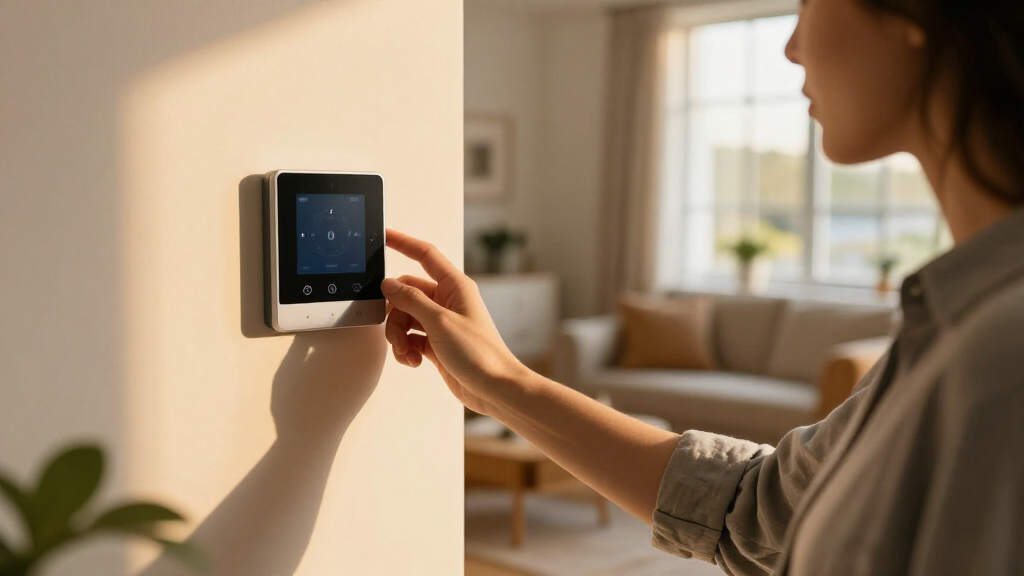
I ranked these devices on four buyer-relevant criteria. AI capability came first: I favored products where AI actually changes behavior (learning schedules, predictive energy analysis, adaptive automation) over devices that merely respond to voice commands. Local versus cloud processing was the second filter, since locally processed automation is faster, more private, and keeps working when your internet doesn’t. Third, I weighed protocol and ecosystem flexibility — Matter, Zigbee, and Z-Wave support future-proofs a purchase far better than a closed proprietary stack.
Finally, I factored in setup difficulty and value. A hub that requires a weekend of configuration can still be a great buy if it replaces three other devices, while an expensive device that duplicates free app functionality ranks lower. Because this lineup mixes hubs, sensors, relays, and reference guides, each product was also judged on whether it fills a distinct role in a real smart home build — which is exactly how the rankings below are ordered, from full-platform foundations down to specialized add-ons and learning resources.
Factors to Consider When Choosing AI-powered Home Automation Devices
Before picking a specific device, it helps to understand the bigger structural decisions that shape any smart home purchase. These are the factors that separate a satisfying setup from an expensive drawer full of gadgets.Local Processing vs. Cloud Dependency
The single biggest architectural choice is whether your automation brain lives in your house or on someone else’s servers. Cloud-based systems are easier to set up and update automatically, but they stop working during outages, send your behavioral data to third parties, and can lose features overnight if a company changes its subscription model — a pattern that has burned smart home buyers repeatedly. Local-first platforms like Home Assistant keep everything on your network, respond in milliseconds, and can’t be killed by a corporate pivot. The tradeoff is real: local systems demand more initial configuration and occasional maintenance. A common mistake is buying the easiest option first, then rebuilding on a local platform a year later. My advice: if you own your home and plan to expand past five or six devices, start local even if the learning curve stings for a week.
Protocol Support and Avoiding Lock-In
Every smart device speaks one or more wireless protocols — Wi-Fi, Zigbee, Z-Wave, Thread, or Matter — and mismatched protocols are the most common cause of buyer regret. Matter has become the interoperability standard to look for, but Zigbee and Z-Wave still power the widest range of affordable sensors. A hub that supports multiple protocols, like the Hubitat C-8 Pro or HomeClaw Gateway, lets you mix cheap Zigbee sensors with premium Matter devices without bridges scattered everywhere. The mistake to avoid: buying a beautifully designed single-protocol ecosystem and discovering its door sensors cost three times more than the Zigbee equivalent. Count protocol support as a long-term savings feature, not a spec-sheet checkbox.
What ‘AI-Powered’ Actually Means
Marketing teams slap ‘AI’ on everything from thermostats to light bulbs, so it pays to know the three genuine tiers. At the bottom is scripted automation — if-then rules marketed as intelligence, which any hub can do. The middle tier is adaptive learning, where a thermostat like the Nest 4th gen studies your schedule and adjusts itself. The top tier is agentic AI, where systems like OpenClaw interpret natural-language requests, reason across multiple devices, and build automations you never explicitly programmed. Only pay a premium for the top tier if you’ll actually use conversational control; otherwise adaptive learning delivers most of the practical benefit at lower cost and complexity.
Start Small, Then Scale
The most expensive mistake in home automation is buying everything at once. A smarter path is choosing one foundation device — a hub or gateway — plus two or three high-value automations, then expanding only after those prove reliable. A relay like the Shelly 1PM is a perfect low-risk experiment: it makes one appliance smart for under $30 and teaches you how automation logic works. Buyers who skip this gradual approach often end up with conflicting ecosystems, duplicate hubs, and automations they disable because they misfire. Budget for expansion from day one by choosing a hub with spare protocol capacity, even if you only use half of it initially.
Energy Intelligence as the Payoff
The fastest way to justify automation spending is energy savings, and this is where AI genuinely earns its keep. A learning thermostat typically pays for itself within two heating seasons, and a circuit-level energy monitor can pinpoint waste that no smart plug would catch — like a failing appliance or an HVAC system running inefficiently. When comparing energy devices, check whether the AI provides actionable recommendations rather than just pretty graphs; visualization without suggestion is decoration. Also confirm the device integrates with your hub, because standalone energy data that can’t trigger automations is only half as useful.
Books and Guides: When Knowledge Beats Hardware
Two entries in this roundup are guide books, and they earn their place for a specific buyer: someone about to spend hundreds on hardware with no architecture plan. A well-structured guide costs less than a single sensor and can prevent the classic errors — wrong hub choice, mismatched protocols, automations that fight each other. The limitation is obvious: a 2026 print guide ages quickly in a category where Matter and AI platforms evolve quarterly. If you learn well from structured reading and are planning a whole-home build, a guide is a rational first purchase. If you just want your lights to respond to voice, skip the books and buy a hub.
Frequently Asked Questions
Do I need a hub, or can my phone control everything?
A phone works fine as a controller for two or three Wi-Fi devices, but it fails as a home automation foundation. Automations that depend on your phone stop when the phone leaves the house or the app is force-closed, and battery-based sensors drain quickly trying to reach Wi-Fi directly. A hub like the HomeClaw Gateway or Hubitat C-8 Pro keeps routines running 24/7 on local hardware and lets low-power Zigbee and Z-Wave sensors run for years on coin cells. The practical threshold: once you’re past roughly five devices or want anything to happen while you’re asleep or away, you need hub-based control.
Is local AI processing worth the extra setup effort compared to cloud services?
For most serious smart home builders, yes — the privacy and reliability benefits outweigh a steeper learning curve. Local processing means your voice commands, camera footage, and usage patterns never leave your network, which matters if you have devices in bedrooms or sensitive areas. It also means sub-second response times and automations that survive internet outages, something cloud platforms can’t promise. The honest tradeoff: expect a weekend of configuration rather than ten minutes, and you become your own tech support. Buyers who value zero-effort setup over control should still consider cloud-first options like Google’s ecosystem instead.
What should my first AI-powered device be if I’m on a tight budget?
Start with a smart relay rather than a full hub. The Shelly 1PM Gen4 costs a fraction of a hub, installs behind an existing switch or outlet, and adds power metering plus app control to whatever it’s wired to. That single device teaches you wiring, automation logic, and scheduling — the skills you’d need anyway before scaling up. Pair it with one meaningful automation, like a heater that shuts off when power draw spikes, and you’ll know within a month whether home automation deserves a bigger budget. If it does, graduate to a multi-protocol hub and keep the relay as part of the system.
Are learning thermostats actually worth the premium over programmable ones?
The answer depends on how predictable your schedule is. A $40 programmable thermostat beats a learning thermostat if you leave home at the same time every day, because the AI has nothing to learn. The Nest Learning Thermostat 4th gen earns its price when your schedule varies — it detects absence automatically, adapts to seasonal changes, and uses remote sensors to balance temperatures between rooms, something no programmed schedule can replicate. Most households see payback in one to two heating seasons through avoided over-conditioning. Homeowners with zoned HVAC or inconsistent routines get the most value; apartment dwellers with included utilities should skip it entirely.
Do I need an energy monitor if my devices already report power usage?
Individual device reporting covers maybe 20 percent of a typical home’s consumption — the plugs and switches you’ve automated. A whole-home energy monitor that clamps onto your electrical panel captures everything, including the HVAC, water heater, and dryer that will never be on a smart plug. That complete picture is what makes AI analysis genuinely useful, because it can flag a failing refrigerator compressor or phantom loads you’d otherwise never see. If your goal is cutting your utility bill by double-digit percentages, the monitor is the more valuable purchase even though it’s less glamorous than a hub. If you only care about automating a few devices, skip it.
Conclusion
Matching the right device to your situation matters more than any single spec. For best overall, the HomeClaw Smart Home Gateway delivers the most complete package: local AI, multi-protocol support, and room to grow into a full-platform smart home. The best value pick is the Shelly 1PM Gen4, which converts existing appliances into metered, automatable devices for less than the cost of dinner. Best premium goes to the Hubitat Elevation C-8 Pro, whose industrial-grade local automation justifies its price for large or complex homes, with the Nest Learning Thermostat 4th gen as the premium choice for energy-focused buyers. For beginners, the SwitchBot AI Hub offers the gentlest entry point into AI-driven automation, and anyone planning a whole-home build from scratch should pick up one of the step-by-step guides before spending a dollar on hardware. Whatever you choose, buy one foundation device first, prove it works in your daily routine, and expand from there — that discipline separates a smart home from a pile of gadgets.
Halloween Picks
halloween
As an affiliate, we earn on qualifying purchases.