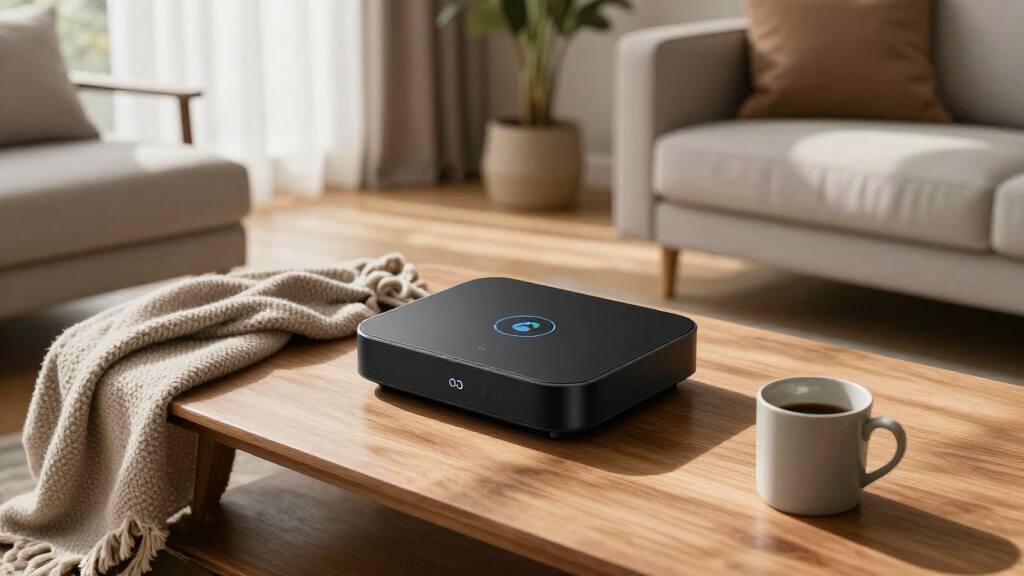

AI-powered home automation devices have moved beyond simple app control — the best ones now learn your routines, adapt on their own, and run locally without shipping your data to the cloud. After comparing this year’s lineup, the Hubitat Elevation C-8 Pro stands out as the best overall pick because it combines Z-Wave, Zigbee, and Matter support with rule-based automations that execute instantly on the hub itself. The SwitchBot AI Hub is the strongest alternative for tinkerers, shipping with Home Assistant pre-installed and local camera storage, while the Aqara Smart Thermostat W200 is the clear choice for Apple households wanting adaptive temperature control. The main tradeoff you’ll face in this category is convenience versus control: cloud-connected devices like the Echo Show 11 get smarter AI assistants, but local-first hubs give you speed and privacy that cloud systems can’t match. A few entries here are actually guidebooks, not hardware, and I’ve flagged where a learning resource beats buying another gadget. Keep reading for the full breakdown, including who each pick suits and who should skip it.

Get business pricing on tech for your team
- Business-only prices and quantity discounts
- Tax-exempt purchasing
- Multiple users, one account, clear invoices
Key Takeaways
- Local processing hubs (Hubitat C-8 Pro, SwitchBot AI Hub, HomeClaw Gateway) dominated the top of this ranking because they deliver faster automations and better privacy than cloud-dependent devices — the single biggest differentiator in this lineup.
- Amazon’s Alexa+ on the Echo Show 11 offers the most conversational AI experience here, but it comes at the cost of a mandatory cloud connection and an always-on microphone, a tradeoff the local-first hubs avoid entirely.
- Three of the twelve entries are books, not devices — a telling sign that many buyers fail at setup and strategy, not hardware. The step-by-step guide earns its spot because it prevents the most common mistake: buying devices piecemeal without a coherent ecosystem plan.
- Solar-powered cameras (Blurams 4K and the 4MP system with monitor) proved the best fit for renters and outbuilding coverage where wiring doesn’t exist, but both lag on AI sophistication compared to wired indoor options.
- The Aqara W200 thermostat is the only pick with true adaptive AI learning built in for climate control, making it the most focused ‘set it and forget it’ device in the roundup — but only if you’re already in the Apple Home ecosystem.
| Hubitat Elevation C-8 Pro Smart Home Hub |  | Best Overall | Protocols Supported: Matter 1.5, Z-Wave 800 Series (Long Range), Zigbee 3.0, Bluetooth | Dimensions: 3.23 x 2.95 x 0.67 inches | Weight: 0.16 lbs | VIEW LATEST PRICE | See Our Full Breakdown |
| Amazon Echo Show 11 (newest model) |  | Best Smart Display for AI Control | Display: 11-inch Full-HD touchscreen | Viewing Area: 60% more than Echo Show 8 | Audio: Spatial audio with up to 2x bass | VIEW LATEST PRICE | See Our Full Breakdown |
| Aqara Smart Thermostat W200 with Apple Adaptive Temperature |  | Best for Energy-Smart Climate Control | Controller Type: Apple HomeKit | Display: 4-inch full-color touchscreen | HVAC Compatibility: Most systems (85%), C-wire supported with adapter | VIEW LATEST PRICE | See Our Full Breakdown |
| AI Powered Smart Home Guide for Beginners 2026 |  | Best Starting Point for Total Beginners | Format: Beginner guide book | Topics Covered: Home automation, energy efficiency, smart security, AI assistants, connected devices | Skill Level: Beginner | VIEW LATEST PRICE | See Our Full Breakdown |
| AI-Powered Smart Home Devices |  | Budget Entry Pick | Category: AI-powered smart home device bundle | Core Functions: Automation, remote control | Focus Areas: Convenience, security, energy efficiency | VIEW LATEST PRICE | See Our Full Breakdown |
| Blurams 4K Ultra HD Wireless Outdoor Security Camera with Solar Power |  | Best Single-Camera AI Security Pick | Video Resolution: 4K Ultra HD | Battery Capacity: 12000mAh rechargeable | Solar Panel Power: 5W detachable | VIEW LATEST PRICE | See Our Full Breakdown |
| AI Powered Smart Home: Using ChatGPT and Claude to Set Up, Automate, and Troubleshoot Your Network and Devices |  | Best for AI-Assisted Troubleshooting | Format: Guide book | Core Tools Covered: ChatGPT, Claude | Topics: Setup, automation, troubleshooting | VIEW LATEST PRICE | See Our Full Breakdown |
| SwitchBot AI Hub with OpenClaw Support, Local NVR Camera Storage, Home Assistant Pre-Installed, Matter Bridge, Dual-Band Wi-Fi, 16GB MicroSD Included |  | Best Privacy-First Automation Hub | Dimensions: 7.8 x 5.79 x 2.2 inches | Weight: 1.17 pounds | Included Storage: 16GB microSD card | VIEW LATEST PRICE | See Our Full Breakdown |
| 4MP Solar Powered Wireless Security Camera System with 10″ Monitor, 5G/2.4G WiFi, 4 Cameras, AI Human Detection, 2-Way Audio |  | Best Multi-Camera Whole-Property System | Resolution: 4MP per camera | Cameras Included: 4 (expandable to 10) | Monitor: 10 inches, included | VIEW LATEST PRICE | See Our Full Breakdown |
| AI-Powered Smart Home Guide 2026: A Step-by-Step Guide to Designing, Optimizing, and Mastering a Fully Automated Smart Ecosystem |  | Best for Ecosystem Planning | Format: Guide book | Approach: Step-by-step design and optimization | Coverage: Designing, optimizing, and mastering smart ecosystems | VIEW LATEST PRICE | See Our Full Breakdown |
| HomeClaw Smart Home Gateway with Home Assistant & OpenClaw AI |  | Best AI Automation Hub | Item Weight: 4.3 ounces | Product Dimensions: 6.57 x 3.98 x 2.05 inches | Color: Black | VIEW LATEST PRICE | See Our Full Breakdown |
| Indoor Home Security Camera with 3K 5MP Resolution, AI Color Night Vision, Dual-Band WiFi, Motion Detection, Two-Way Audio, and Smart Screen Display |  | Best Indoor AI Camera | Resolution: 3K 5MP Ultra-HD | Night Vision: AI Color Night Vision | WiFi: Dual-Band 2.4/5GHz | VIEW LATEST PRICE | See Our Full Breakdown |
More Details on Our Top Picks
Hubitat Elevation C-8 Pro Smart Home Hub
Local processing is what separates this hub from cloud-dependent rivals like the Echo Show 11, and it’s why this pick earns the top spot. Automations run on the device itself, so routines fire instantly and keep working when your internet drops — a real advantage over the Aqara W200, which needs an Apple TV or HomePod to handle its adaptive features. Support for Z-Wave 800, Zigbee 3.0, and Matter 1.5 means you’re not locked into one ecosystem, and unlike the Amazon option, there’s no subscription for full functionality. The tradeoff is steep: this is a tinkerer’s tool, not a plug-and-play gadget. Compared with the beginner guides in this roundup, the learning curve here is genuine, and the interface is utilitarian rather than friendly.
Pros:- Local processing delivers instant automations and works without internet
- Broad protocol support covers Z-Wave, Zigbee, Matter, and Bluetooth
- External antennas extend wireless range for larger homes
- No subscription required for any feature
Cons:- Setup and Rule Machine automation are genuinely complex for beginners
- Requires an existing ecosystem of compatible devices to be useful
Best for: Intermediate-to-advanced users building a serious multi-protocol smart home who value privacy and speed
Not ideal for: First-time smart home buyers — the Rule Machine automation engine has a steep learning curve with little hand-holding
- Protocols Supported:Matter 1.5, Z-Wave 800 Series (Long Range), Zigbee 3.0, Bluetooth
- Dimensions:3.23 x 2.95 x 0.67 inches
- Weight:0.16 lbs
- Antennas:External Z-Wave and Zigbee
- Compatibility:Alexa, Google Home, Apple HomeKit
- Automation:AI-assisted routines, Rule Machine
- Subscription:None required
Our verdict“Buy this if you want a fast, private, subscription-free automation brain and don’t mind getting technical.”
Amazon Echo Show 11 (newest model)
If the Hubitat C-8 Pro is the engine room, this is the friendly dashboard. The 11-inch Full-HD screen and spatial audio make it the most approachable way to manage an AI-driven home, and the built-in smart home hub plus Alexa+ routines mean most buyers won’t need anything else. The Omnisense technology learns your patterns and builds personalized routines automatically — something the Aqara W200 achieves only through Apple’s adaptive features, which demand extra hardware. The tradeoff: your data and automations live in Amazon’s cloud rather than locally, and the premium feature set carries a premium price. It’s also physically large, so cramped nightstands should consider a smaller display instead.
Pros:- Large 11-inch Full-HD touchscreen with 60% more viewing area than Echo Show 8
- Alexa+ with Omnisense builds personalized routines without manual programming
- Built-in smart home hub reduces extra hardware
- Physical camera and microphone disable buttons
Cons:- Cloud-dependent, so automations and data live on Amazon’s servers
- Premium features push the price above simpler displays
Best for: Households wanting an all-in-one voice command center, video call screen, and entertainment hub with minimal setup
Not ideal for: Privacy-focused users — cloud-dependent processing is the opposite of Hubitat’s local-first approach
- Display:11-inch Full-HD touchscreen
- Viewing Area:60% more than Echo Show 8
- Audio:Spatial audio with up to 2x bass
- Processor:AZ3 Pro chip
- Camera:Centered, auto-framing, 3.3x zoom
- Smart Home Hub:Built-in
- AI Technology:Omnisense for personalized routines
Our verdict“This pick makes the most sense for buyers who want powerful AI assistance without any technical setup, and who accept the cloud tradeoff.”
Aqara Smart Thermostat W200 with Apple Adaptive Temperature
This is the specialist pick: where the Echo Show 11 is a generalist and the Hubitat is infrastructure, the W200 attacks one high-cost problem — heating and cooling. Its mmWave presence detection means it adjusts temperature based on whether people are actually in the room, not just a schedule, which is where the real energy savings come from. The 4-inch touchscreen and 85% HVAC compatibility make it viable for most homes, and it doubles as a hub for Thread and Zigbee devices. The catch: Adaptive Temperature requires an Apple TV or HomePod, Clean Energy Guidance is US-only, and the C-wire adapter and extra sensors cost more on top of an already premium price.
Pros:- mmWave presence detection enables true occupancy-based climate control
- Works across Apple HomeKit, Matter, Thread, and Zigbee ecosystems
- Clean, large 4-inch full-color touchscreen
- Doubles as a smart home hub for other devices
Cons:- Adaptive Temperature requires a separate Apple TV or HomePod
- C-wire adapter and sensors sold separately, adding to total cost
Best for: Apple-household owners with high utility bills who want occupancy-aware climate automation
Not ideal for: Android-only households or anyone without an existing Apple home hub — the headline features simply won’t work
- Controller Type:Apple HomeKit
- Display:4-inch full-color touchscreen
- HVAC Compatibility:Most systems (85%), C-wire supported with adapter
- Connectivity:Wi-Fi 2.4/5GHz, Zigbee, Thread, Matter
- Key Features:Adaptive Temperature, Clean Energy Guidance, mmWave Presence Detection
- Hub Function:Built-in smart home hub
Our verdict“Compared with general-purpose picks, this option stands out for one job — cutting energy bills through occupancy-aware heating and cooling — but only for Apple-centric homes.”
AI Powered Smart Home Guide for Beginners 2026
Not every smart home purchase is hardware. This guide earns its place as the zero-to-one entry point before you spend money on anything — a role no device in this lineup can fill. Compared with the more advanced ChatGPT-and-Claude automation book elsewhere in this roundup, this one stays practical and beginner-friendly, walking through security, energy, and assistant basics without assuming technical background. Think of it as the prerequisite to buying the Hubitat C-8 Pro: read this first and the hub’s learning curve shrinks considerably. The honest drawback is that a static book ages quickly in a space moving this fast, and it can’t replace hands-on setup help or product-specific troubleshooting when firmware updates change interfaces.
Pros:- Plain-language instructions with no technical background assumed
- Covers security, energy, assistants, and devices in one place
- Helps you avoid buying incompatible hardware upfront
Cons:- Content dates quickly as platforms and devices update
- No product-specific troubleshooting or hands-on setup support
Best for: Complete newcomers who want to plan their smart home before spending hundreds on hardware
Not ideal for: Experienced users or anyone wanting AI scripting — the companion guide covering ChatGPT and Claude goes deeper
- Format:Beginner guide book
- Topics Covered:Home automation, energy efficiency, smart security, AI assistants, connected devices
- Skill Level:Beginner
- Edition:2026
- Approach:Step-by-step practical modernization advice
Our verdict“A cheap insurance policy against expensive first-time buying mistakes — read it before you buy any hub or thermostat.”
AI-Powered Smart Home Devices
This generic kit occupies the lowest-commitment slot: a low-cost way to test whether AI-driven automation fits your routine at all. Where the Echo Show 11 delivers polished, purpose-built hardware, this option trades refinement and documentation for price — you get basic automation, remote control, and some energy and security features, but without the ecosystem depth, local processing of the Hubitat, or the polished interface of name-brand rivals. The bigger tradeoffs are structural: setup may require genuine technical effort, and because it leans on internet connectivity, a network outage takes your automations down with it. It’s a reasonable toe-in-the-water purchase, not a foundation to build a whole home around.
Pros:- Low-cost way to trial smart automation concepts
- Combines convenience, security, and energy features in one package
- Remote control from anywhere adds everyday usefulness
Cons:- Fully dependent on internet connectivity for operation
- Setup can be technical with limited documentation
Best for: Curious first-timers on a tight budget who want to experiment with automation before committing to an ecosystem
Not ideal for: Anyone building a reliable whole-home system — the internet dependence and thin documentation make it a fragile foundation
- Category:AI-powered smart home device bundle
- Core Functions:Automation, remote control
- Focus Areas:Convenience, security, energy efficiency
- Connectivity Requirement:Internet-dependent
- Setup:May require technical configuration
Our verdict“Fine as a cheap experiment, but skip it if you already know you want a dependable long-term setup.”
Blurams 4K Ultra HD Wireless Outdoor Security Camera with Solar Power
Blurams stands out for buyers who want maximum detail from a single camera without wiring anything. The 4K resolution is the headline here — compared with the 4MP Solar Camera System with 10″ Monitor, which spreads four lower-resolution cameras across a property, this model trades coverage for forensic-grade clarity. That makes it the better fit for a front door, driveway, or gate where identifying faces and license plates matters more than blanketing the whole yard.
The 355° pan and 90° tilt partially offset the single-camera limitation, letting one unit cover an area that would otherwise need two fixed cameras. On-device AI detection keeps alerts relevant, filtering people, vehicles, and pets instead of flooding your phone with motion pings. The tradeoffs are real, though: no microSD card ships in the box, and the solar panel needs thoughtful placement to keep that 12000mAh battery topped up through shorter winter days.
Pros:- 4K resolution captures detail the 4MP competition simply cannot
- 12000mAh battery with detachable 5W solar panel enables genuinely wire-free operation
- 355° pan and 90° tilt let one camera cover what fixed cameras cannot
- On-device AI detection reduces false alerts from pets and passing motion
Cons:- MicroSD card is not included, so there is a hidden cost before first recording
- Solar panel placement requires planning — poor positioning drains the battery over time
- Single-camera design limits whole-property coverage compared with multi-camera kits
Best for: Homeowners who want one high-detail camera covering a key entry point like a driveway or front gate without running power cables
Not ideal for: Anyone needing whole-property coverage out of the box — this is a single camera, whereas a multi-camera system covers more ground for less setup fuss
- Video Resolution:4K Ultra HD
- Battery Capacity:12000mAh rechargeable
- Solar Panel Power:5W detachable
- Field of Control:355° pan, 90° tilt
- Night Vision Range:40 feet, color
- Storage:MicroSD up to 256GB (not included)
- Weather Resistance:IP66
- Connectivity:Dual-Band Wi-Fi 6, Alexa & Google Assistant
- AI Detection:Person, vehicle, pet, sound, motion
Our verdict“Buy this if identifying detail at one key location matters more than blanketing an entire property with cameras.”
AI Powered Smart Home: Using ChatGPT and Claude to Set Up, Automate, and Troubleshoot Your Network and Devices
This is not a device but a method guide, and that distinction is exactly why it earns a spot. Where hardware picks like the SwitchBot AI Hub or HomeClaw Gateway automate your home for you, this book teaches you to use ChatGPT and Claude as a living technical support line — diagnosing flaky device pairings, drafting automation logic, and untangling network problems that stump manufacturer support forums.
Compared with the AI-Powered Smart Home Guide 2026, which takes a broader design-and-optimize approach, this one is narrower and more practical: it is oriented around solving problems when things break, not architecting a system from scratch. That focus is a strength for anyone already mid-project. The catch is the assumed baseline — readers with no prior exposure to AI chat tools may spend early chapters learning prompt basics rather than fixing anything, and the book offers no specs or pricing to help with purchase decisions.
Pros:- Teaches a reusable skill — using ChatGPT and Claude — rather than locking into one ecosystem
- Troubleshooting focus fills a gap most smart home books ignore
- Practical for mid-project users facing real setup and network problems
Cons:- Assumes baseline familiarity with AI chat tools, slowing down newcomers
- No technical specifications, pricing, or product comparisons to guide purchases
- Content ages quickly as AI tools and smart home platforms change
Best for: Hands-on smart home tinkerers who already own devices and want AI chat tools as an on-demand troubleshooting and automation-writing assistant
Not ideal for: Complete beginners expecting a hardware buying guide — there are no product specs or ratings here, just methodology
- Format:Guide book
- Core Tools Covered:ChatGPT, Claude
- Topics:Setup, automation, troubleshooting
- Focus:Smart home networks and device management
- Skill Level:Intermediate — some AI tool familiarity expected
Our verdict“Worth buying if you already have devices installed and want AI tools to help you fix and automate them — skip it if you need help choosing hardware.”
SwitchBot AI Hub with OpenClaw Support, Local NVR Camera Storage, Home Assistant Pre-Installed, Matter Bridge, Dual-Band Wi-Fi, 16GB MicroSD Included
The SwitchBot AI Hub makes the most sense for buyers whose priority is keeping video and automations local instead of renting their security footage to a cloud. With Home Assistant pre-installed and an NVR function that records to the included 16GB microSD or an external hard drive, this is the privacy-and-control pick — a sharp contrast to the Blurams camera, which leans on its own app and card storage without a central recording brain.
Compared with the HomeClaw Smart Home Gateway, the two hubs overlap heavily on OpenClaw AI support and Home Assistant, so the differentiators are ecosystem fit and local camera storage. The frustrating part is the paywall: AI features demand an AI+ subscription, which undercuts the local-first philosophy for buyers who wanted everything self-contained. It also drops IR control for TVs and air conditioners, so anyone replacing an all-in-one hub like a SwitchBot flagship will lose that function.
Pros:- Local NVR camera storage with included 16GB microSD and external drive support
- Home Assistant pre-installed removes the steepest setup barrier for enthusiasts
- OpenClaw support unifies camera and device control in one interface
- Faster local automations than cloud-dependent alternatives
Cons:- AI features sit behind a required AI+ subscription despite the local-first design
- No IR control for TVs or air conditioners, limiting it as a universal hub
- Works only with compatible cameras and devices, narrowing ecosystem choices
Best for: Smart home enthusiasts who want local NVR storage, Home Assistant out of the box, and Matter bridging without cloud dependence
Not ideal for: Buyers who expect full AI capability upfront — the subscription requirement adds recurring cost, and IR-only TV or AC control is off the table
- Dimensions:7.8 x 5.79 x 2.2 inches
- Weight:1.17 pounds
- Included Storage:16GB microSD card
- Storage Expansion:External hard drive supported
- Software:Home Assistant pre-installed
- AI Support:OpenClaw (AI features require AI+ subscription)
- Connectivity:Dual-Band Wi-Fi, Matter Bridge
Our verdict“The right hub for privacy-minded builders who want local storage and Home Assistant — just budget for the AI+ subscription if you want the smart features.”
4MP Solar Powered Wireless Security Camera System with 10″ Monitor, 5G/2.4G WiFi, 4 Cameras, AI Human Detection, 2-Way Audio
While the Blurams 4K wins on per-camera detail, this four-camera kit wins on coverage and completeness — it arrives with everything a property needs: four solar-powered wire-free cameras, a dedicated 10-inch monitor, a 64GB SD card pre-installed, and support for expanding to ten cameras total. For anyone securing a full home perimeter rather than one entrance, this beats buying four separate Blurams units on both cost and cohesion.
The bundled monitor is the quiet differentiator — there is no app-hopping between four camera feeds, and less tech-savvy household members get a single screen that always works. Support for up to 6TB of storage means weeks of footage without cloud fees. The tradeoff is resolution: 4MP per camera is sharp enough for general monitoring but falls short of 4K for reading fine detail at distance. The system also leans hard on a stable dual-band WiFi signal; cameras at the far edge of a large property may struggle without a mesh extender.
Pros:- Complete out-of-box kit: four cameras, monitor, 64GB card, and solar panels
- Expandable to 10 cameras with up to 6TB storage — no cloud subscription needed
- Dedicated 10-inch monitor is easier for the whole household than phone apps
- AI human detection and two-way audio on every camera
Cons:- 4MP resolution trails the 4K Blurams for fine detail like faces at distance
- Performance depends on a strong WiFi signal — far-flung cameras may need extenders
- Higher upfront cost than a single-camera setup
Best for: Homeowners securing an entire property perimeter who want four cameras, a dedicated monitor, and expandable local storage in one purchase
Not ideal for: Small homes or renters needing one camera — the upfront cost and four-camera footprint are overkill, and the Blurams covers a single point better
- Resolution:4MP per camera
- Cameras Included:4 (expandable to 10)
- Monitor:10 inches, included
- Storage:SD up to 6TB, 64GB card included
- Power Source:Solar, wire-free
- WiFi:Dual-band 5G/2.4G
- Waterproof Rating:IP66
- Night Vision:Long-range IR with spotlight
- Warranty:2 years
Our verdict“The strongest choice for whole-property coverage in one purchase — pick the Blurams instead if detail at a single location is the priority.”
AI-Powered Smart Home Guide 2026: A Step-by-Step Guide to Designing, Optimizing, and Mastering a Fully Automated Smart Ecosystem
Where the AI Powered Smart Home book by the same theme focuses on fixing things with ChatGPT and Claude, this guide is the architect’s handbook — it walks through designing a full automated ecosystem step by step before a single device is bought. That makes it the natural first purchase for someone planning a whole-home build around hubs like the SwitchBot AI Hub or HomeClaw Gateway, rather than someone debugging a system they already own.
The step-by-step structure is its real value: instead of accumulating gadgets piecemeal, readers get a framework for how devices, protocols, and AI features should fit together, which can prevent expensive ecosystem mistakes. The limitation is audience. This leans toward enthusiasts and professionals — a casual buyer adding a camera and a speaker will find the depth unnecessary. It is also purely conceptual, with no hardware specs, pricing, or product rankings to act as a shopping shortcut.
Pros:- Step-by-step design framework prevents piecemeal, incompatible purchases
- Covers current AI-powered technologies for a forward-looking build
- Optimization focus helps mature an existing setup, not just start one
Cons:- Written for enthusiasts and professionals — steeper learning curve than casual guides
- No technical specifications, pricing, or product recommendations
- Ages with the market as AI features and protocols evolve
Best for: Enthusiast builders planning a full whole-home automation ecosystem from scratch who want a design framework before buying hardware
Not ideal for: Casual buyers adding one or two devices — the ecosystem-level depth is overkill, and there are no specs or buying recommendations inside
- Format:Guide book
- Approach:Step-by-step design and optimization
- Coverage:Designing, optimizing, and mastering smart ecosystems
- Technology Focus:Latest AI-powered smart home tools
- Skill Level:Enthusiast to professional
Our verdict“Buy this before you buy hardware if you are designing an entire automated home — skip it if you just need one camera working by tonight.”
HomeClaw Smart Home Gateway with Home Assistant & OpenClaw AI
HomeClaw targets buyers who want the power of Home Assistant without the usual Linux tinkering. The one-click install is the headline: compared with the Hubitat Elevation C-8 Pro, which requires more manual rule-building, HomeClaw leans on OpenClaw AI to learn routines and suggest automations — a genuine shortcut for people who want intelligence, not just control. It also doubles as a compact AI server, something no other hub in this lineup offers, and keeps everything running locally with secure remote access rather than routing data through the cloud. The tradeoff: Zigbee and Z-Wave devices need a separate USB dongle, so the out-of-box protocol support trails the SwitchBot AI Hub, which includes storage and Matter bridging upfront. Sparse published specs also make pre-purchase planning harder than it should be.
Pros:- One-click Home Assistant installation with no coding required
- OpenClaw AI learns routines and proactively recommends automations
- Local control with secure remote access keeps data off the cloud
- Doubles as a compact AI server for tasks beyond home automation
Cons:- Requires a separate Zigbee or Z-Wave USB dongle for those protocols
- Detailed technical specifications are thin, making compatibility research difficult
- As a newer entrant, the community and documentation ecosystem trails established hubs like Hubitat
Best for: Tinkerers who want Home Assistant’s flexibility but with AI doing the heavy lifting on automation design
Not ideal for: Buyers with large Zigbee or Z-Wave device fleets who expect built-in radios — a dongle purchase is mandatory
- Item Weight:4.3 ounces
- Product Dimensions:6.57 x 3.98 x 2.05 inches
- Color:Black
- Included Components:HomeClaw gateway
- Software Platform:Home Assistant with OpenClaw AI
- Connectivity:Multi-protocol support (Zigbee/Z-Wave via USB dongle)
- Control Mode:Local control with secure remote access
Our verdict“This pick makes the most sense for smart home enthusiasts who want AI-suggested automations and local control, provided they’re willing to add dongles for older wireless protocols.”
Indoor Home Security Camera with 3K 5MP Resolution, AI Color Night Vision, Dual-Band WiFi, Motion Detection, Two-Way Audio, and Smart Screen Display
The standout trick here is the built-in display — check a live feed without unlocking a phone, which sets it apart from both the Blurams 4K outdoor camera and the four-camera solar kit elsewhere in this roundup. Where the Blurams wins on raw resolution, this camera counters with AI color night vision that actually identifies detail in the dark instead of rendering grainy grayscale. Dual-band Wi-Fi support gives it a placement advantage over 2.4GHz-only competitors, and two-way audio plus Alexa and Google Assistant compatibility lets it slot into an existing voice setup alongside an Echo Show 11. The honest drawbacks: it’s indoor-only, needs constant Wi-Fi to function fully, and the screen-plus-app combo may overwhelm someone who just wants a plug-and-play nanny cam.
Pros:- Built-in screen delivers instant live viewing without opening an app
- 3K 5MP resolution with AI color night vision captures usable detail after dark
- Dual-band 2.4/5GHz Wi-Fi improves placement flexibility and stream stability
- Choice of local or optional cloud storage avoids forced subscription fees
Cons:- Indoor-only design with no weather sealing
- Full functionality depends on a reliable Wi-Fi connection
- Screen and app features together add a learning curve for less technical users
Best for: Pet owners and parents who want instant, phone-free live monitoring inside the home
Not ideal for: Anyone needing outdoor coverage — there’s no weather resistance, so the Blurams solar camera is the better fit outside
- Resolution:3K 5MP Ultra-HD
- Night Vision:AI Color Night Vision
- WiFi:Dual-Band 2.4/5GHz
- Display Screen:Yes — built-in live view
- Two-Way Audio:Yes
- Storage:Local supported; cloud optional
- Power Source:Corded Electric
- Dimensions:2.36 x 2.36 x 1.46 inches
- Compatible Devices:Amazon Alexa, Google Assistant
Our verdict“The right choice for indoor monitoring where that built-in screen saves daily trips into an app — skip it if your priority is outdoor surveillance.”
How We Picked
I evaluated each product through the specific lens of AI capability: does the device actually learn, adapt, or automate intelligently, or is it just app-controlled hardware with ‘AI’ stamped on the box? That question separated the lineup quickly. Products running genuine local automation engines — Hubitat’s rule machine, SwitchBot’s pre-installed Home Assistant, the W200’s adaptive temperature learning — ranked above devices whose intelligence lives entirely in a manufacturer’s cloud. I also weighed protocol flexibility (Matter, Zigbee, Z-Wave support), privacy architecture, setup difficulty, and long-term cost, since subscription fees can quietly double a device’s price over three years.
Ranking also reflected who each product serves. Hubs earned the top slots because they amplify every other device you own, while single-purpose gadgets like cameras and thermostats placed according to how well their AI features justify their price. The three guidebooks were judged on practical value for buyers who need strategy more than hardware — a legitimate need, but one that keeps them out of contention for the top overall spot. Every pick needed a real drawback documented too; anything that read as flawless marketing copy rather than a genuine tradeoff analysis got cut.
Factors to Consider When Choosing AI-powered Home Automation Devices
Before spending money on any AI-powered home automation device, it helps to understand the ecosystem decisions that will shape every future purchase you make. These are the factors that matter more than any single spec sheet.Local Versus Cloud Intelligence
This is the biggest fork in the road, and most buyers don’t realize they’re choosing until it’s too late. Cloud-based AI (Alexa+, Google) delivers more conversational assistants and smarter scene recognition, but every command makes a round trip to a server — meaning a fraction of a second of lag, an internet dependency, and a continuous data stream to a corporation. Local processing (Hubitat, Home Assistant-based systems) executes automations in milliseconds and keeps working during outages, but demands more setup effort and technical patience. The mistake I see most often is buyers mixing philosophies randomly, ending up with three apps, two hubs, and no unified experience. Pick a primary philosophy first, then choose devices that respect it.
Protocol Compatibility and the Matter Question
Matter was supposed to end protocol confusion, and it has — partially. A Matter-certified device like the Echo Show 11 or the SwitchBot hub (via its bridge function) will talk to nearly any ecosystem, but Matter still doesn’t cover every device category, and advanced features often only work through a manufacturer’s native protocol. That’s why dual-protocol hubs like the Hubitat C-8 Pro, which speaks Z-Wave, Zigbee, and Matter simultaneously, hold their value: they future-proof your investment while keeping older devices in the loop. If a device supports only Wi-Fi and a proprietary app, treat that as a lock-in risk — the company could shutter its servers and leave you with expensive plastic.
The Hidden Cost of Subscriptions
Sticker price is rarely the real price in this category. Cloud camera storage, AI event detection, and advanced assistant features are increasingly gated behind monthly fees that can run $3–$15 per device. Over a three-year ownership window, a $60 camera with a mandatory subscription often costs more than a $120 camera with local microSD storage like the SwitchBot AI Hub’s NVR setup. My rule of thumb: multiply any recurring fee by 36 before comparing prices. Buyers who skip this math routinely end up with five subscriptions they forgot they signed up for.
Start With a Hub or Start With a Problem?
There are two valid entry strategies, and choosing the wrong one for your temperament causes most smart home abandonment. Hub-first buyers get the Hubitat or HomeClaw, then add devices gradually — flexible, but slow to show results and discouraging for people who want immediate payoff. Problem-first buyers fix a specific pain — a thermostat that learns a schedule, a camera that catches package thieves — and expand later. If you’ve never automated anything, the problem-first route with a single adaptive device like the Aqara W200 builds confidence before you commit to a hub ecosystem. This is also why the guidebooks in this roundup earn their place: a weekend with a good setup guide is cheaper than $300 of misbought hardware.
Privacy and Data Footprint
AI features require data — microphones, cameras, occupancy sensors — and the sensitivity varies enormously by device category. An adaptive thermostat learning your schedule leaks far less than a conversational display listening in your kitchen or a camera watching your front door. Check whether footage stays on local storage or uploads for ‘AI analysis,’ whether voice recordings are retained, and whether you can disable the microphone or camera physically. Local NVR storage, as on the SwitchBot and the 4-camera solar system, offers a meaningful middle ground: intelligent detection without a subscription cloud. Renters and shared-household buyers should pay extra attention here, since guests never consented to your automation experiment.
Power, Placement, and Practicality
The smartest AI is useless if the device can’t be installed where you need it. Solar-powered options like the Blurams and the 4MP camera system solve the wiring problem for fences, sheds, and driveways, but they depend on sun exposure and compromise on processing power. Wired devices get better AI and reliable operation but demand placement near outlets. Before buying, map where power, Wi-Fi (2.4GHz versus 5GHz matters — several picks here are dual-band for a reason), and sunlight actually exist in your home. The most common hardware return in this category isn’t failure — it’s a device that physically couldn’t go where the buyer wanted it.
Frequently Asked Questions
Do I need a hub, or can I just use Alexa+ on the Echo Show 11?
It depends on how many devices you plan to run. For a household with a handful of smart bulbs, a thermostat, and a camera, the Echo Show 11 with Alexa+ handles everything conversationally and no hub is needed — that simplicity is exactly why it earns the beginner-friendly spot. But once you exceed roughly ten devices or want automations that trigger reliably and instantly (lights that react to motion in under a second, scenes that run during internet outages), a local hub like the Hubitat C-8 Pro or SwitchBot AI Hub becomes the better backbone. Cloud assistants occasionally mishear or lag, which matters for security-adjacent automations. A common hybrid approach: run a hub for the critical logic and keep the Echo Show as the voice-control front end.
Is ‘AI’ in these product names real intelligence or marketing?
Both, and the difference matters. Genuine machine learning shows up in the Aqara W200’s adaptive temperature scheduling (it learns your comfort patterns over weeks) and in camera person-versus-animal detection that reduces false alerts. Much of the rest is rule-based automation — if motion, then light — which is genuinely useful but isn’t learning anything about you. The ‘AI-powered’ label on some products refers to the integration layer, like SwitchBot and HomeClaw using ChatGPT-class models to interpret natural-language commands into automations. That feature is real but still maturing, so I’d weight it as a convenience, not a core reason to buy. A product that executes simple automations flawlessly beats one with a chatbot that works most of the time.
Why are there books in a device roundup — should I buy one?
Yes, if you’re starting from zero or your smart home has grown messy. Industry return data consistently shows that setup frustration, not hardware failure, kills smart home projects, and a structured guide costs less than a single misbought sensor. The two 2026 guides in this lineup differ in audience: one targets complete beginners choosing their first ecosystem, while the step-by-step edition covers designing and optimizing a full automated setup for people who already own devices. The ChatGPT/Claude book is a third type — it teaches you to use AI assistants to write automations and troubleshoot, which pairs well with Home Assistant-based hubs. If you already have a working system and clear goals, skip the books and put the money toward hardware.
Are solar-powered AI cameras reliable enough for security use?
They’ve become genuinely viable, with two honest caveats. The Blurams 4K and the 4MP four-camera system both handle typical placement well, and the bundled monitor system suits full-property coverage without an electrician. The caveats: solar charging degrades badly in shaded or northern-climate winter conditions, so a camera under an eave in December may need manual charging, and battery operation forces power-saving modes that can delay event capture versus always-on wired cameras. Their AI detection is also a generation behind wired indoor models. My recommendation is solar for perimeter and outbuilding coverage where wiring is impractical, and a wired camera with local NVR storage for the entries and high-value zones where you can’t afford a missed event.
What’s the minimum viable smart home setup I can build for under $250?
Two paths work at that budget. The problem-first path: an Echo Show 11 plus two or three Matter smart bulbs gets you voice control, routines, and a genuine AI assistant for under $250, with room to grow. The foundation-first path: the SwitchBot AI Hub with its included microSD and Matter bridge runs about half the budget, leaving roughly $125 for a Zigbee motion sensor, a smart plug, and a door sensor — a setup that already runs real automations locally. The difference is personality: the Echo path delivers instant gratification and conversational control; the SwitchBot path delivers speed, privacy, and no subscription risk. What I’d avoid at this budget is a cheap Wi-Fi camera bundle from an unknown brand — poor AI detection and abandoned cloud servers make those false economies within a year.
Conclusion
The right choice here depends less on specs and more on what kind of smart home you want to live in. For best overall, the Hubitat Elevation C-8 Pro earns the top spot with its three-protocol support, instant local automations, and privacy-first architecture — the foundation that makes every other device better. The SwitchBot AI Hub takes best value, packing Home Assistant, local NVR storage, and a Matter bridge into a price that undercuts dedicated hubs while doing more. For best premium, the Amazon Echo Show 11 delivers the most polished conversational AI experience in the lineup, provided you accept the cloud tradeoff. Beginners should pair the Echo Show 11 with the beginner’s guide book rather than starting with a hub — confidence first, complexity later. Apple households get a specific answer too: the Aqara W200 thermostat is the best single-device purchase for adaptive climate control. And for specific needs, the Blurams 4K covers unwired outdoor surveillance, the four-camera solar system handles whole-property monitoring, and the HomeClaw gateway suits AI tinkerers who want ChatGPT-class control over their automation stack. Whatever you pick, choose your local-versus-cloud philosophy first — every other decision in this category flows from that one.