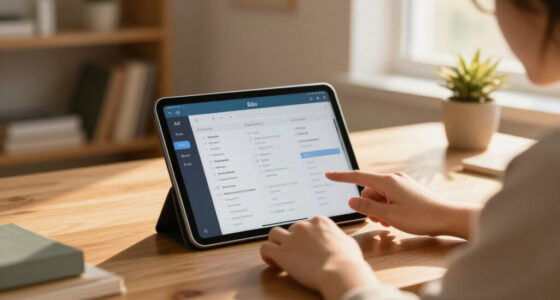
AI-powered student laptops range from genuine NPU-equipped machines like the HP OmniBook 3 with AMD Ryzen AI 5 to budget notebooks that mostly bundle Microsoft Copilot as software. My best overall pick is the HP OmniBook 3 16-inch Next Gen AI PC, because its dedicated Ryzen AI processor, 2K touchscreen, and 16GB of RAM deliver hardware-accelerated AI features without slowing down on real coursework. For tighter budgets, the 15.6″ FHD IPS Student Laptop with Office 365 and AI Assistant bundles software students actually need, while the HP 15.6″ FHD Touchscreen with Core i7 and 1TB storage wins on raw productivity power. The main tradeoff in this category is simple: laptops with true on-device AI silicon cost more, while cheaper “AI laptops” rely on cloud features and weaker processors. Read on for the full breakdown of all 14 models and who each one suits best.

Get business pricing on tech for your team
- Business-only prices and quantity discounts
- Tax-exempt purchasing
- Multiple users, one account, clear invoices
Key Takeaways
- Only two laptops in this lineup — the OmniBook 3 with Ryzen AI 5 430 and its Ryzen 3 sibling — have a dedicated neural processing unit; every other model here is ‘AI-powered’ via Copilot software running on a conventional CPU.
- The HP OmniBook 3 with Ryzen AI 5 430 is the best overall pick thanks to hardware-accelerated AI, a 2K touchscreen, and 16GB of RAM, while the cheaper Ryzen 3 version with 8GB of RAM is the value alternative for lighter workloads.
- Several budget entries (the 6GB and 4GB RAM models, and the 128GB UFS laptop) will struggle with multitasking and large file storage — fine for note-taking, risky for engineering or design coursework.
- The seven HP Flagship 14-inch variants are essentially the same laptop in different colors, so the buying decision there comes down to battery-life claims and price, not specs.
- Bundled Office 365 and AI assistants on the mid-range 15.6-inch models add real value for students who would otherwise pay for subscriptions, offsetting their modest 256GB storage.


| AI-powered student laptop | Processor | RAM | Storage | Display |
|---|---|---|---|---|
| HP 14-Inch Flagship Laptop 202 | 13th Gen Intel N150, up to 3.6 GHz | 16GB DDR4 | 128GB UFS + 500GB external drive | 14-inch HD (1366 x 768), anti-glare |
| HP 14-Inch Flagship Laptop 202 | 13th Gen Intel N150, up to 3.6 GHz | 16GB DDR4 | 128GB UFS + 500GB external drive | 14-inch HD anti-glare |
| HP 15.6" FHD Touchscreen Lapto | Intel Core i7-1355U, 10 cores, up to 5.0 GHz | 16GB DDR4 | 512GB SSD + 500GB external drive | 15.6-inch FHD IPS touchscreen |
| HP 17 Inch FHD Laptop for Busi | Intel Core i3-N305, 8 cores, up to 3.8 GHz | 16GB DDR4 | 512GB SSD | 17.3-inch Full HD IPS |
| HP 14-Inch Ultra-Portable Lapt | Intel N150 quad-core, up to 3.6 GHz | 4GB | 128GB SSD + 500GB external drive | 14-inch HD |
| HP 14-Inch Flagship Laptop 202 | 13th Gen Intel N150 (up to 3.6 GHz) | 16GB DDR4 | 128GB UFS + 500GB external drive | 14-inch HD (1366 x 768), anti-glare |
| 15.6" FHD IPS Student Laptop w | Intel Celeron J4105 quad-core | 12GB | 256GB SSD, expandable | 15.6-inch FHD IPS (1920 x 1080), 180° hinge |
| HP Stream 14" HD Student & Bus | Intel N150 | 4GB DDR4 | 128GB UFS + 1TB docking station | 14-inch HD anti-glare |
| 15.6-inch AI Laptop with Offic | Intel Celeron J4105 | 12GB DDR4 | 256GB SSD, expandable to 2TB SSD + 1TB TF | 15.6-inch FHD IPS |
| HP OmniBook 3 16-inch Next Gen | AMD Ryzen AI 5 430 | 16GB DDR5 | 512GB PCIe Gen4 NVMe M.2 SSD | 16-inch 2K IPS touchscreen (1920 x 1200) |
| HP 14-inch Flagship Laptop 202 | 13th Gen Intel N150, up to 3.6 GHz | 16GB DDR4 | 128GB UFS + 500GB external drive | 14-inch HD anti-glare |
| HP Laptop 2026 Student Busines | Intel N150, 4 cores, up to 3.6GHz | 4GB LPDDR5-4800 | 128GB UFS | 14-inch HD (1366 x 768) anti-glare |
| 15.6” AI Laptop with Office 3 | Intel Celeron J4105 | 6GB DDR4 | 128GB SSD, expandable to 2TB | 15.6-inch Full HD (1920×1080) IPS |
| HP OmniBook 3 16 inch Laptop P | AMD Ryzen 3 30 | 8GB LPDDR5 | 256GB PCIe NVMe M.2 SSD | 16-inch 2K IPS touchscreen (1920 x 1200) |
More Details on Our Top Picks
HP 14-Inch Flagship Laptop 2025 AI-Powered, Windows 11 Pro, 16GB RAM, 628GB Storage, Sky Blue
This pick makes the most sense for students who want everything in one box — earbuds, a wireless mouse, an HDMI cable, and a lifetime Office 2024 license arrive alongside the laptop, so there is no accessory shopping afterward. The 16GB of RAM is the standout here: compared with the HP 14-Inch Ultra-Portable model (B0GRQ1J1R4), which shares the same N150 processor but only 4GB, this configuration keeps Copilot, a browser full of tabs, and a Word doc open without grinding to a halt. The tradeoff is honest, though — the 1366 x 768 display is noticeably duller than the FHD panel on the 15.6-inch i7 model (B0G1PMQRNM), and the 128GB internal drive means the 500GB external brick is not optional luggage.
Pros:- 16GB RAM handles Copilot plus multitasking smoothly
- Full accessory bundle including wireless earbuds and Office 2024
- Anti-glare display works well in lecture halls and outdoor study spots
- Up to 9 hours of battery covers a full class day
Cons:- 1366 x 768 display resolution looks dated next to FHD rivals
- Only 128GB internal storage; the external drive adds setup hassle
- 3.24 lbs is heavier than true ultraportables
Best for: First-year students who need a complete starter kit — laptop, Office, earbuds, and mouse — without buying anything separately
Not ideal for: Students who care about screen quality for design work or media — the HD panel is the weakest link
- Processor:13th Gen Intel N150, up to 3.6 GHz
- RAM:16GB DDR4
- Storage:128GB UFS + 500GB external drive
- Display:14-inch HD (1366 x 768), anti-glare
- Operating System:Windows 11 Pro
- Battery:3-cell 41 Wh, up to 9 hours
- Weight:3.24 lbs
- Included:Earbuds, mouse, external drive, Office 2024
Our verdict“Buy this if you want a one-purchase student kit with real RAM; skip it if display sharpness matters to your coursework.”
HP 14-Inch Flagship Laptop 2025 AI-Powered, Windows 11 Pro, 16GB RAM, 628GB Storage, Lavender
Under the hood, this Lavender model is identical to the Sky Blue flagship — same N150 processor, same 16GB of RAM, same bundled kit — which means the buying decision comes down to price and color preference rather than performance. That makes it the smarter value play: whichever of the two lands cheaper on the day you buy is the one to grab. The Hubxcel 6-in-1 accessory kit with AI Copilot support gives it a slight edge in out-of-box usefulness, and the anti-glare finish holds up in bright dorm rooms. Compared with the 17-inch business model (B0CWJS6Q5C), you trade a big FHD screen for portability and a lower price, which suits backpack life far better.
Pros:- 16GB RAM at a budget-friendly price point
- 6-in-1 accessory kit with lifetime Office 2024 and Copilot
- Anti-glare HD display is usable outdoors and in bright classrooms
- Light and compact enough for daily campus carry
Cons:- 128GB internal storage forces reliance on the external drive
- No dedicated graphics — integrated only
- HD display resolution lags behind FHD competitors
Best for: Budget-conscious students who want 16GB of RAM and Office included, and who pick whichever color config is discounted
Not ideal for: Anyone who needs sharp visuals or heavy internal storage — the HD screen and 128GB internal drive will frustrate them
- Processor:13th Gen Intel N150, up to 3.6 GHz
- RAM:16GB DDR4
- Storage:128GB UFS + 500GB external drive
- Display:14-inch HD anti-glare
- Operating System:Windows 11 Pro
- Camera:HP True Vision 720p HD
- Included:6-in-1 Hubxcel kit, earbuds, mouse, Office 2024
Our verdict“This is the same capable machine as the Sky Blue flagship in a different shell — buy whichever color is cheaper.”
HP 15.6″ FHD Touchscreen Laptop with Intel Core i7, 16GB RAM, 1TB Storage, Windows 11 Pro
If your coursework involves more than essays and slideshows — think coding, light video editing, or data analysis — this is the machine in the batch that actually keeps up. The 10-core i7-1355U running up to 5.0 GHz is a full class above the N150 chips in the 14-inch flagships (B0FJ7S38N9), and the FHD IPS touchscreen makes those HD panels look flat-out blurry by comparison. Intel Iris Xe graphics round out a package that handles AI tools like Copilot without stutter. The compromises are real: a 15.6-inch chassis with bundled accessories means extra weight in the backpack, HP does not publish battery figures, and — like its smaller siblings — half the advertised storage lives on an external drive you have to manage.
Pros:- 10-core i7 processor handles heavy multitasking and AI tools with ease
- Vibrant FHD IPS touchscreen with wide viewing angles
- 512GB SSD is real internal storage, double the 14-inch models
- Lifetime Office 2024 plus accessory bundle included
Cons:- Heavier and bulkier than the 14-inch picks for campus carry
- Battery life is not specified — plan around an outlet
- 500GB of the advertised 1TB sits on an external drive
Best for: STEM students and multitaskers who need genuine processing power and a sharp screen for demanding coursework
Not ideal for: Students prioritizing all-day unplugged portability — the weight and unspecified battery life make it better as a desk-first machine
- Processor:Intel Core i7-1355U, 10 cores, up to 5.0 GHz
- RAM:16GB DDR4
- Storage:512GB SSD + 500GB external drive
- Display:15.6-inch FHD IPS touchscreen
- Graphics:Intel Iris Xe
- Operating System:Windows 11 Pro
- Connectivity:Wi-Fi 6
Our verdict“The performance and screen pick of this lineup — worth the bulk if your degree demands computing muscle.”
HP 17 Inch FHD Laptop for Business & Students, 16GB RAM, 512GB SSD
This option stands out for one thing none of the 14-inch flagships can offer: a 17.3-inch Full HD IPS display that turns a dorm desk into a genuine workstation. For students who rarely unplug — writing long research papers, comparing documents side by side, or attending hybrid classes from one spot — the extra screen real estate changes how you work. Unlike the bundle-heavy models, storage here is a clean 512GB SSD with no external drive to babysit, and HP Fast Charge recovers half the battery in 45 minutes. The honest catch is the i3-N305 processor: it is eight cores, yes, but far below the i7 in the 15.6-inch touchscreen model (B0G1PMQRNM) for demanding work, and there is no dedicated GPU at all.
Pros:- Huge 17.3-inch FHD IPS display with wide viewing angles
- Clean 512GB SSD storage with no external drive dependency
- 16GB RAM handles everyday multitasking comfortably
- Fast Charge to 50% in 45 minutes
Cons:- i3-N305 is underpowered compared with i7 rivals for demanding apps
- No dedicated GPU — not a machine for gaming or graphics work
- Battery life figures are not published
Best for: Students who work primarily from a desk and want maximum screen space for research, writing, and split-screen study
Not ideal for: Commuters and lecture-hall nomads — a 17-inch chassis is a burden to carry daily, and the i3 will strain under heavy creative workloads
- Display:17.3-inch Full HD IPS
- Processor:Intel Core i3-N305, 8 cores, up to 3.8 GHz
- RAM:16GB DDR4
- Storage:512GB SSD
- Operating System:Windows 11 Pro
- Connectivity:Wi-Fi 6, Bluetooth 5.4, USB-C, USB-A, HDMI
- Battery:Fast Charge up to 50% in 45 minutes
Our verdict“A desk-first big-screen workhorse — ideal if you value display space over portability and raw processing power.”
HP 14-Inch Ultra-Portable Laptop for Students and Business with Windows 11 Pro
This is the entry point of the lineup, and it earns its place by being cheap, light, and good enough for the basics: note-taking, email, streaming lectures, and web research. The problem is the 4GB of RAM — and this is where spending matters. The otherwise similar Sky Blue flagship (B0FJ7S38N9) uses the same N150 processor but pairs it with 16GB, and the difference shows the moment Windows 11 Pro, Copilot, and a browser compete for memory here. This model will feel sluggish with more than a handful of tabs open. For a younger student, a backup machine, or a genuinely tight budget, though, the included Windows 11 Pro, Office 2024, and 628GB of total storage deliver surprising completeness at the price.
Pros:- Lowest-cost entry into the lineup with Windows 11 Pro and Office 2024 included
- Lightweight 14-inch design is easy to carry every day
- 628GB of total storage covers coursework and media
- Dual-array microphones and HD camera are solid for online classes
Cons:- 4GB of RAM severely limits multitasking and AI assistant use
- HD display is not suitable for detail-oriented visual work
- Depends on the external drive for most of its storage capacity
Best for: Price-first buyers — younger students, families buying a second machine, or anyone whose workload is strictly browser-based
Not ideal for: Anyone who multitasks heavily or runs AI tools regularly — 4GB of RAM will bottleneck Windows 11 Pro quickly
- Processor:Intel N150 quad-core, up to 3.6 GHz
- RAM:4GB
- Storage:128GB SSD + 500GB external drive
- Display:14-inch HD
- Operating System:Windows 11 Pro
- Camera:720p HD with dual-array microphones
Our verdict“A bare-minimum student laptop that works for light use — but stretch to a 16GB model if you possibly can.”
HP 14-Inch Flagship Laptop 2025 – AI-Powered, Windows 11 Pro, 166GB Storage, Willow Green
Where most budget student laptops stop at a trial subscription, this HP flagship goes further with Windows 11 Pro and a lifetime Office 2024 license — software that alone can justify the price gap over similarly-specced machines. The 16GB of RAM puts it ahead of the HP Stream 14 (Product 8), which struggles along with just 4GB, so tabs, docs, and video calls coexist without slowdown. What holds it back is the 1366 x 768 display, which looks noticeably softer than the Full HD panels on the two 15.6-inch Celeron models in this lineup. Also be aware that the headline 628GB of storage splits between a small 128GB internal drive and an external disk you’ll need to carry around. Compared with the OmniBook 3, the N150 chip is far less capable, but for a note-taking, essay-writing student, the software value is hard to beat.
Pros:- Windows 11 Pro plus lifetime Office 2024 included
- 16GB RAM handles multitasking better than most budget rivals
- Up to 9 hours of battery with fast charging
- Wi-Fi 6 and Bluetooth 5.4 keep it current on connectivity
Cons:- 1366 x 768 display is dated and noticeably less sharp than FHD rivals
- Most of the ‘628GB’ lives on an external drive, not inside the laptop
Best for: Students who want a genuine business-grade software suite (Windows 11 Pro plus lifetime Office) on a tight budget
Not ideal for: Anyone who cares about screen quality — the HD panel is the weakest link for video, photo work, or long reading sessions
- Processor:13th Gen Intel N150 (up to 3.6 GHz)
- RAM:16GB DDR4
- Storage:128GB UFS + 500GB external drive
- Display:14-inch HD (1366 x 768), anti-glare
- Operating System:Windows 11 Pro
- Battery:3-cell 41 Wh, up to 9 hours
- Weight:3.24 lbs
Our verdict“A sensible pick if bundled software matters more to you than display sharpness or raw processor speed.”
15.6″ FHD IPS Student Laptop with Office 365 and AI Assistant
This 15.6-incher earns its spot with a genuine 1920 x 1080 IPS display — a real step up from the HD panel on the HP 14 Flagship — plus a 180° lay-flat hinge that makes group work and shared screen reading easier than any fixed-hinge rival here. The built-in AI assistant and 1-year Office 365 subscription round out a package aimed squarely at coursework. The tradeoffs are honest ones: the Celeron J4105 is an entry-level chip, so expect patience with heavy spreadsheets or many open apps, and the 6-hour battery falls short of the HP’s 9-hour claim. Port selection is also thin, with only two USB ports total. Still, if a large, clear screen on a small budget is the priority, this delivers more visual real estate per dollar than anything else in this batch, and its 12GB of RAM keeps it comfortably ahead of the 4GB HP Stream.
Pros:- Full HD IPS panel with narrow bezels looks far better than HD rivals
- 180° hinge enables flat lay-down use for collaboration
- 12GB RAM outclasses entry-level 4GB and 6GB competitors
- Storage is expandable beyond the base 256GB SSD
Cons:- 6-hour battery is the shortest runtime in this batch
- Only two USB ports, and Bluetooth 4.2 is dated
Best for: Students on a tight budget who want a big, sharp FHD screen for reading, streaming, and shared group work
Not ideal for: Power users — the Celeron J4105 will bog down under demanding software like coding environments or video editing
- Display:15.6-inch FHD IPS (1920 x 1080), 180° hinge
- Processor:Intel Celeron J4105 quad-core
- RAM:12GB
- Storage:256GB SSD, expandable
- Battery:7000mAh, up to 6 hours
- Operating System:Windows 11 Home
- Weight:3.7 pounds
Our verdict“The best screen-per-dollar choice for coursework, provided you can live near an outlet and don’t run heavy software.”
HP Stream 14″ HD Student & Business Laptop with AI Copilot, 1.12TB Storage, Sky Blue
If your digital life is a mountain of lecture recordings, PDFs, and photos, the Stream’s headline 1.12TB of storage — combining a 128GB internal drive with a bonus 1TB docking station — beats everything else in this price bracket, including the 256GB SSDs on both 15.6-inch Celeron models. It also ships with AI Copilot and a year of Office 365, so the AI-assisted homework experience is intact. But that 4GB of RAM is the catch: it’s a quarter of what the HP 14 Flagship (Product 6) offers, and it shows when you stack a browser full of tabs on top of Teams. This model makes sense as a secondary machine or a first laptop for light-duty schoolwork. Compared with the OmniBook 3, it’s a different class of device entirely — but it costs a fraction of the price.
Pros:- 1.12TB total storage leads this price bracket
- Docking station bundle adds ports and desk convenience
- AI Copilot plus 1-year Office 365 included
- Anti-glare HD display is comfortable for long sessions
Cons:- 4GB RAM is the weakest memory config in the roundup and limits multitasking hard
- Same dated 1366 x 768 resolution as pricier HP 14 models
Best for: Students who need massive storage for media libraries and prefer a dock-and-desk setup with a single machine
Not ideal for: Multitaskers — 4GB of RAM means closing apps before opening new ones, which gets old quickly
- Processor:Intel N150
- RAM:4GB DDR4
- Storage:128GB UFS + 1TB docking station
- Display:14-inch HD anti-glare
- Operating System:Windows 11
- Extras:AI Copilot, 1-year Office 365, docking station
- Weight:3.24 lbs
Our verdict“A storage-first budget pick best suited to light coursework and desk-bound students who don’t multitask heavily.”
15.6-inch AI Laptop with Office 365, 12GB RAM, 256GB SSD, Windows 11
This machine’s real story is headroom: while it ships with a 256GB SSD like the similar 15.6″ FHD Student Laptop (Product 7), it explicitly supports expansion to 2TB of additional SSD storage plus a 1TB TF card, making it the pick for students who expect their storage needs to grow over a four-year degree. The 12GB of RAM again puts it well clear of the 4GB HP Stream, and the FHD IPS panel matches the best budget displays here. Its weaknesses mirror Product 7’s — the Celeron J4105 sets a low performance ceiling, Windows 11 Home lacks Pro features like BitLocker and remote desktop, and there’s no dedicated graphics for anything beyond casual gaming. One step down from the HP OmniBook 3 in nearly every performance dimension, it’s also far cheaper, which is the entire point.
Pros:- Expansion up to 2TB SSD plus 1TB TF card is the best upgrade path in the budget tier
- 12GB RAM comfortably supports everyday multitasking
- FHD IPS display with wide viewing angles
- AI productivity tools and Office 365 included
Cons:- Entry-level Celeron J4105 caps long-term performance
- Wi-Fi 5 and Bluetooth 4.2 lag behind the Wi-Fi 6 HP models
Best for: Students who want a cheap starting point now and plan to upgrade storage themselves later
Not ideal for: STEM or design students — the Celeron processor and lack of dedicated GPU will struggle with engineering software or creative suites
- Display:15.6-inch FHD IPS
- Processor:Intel Celeron J4105
- RAM:12GB DDR4
- Storage:256GB SSD, expandable to 2TB SSD + 1TB TF
- Operating System:Windows 11 Home
- Battery:7000mAh
- Connectivity:Wi-Fi 5, Bluetooth 4.2, USB 3.2, Type-C, mini HDMI
Our verdict“The smart choice if you’d rather buy cheap today and upgrade storage tomorrow than pay upfront for capacity.”
HP OmniBook 3 16-inch Next Gen AI PC, 2K Touchscreen, AMD Ryzen AI 5 430, 16GB RAM, 512GB SSD
This is the only machine in the batch with a genuinely AI-capable processor — the AMD Ryzen AI 5 430 with a dedicated neural engine — rather than a standard chip with Copilot bolted on. That difference shows up in everything from faster background AI noise suppression on calls to snappier system response. The 16-inch 2K touchscreen, DDR5 RAM, and PCIe Gen4 SSD put it a full tier above the HP 14 Flagship and both Celeron 15.6-inchers, which feel like a different generation by comparison. Then there’s battery: up to 19.5 hours roughly triples what the Celeron models deliver. The cost of all this is literal — it’s the priciest pick here — and there’s no dedicated GPU for serious gaming. Upgrade options are also unclear, so buyers should spec the 512GB confident it’s enough. For students who’ll keep one laptop through a whole degree, though, this is the one that won’t feel slow in year three.
Pros:- Dedicated Ryzen AI neural engine delivers actual on-device AI acceleration
- Up to 19.5 hours of battery life is triple the budget models
- 2K touchscreen with wide viewing angles is the best display in the lineup
- Fast PCIe Gen4 SSD and 16GB DDR5 for sustained performance
Cons:- Premium price dwarfs every other option in this roundup
- No dedicated GPU, ruling out serious gaming or GPU-heavy coursework
Best for: Students who want one laptop to last an entire degree and can pay more now for real AI silicon and all-day battery
Not ideal for: Budget-limited buyers — every other laptop here covers basic coursework for a fraction of the price
- Processor:AMD Ryzen AI 5 430
- RAM:16GB DDR5
- Storage:512GB PCIe Gen4 NVMe M.2 SSD
- Display:16-inch 2K IPS touchscreen (1920 x 1200)
- Graphics:AMD Radeon 840M
- Battery Life:Up to 19.5 hours
- Camera:FHD with HDR auto-switch
- Wireless:Wi-Fi 6, Bluetooth 5.4
Our verdict“The buy-once choice for students who want real AI performance and battery endurance rather than an AI label.”
HP 14-inch Flagship Laptop 2025 – AI-Powered, Windows 11 Pro, 16GB RAM, 628GB Storage
Where this HP flagship earns its spot is everything that comes in the box. Between the lifetime Office 2024 license, wireless earbuds, mouse, HDMI cable, and the storage combo of a 128GB UFS drive plus a 500GB external drive, a student could unbox this and be fully equipped for a semester without buying anything else. Compared with the HP Laptop 2026 Student Business, the 16GB of RAM here makes a real difference when juggling research tabs, video calls, and documents at once. The tradeoff is awkward: half your storage lives on an external drive you have to carry, which is clunky compared with the OmniBook 3’s clean 256GB internal SSD. The HD anti-glare screen is serviceable but far from the 15.6” AI Laptop’s Full HD panel. This pick makes the most sense for buyers who value bundled value over hardware polish.
Pros:- 16GB RAM handles heavy multitasking better than most budget rivals
- Lifetime Office 2024 license eliminates subscription costs
- Generous accessory bundle covers nearly every student need
- Anti-glare display works well near windows or outdoors
Cons:- Half the storage lives on an external drive, adding bulk and fragility
- HD-resolution screen lags behind Full HD competitors
- No dedicated GPU limits creative or gaming workloads
Best for: Students on a tight budget who want a complete starter kit — software, storage, and peripherals — in one purchase
Not ideal for: Anyone who needs large internal storage, since half the 628GB total requires carrying an external drive
- Processor:13th Gen Intel N150, up to 3.6 GHz
- RAM:16GB DDR4
- Storage:128GB UFS + 500GB external drive
- Display:14-inch HD anti-glare
- Operating System:Windows 11 Pro
- Camera:HP True Vision 720p HD
- Accessories:Wireless earbuds, external drive, mouse, Office 2024 and more
Our verdict“Buy this for the bundle, not the hardware — it’s the most complete out-of-the-box package for a first-year student.”
HP Laptop 2026 Student Business with Copilot AI and Office 365, 128GB UFS, Intel CPU
This model stands out for portability and endurance, not raw power. At 3.24 lbs with up to 11 hours of video playback, it outlasts everything else in this batch on a single charge — a genuine advantage for lecture halls with scarce outlets. Its built-in Copilot AI support pairs well with Office 365 for drafting essays and summarizing readings on the go. Compared with the HP 14-inch Flagship 2025, the gap is memory: 4GB of RAM means this machine stutters if you open a dozen Chrome tabs alongside a video call, where the flagship’s 16GB shrugs it off. The 1366 x 768 display is also the weakest screen here next to the 15.6” AI Laptop’s Full HD panel. This option makes the most sense for note-takers and writers whose workflow is light but whose days are long.
Pros:- Up to 11 hours of battery life leads this batch
- 3.24 lb build slips easily into any backpack
- Copilot AI integration with Office 365 for study assistance
- Wi-Fi 6 and USB-C connectivity at a budget price
Cons:- 4GB RAM limits serious multitasking
- 1366 x 768 display feels dated for streaming or media
- 128GB UFS storage fills up quickly with course files
Best for: Commuter and campus students who need all-day battery and a light carry for note-taking and document work
Not ideal for: Engineering or design students — 4GB of RAM and a low-res display will bottleneck demanding coursework
- Processor:Intel N150, 4 cores, up to 3.6GHz
- RAM:4GB LPDDR5-4800
- Storage:128GB UFS
- Display:14-inch HD (1366 x 768) anti-glare
- Battery Life:Up to 11 hours video playback
- Weight:3.24 lbs
- Connectivity:Wi-Fi 6, Bluetooth 5.4, USB-C, 2x USB-A, HDMI
- Operating System:Windows 11 with Copilot AI
Our verdict“The right choice when battery life and weight matter more than screen quality or horsepower.”
15.6” AI Laptop with Office 365, 6GB RAM, 128GB SSD
If screen real estate is the priority, this is the cheapest way into a 15.6-inch Full HD IPS panel in the lineup. The sharper resolution and wide viewing angles make it noticeably better for split-screen research and streaming than the HP Laptop 2026 Student Business and its 1366 x 768 display. The AI-powered productivity tools bundled with Office 365 add genuine study value, and storage expands up to 2TB if the base 128GB SSD runs thin. Be realistic about the engine, though: the Celeron J4105 is the slowest processor in this batch, meaning slower boots and lag when the 6GB of RAM fills up. Compared with the HP OmniBook 3, both offer big screens, but the OmniBook’s Ryzen 3 chip and 2K touchscreen put it in a different performance class. This model suits budget-focused students who watch visuals first and speed second.
Pros:- Full HD IPS display with wide viewing angles at a budget price
- Office 365 with AI productivity tools included
- Storage expandable up to 2TB for growing course libraries
- Light 3.2 lb build despite the larger chassis
Cons:- Celeron J4105 is the weakest processor in this lineup
- 6GB RAM strains under heavy multitasking
- Battery capacity quoted but real-world runtime unverified
Best for: Budget-conscious students who want a large Full HD screen for lectures, reading, and streaming on a tight spend
Not ideal for: Anyone editing video or running simulations — the Celeron J4105 will frustrate under sustained load
- Display:15.6-inch Full HD (1920×1080) IPS
- Processor:Intel Celeron J4105
- RAM:6GB DDR4
- Storage:128GB SSD, expandable to 2TB
- Battery:7000mAh
- Graphics:Intel UHD Graphics 600
- Operating System:Windows 11 Home
- Weight:Approximately 3.2 lbs
Our verdict“The value pick for students who’d rather have a big sharp screen than a fast chip.”
HP OmniBook 3 16 inch Laptop PC, 2K Touchscreen, AMD Ryzen 3, 8 GB RAM, 256 GB SSD, Windows 11 Home
The OmniBook 3 is the most refined machine in this batch, and it shows in the details: a 16-inch 2K touchscreen, a fast PCIe NVMe SSD, up to 14 hours 15 minutes of battery, and 0–50% charging in 45 minutes. The Ryzen 3 with 8GB of LPDDR5 RAM delivers smoother everyday performance than either the Celeron in the 15.6” AI Laptop or the 4GB HP 2026 Student model. Touch input plus the taller 1920 x 1200 aspect ratio genuinely help with PDF annotation and note-taking — something no other pick here offers. The tradeoffs are price and headroom: 8GB of RAM and 256GB of storage trail the HP 14-inch Flagship’s 16GB/628GB combination, and integrated Radeon 610M graphics rule out serious gaming or 3D coursework. This pick makes the most sense for students who want a laptop that feels premium through four years of school.
Pros:- 16-inch 2K touchscreen ideal for annotation and note-taking
- Up to 14+ hours battery with 45-minute fast charging to 50%
- Fast 256GB PCIe NVMe SSD boots and loads quickly
- Eco-friendly build using recycled metals and plastics
Cons:- 8GB RAM caps heavy multitasking headroom
- Integrated Radeon 610M graphics limit creative and gaming work
- Higher price than every other laptop in this batch
Best for: Students who want a polished, touch-enabled laptop for handwritten notes, long study sessions, and multi-year use
Not ideal for: Gamers or creative majors needing GPU power — integrated graphics can’t handle rendering or modern titles
- Display:16-inch 2K IPS touchscreen (1920 x 1200)
- Processor:AMD Ryzen 3 30
- RAM:8GB LPDDR5
- Storage:256GB PCIe NVMe M.2 SSD
- Graphics:AMD Radeon 610M
- Battery Life:Up to 14 hours 15 minutes
- Charging:45W USB-C GaN, 0-50% in 45 minutes
- Connectivity:Wi-Fi 6, Bluetooth 5.4
- Operating System:Windows 11 Home
Our verdict“Spend up for this one if a premium screen, battery, and build will carry you through a full degree.”

How We Picked
I evaluated these 14 laptops through a student’s actual daily lens: lecture note-taking, browser-heavy research with 20+ tabs, document writing, streaming, and increasingly, running AI tools like Copilot, transcription apps, and photo-editing software with AI features. The first filter was processing headroom — 16GB of RAM and a modern Core i7 or Ryzen AI chip rank higher than 4-6GB budget configurations because students keep laptops for three to four years and RAM is rarely upgradeable in these sealed designs. The second filter was genuine AI capability: machines with a dedicated NPU (the OmniBook 3 pair) earn top spots over models where “AI-powered” simply means Copilot is preinstalled.
From there, I weighed storage adequacy (512GB or more for degree-length use, with 128GB flagged as a limitation), screen size and quality (2K touch panels outrank basic HD), battery life for all-day campus schedules, and total value including bundled software like Office 365. Models with identical internals but different colors were grouped and treated as one buying decision, ranked by whichever variant offers the better price or battery claim. The result is a ranking that rewards sustained performance and future-proofing over marketing labels.
| AI-powered student laptop | Operating System |
|---|---|
| HP 14-Inch Flagship Laptop 202 | Windows 11 Pro |
| HP 14-Inch Flagship Laptop 202 | Windows 11 Pro |
| HP 15.6" FHD Touchscreen Lapto | Windows 11 Pro |
| HP 17 Inch FHD Laptop for Busi | Windows 11 Pro |
| HP 14-Inch Ultra-Portable Lapt | Windows 11 Pro |
| HP 14-Inch Flagship Laptop 202 | Windows 11 Pro |
| 15.6" FHD IPS Student Laptop w | Windows 11 Home |
| HP Stream 14" HD Student & Bus | Windows 11 |
| 15.6-inch AI Laptop with Offic | Windows 11 Home |
| HP OmniBook 3 16-inch Next Gen | — |
| HP 14-inch Flagship Laptop 202 | Windows 11 Pro |
| HP Laptop 2026 Student Busines | Windows 11 with Copilot AI |
| 15.6” AI Laptop with Office 3 | Windows 11 Home |
| HP OmniBook 3 16 inch Laptop P | Windows 11 Home |
Factors to Consider When Choosing AI-powered Student Laptops
Before settling on a specific model, it helps to understand what actually separates a good student AI laptop from a heavily marketed one. These are the factors that shaped my ranking — and the ones most buyers get wrong.Software AI vs. Hardware AI: Know the Difference
The single biggest source of confusion in this category is the phrase ‘AI-powered.’ Some of these laptops run AI features through a dedicated neural processing unit built into chips like the AMD Ryzen AI 5 430, which handles transcription, background blur, and on-device assistants without draining the battery or slowing the CPU. Others simply ship with Microsoft Copilot preinstalled, which runs largely in the cloud and works on any Windows 11 machine — including five-year-old hardware. If a listing leads with ‘AI Copilot’ but the processor is an Intel N150 or unnamed budget chip, the AI claim is marketing, not silicon. That does not make those laptops bad; a cloud-based Copilot still drafts essays and summarizes documents well. But if you want AI features that keep working offline, preserve battery, and stay fast over four years of ownership, an NPU-equipped machine like the OmniBook 3 line justifies its premium. Ask yourself which AI tasks you actually perform before paying extra for the label.
RAM Is the Spec Students Regret Most
Almost every laptop in this roundup has soldered, non-upgradeable RAM, which means the number on the box is the number for the life of the machine. 16GB is the safe floor for 2026 — modern browsers, Teams calls, and a Copilot sidebar can consume 8GB before you open a single assignment. The 4GB HP Stream and 6GB budget models will handle one task at a time, but students routinely hit that ceiling during week one once a lecture stream, notes app, and ten research tabs are open at once. 8GB works for humanities and business students who mostly write and browse, while STEM students running simulations, code environments, or design software should treat 16GB as non-negotiable. The recurring pattern in this lineup is that manufacturers pair big storage numbers with small RAM to make specs look impressive on paper — a 1.12TB drive with 4GB of RAM is a mismatch you will feel daily. When in doubt, spend on RAM before storage, because external drives are cheap and cloud storage is free through most universities.
Screen Size Tradeoffs for Campus Life
Screen choice shapes how you actually use the laptop more than almost any other spec. 14-inch models fit lecture-hall desks, weigh less in a backpack across a full day of walking, and often deliver better battery life — but side-by-side document comparison and coding get cramped. 15.6- and 17-inch models give you room for split-screen research and writing, which is genuinely useful for long dissertations, at the cost of portability; a 17-inch machine is a desk-first laptop that occasionally travels, not the reverse. The OmniBook 3’s 2K touchscreen adds a third dimension: touch input is fast for scrolling readings and annotating PDFs, and the sharper panel reduces eye strain during long library sessions. Also check resolution carefully — a few budget models here use HD (1366×768) panels, which look noticeably fuzzy next to any FHD screen and make small text in academic PDFs harder to read. Match the screen to your routine, not the showroom appeal.
Storage: Where Cheap Laptops Cut Corners
Storage configurations in this lineup range from 1TB down to 128GB, and the low end hides a real trap. Windows 11 alone consumes roughly 60GB, and after a semester of lecture recordings, installed software, and cached files, a 128GB drive can feel full by month three. The 128GB UFS model is particularly worth flagging — UFS storage is slower than an SSD and more common in tablets than laptops, so large file transfers and app launches will feel sluggish compared with any NVMe-based option here. A 512GB SSD is the practical sweet spot for most degrees, giving two to three years of headroom before you need cloud offloading. Combine smaller drives with free university OneDrive or Google Drive accounts and the limitation is manageable, but plan for it on day one rather than mid-semester. Also be wary of combined figures like ‘628GB’ — these typically mean a smaller SSD plus slower supplementary storage, so ask what portion is fast.
Bundled Software: Real Value or Filler?
Several mid-range models here bundle Office 365 and an AI assistant, and the value depends on what your university already provides. Many institutions give students free Microsoft 365 access through their enrollment, which instantly removes the main selling point of those bundles — check your student portal before paying a premium for included software. On the other hand, if your university does not provide it, a bundled year of Office 365 is worth roughly $70-100 and can elevate an otherwise average machine’s value proposition. The same logic applies to AI assistants: Copilot is free at the base tier on any Windows 11 laptop, so a bundle advertising it is not adding anything you could not get yourself. Genuine value comes only from paid-tier subscriptions included at no extra cost. Treat software bundles as a tiebreaker between two well-matched laptops, never as the primary reason to buy an underpowered machine.
Total Cost of Ownership Over a Degree
The smartest way to buy a student laptop is to divide the price by the number of years you expect it to last. A budget machine that frustrates you into replacement by year two costs more per year than a mid-range model that survives all four. Cheap hinges, single-channel RAM, dim HD panels, and 45Wh-or-smaller batteries are the quiet failure points of sub-$400 laptops, and none of them appear on a spec sheet prominently. Battery life deserves special attention: a laptop that dies during a full day of lectures without an outlet nearby becomes a paperweight regardless of its processor. Look for models advertising all-day battery claims backed by larger cells, and remember that touchscreens and 17-inch panels drain faster. Finally, factor in resale — mainstream HP configurations hold value better than no-name budget brands, which softens the cost of upgrading later. Buy for the student you will be in year three, not the one you are in week one.
Frequently Asked Questions
Do I need an NPU-equipped laptop for AI features, or is Copilot enough for students?
For most coursework, cloud-based Copilot on any Windows 11 laptop handles the core student tasks — drafting emails, summarizing readings, and brainstorming essay structures — so an NPU is not strictly required. The difference shows up in specific scenarios: an NPU like the Ryzen AI 5 430’s runs features such as live transcription, webcam effects, and local AI models without internet, which matters for exams, flights, or unreliable campus Wi-Fi. NPU machines also deliver those features with less battery drain, which helps during full days on campus. If your budget allows and you study a field where AI tools are central — data science, media, or design — the hardware route is worth it. Otherwise, a solid conventional processor with 16GB of RAM will serve you well, and Copilot works the same either way.
The HP Flagship 14-inch laptops come in several colors — are there any real differences between them?
Across this lineup, the Sky Blue, Lavender, Green, and standard HP 14-inch Flagship models share the same core platform: 16GB of RAM, 628GB of combined storage, and Windows 11 Pro. The one spec worth checking between listings is the battery claim — the Green variant is advertised with a long-battery-life configuration, which may indicate a higher-capacity cell than its siblings, so verify the Wh figure before assuming. Beyond that, the decision is genuinely aesthetic and price-driven: buy whichever color variant is discounted on the day you purchase. Because these are effectively one product, I did not spread them across the ranking — the value is in recognizing they are interchangeable and shopping the price, not paying a premium for a particular shade.
Can a 4GB or 6GB RAM laptop survive a full degree program?
Honestly, it depends on your discipline, and I would set expectations low. A 4GB machine like the HP Stream or a 6GB model will handle word processing, email, and light browsing, but it will stutter with multiple browser tabs, lag during video calls with camera effects on, and struggle the moment an update runs in the background. Humanities and first-year students who primarily use Google Docs can manage, provided they store files in the cloud and keep few applications open. STEM, media, or business students running analytics software, IDEs, or design tools will outgrow these machines within a semester. My practical advice: a 4-6GB laptop is a gap-fill or emergency purchase, not a degree-long investment, and stretching the budget to 8GB — ideally 16GB — pays for itself in avoided frustration.
Is a 17-inch laptop ever sensible for a student?
It can be, but only for a specific student profile. A 17-inch machine like the HP 17 FHD makes sense if you live at home or in a dorm and mostly move between a desk and a lecture hall a few times a week — the large panel is genuinely better for spreadsheet work, coding with multiple panes, and split-screen research. It also tends to house a bigger battery and fuller-sized keyboard with a number pad, which accounting and engineering students appreciate. The tradeoff is real: expect a heavier bag, a machine that dominates small lecture-hall desks, and shorter effective battery life under load. If your day involves crossing campus constantly between classes, a 14- or 15.6-inch model will serve you better. Treat 17 inches as a desktop-replacement choice, not a general student default.
Is the HP OmniBook 3 with Ryzen 3 and 8GB RAM a smarter buy than the Ryzen AI 5 version?
The Ryzen 3 OmniBook 3 is a legitimate value pick, and for some students it is the smarter purchase — you get the same excellent 2K touchscreen, the same 16-inch chassis, and Windows 11 in a modern platform at a meaningfully lower price. Where it trails its sibling is headroom: 8GB of RAM versus 16GB, a Ryzen 3 without the full AI NPU capabilities of the Ryzen AI 5 430, and half the SSD capacity at 256GB. For note-taking, browsing, streaming, and document work, those gaps barely register day to day. But students who keep laptops for four years, run heavier software, or want the full on-device AI experience should pay the premium for the Ryzen AI 5 model, because the 8GB of RAM and 256GB drive on the cheaper version are the specs you cannot upgrade later. My rule: buy the Ryzen 3 version for a two-to-three-year horizon, the AI 5 version for a full degree.
Conclusion
After comparing all 14 laptops, the decision comes down to matching the machine to your course load and budget. For best overall, the HP OmniBook 3 16-inch with Ryzen AI 5 430 stands apart — it is the only pick here with a genuine NPU, 16GB of RAM, and a 2K touchscreen, making it the most future-proof choice for a full degree. For best value, the Ryzen 3 version of the OmniBook 3 delivers the same premium display and chassis at a lower price, while the 15.6″ FHD IPS Student Laptop with Office 365 and AI Assistant is the smartest budget-conscious pick for students who need bundled software included.
For best productivity power, the HP 15.6″ FHD Touchscreen with Core i7 and 1TB storage suits students who prioritize raw speed and file capacity over AI branding. Portability-first students should look at the HP 14-inch Flagship series in Green, which balances compact size, 16GB of RAM, and the best battery claim among the identical color variants. Desk-based students who rarely travel will appreciate the HP 17-inch FHD. Finally, the entry-level models — the HP Stream and the 6GB/128GB machines — are best treated as short-term or backup machines rather than degree-long investments. Whatever you choose, prioritize RAM and a real processor over the AI label, and buy for the student you will be in year three.
Halloween Picks
halloween
As an affiliate, we earn on qualifying purchases.