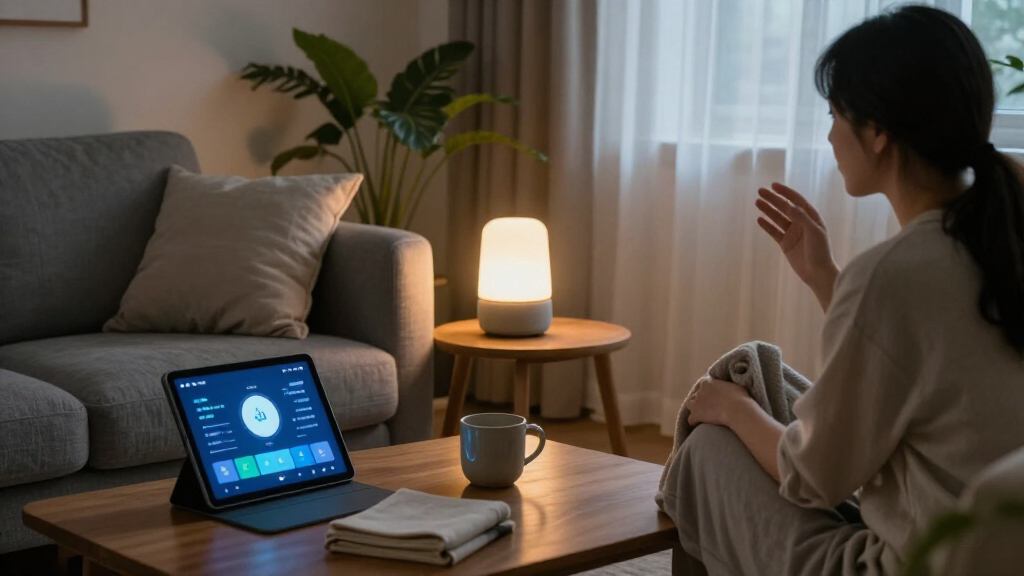

The best AI smart home device for most buyers is the Amazon Echo Show 11 (Newest Model), because it pairs the Alexa+ assistant with a screen size that works for both commands and video, without dominating a wall or a nightstand. If budget leads the decision, the Amazon Echo Dot (5th Gen) delivers genuine AI voice control at the lowest entry point in this lineup, while the Amazon Echo Show 21 is the pick when you want a command center that doubles as a TV. The main tradeoff in this category is screen real estate versus placement flexibility, and a second one hides in plain sight: most of these devices speak Alexa, but only some run the newer Alexa+ platform, which changes how capable the “AI” part actually feels. There is also the Matter-versus-proprietary question — hubs like the SwitchBot keep your options open, while Echo devices lock you deeper into Amazon’s ecosystem. Read on for the full ranked breakdown, including which models are worth paying more for and which ones overlap so much that you should pick on price and size alone.

Get business pricing on tech for your team
- Business-only prices and quantity discounts
- Tax-exempt purchasing
- Multiple users, one account, clear invoices
Key Takeaways
- The lineup splits into three distinct jobs — voice-first speakers, screen-based command centers, and control infrastructure (hubs and plugs) — and mixing those jobs is the fastest way to overspend on features you will never use.
- Alexa+ support became the real dividing line: the Echo Show 11 (Newest Model), Echo Show 8 (Newest Model), and Echo Hub offer the more capable assistant experience, while older-generation devices feel noticeably less “AI” by comparison.
- amazon.com/dp/B0D6SX8VLQ?tag=smartcr.org-20&ascsubtag=dc-1088170″ target=”_blank” rel=”nofollow sponsored noopener”>amazon.com/dp/B0BCR7M9KX?tag=smartcr.org-20&ascsubtag=dc-1088170″ target=”_blank” rel=”nofollow sponsored noopener”>amazon.com/dp/B0C5DPSW5Y?tag=smartcr.org-20&ascsubtag=dc-1088170″ target=”_blank” rel=”nofollow sponsored noopener”>amazon.com/dp/B0DC96PPZK?tag=smartcr.org-20&ascsubtag=dc-1088170″ target=”_blank” rel=”nofollow sponsored noopener”>amazon.com/dp/B0CDWWS127?tag=smartcr.org-20&ascsubtag=dc-1088170″ target=”_blank” rel=”nofollow sponsored noopener”>amazon.com/dp/B09B2SRGXH?tag=smartcr.org-20&ascsubtag=dc-1088170″ target=”_blank” rel=”nofollow sponsored noopener”>amazon.com/dp/B0D6SZKGT4?tag=smartcr.org-20&ascsubtag=dc-1088170″ target=”_blank” rel=”nofollow sponsored noopener”>amazon.com/dp/B0DC8ZMR1P?tag=smartcr.org-20&ascsubtag=dc-1088170″ target=”_blank” rel=”nofollow sponsored noopener”>amazon.com/dp/B09B93ZDG4?tag=smartcr.org-20&ascsubtag=dc-1088170″ target=”_blank” rel=”nofollow sponsored noopener”>amazon.com/dp/B0DC91H3JK?tag=smartcr.org-20&ascsubtag=dc-1088170″ target=”_blank” rel=”nofollow sponsored noopener”>amazon.com/dp/B09BZZ3MM7?tag=smartcr.org-20&ascsubtag=dc-1088170″ target=”_blank” rel=”nofollow sponsored noopener”>Amazon‘s own lineup cannibalizes itself: the Echo Show 11, Echo Show 15, and Echo Show 21 overlap heavily, so the deciding factor is wall space and TV ambitions rather than intelligence.
- The SwitchBot AI Hub with OpenClaw support is the only pick here that reduces ecosystem lock-in, which matters if you expect to mix brands or move platforms within a few years.
- Smart plugs — the Linkind 4-pack and the GHome extender — are the cheapest way to make existing appliances “smart,” but neither adds AI logic on its own; they depend entirely on whichever hub or speaker you pair them with.
| Amazon Fire TV Cube (3rd Gen) 4K Ultra HD Streaming Media Player with Alexa and Wi-Fi 6E |  | Best Overall Hub for Entertainment-Centric Homes | Video: Up to 4K Ultra HD (2160p) at 60 fps; Dolby Vision, HDR10+, HLG | Processor: Octa-core: 4 × 2.2 GHz and 4 × 2.0 GHz | Connectivity: Wi-Fi 6E tri-band, Bluetooth 5.0 + LE | VIEW LATEST PRICE | See Our Full Breakdown |
| Amazon Echo Show 11 Smart Display with Full HD Touchscreen and Spatial Audio |  | Best Premium Smart Display | Display: 10.95-inch Full HD, 1920 × 1200 | Camera: 13 MP with auto framing | Audio: 2.8-inch woofer + 2 full-range drivers, spatial audio | VIEW LATEST PRICE | See Our Full Breakdown |
| Amazon Echo Dot (5th Gen) Smart Speaker, Deep Sea Blue |  | Best Value Entry Point | Audio: 1.6-inch full-range driver, mono, 62 Hz–19 kHz | Smart Home Compatibility: Wi-Fi, Bluetooth Low Energy Mesh, Matter | Wi-Fi: Dual-band 802.11a/b/g/n/ac (2.4 and 5 GHz) | VIEW LATEST PRICE | See Our Full Breakdown |
| Amazon Echo Show 8 (Newest Model) – 8.7″ HD Smart Display with Spatial Audio, Alexa+, Graphite |  | Best Smart Home Command Center | Display: 8.7-inch HD touchscreen, 800 × 1340 | Smart Home Hub: Zigbee + Matter + Thread Border Router | Processor: AZ3 Pro with AI Accelerator | VIEW LATEST PRICE | See Our Full Breakdown |
| Linkind Matter Smart Plug, 4-Pack |  | Best Budget Automation Starter Kit | Quantity: 4 smart plugs | Power Capacity: 15 A / 1800 W per plug | Wi-Fi: 2.4 GHz only, IPv6 required | VIEW LATEST PRICE | See Our Full Breakdown |
| Amazon Echo Dot Max Smart Speaker with Alexa, Glacier White |  | Best Audio-First Hub | Color: Glacier White | Voice assistant: Alexa | Sound: Room-filling audio with nearly 3x the bass of Echo Dot (2022 release) | VIEW LATEST PRICE | See Our Full Breakdown |
| Amazon Echo Show 5 Smart Display with Alexa, Cloud Blue |  | Best Budget Entry Point | Display: 5.5 inches | Camera: 2 MP | Color: Cloud Blue | VIEW LATEST PRICE | See Our Full Breakdown |
| Amazon Echo Show 21 Smart Display with Fire TV |  | Best Premium Command Center | Display: 21-inch, 1920 × 1080 resolution | Dimensions: 21.4 × 13.2 × 1.5 inches | Weight: 10.7 lb | VIEW LATEST PRICE | See Our Full Breakdown |
| Amazon Echo Show 11 (Newest Model) – Full-HD 11″ Smart Display with Spatial Audio, Alexa+, Glacier White |  | Best Overall Smart Display | Display: 10.95″ Full HD touchscreen, 1920 x 1200 resolution | Dimensions: 10″ x 5″ x 7.2″ | Weight: 45.92 oz (1302 g) | VIEW LATEST PRICE | See Our Full Breakdown |
| Amazon Echo Show 15 (2nd Gen) 15.6-Inch Full HD Smart Display with Fire TV and Alexa |  | Best for Kitchen Organization | Display: 15.6-inch, 1920 × 1080 resolution | Dimensions: 16.1 × 10.1 × 1.4 inches | Weight: 4.96 lb | VIEW LATEST PRICE | See Our Full Breakdown |
| SwitchBot AI Smart Home Hub with OpenClaw Support |  | Best for Local Control and Privacy | Storage: 16GB MicroSD included; expandable to 1TB MicroSD or 16TB external drive | Camera capacity: Up to 8 compatible cameras | Connectivity: Dual-band Wi-Fi | VIEW LATEST PRICE | See Our Full Breakdown |
| Amazon Echo Hub Smart Home Control Panel, 8-inch |  | Best Wall-Mounted Command Center | Display: 8 inches | Smart home connectivity: Wi-Fi, Bluetooth, Zigbee, Matter, Sidewalk, Thread | Installation: Wall mount or separately sold tabletop stand | VIEW LATEST PRICE | See Our Full Breakdown |
| GHome Smart Plug Outlet Extender with 3 Smart Outlets and 3 Smart USB Ports |  | Best Value for Smartening Dumb Appliances | Number of Outlets: 9 | Smart Outlets: 3 (individual/group control) | Smart USB Ports: 3 (group control) | VIEW LATEST PRICE | See Our Full Breakdown |
| Amazon Echo Dot Max Smart Speaker with Alexa, Graphite |  | Best Audio Plus Built-In Hub | Dimensions: 4.27 × 4.27 × 3.9 in | Weight: 17.82 oz (505.3 g) | Audio bandwidth: 53 Hz–16 kHz | VIEW LATEST PRICE | See Our Full Breakdown |
| Amazon Echo Spot Smart Alarm Clock with Alexa, Black |  | Best Bedside Companion | Dimensions: 4.5 x 4.1 x 4.4 in | Weight: 14.3 oz (405 g) | Display: 2.83-inch touchscreen, 240 x 320 pixels | VIEW LATEST PRICE | See Our Full Breakdown |
| AI smart home device | Dimensions | Display |
|---|---|---|
| Amazon Fire TV Cube | 3.38 × 3.38 × 2.99 in, 513 g | — |
| Amazon Echo Show 11 Smart Disp | 10 × 5 × 7.2 in, 45.92 oz | 10.95-inch Full HD, 1920 × 1200 |
| Amazon Echo Dot | 3.9 × 3.9 × 3.5 in, 10.7 oz | — |
| Amazon Echo Show 8 | 8.2 × 5 × 5.9 in, 37 oz | 8.7-inch HD touchscreen, 800 × 1340 |
| Linkind Matter Smart Plug | — | — |
| Amazon Echo Dot Max Smart Spea | — | — |
| Amazon Echo Show 5 Smart Displ | — | 5.5 inches |
| Amazon Echo Show 21 Smart Disp | 21.4 × 13.2 × 1.5 inches | 21-inch, 1920 × 1080 resolution |
| Amazon Echo Show 11 | 10" x 5" x 7.2" | 10.95" Full HD touchscreen, 1920 x 1200 resolution |
| Amazon Echo Show 15 | 16.1 × 10.1 × 1.4 inches | 15.6-inch, 1920 × 1080 resolution |
| SwitchBot AI Smart Home Hub wi | 7.8 x 5.79 x 2.2 inches | — |
| Amazon Echo Hub Smart Home Con | — | 8 inches |
| GHome Smart Plug Outlet Extend | — | — |
| Amazon Echo Dot Max Smart Spea | 4.27 × 4.27 × 3.9 in | — |
| Amazon Echo Spot Smart Alarm C | 4.5 x 4.1 x 4.4 in | 2.83-inch touchscreen, 240 x 320 pixels |
More Details on Our Top Picks
Amazon Fire TV Cube (3rd Gen) 4K Ultra HD Streaming Media Player with Alexa and Wi-Fi 6E
This option stands out for buyers whose smart home revolves around the living room, because it fuses a hands-free Alexa speaker with a serious 4K streamer. Compared with the Amazon Echo Show 8, you give up the touchscreen and built-in Zigbee hub, but you gain an HDMI 2.1 input and output, Ethernet, and IR blasting — meaning it can sit at the center of a TV setup and command soundbars, cable boxes, and receivers rather than just lights. The octa-core processor makes app launches feel instant, and Wi-Fi 6E keeps 4K Dolby Vision streams stable. The tradeoff is structural: without a screen or local radio hub, it can’t serve as a true whole-home control panel, so households running many Thread or Zigbee gadgets will still need a hub device like the Echo Show 8 alongside it.
Pros:- Hands-free Alexa doubles as a whole-home voice controller, not just a remote
- HDMI input plus Ethernet make it unusually flexible for complex AV racks
- Wi-Fi 6E and octa-core processor keep 4K Dolby Vision and Atmos streams smooth
- Physical mic-disconnect privacy control
- IR extender lets it control older, non-smart AV equipment
Cons:- No built-in Zigbee, Matter hub, or Thread border router — needs a companion hub for those protocols
- Wi-Fi 6E only pays off with a 6 GHz router using WPA3
- Many streaming services require their own paid subscriptions
Best for: Movie-first households who want one box to run the TV, sound system, and Alexa voice control from the couch
Not ideal for: Buyers who want a central smart home dashboard — there’s no screen, and it lacks Zigbee or Thread radios for direct device control
- Video:Up to 4K Ultra HD (2160p) at 60 fps; Dolby Vision, HDR10+, HLG
- Processor:Octa-core: 4 × 2.2 GHz and 4 × 2.0 GHz
- Connectivity:Wi-Fi 6E tri-band, Bluetooth 5.0 + LE
- Ports:HDMI 2.1 in/out, USB-A 2.0, Ethernet 10/100, IR extender
- Audio:Dolby Atmos, 7.1 surround, HDMI passthrough up to 5.1
- Storage / Memory:16 GB internal / 2 GB RAM
- Dimensions:3.38 × 3.38 × 2.99 in, 513 g
Our verdict“This pick makes the most sense for entertainment-driven buyers who want Alexa and 4K streaming in one box, while serious smart home builders should pair it with a hub-based display.”
Amazon Echo Show 11 Smart Display with Full HD Touchscreen and Spatial Audio
For buyers who want a display that genuinely replaces a tablet on the kitchen counter, the Echo Show 11 earns the premium slot on the strength of its 10.95-inch Full HD panel — noticeably sharper and larger than the Echo Show 8’s 8.7-inch, 800 × 1340 screen. That extra real estate changes how you use it: recipes, camera feeds, and photo slideshows become readable from across the room, and the 13 MP auto-framing camera makes video calls feel less like squinting at a nightstand gadget. The built-in Zigbee, Matter, and Thread hub means it can anchor a whole smart home without extra hardware. The cost is literal counter space — at roughly 10 inches wide and 1.3 kg, it overwhelms a bedside table, where the Echo Show 8 or Echo Spot fits far better.
Pros:- Full HD 1920 × 1200 touchscreen stays readable from across a room
- Triple-protocol hub (Zigbee, Matter, Thread) removes the need for separate bridge hardware
- Spatial audio with dedicated woofer is strong enough for casual music duty
- Auto-framing 13 MP camera makes group video calls practical
Cons:- Large footprint demands real counter or shelf space
- Some Bluetooth devices and features are unsupported
- Heavier and pricier than smaller displays that cover the same basics
Best for: Households that want a do-everything kitchen or living room command center with big-screen video calls
Not ideal for: Nightstand or small-desk buyers — the footprint is too large, and the smaller Echo Show 8 handles bedside duty better
- Display:10.95-inch Full HD, 1920 × 1200
- Camera:13 MP with auto framing
- Audio:2.8-inch woofer + 2 full-range drivers, spatial audio
- Smart Home Hub:Zigbee, Matter, Thread Border Router
- Processor:AZ3 Pro with AI Accelerator
- Connectivity:Wi-Fi 6E, Bluetooth 5.4
- Sensors:Temperature, ambient light, presence detection
- Dimensions:10 × 5 × 7.2 in, 45.92 oz
Our verdict“This model is better suited to buyers who treat a smart display as a household centerpiece rather than a personal gadget — the Echo Show 8 covers small spaces for less.”
Amazon Echo Dot (5th Gen) Smart Speaker, Deep Sea Blue
The Echo Dot (5th Gen) remains the lowest-friction way to put Alexa — and by extension an AI smart home — into a room. Where the Fire TV Cube assumes you own a TV and the Echo Show 8 assumes you have counter space and a hub-sized budget, the Dot asks almost nothing: plug it in, connect Wi-Fi, and voice control begins. Two features punch above its price class — built-in motion and temperature sensors that enable occupancy-triggered routines, and eero Built-in, which extends mesh Wi-Fi coverage up to 1,000 sq ft. The honest limitation is audio: a single 1.6-inch mono driver handles podcasts and background music fine but won’t fill a party the way the Echo Dot Max does.
Pros:- Motion and temperature sensors enable genuinely useful automations at an entry-level size
- eero Built-in can extend mesh Wi-Fi coverage by up to 1,000 sq ft
- Supports Wi-Fi, Bluetooth LE Mesh, and Matter devices
- Simple mic-off button and privacy controls
Cons:- eero Built-in requires a compatible eero router and account linking
- Mono audio with limited bandwidth (62 Hz–19 kHz) caps music quality
- No smart home hub radios — Zigbee and Thread devices need a separate controller
Best for: First-time smart home buyers and anyone adding voice control to bedrooms, offices, or hallways on a modest budget
Not ideal for: Music-first listeners — the mono 1.6-inch driver is built for utility, not room-filling sound
- Audio:1.6-inch full-range driver, mono, 62 Hz–19 kHz
- Smart Home Compatibility:Wi-Fi, Bluetooth Low Energy Mesh, Matter
- Wi-Fi:Dual-band 802.11a/b/g/n/ac (2.4 and 5 GHz)
- Sensors:Motion detection, indoor temperature
- eero Built-in:Up to 1,000 sq ft coverage with compatible eero network
- Dimensions:3.9 × 3.9 × 3.5 in, 10.7 oz
Our verdict“The Dot is the smartest first step into an Alexa smart home: cheap enough to scatter across rooms, capable enough to run real routines — just don’t expect it to be your stereo.”
Amazon Echo Show 8 (Newest Model) – 8.7″ HD Smart Display with Spatial Audio, Alexa+, Graphite
This newest Echo Show 8 hits the sweet spot the lineup orbits around: big enough to be useful, small enough to live anywhere. Compared with the Echo Show 11, you trade screen real estate and resolution, but the full Zigbee, Matter, and Thread hub carries over intact — meaning it can run an entire multi-protocol smart home from a bedside table or desk. The AZ3 Pro chip with AI acceleration is built for Alexa+, which handles recipes, shopping, and device control more conversationally than older firmware, and the 13 MP auto-framing camera with 3.3x zoom beats the fixed cameras on smaller displays for call quality. The privacy posture deserves attention: Omnisense features like visual ID and presence detection are clever but intrusive if unwanted, and Amazon Sidewalk is on by default, sharing your bandwidth until you switch it off.
Pros:- Built-in Zigbee, Matter, and Thread hub eliminates separate bridge hardware
- Spatial audio with up to 2x more bass than the 2023 model doubles as a real speaker
- 13 MP auto-framing camera with 3.3x zoom and noise reduction for video calls
- Physical mic/camera disable button plus in-app camera controls
Cons:- Amazon Sidewalk enabled by default consumes home bandwidth
- Omnisense visual ID and presence detection raise privacy concerns
- 8.7-inch 800 × 1340 screen is less immersive than the Echo Show 11’s Full HD panel
Best for: Smart home builders who want a hub-plus-dashboard combo that controls Zigbee, Matter, and Thread devices from one screen
Not ideal for: Privacy-conscious buyers uncomfortable with presence detection, visual ID, and a default-on Sidewalk mesh
- Display:8.7-inch HD touchscreen, 800 × 1340
- Smart Home Hub:Zigbee + Matter + Thread Border Router
- Processor:AZ3 Pro with AI Accelerator
- Camera:13 MP, auto framing, 3.3x zoom
- Audio:2.8-inch woofer + 2 full-range drivers, spatial audio
- Connectivity:Wi-Fi 6E, Bluetooth 5.4
- Sensors:Ambient temperature, ambient light, presence detection
- Dimensions:8.2 × 5 × 5.9 in, 37 oz
Our verdict“The best all-around control panel in this lineup for buyers who want hub capability and a screen in one mid-size device — just spend five minutes in settings tightening the defaults.”
Linkind Matter Smart Plug, 4-Pack
Not every smart home needs another speaker or screen — sometimes the fastest win is making dumb appliances smart, and this 4-pack of Matter plugs is the cheapest path to real automation here. The differentiator is platform freedom: unlike the Amazon-centric devices in this lineup, these plugs work natively with Apple Home, Alexa, Google Home, and SmartThings, which matters if your household mixes an iPhone owner with an Echo kitchen. The standout feature for reliability-minded buyers is local-network operation — during an internet outage, Matter devices keep communicating, something cloud-dependent plugs can’t promise. The catches are real: most platforms require a Matter-certified hub or controller (an Echo Show 8 or Show 11 covers this), and the plugs are limited to 2.4 GHz Wi-Fi with IPv6, which can trip up older routers.
Pros:- Native support for Apple Home, Alexa, Google Home, and SmartThings
- Continues working locally over Matter when the internet goes down
- Schedules, timers, remote access, and voice control included
- FCC-certified with fire-resistant housing, short-circuit and overload protection
Cons:- Most platforms require a separate Matter-certified hub or controller
- 2.4 GHz-only Wi-Fi with IPv6 requirement complicates setup on some networks
Best for: Mixed-platform households and automation beginners who want to schedule lamps, fans, and holiday lights across four outlets
Not ideal for: Buyers without a Matter hub or controller — and anyone on a 5 GHz-only network setup — will hit setup walls
- Quantity:4 smart plugs
- Power Capacity:15 A / 1800 W per plug
- Wi-Fi:2.4 GHz only, IPv6 required
- Platform Support:Apple Home, Alexa, Google Home, SmartThings, AiDot
- Offline Operation:Local Matter communication during internet outages
- Safety:FCC certified; short-circuit and overload protection
- Plug Type:Type A, white, copper contacts
Our verdict“The most affordable way to start automating — ideal for multi-assistant homes, provided you already own (or add) a Matter hub like the Echo Show 8.”
Amazon Echo Dot Max Smart Speaker with Alexa, Glacier White
For buyers who want a serious speaker that doubles as a smart home hub, this option stands out in the lineup. Compared with the standard Echo Dot (5th Gen), which is a capable but modest-sounding puck, this model delivers nearly three times the bass and adapts playback to the acoustics of your room. Where the Echo Show 11 trades audio muscle for a screen, this pick goes all-in on sound while still packing Zigbee-style hub controls, temperature and presence sensing, and eero mesh Wi-Fi extension. That sensor pairing means Alexa can heat or cool a room based on whether anyone is actually in it — a genuine automation upgrade, not a gimmick. The tradeoff: the Wi-Fi extender only works if you already run an eero network, and home theater pairing requires compatible Echo or Fire TV hardware.
Pros:- Room-filling audio with nearly 3x the bass of the Echo Dot (2022)
- Built-in smart home hub with temperature and presence-based routines
- eero Built-in extends a mesh network by up to 1,000 sq. ft.
- Physical microphone disable button for privacy
Cons:- Wi-Fi extender feature requires an existing eero network
- Pairing and home theater features depend on compatible Echo or Fire TV devices
Best for: Music lovers who want room-filling sound and want one device to anchor their smart home without adding a screen
Not ideal for: Households without an existing eero router, since the headline Wi-Fi extension feature won’t function at all
- Color:Glacier White
- Voice assistant:Alexa
- Sound:Room-filling audio with nearly 3x the bass of Echo Dot (2022 release)
- Smart home features:Built-in hub; controls compatible lights, locks, and other devices
- Sensors:Omnisense temperature and presence detection
- Wi-Fi extender:eero Built-in; adds up to 1,000 sq. ft. of coverage
- Privacy:Microphone enable/disable button and multiple privacy controls
Our verdict“This pick makes the most sense for buyers who prioritize sound quality and want hub features as a bonus rather than the main event.”
Amazon Echo Show 5 Smart Display with Alexa, Cloud Blue
The Echo Show 5 earns its spot as the least expensive way to get a screen into Alexa’s ecosystem. It handles the essentials — weather at a glance, timers, video calls, camera feeds, and basic device control — in a footprint small enough for a nightstand or cramped kitchen corner. Compared with the Echo Show 8 or the Echo Show 11, the 5.5-inch display is genuinely tight for recipes or streaming, and the 2 MP camera is a step behind the 13 MP sensors on the bigger models. But that’s the point: this model is better suited to buyers dipping a toe into smart displays, or adding a secondary screen where a full-size display would be overkill. Compared with the voice-only Echo Dot, the screen adds visual routine controls and camera viewing the Dot simply can’t match.
Pros:- Compact 5.5-inch display for news, weather, photos, and shows
- Video calls and compatible smart camera viewing
- Controls compatible smart home devices
- Camera shutter plus mic and camera off button
Cons:- Some features require compatible devices or paid services
- Video calling limited to supported Alexa apps and Echo devices with screens
Best for: First-time smart display buyers or anyone adding a compact secondary screen to a bedroom or entryway
Not ideal for: Anyone planning to follow recipes, stream shows, or make frequent video calls — the small display and 2 MP camera fall short for those jobs
- Display:5.5 inches
- Camera:2 MP
- Color:Cloud Blue
- Smart assistant:Alexa
- Recycled materials:Fabric yarn and aluminum made from 100% recycled materials
- Packaging:100% recyclable
Our verdict“A sensible low-commitment entry into smart displays, provided you accept its small screen as the price of admission.”
Amazon Echo Show 21 Smart Display with Fire TV
This is the biggest, most capable display in the lineup, and it behaves like a household command center rather than a gadget. At 21 inches with Full HD resolution and built-in Fire TV, it replaces both a smart display and a small television in one wall-mounted unit. Compared with the Echo Show 15, it offers substantially more screen real estate, which matters when you’re juggling calendar widgets, camera feeds, and family lists simultaneously. The inclusion of Zigbee, Matter, and Thread Border Router support means it can run a whole-home smart setup without a separate hub, and the 13 MP auto-framing camera holds its own for kitchen video calls. The tradeoffs are physical and financial: at 10.7 lb and over 21 inches wide, placement options narrow considerably, and some apps and skills carry subscription fees.
Pros:- Large 21-inch Full HD display with built-in Fire TV
- Customizable widgets for calendars, lists, and household organization
- Smart home hub supports Zigbee, Matter, and Thread
- 13 MP camera with auto-framing and physical privacy shutter
Cons:- Large footprint and 10.7 lb weight limit placement options
- Some apps, skills, and services require subscriptions or fees
Best for: Large households that want a wall-mounted family hub combining entertainment, organization, and whole-home smart control
Not ideal for: Renters or anyone without a good wall-mount spot, since the size and 10.7 lb weight rule out most shelves and counters
- Display:21-inch, 1920 × 1080 resolution
- Dimensions:21.4 × 13.2 × 1.5 inches
- Weight:10.7 lb
- Camera:13 MP with privacy shutter
- Audio:Two 2-inch woofers and two 0.6-inch tweeters
- Wi-Fi:Wi-Fi 6E; tri-band, dual-antenna MIMO
- Smart home connectivity:Zigbee, Matter, Thread Border Router
- Orientation:Landscape or portrait
Our verdict“The strongest choice for a household that wants one device to run everything, if you have the wall space and budget for it.”
Amazon Echo Show 11 (Newest Model) – Full-HD 11″ Smart Display with Spatial Audio, Alexa+, Glacier White
The Echo Show 11 hits the sweet spot that most buyers actually need: a large-enough screen, a real hub, and strong audio, all in a countertop-friendly size. With 60% more viewing area than the Echo Show 8, it’s far better for recipes and photo frames, yet it avoids the mounting demands of the Echo Show 21. The AZ3 Pro chip with a dedicated AI accelerator is what earns it the top spot here — it powers Alexa+ features like managing shopping lists, calendars, and routines in ways the standard Echo Show 11 without Alexa+ can’t match. Spatial audio with roughly double the previous generation’s bass also makes it a legitimate music player, not just a screen with a speaker attached. The main caveat is that Amazon Sidewalk ships enabled by default, sharing a slice of your bandwidth unless you switch it off in settings.
Pros:- 11-inch Full-HD display with 60% more viewing area than Echo Show 8
- Built-in hub supporting Zigbee, Matter, and Thread
- Spatial audio with up to 2x the bass of the previous generation
- 13 MP auto-framing camera with 3.3x zoom and noise reduction
Cons:- Amazon Sidewalk enabled by default, using a portion of your internet bandwidth
- Hands-free voice control not supported for Mac OS X over Bluetooth
- Bluetooth speakers requiring PIN codes are not supported
Best for: Most households wanting a do-everything smart display with AI assistance, hub functionality, and genuinely good audio
Not ideal for: Privacy-conscious buyers unwilling to manually disable Sidewalk, or anyone hoping to stream Bluetooth from Mac OS X devices via hands-free voice
- Display:10.95″ Full HD touchscreen, 1920 x 1200 resolution
- Dimensions:10″ x 5″ x 7.2″
- Weight:45.92 oz (1302 g)
- Camera:13 MP with auto framing
- Audio:1 x 2.8″ woofer and 2 full-range drivers
- Processor:AZ3 Pro with AI Accelerator
- Wi-Fi:Wi-Fi 6E (IEEE 802.11ax)
- Smart Home Hub:Zigbee + Matter + Thread Border Router
- Sensors:Ambient temperature and ambient light sensors
Our verdict“The most balanced pick in the roundup — big enough, smart enough, and loud enough for daily family use without dominating a wall.”
Amazon Echo Show 15 (2nd Gen) 15.6-Inch Full HD Smart Display with Fire TV and Alexa
The Echo Show 15 sits neatly between the Echo Show 11 and the Echo Show 21, and that middle position is exactly its strength. At 15.6 inches and under five pounds, it’s large enough for shared family widgets yet light enough for flexible mounting — unlike the 10.7 lb Show 21 — and it supports both landscape and portrait orientation, which portrait fans will appreciate for calendar-style layouts. Built-in Fire TV means it doubles as a kitchen streaming screen, and the Zigbee, Matter, and Thread Border Router support lets it anchor a smart home without extra hardware. Compared with the Show 11, you give up the Alexa+ AI processing and some audio richness, but you gain screen space designed around household coordination at a glance. Note that Sidewalk is enabled by default here too, so adjust settings during setup.
Pros:- Large 15.6-inch Full HD display with landscape and portrait support
- Built-in Fire TV access to streaming apps
- Smart home hub with Zigbee, Matter, and Thread Border Router
- Auto-framing camera with 3.3x zoom and privacy shutter
Cons:- Some skills and streaming services require subscriptions or fees
- Amazon Sidewalk enabled by default unless previously turned off
Best for: Busy families who want a wall-mounted kitchen hub for shared calendars, chore lists, camera feeds, and casual streaming
Not ideal for: Buyers who want the newest AI features and richer spatial audio — the Echo Show 11 with Alexa+ is the better fit for that
- Display:15.6-inch, 1920 × 1080 resolution
- Dimensions:16.1 × 10.1 × 1.4 inches
- Weight:4.96 lb
- Camera:13 MP with built-in shutter
- Audio:Two 2-inch woofers and two 0.6-inch tweeters
- Wi-Fi:Wi-Fi 6E; supports 802.11a/b/g/n/ac
- Smart home connectivity:Zigbee, Matter, and Thread Border Router
- Processor:Octa-core SoC with Amazon AZ2 neural network engine
Our verdict“The best wall-mounted family organizer in the lineup, ideal for kitchens where shared planning matters more than cutting-edge AI.”
SwitchBot AI Smart Home Hub with OpenClaw Support
This option stands out for buyers who want their camera footage stored locally rather than in the cloud — something no Echo device in this lineup can match. The included 16GB MicroSD is a real starting point, and the ceiling is generous: up to 1TB on a card or 16TB on an external drive. Supporting eight cameras makes it the natural nerve center for a growing SwitchBot security setup. Compared with the Echo Hub, which relies on Alexa’s ecosystem and cloud-linked subscriptions, this hub ships with Home Assistant pre-installed plus a Matter Bridge, giving tinkerers far more automation freedom. The tradeoff is real, though: AI detection sits behind an AI+ subscription and requires compatible cameras, and there’s no IR control here — a downgrade for anyone replacing an older SwitchBot hub that controlled TVs and air conditioners.
Pros:- Local event storage with expandable capacity up to 16TB
- Home Assistant pre-installed plus Matter Bridge for cross-platform automation
- Supports up to 8 compatible cameras on one hub
- Faster local automations for select BLE devices
Cons:- AI features locked behind an AI+ subscription and compatible cameras
- No IR control, so it can’t replace a universal remote hub
Best for: SwitchBot device owners and Home Assistant enthusiasts who want local storage and deep automation control
Not ideal for: Buyers expecting built-in AI detection out of the box — it needs a paid AI+ subscription plus compatible cameras
- Storage:16GB MicroSD included; expandable to 1TB MicroSD or 16TB external drive
- Camera capacity:Up to 8 compatible cameras
- Connectivity:Dual-band Wi-Fi
- Smart home features:OpenClaw support, Home Assistant pre-installed, Matter Bridge
- Dimensions:7.8 x 5.79 x 2.2 inches
- Weight:1.17 pounds
- Model number:W8002100
Our verdict“A privacy-minded hub for SwitchBot loyalists and Home Assistant tinkerers who’d rather own their footage than rent it from the cloud.”
Amazon Echo Hub Smart Home Control Panel, 8-inch
Where the Echo Show 8 is a smart display that happens to control devices, the Echo Hub is purpose-built as a dedicated control panel — and that difference shapes everything about it. The customizable dashboard puts cameras, routines, and device toggles front and center, and the built-in hub covers Zigbee, Thread, Matter, Sidewalk, Bluetooth, and Wi-Fi, which is broader protocol support than most standalone hubs at this size. Wall-mounting turns it into a genuine household command center rather than a countertop gadget. The catch is the accessory trail: the Power-over-Ethernet adapter, tabletop stand, and cable pass-throughs all cost extra, so the true setup cost climbs quickly. And if you want Ring camera summaries or footage search, you’ll need Alexa+ plus a compatible Ring subscription — the same paywall pattern that limits the SwitchBot hub’s AI features.
Pros:- Customizable dashboard unifies devices, cameras, and routines on one screen
- Built-in hub supports Zigbee, Thread, Matter, Sidewalk, Bluetooth, and Wi-Fi
- Wall-mount design makes it a permanent household control point
- Physical microphone-off button for privacy
Cons:- PoE adapter, tabletop stand, and cable pass-throughs sold separately
- Ring camera summaries and footage search require Alexa+ and a Ring subscription
Best for: Homeowners who want a fixed, always-visible wall panel for cameras, routines, and whole-home device control
Not ideal for: Budget-conscious buyers who want a complete setup — the stand, PoE adapter, and AI camera features are all sold separately or subscription-gated
- Display:8 inches
- Smart home connectivity:Wi-Fi, Bluetooth, Zigbee, Matter, Sidewalk, Thread
- Installation:Wall mount or separately sold tabletop stand
- Recycled materials:27%
- Packaging:97% wood fiber-based materials from responsibly managed forests or recycled sources
Our verdict“The strongest pick for a dedicated wall-mounted control hub — provided you budget for the accessories and accept subscription-gated camera intelligence.”
GHome Smart Plug Outlet Extender with 3 Smart Outlets and 3 Smart USB Ports
Not every AI home upgrade needs a hub or a display. This 9-in-1 extender takes a single wall outlet and turns it into six controllable circuits — three individually managed smart outlets plus three group-controlled USB ports — while keeping three always-on sockets for things that should never lose power. Compared with a 4-pack of Linkind Matter smart plugs, you trade portability and Matter certification for density: this makes far more sense at a crowded entertainment center or workbench than scattering individual plugs. Alexa and Google Home voice control work out of the box, and scheduling and countdown timers translate directly into energy savings on space heaters or chargers. Two honest limits: it’s 2.4GHz Wi-Fi only, which frustrates mesh-network owners, and the USB ports can’t be switched individually — they act as one group.
Pros:- Three individually controllable outlets plus three smart USB ports in one compact device
- Works with both Alexa and Google Home for voice control
- Timer, countdown, and scheduling features help cut standby energy waste
- Overload and overcurrent protection with a V0 fire-retardant shell
Cons:- 2.4GHz Wi-Fi only, which can complicate setup on dual-band mesh networks
- USB ports are group-controlled only, with no individual switching
Best for: Renters and entertainment-center owners who want to automate several appliances from one outlet without buying multiple smart plugs
Not ideal for: Matter-centric or 5GHz-only households — there’s no Matter support and no 5GHz Wi-Fi compatibility
- Number of Outlets:9
- Smart Outlets:3 (individual/group control)
- Smart USB Ports:3 (group control)
- Always-On Outlets:3
- Max Current:15 A
- Max Power:1800W
- WiFi:2.4GHz only
- Certification:FCC & ETL
Our verdict“The cheapest path to automating a cluster of devices at one outlet, ideal when spreading individual smart plugs around isn’t practical.”
Amazon Echo Dot Max Smart Speaker with Alexa, Graphite
This model is better suited to buyers who want one device to fill a room with sound and anchor a smart home. The two-way driver array — a 2.5-inch woofer and dedicated tweeter — delivers nearly three times the bass of the standard Echo Dot (5th Gen), and room-adapting audio tunes itself to your space. Unlike the smaller Dot, it doubles as a Zigbee, Matter, and Thread Border Router hub, so it can genuinely replace a separate bridge. The sleeper feature is eero Built-in, extending a compatible mesh network by up to 1,000 sq. ft. — useful for dead spots near a patio or garage. Be realistic about its limits, though: eero extension is capped at 100 Mbps and 10 devices on the 5GHz band, and it demands an existing eero router. If you mainly need a screen, the Echo Spot covers similar smart-home ground for less.
Pros:- Room-adapting audio with nearly 3× the bass of Echo Dot (5th Gen)
- Built-in Zigbee, Matter, and Thread Border Router hub
- Pairs with compatible Echo speakers and Fire TV devices for multi-room audio
- eero Built-in extends compatible mesh Wi-Fi up to 1,000 sq. ft.
Cons:- eero Built-in requires a compatible eero router, account linking, and separate app setup
- Wi-Fi extension capped at 100 Mbps and 10 devices on 5GHz
Best for: Music-first buyers who also want a full smart home hub and Wi-Fi extension in a single speaker
Not ideal for: Households without an eero router — the Wi-Fi extension feature, a key part of the appeal, simply won’t work
- Dimensions:4.27 × 4.27 × 3.9 in
- Weight:17.82 oz (505.3 g)
- Audio bandwidth:53 Hz–16 kHz
- Drivers:1 × 0.8 in tweeter; 1 × 2.5 in woofer
- Wi-Fi:Wi-Fi 6E (IEEE 802.11ax)
- Smart home hub:Zigbee, Matter, Thread Border Router
- Bluetooth:Bluetooth Low Energy 5.3
- eero Built-in coverage:Up to 1,000 sq. ft. with a compatible eero network
Our verdict“The pick when audio quality and hub duty matter equally — just don’t buy it for Wi-Fi extension unless you already run eero.”
Amazon Echo Spot Smart Alarm Clock with Alexa, Black
Among the screen-bearing options here, the Echo Spot carves out a distinctly bedside niche. Its 2.83-inch touchscreen shows the time, weather, and song titles at a glance — enough display for morning routines without the glare and cost of an Echo Show 5 in the same spot. Alexa handles alarms, reminders, and smart home controls, so tapping a custom clock face can dim lights and arm cameras on the way to bed. The single full-range speaker is fine for podcasts and background music, though it can’t approach the Echo Dot Max’s bass output — this is a clock that plays music, not a speaker that tells time. There’s no camera, which I’d frame as a feature for a bedroom device. Like the Dot Max, its eero Built-in extension requires a compatible eero router and account linking, so treat that capability as a bonus rather than a buying reason.
Pros:- Compact touchscreen with customizable clock faces showing time, weather, and song titles
- Alexa routines, reminders, and smart home controls from the nightstand
- No camera, making it well suited to bedrooms
- Made with 36% recycled materials
Cons:- Small speaker is adequate rather than impressive for music
- eero Built-in requires a compatible eero router and linked account
Best for: Anyone who wants a gentle wake-up device with Alexa routines, weather at a glance, and bedside smart home control
Not ideal for: Music-focused listeners — the compact speaker won’t substitute for a dedicated smart speaker like the Echo Dot Max
- Dimensions:4.5 x 4.1 x 4.4 in
- Weight:14.3 oz (405 g)
- Display:2.83-inch touchscreen, 240 x 320 pixels
- Camera:None
- Wi-Fi:Dual-band 802.11a/b/g/n/ac, 2.4 and 5 GHz
- Bluetooth:A2DP audio streaming and AVRCP voice control
- Speaker:1.73-inch full-range built-in speaker
- eero Built-in:Up to 1,000 sq. ft. additional coverage; requires compatible eero router
Our verdict“The best-fit pick for a nightstand — a glanceable display and Alexa routines in a camera-free package, as long as music quality isn’t the priority.”

How We Picked
My ranking logic starts with a simple question: how much genuine intelligence does each device add to a home, and how much of that intelligence survives without a subscription or a specific ecosystem? Devices running the newer Alexa+ platform ranked higher than equivalent hardware without it, because the assistant is the actual product in this category — a beautiful screen attached to a dumber assistant is a worse buy than a modest speaker attached to a sharper one. From there, I weighed versatility (can it serve multiple roles — control panel, intercom, TV, alarm clock?), build and audio quality, and placement flexibility, since a device that fits nowhere in your home is worthless regardless of specs.
Value was judged relative to the role each product plays, not on raw cost. The Echo Dot (5th Gen) earns its spot by doing 80% of what the Dot Max does in a smaller package, while the Echo Hub earns its position by being purpose-built rather than a repurposed display. I also penalized redundancy: where two Amazon devices overlap almost entirely, I ranked the one with a clearer reason to exist higher and flagged the other as situational. Finally, infrastructure picks like the SwitchBot hub and the smart plugs were judged on protocol support, reliability, and ecosystem openness rather than flash, because those are the factors that decide whether your smart home still works in three years.
Factors to Consider When Choosing AI Smart Home Devices
Choosing AI smart home devices is less about individual products and more about designing a system. The reviews above tell you which device wins each role; this guide covers the decisions that come before and between those purchases — the mistakes that leave people with drawers full of gadgets they stopped using within a year.
Start With One Ecosystem, Not One Product
The most common and expensive mistake in this category is buying device-by-device without a plan. If you commit to Alexa, nearly every product in this roundup will cooperate smoothly — but adding a Google-only device later creates friction that no single purchase can fix. My advice is to pick your primary assistant platform first, then choose hardware that runs it natively. The exception is Matter-compatible gear like the Linkind plugs and the SwitchBot hub, which exist specifically to survive a platform switch. A practical rule: make your hub or main display the locked-in choice, and keep the cheap peripherals (plugs, sensors) as protocol-neutral as possible so a future migration only costs you one device, not ten.
Screen Size Is a Placement Decision, Not a Spec
Buyers consistently over-buy screen real estate. A 21-inch display sounds impressive until you realize it needs wall mounting, a power route, and a room where that scale makes sense — most kitchens and bedrooms are better served by an 8- to 11-inch panel. The pattern in this lineup is clear: 5 to 8 inches suits nightstands and desks, 11 to 15 inches suits kitchens and hallways, and anything larger is really a television with assistant features bolted on. Ask where the device will live before asking which model is best. A smaller screen you actually see every day beats a flagship display mounted in a room you walk through twice a week.
Understand What “AI” Actually Means on the Box
Not every product labeled “AI smart home” contains meaningful intelligence. A smart plug has no AI at all — the intelligence lives in whatever speaker or hub interprets your commands and routines. Conversely, devices running Alexa+ offer more natural conversation, better context retention, and more useful proactive suggestions than standard Alexa hardware. This distinction should shape your budget: spend on the brain (one strong assistant device), save on the limbs (plugs and sensors that merely execute). Also check whether advanced assistant features require a subscription — a “free” device can become a recurring cost, and that changes the value math entirely.
Routines Matter More Than Individual Commands
People who love their smart homes almost always describe routines — “good morning” sequences, away modes, bedtime shutdowns — not individual voice commands. When comparing devices, think about which one will anchor those routines. A central display makes routine-building visual and forgiving, which is why a Show model is often a better first purchase than a cheaper speaker, even for budget buyers. The GHome outlet extender is a quietly smart buy here: grouping three outlets and three USB ports into one controllable unit lets a single routine command switch an entire entertainment center or desk setup. Design your routines on paper before shopping, and the right hardware usually announces itself.
Know When to Pay More — and When It Is Wasted
Premium spending makes sense in two places: the main assistant device you interact with daily, and any hub that controls everything else, because reliability at that layer protects your whole investment. It is wasted on redundant screen upgrades and on flagship speakers destined for a bathroom or garage. The Echo Dot (5th Gen) versus Dot Max decision illustrates this: bigger sound is worth paying for in a room where you actually listen to music, and wasted in a room where the device mostly answers questions. Similarly, Wi-Fi 6E on the Fire TV Cube matters only if your network and viewing habits push bandwidth hard. Pay for capability you will notice weekly, not capability you will benchmark once.
Plan for Privacy and Placement of Microphones
Every always-listening device concentrates both convenience and privacy risk in one place, so placement deserves as much thought as features. Bedrooms are where most buyers draw a line — a smaller device with a camera-free design, like a Dot or the Echo Spot alarm clock, tends to feel more comfortable than a camera-equipped display by the bed. Kitchens and entryways, where cameras enable useful video calls and security viewing, are the natural homes for screened devices. Check the physical mute and camera shutter on any display you buy; the good models make these controls obvious and mechanical rather than buried in software menus. A system you trust enough to keep powered on is worth more than a more capable system you unplug out of discomfort.
Frequently Asked Questions
Should my first AI smart home device be a speaker or a display?
For most households, a display is the better first purchase because it teaches you the ecosystem faster — you can see and tap routines, camera feeds, and settings instead of memorizing voice phrasing. A speaker-only device like the Echo Dot is cheaper and fine as a second or third room addition, but as your only device it hides most of what makes a smart home feel smart. The exception is the bedroom, where a small speaker or the Echo Spot is often the more comfortable fit than a camera-equipped screen. If budget allows only one device, an 8- or 11-inch display in the kitchen covers the most daily use cases: timers, recipes, intercom, calendar, and routine building.
What is the difference between Alexa and Alexa+, and does it matter for my purchase?
Alexa+ is Amazon’s newer, more capable assistant layer, and on supported hardware it handles multi-step natural requests and context noticeably better than standard Alexa. It matters most on the devices you talk to daily — the difference between asking one clear question versus rephrasing three times adds up quickly. In this lineup, the Echo Show 11 (Newest Model), Echo Show 8 (Newest Model), and Echo Hub carry that advantage. If you are choosing between two otherwise similar Echo devices and one supports Alexa+, that alone justifies the newer model. Standard Alexa hardware still handles timers, music, and simple commands well, so the gap matters less for a garage speaker than for your main command device.
Do I need a hub like the SwitchBot if I already have an Echo device?
Not strictly — Echo devices can act as a basic smart home controller for Wi-Fi and some Matter devices. A dedicated hub earns its place when you add zigbee accessories, sensors, or non-Amazon brands, or when you want automations to run locally instead of depending on Amazon’s cloud. Local control matters for reliability: internet outages and cloud hiccups that silence a voice assistant can also break cloud-dependent automations. The SwitchBot hub with OpenClaw support is also the strongest pick here for avoiding lock-in, since it keeps your device grid portable if you ever switch assistants. Buy the Echo first, add the hub when your device count or brand variety outgrows it.
How many smart plugs do I actually need, and which type should I choose?
Most homes get full value from three to six plugs, applied to things with dumb controls but smart potential: lamps, coffee makers, fans, holiday lights, and hard-to-reach outlets. The 4-pack Linkind Matter plugs suit that spread-out use case and keep you protocol-flexible. The GHome outlet extender serves a different job — it turns one wall outlet into six controllable ports, which is ideal for an entertainment center or desk where you want a single “off” command to kill standby power across several devices. Buy the extender for clusters, individual plugs for scattered lamps. A common mistake is plugging in appliances that already have smart features, which creates two layers of control fighting each other.
Is a large display like the Echo Show 21 or Show 15 worth it over an 11-inch model?
Only if you genuinely want the television and wall-organization functions — that is what those large panels are really selling. At 15 to 21 inches, the device stops being an assistant and becomes a household dashboard and Fire TV, which works brilliantly in a large kitchen, family room, or entryway and feels absurd on a countertop or nightstand. The 11-inch Show hits the sweet spot for most homes: big enough for video calls and recipes, small enough to sit on a shelf without mounting hardware. If you already own a TV you like and just want smart control, the larger panels duplicate capability you have. Choose them for the wall, not for the specs.
Conclusion
Mapping these fifteen devices to buyer types: for best overall, the Echo Show 11 (Newest Model) is the pick that balances Alexa+ intelligence, usable screen size, and spatial audio without over-specializing. For best value, the Echo Dot (5th Gen) delivers real assistant capability at the lowest commitment in the lineup, with the Linkind Matter 4-pack as the value add-on that makes existing appliances smart for pennies per outlet. For best premium, the Echo Show 21 justifies its price only if you want a wall-mounted command center that doubles as a Fire TV; otherwise the Show 15 (2nd Gen) covers similar ground in tighter spaces.
For beginners, the Echo Show 8 (Newest Model) is the gentlest entry point — Alexa+, a sensible screen, and visual routine-building make the learning curve shallow. For specific needs: the Echo Hub for households that want a dedicated wall control panel, the SwitchBot AI Hub for buyers prioritizing ecosystem openness, the Echo Spot for a bedside alarm, the Fire TV Cube for streaming-first living rooms, and the GHome extender for killing standby power across an entertainment cluster. Whatever you choose, buy the brain first, keep the peripherals protocol-neutral, and you will have a system that grows with you instead of boxing you in.
Halloween Picks
halloween
As an affiliate, we earn on qualifying purchases.