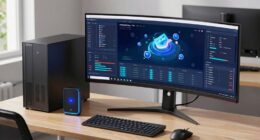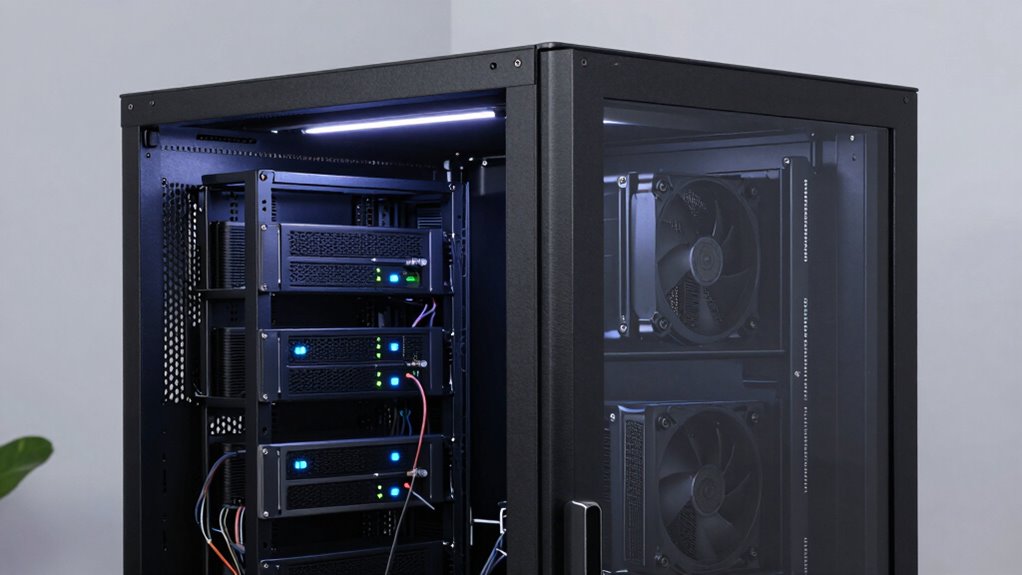
The best server rack for your home lab should include effective ventilation features like built-in fans, perforated doors, or airflow optimization to prevent overheating. It needs good cable management solutions such as channels and tie-down points for organization. Durable, lockable construction guarantees hardware security and longevity. Size and flexibility are key—look for adjustable rails and scalable space for future growth. Finally, a well-designed rack helps keep your environment clean, manageable, and efficient. Keep exploring to discover how to choose the perfect setup.
Key Takeaways
- Effective airflow design with ventilation features to prevent hotspots and maintain optimal temperatures.
- Organized cable management systems for neat wiring and improved airflow.
- Durable construction with lockable doors for hardware security and dust protection.
- Adjustable and scalable layout to accommodate current and future hardware needs.
- Features that simplify maintenance, troubleshooting, and overall hardware management.

Setting up a home lab often requires organizing multiple servers, switches, and storage devices efficiently, and a server rack is essential for this purpose. A good server rack isn’t just about holding hardware; it’s about creating a functional, safe, and easily manageable environment. When choosing the best server rack for your home lab, pay attention to key features such as cooling solutions and cable management. Proper cooling is critical to keep your equipment running smoothly and prevent overheating, which can lead to hardware failures. Look for racks that offer built-in ventilation, perforated doors, or mounting options for fans and cooling units. These features ensure air flows effectively around your equipment, maintaining optimal temperatures even during heavy workloads. Effective cooling solutions not only extend the lifespan of your devices but also improve performance stability, so don’t overlook this aspect. Additionally, selecting a rack with proper airflow design can significantly enhance cooling efficiency and prevent hotspots. Ensuring that your rack has adequate ventilation is essential to maintaining a reliable and efficient home lab setup. Incorporating airflow optimization techniques can further improve cooling performance and reduce energy consumption.
Cable management is equally important because tangled or unmanaged cables quickly become a nightmare to troubleshoot and can obstruct airflow. The best server racks provide dedicated cable management features like vertical and horizontal cable organizers, tie-down points, and cable routing channels. These elements help you keep your wires neat, organized, and out of the way, which simplifies maintenance and reduces the risk of accidental disconnections or damage. Well-designed cable management also improves airflow, supporting your cooling efforts and preventing hotspots inside the rack. When selecting a rack, consider one with adjustable mounting rails or cable entry points that allow you to customize your setup as your home lab evolves. This flexibility makes it easier to add or remove equipment without disturbing the entire configuration.
Beyond cooling and cable management, look for a sturdy construction with durable materials that can handle the weight of your equipment. Ventilation features should be complemented by lockable doors or panels to protect your hardware from dust, accidental bumps, or unauthorized access. Also, ensure the rack’s size fits your current setup but leaves room for future expansion—your home lab will grow, and your rack should be able to adapt. Installing a rack that balances these factors helps you establish a clean, efficient, and reliable environment. When you combine effective cooling solutions with meticulous cable management, you create a home lab that’s easier to maintain, less prone to issues, and more enjoyable to work with. Ultimately, the right server rack transforms a cluttered collection of hardware into a professional and manageable setup.
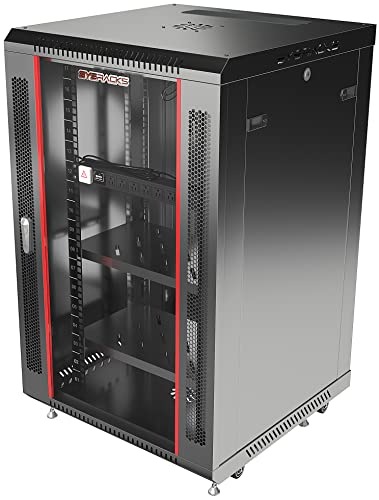
18U Wall Mount Server Rack Cabinet for Home Lab, Office IT and AV Network Installations, 24-Inch Deep 19-Inch Locking Rack with Fan, PDU and Shelves
- Wall-Mount Server Cabinet: Ideal for home labs and office networks
- 24-Inch Deep Network Rack: Fits switches, routers, and AV equipment
- Heavy-Duty Load Capacity: Supports up to 133 lbs of equipment
As an affiliate, we earn on qualifying purchases.
As an affiliate, we earn on qualifying purchases.
Frequently Asked Questions
How Much Noise Is Acceptable From a Home Lab Server Rack?
You should aim for minimal noise, ideally under 50 decibels, to keep your home comfortable. Use effective ventilation strategies like quiet fans and proper airflow to reduce noise levels. Incorporate noise mitigation techniques such as soundproof panels or isolating the rack from living spaces. Regular maintenance can also prevent unnecessary noise from overheating or failing components, ensuring your home lab remains both functional and peaceful.
Can a Server Rack Be Customized for Future Expansions?
Yes, you can customize your server rack for future expansion. With thoughtful rack customization, you add adaptable slots and adjustable shelves, allowing your setup to grow smoothly. Planning for future expansion means choosing a versatile rack that accommodates extra equipment, extra cooling, and easy access. By prioritizing flexibility today, you guarantee your home lab remains scalable, sustainable, and superbly suited for your evolving electronic endeavors.
What Are the Best Cooling Solutions for a Home Lab Rack?
You should prioritize ventilation strategies like active fans, exhaust systems, or passive vents to improve cooling efficiency in your home lab rack. Open airflow designs and proper cable management also help prevent heat buildup. Consider adding temperature sensors connected to smart controls for real-time monitoring. Efficient cooling keeps your equipment running smoothly, reduces noise, and extends hardware lifespan, making your home lab more reliable and easier to maintain.
Is a Security Lock Necessary for a Home Lab Server Rack?
A security lock isn’t just a nice-to-have; it’s a smart choice for safeguarding your home lab. Incorporating security features, like lock mechanisms, helps prevent unauthorized access and accidental tampering. While it might seem minor, this added layer of protection can save you from potential data breaches or hardware mishaps. You’ll sleep easier knowing your valuable equipment and data are shielded behind a reliable lock mechanism.
How Much Power Does a Typical Home Lab Rack Consume?
A typical home lab rack consumes around 200 to 600 watts, depending on the equipment you run. To optimize energy efficiency, you should consider power management features like smart outlets or UPS systems. These help monitor and control power usage, preventing waste and reducing costs. Being mindful of power consumption guarantees your home lab runs smoothly without overloading circuits or incurring unnecessary energy expenses.

Jingchengmei All Metal 1U 19" Server Rack Cable Manager 12 Larger Slots
- Product Dimensions: 19" W x 2.75" D x 1.75" H
- Rack Compatibility: Fits standard 19" racks
- Cable Organization: Supports horizontal cable management
As an affiliate, we earn on qualifying purchases.
As an affiliate, we earn on qualifying purchases.
Conclusion
In your home lab, the best server rack includes sturdy construction, flexible organization, reliable cooling, and easy accessibility. It’s about creating a space that’s efficient, adaptable, and protected. It’s about ensuring your hardware stays safe, your setup remains scalable, and your projects run smoothly. Ultimately, a well-chosen server rack isn’t just a piece of equipment—it’s the foundation for your home lab’s growth, innovation, and success. Make it count, and watch your lab thrive.

Tecmojo 6U Wall Mount Server Cabinet IT Network Rack Enclosure Lockable Door and Side Panels Black, Cooling Fan, Standard Glass Door, 450mm Depth, for 19” IT Equipment, A/V Devices
- Space-saving Wall Mount: 6U, compact design for wall mounting
- Secure Lockable Doors: Glass door and side panels with locks
- Flexible Door Orientation: Reversible front door for swing preference
As an affiliate, we earn on qualifying purchases.
As an affiliate, we earn on qualifying purchases.

RIVECO 42U 19” Adjustable Depth Server Rack Support Up to 1700LBS Floor Standing 4 Post Rack with L Rails & Load-Bearing Casters Universal for Network Equipment Black
- Adjustable Depth Range: 24” to 38” (60cm to 95cm)
- Heavy Duty Construction: Sturdy 2.0mm steel with rivet joints
- High Load Capacity: Supports up to 1700lbs with leveling feet
As an affiliate, we earn on qualifying purchases.
As an affiliate, we earn on qualifying purchases.