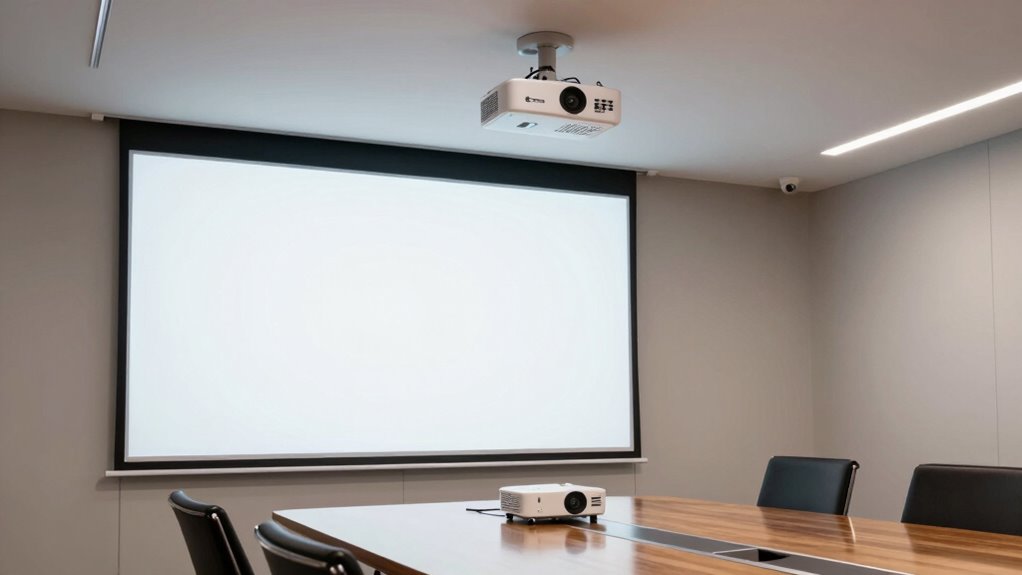

Choosing the right business projector for conference rooms involves balancing brightness, resolution, connectivity, and ease of use. The ViewSonic PS502W stands out as the best overall for its short throw capability and high brightness, ideal for small to medium spaces. The Epson PowerLite L265F offers excellent color accuracy for detailed presentations, while the Optoma ZH521 provides powerful laser illumination for large rooms. Each option trades off features like portability, cost, or advanced connectivity, making it vital to match your specific needs. Keep reading for a detailed breakdown of these options and more to find your perfect fit.

Get business pricing on tech for your team
- Business-only prices and quantity discounts
- Tax-exempt purchasing
- Multiple users, one account, clear invoices
Key Takeaways
- Brightness levels above 4,000 lumens are essential for well-lit conference rooms to prevent washed-out images.
- Short throw projectors are ideal for small or crowded spaces, offering large images from close distances.
- Laser projectors tend to provide longer lifespan and lower maintenance, making them more cost-effective over time.
- Connectivity options like HDMI, wireless, and USB-C are crucial for seamless integration with modern conference tech.
- Resolution matters less than brightness and contrast in large rooms; Full HD is usually sufficient for presentations.
| ViewSonic PS502W WXGA Short Throw Projector 4000 Lumens, Dual HDMI | 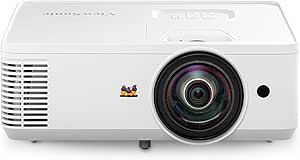 | Best Overall for Small Business and Education | Resolution: 1280x800p WXGA | Lumens: 4000 ANSI lumens | Throw Ratio: 0.5 | VIEW ON AMAZON | See Our Full Breakdown |
| Epson PowerLite L265F 3LCD Projector |  | Best Value for Bright, Versatile Business Use | Brightness: 4600 lumens | Contrast Ratio: 2,500,000:1 | Resolution: Full HD | VIEW ON AMAZON | See Our Full Breakdown |
| Epson Pro EX11000 3-Chip 3LCD Full HD 1080p Wireless Laser Projector |  | Best for Large, High-Impact Visuals in Bright Rooms | Brightness: 4600 lumens | Laser Light Source: 20,000 hours | Resolution: Full HD 1080p | VIEW ON AMAZON | See Our Full Breakdown |
| Epson Pro EX9270 Wireless 1080p 3-Chip 3LCD Business Projector |  | Best for Large, Bright Conference Rooms with Wireless Needs | Display Size: up to 300 inches | Resolution: Full HD 1080p | Brightness: 4100 Lumens | VIEW ON AMAZON | See Our Full Breakdown |
| Epson EpiqVision Flex CO-W01 Portable Projector |  | Best Portable for Flexible, On-the-Go Business Presentations | Display Size: up to 300 inches | Brightness: 3000 lumens | Technology: 3-chip 3LCD | VIEW ON AMAZON | See Our Full Breakdown |
| ViewSonic PA503S SVGA Projector 4000 Lumens HDMI Business Presentations |  | Best Budget-Friendly Brightness for Basic Conference Needs | Resolution: SVGA (800x600p) | Brightness: 4,000 ANSI lumens | Throw Ratio: 1.9-2.1 | VIEW ON AMAZON | See Our Full Breakdown |
| Epson PowerLite L260F 3LCD Projector – 21:9 |  | Best for Bright, High-Quality Visuals with Versatile Setup | Brightness: 4600 lumens | Resolution: 1080p | Contrast Ratio: 2,500,000:1 | VIEW ON AMAZON | See Our Full Breakdown |
| BenQ MW560C WXGA Business Projector for Meeting Rooms 4000 Lumens |  | Best for Quick, Energy-Efficient Presentations in Meeting Rooms | Brightness: 4000 ANSI lumens | Resolution: WXGA | Contrast Ratio: 20000:1 | VIEW ON AMAZON | See Our Full Breakdown |
| Optoma ZH521 Full HD Laser Projector, 5500 Lumens |  | Best for Bright, High-Resolution Projection with Advanced Features | Resolution: Full HD 1080P | Brightness: 5500 Lumens | Laser Life: Up to 30,000 hours | VIEW ON AMAZON | See Our Full Breakdown |
| ViewSonic LS740HD 1080P Laser Projector, 5500 Lumens |  | Best for Large, Bright, and Flexible Home or Business Use | Resolution: 1920x1080p | Brightness: 5500 ANSI lumens | Keystone Adjustment: Horizontal/Vertical | VIEW ON AMAZON | See Our Full Breakdown |
| business projector for conference room | Resolution | Brightness | Connectivity |
|---|---|---|---|
| ViewSonic PS502W WXGA Short Th | 1280x800p WXGA | — | — |
| Epson PowerLite L265F 3LCD Pro | Full HD | 4600 lumens | HDMI, USB |
| Epson Pro EX11000 3-Chip 3LCD | Full HD 1080p | 4600 lumens | 2 HDMI, USB, Miracast |
| Epson Pro EX9270 Wireless 1080 | Full HD 1080p | 4100 Lumens | 2 HDMI, Wi-Fi, USB |
| Epson EpiqVision Flex CO-W01 P | — | 3000 lumens | HDMI |
| ViewSonic PA503S SVGA Projecto | SVGA (800x600p) | 4,000 ANSI lumens | — |
| Epson PowerLite L260F 3LCD Pro | 1080p | 4600 lumens | Built-in Wi-Fi, Miracast |
| BenQ MW560C WXGA Business Proj | WXGA | 4000 ANSI lumens | — |
| Optoma ZH521 Full HD Laser Pro | Full HD 1080P | 5500 Lumens | Dual HDMI, LAN, VGA, USB |
| ViewSonic LS740HD 1080P Laser | 1920x1080p | 5500 ANSI lumens | — |
More Details on Our Top Picks
ViewSonic PS502W WXGA Short Throw Projector 4000 Lumens, Dual HDMI
This projector stands out for its combination of brightness and short-throw capabilities, making it ideal for small conference rooms and classrooms. Compared with the Epson PowerLite L265F, the PS502W offers a shorter throw ratio, allowing larger images from closer distances, which simplifies setup in tight spaces. While its 1280×800 resolution is lower than full HD models, it delivers clear images sufficient for presentations in ambient light, especially with 4,000 lumens brightness. The auto-keystone correction and digital zoom make installation straightforward, but the limited resolution means it may fall short for detailed visuals or high-end video content. This pick makes the most sense for users needing large images in small environments without complex setup requirements.
Pros:- Bright image quality with 4,000 lumens for ambient light environments
- Short throw ratio allows large images from a small distance
- Auto-keystone correction simplifies setup
- Supports flexible installation options
Cons:- Limited resolution compared to full HD or 4K projectors
- Requires compatible mounts for ceiling installation
Best for: Small business teams and educators who prioritize large images in tight spaces with easy setup.
Not ideal for: High-end multimedia presentations or home theater use, where higher resolution and finer image detail are needed.
- Resolution:1280x800p WXGA
- Lumens:4000 ANSI lumens
- Throw Ratio:0.5
- Maximum Screen Size:150 inches
- Input Ports:Dual HDMI
Our verdict“This projector is best suited for small rooms needing large images without complex installation, though its lower resolution limits detailed visual work.”
Epson PowerLite L265F 3LCD Projector
This model earns its spot for offering full HD resolution combined with high brightness and contrast, making it a versatile choice for various applications. Unlike the ViewSonic PS502W, the Epson PowerLite L265F provides true 1080p clarity, ideal for detailed visuals and multimedia content. Its 3LCD technology ensures vivid, consistent colors, which benefits presentations that rely on color accuracy. However, it lacks specific details about portability or ease of setup, meaning it’s better suited for fixed installations rather than mobile setups. While it consumes more power than some LED-based models, its high brightness and resolution make it a reliable choice for medium-sized conference rooms needing crisp visuals without breaking the bank.
Pros:- Bright and vivid image quality with high contrast
- Supports multiple device connections including HDMI and USB
- Full HD resolution for clear, crisp visuals
- Versatile for various presentation needs
Cons:- No information on portability or size
- Potentially higher power consumption
Best for: Medium-sized conference rooms and offices needing bright, detailed presentations with versatile connectivity.
Not ideal for: Frequent movers or portable use, due to its potentially larger size and setup complexity.
- Brightness:4600 lumens
- Contrast Ratio:2,500,000:1
- Resolution:Full HD
- Technology:3LCD, 3-chip
- Connectivity:HDMI, USB
Our verdict“Ideal for fixed conference room setups requiring bright, full HD images with flexible device support, though less suited for mobile presentations.”
Epson Pro EX11000 3-Chip 3LCD Full HD 1080p Wireless Laser Projector
Compared with the other Epson models, the EX11000 offers an impressive 4,600 lumens brightness and a massive 300-inch display capacity, making it ideal for large conference halls or auditoriums. Its laser light source promises 20,000 hours of minimal maintenance, a significant advantage over lamp-based projectors like the Epson PowerLite L265F. The wireless capabilities, including Miracast and screen mirroring, add flexibility for dynamic presentations, but the setup can be complex for non-technical users. The higher price reflects its professional-grade features, including vibrant, large-scale images suitable for well-lit environments. This projector is better suited for organizations needing impactful visuals with minimal upkeep, rather than portable or small-space setups.
Pros:- Bright and vibrant images up to 300 inches
- Long-lasting laser light source reduces maintenance
- Wireless connectivity for flexible presentations
- High brightness ideal for well-lit rooms
Cons:- Requires a robust wireless network for some features
- Higher price point and complex setup
Best for: Large conference venues and organizations needing bright, large images with minimal maintenance.
Not ideal for: Small rooms or mobile use, due to its size and setup complexity.
- Brightness:4600 lumens
- Laser Light Source:20,000 hours
- Resolution:Full HD 1080p
- Display Technology:3-Chip 3LCD
- Image Size:up to 300 inches
- Connectivity:2 HDMI, USB, Miracast
Our verdict“Best suited for large, well-lit spaces requiring high-impact visuals with minimal ongoing maintenance, though setup complexity can be a barrier.”
Epson Pro EX9270 Wireless 1080p 3-Chip 3LCD Business Projector
This projector balances high brightness and large display size, making it a strong contender for sizable conference rooms. When compared with the Epson Pro EX11000, the EX9270’s slightly lower brightness (4,100 lumens vs. 4,600) still delivers vivid images suitable for well-lit spaces, and its wireless streaming capabilities add convenience. Its 3LCD technology offers consistent, accurate colors, but it’s larger and bulkier than portable options like the Epson EpiqVision Flex CO-W01, which could limit mobility. The multiple ports and Wi-Fi support make it ideal for versatile setups, yet it requires a well-lit environment to perform optimally. This model appeals to organizations prioritizing large, bright displays with flexible connectivity for meetings and presentations.
Pros:- Large display size up to 300 inches
- High brightness for well-lit environments
- Vivid color accuracy with 3LCD technology
- Wireless streaming and multiple ports
Cons:- Bulkier than portable projectors
- Requires good lighting for best image quality
Best for: Medium to large conference rooms needing bright, detailed images with wireless streaming flexibility.
Not ideal for: Highly mobile teams or small rooms where portability and compactness are key.
- Display Size:up to 300 inches
- Resolution:Full HD 1080p
- Brightness:4100 Lumens
- Technology:3-Chip 3LCD
- Connectivity:2 HDMI, Wi-Fi, USB
Our verdict“Well-suited for large, well-lit conference rooms demanding large, bright visuals with flexible wireless connectivity, though less portable.”
Epson EpiqVision Flex CO-W01 Portable Projector
Compared to the larger Epson models, the EpiqVision Flex CO-W01 emphasizes portability without sacrificing large image capabilities. Its 3,000 lumens brightness is sufficient for most indoor environments, and the compact design makes it easy to transport between locations. While it doesn’t include built-in smart features or apps, its HDMI connectivity supports streaming devices for versatile content delivery. The 300-inch maximum display makes it ideal for impromptu meetings or mobile presentations where size matters. However, its lower brightness and lack of internal speakers mean it’s less suitable for well-lit environments or settings where sound quality is important. This projector appeals most to mobile professionals needing a lightweight, large-screen device for varied locations.
Pros:- Large display size up to 300 inches
- Lightweight and portable design
- Bright images suitable for various lighting conditions
- Excellent color accuracy with 3LCD technology
Cons:- Requires external streaming device for content
- No built-in smart features or apps
- Limited sound options without external speakers
Best for: Business travelers and mobile teams needing a lightweight, large-screen projector for flexible use.
Not ideal for: Permanent conference rooms or environments requiring built-in smart features, as it relies on external devices for streaming.
- Display Size:up to 300 inches
- Brightness:3000 lumens
- Technology:3-chip 3LCD
- Connectivity:HDMI
- Portability:Sleek, lightweight design
Our verdict“Ideal for mobile users who need a large, bright display on the go, though it lacks internal smart features and speakers for standalone use.”
ViewSonic PA503S SVGA Projector 4000 Lumens HDMI Business Presentations
The ViewSonic PA503S stands out for its high brightness of 4,000 lumens, making it suitable for rooms with ambient light, especially when compared to the lower-lumen BenQ MW560C. Its easy setup, with adjustable zoom and keystone correction, simplifies installation in various conference environments. However, its SVGA (800×600) resolution limits detailed graphics and is less suitable for high-resolution content or multimedia-rich presentations. Its vibrant SuperColor technology enhances visuals, but a dark room is still recommended for the best clarity. This projector fits well for smaller teams or basic presentation settings where budget and brightness are priorities.
Pros:- Bright 4,000 lumens for clear visuals in ambient light
- Easy to set up with adjustable zoom and keystone correction
- Flexible installation options including ceiling mount support
- Vibrant colors with SuperColor technology
Cons:- SVGA resolution may be insufficient for detailed graphics
- Limited to basic presentation needs, not suitable for high-res video
Best for: Small to medium conference rooms where high resolution isn’t critical but a bright, easy-to-install projector is needed
Not ideal for: Users requiring detailed graphics or high-resolution video, as SVGA resolution may fall short
- Resolution:SVGA (800x600p)
- Brightness:4,000 ANSI lumens
- Throw Ratio:1.9-2.1
- Input Latency:16ms
- Refresh Rate:120Hz
- Screen Size:80 to 150 inches
Our verdict“This is an excellent choice for budget-conscious conference rooms prioritizing brightness over resolution.”
Epson PowerLite L260F 3LCD Projector – 21:9
The Epson PowerLite L260F excels with 4,600 lumens and 1080p resolution, offering richer visuals than the ViewSonic PA503S. Its built-in Wi-Fi and Miracast support allow easy wireless casting, making it ideal for dynamic conference environments. Compared to the BenQ MW560C, it provides a higher resolution with better color accuracy, but its more complex setup process might require some technical knowledge. Its large projection size—up to 310 inches—makes it suitable for impactful presentations in spacious rooms. Nevertheless, its size and complexity may be less suitable for quick setups or smaller rooms. This projector is meant for users who prioritize image quality and wireless flexibility in extensive conference settings.
Pros:- Bright 4600 lumens for clear visuals in various lighting conditions
- High-resolution 1080p display with vibrant color reproduction
- Built-in wireless connectivity for seamless device casting
- Large projection capacity up to 310 inches
Cons:- Setup can be complex and may require technical expertise
- Large physical size demands significant installation space
Best for: Large conference rooms and presentation spaces where high-quality visuals and wireless connectivity are a priority
Not ideal for: Small meeting rooms or users seeking a simple plug-and-play device, due to setup complexity
- Brightness:4600 lumens
- Resolution:1080p
- Contrast Ratio:2,500,000:1
- Light Source:Laser, 20,000 hours
- Projection Size:up to 310 inches
- Connectivity:Built-in Wi-Fi, Miracast
Our verdict“Ideal for tech-savvy users seeking high-quality visuals and wireless capabilities in sizable conference areas.”
BenQ MW560C WXGA Business Projector for Meeting Rooms 4000 Lumens
The BenQ MW560C offers 4,000 lumens brightness and a WXGA resolution, making it suitable for standard conference rooms where simplicity and efficiency matter. Its auto vertical keystone adjustment and SmartEco Mode streamline setup and energy savings, setting it apart from the more feature-rich but complex Epson PowerLite L260F. While it provides good brightness, its resolution limits detailed or multimedia-heavy presentations, and it lacks built-in speakers, which could be a drawback for quick setups. Its auto keystone feature speeds up installation, but higher-end models with better resolution may be preferred for detailed graphics. This projector suits users who need reliable, straightforward operation for routine meetings.
Pros:- High brightness for clear presentations
- Auto keystone adjustment for fast setup
- Energy-efficient SmartEco Mode
Cons:- Limited resolution may not handle detailed images well
- No built-in speakers for audio needs
Best for: Medium-sized conference rooms requiring quick setup and energy efficiency for standard presentations
Not ideal for: Users needing high-resolution graphics or multimedia integration, due to limited resolution and lack of built-in audio
- Brightness:4000 ANSI lumens
- Resolution:WXGA
- Contrast Ratio:20000:1
- Features:Auto vertical keystone, SmartEco Mode
Our verdict“A practical choice for busy conference rooms prioritizing ease of use and brightness over resolution details.”
Optoma ZH521 Full HD Laser Projector, 5500 Lumens
The Optoma ZH521 provides 5,500 lumens and full HD resolution, making it a robust choice for well-lit conference rooms or classrooms that demand sharp visuals. Its laser light source boasts up to 30,000 hours of minimal maintenance, offering an advantage over traditional lamp-based projectors like the ViewSonic PA503S. Its zoom and geometric correction capabilities support flexible installation, while its multiple connectivity options and remote management make it suitable for larger, professional environments. The main tradeoff involves its higher price point, which might be prohibitive for smaller organizations or casual use. This projector is best for users who need high brightness, resolution, and low-maintenance operation in demanding spaces.
Pros:- Bright 5500 lumens for clear images in bright environments
- Full HD resolution with detailed visuals
- Long-lasting laser light source with 30,000 hours lifespan
- Flexible installation with zoom and geometric correction
Cons:- Higher initial cost compared to basic models
- Size may require dedicated installation space
Best for: Large, well-lit conference rooms or educational environments needing high brightness and minimal upkeep
Not ideal for: Budget-conscious users or small conference rooms, due to higher cost and installation size
- Resolution:Full HD 1080P
- Brightness:5500 Lumens
- Laser Life:Up to 30,000 hours
- Zoom:1.3x
- Connectivity:Dual HDMI, LAN, VGA, USB
Our verdict“Perfect for large-scale, high-brightness applications where long-term low maintenance is valued.”
ViewSonic LS740HD 1080P Laser Projector, 5500 Lumens
The ViewSonic LS740HD shares the same high brightness of 5,500 lumens as the Optoma ZH521, but it emphasizes native 1080p resolution for sharper images, making it suitable for detailed presentations and larger screens up to 150 inches. Its flexible zoom and keystone adjustments enable precise installation, and instant power on/off speeds up setup in busy environments. Compared with the Epson PowerLite L260F, it offers a better balance of resolution and brightness for diverse settings. However, its higher price may not suit all budgets, and complex setup could be a challenge for less experienced users. This projector is ideal for those seeking large, bright, high-definition visuals with flexible installation options.
Pros:- High brightness for excellent visibility in lit environments
- Native 1080p resolution for sharp images
- Flexible installation with zoom and keystone correction
- Instant power on/off for quick presentations
Cons:- Relatively high cost for some users
- Setup may be complex for beginners
Best for: Large classrooms or conference rooms needing bright, high-res visuals with flexible mounting options
Not ideal for: Casual users or small rooms where budget and space are limited, due to size and cost
- Resolution:1920x1080p
- Brightness:5500 ANSI lumens
- Keystone Adjustment:Horizontal/Vertical
- Mounting:Ceiling mount compatible
Our verdict“Best suited for large, well-lit spaces that demand high-definition images and flexible installation.”
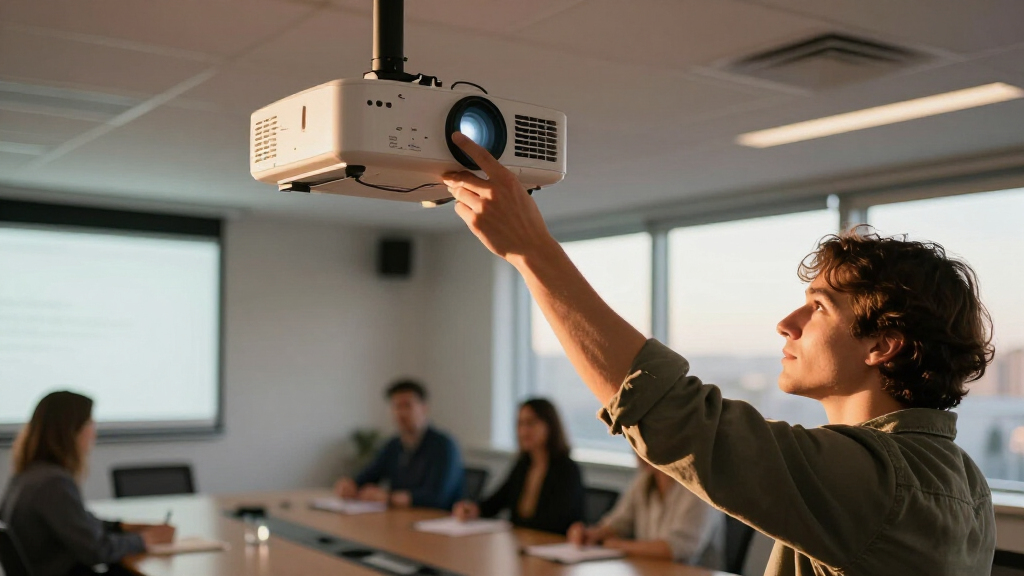
How We Picked
We evaluated each projector based on key performance factors relevant to conference room environments. Brightness, measured in lumens, was prioritized to ensure visibility in well-lit spaces. Resolution and image quality were critical for detailed presentations, while connectivity options needed to support modern devices. Build quality and ease of setup also influenced rankings, with a focus on models that balance performance with user-friendliness. Cost was considered in relation to features, helping identify options that offer the best value for different budgets. This approach ensures that each pick addresses specific needs, from small meeting rooms to larger corporate spaces.Factors to Consider When Choosing Business Projector For Conference Rooms
Selecting the right business projector involves more than just specs; understanding your space and usage patterns is key. Here are the main factors to consider when choosing a conference room projector to ensure your investment delivers clear, reliable presentations.Brightness and Lumens
Brightness, measured in lumens, directly impacts the projector’s visibility in ambient light. For conference rooms with windows or ceiling lights, a model with at least 4,000 lumens is recommended to prevent washed-out images. However, higher brightness often comes with increased cost and size, so balancing these factors based on your room’s lighting conditions is critical. Too dim, and your visuals will suffer; too bright, and you may pay for features you don’t need.
Resolution and Image Clarity
While Full HD (1080p) is generally sufficient for most conference presentations, some environments may benefit from higher resolutions, especially if detailed charts or graphics are involved. Keep in mind that resolution alone isn’t everything—contrast ratio and color accuracy also influence image quality. Lower-resolution models can suffice for simple slides but may fall short for complex visuals or high-end video playback.
Connectivity and Compatibility
Modern conference rooms require flexible connectivity options. HDMI is standard, but wireless capabilities, USB-C, and VGA inputs expand versatility. Wireless projection reduces cable clutter and allows quick sharing from multiple devices, but it may introduce latency or connection reliability issues. Ensuring the projector supports your existing devices and future upgrades can save headaches down the line.
Ease of Setup and Maintenance
Ease of installation varies widely—short throw models can be placed close to screens, saving space, while portable projectors offer quick setup but may lack power or brightness. Maintenance considerations like lamp replacement or laser longevity influence long-term costs. Choosing a model with straightforward setup and low ongoing maintenance can reduce downtime and operational stress.
Cost and Value
Higher price tags often correlate with advanced features like laser illumination, higher brightness, or better build quality. However, the most expensive option isn’t always the best fit—consider your room size, usage frequency, and budget. Investing in a slightly more capable model can pay off through improved reliability and lower maintenance costs over time, but overspending on unnecessary features should be avoided.
Frequently Asked Questions
How bright does a projector need to be for a conference room?
For typical conference rooms with ambient lighting, a projector with at least 4,000 lumens is recommended to maintain clear visuals without washing out. Larger or brighter spaces, or rooms with many windows, may require models with 5,000 lumens or more. Choosing the right brightness ensures your presentations are visible and professional, regardless of lighting conditions.
Is a laser projector worth the extra cost for conference rooms?
Laser projectors generally offer longer lifespan, lower maintenance, and more consistent brightness over time, making them a strong investment for frequently used conference rooms. While the upfront cost is higher, they reduce ongoing expenses related to lamp replacements and can provide better reliability, which benefits busy corporate environments. If your budget allows, a laser model often proves to be more cost-effective long-term.
Should I prioritize resolution or brightness for a conference room projector?
In most cases, brightness is more critical than resolution, especially in well-lit rooms. A bright projector ensures your visuals are visible to all attendees, even with ambient light. However, if your presentations involve detailed graphics or high-definition videos, a balance of both—such as Full HD resolution with high lumens—is ideal. Prioritize based on your typical content and room lighting conditions.
What connectivity features are most important for conference room projectors?
HDMI remains essential for wired device connections, but wireless options like Wi-Fi or Bluetooth enable quick sharing from laptops, tablets, and smartphones. USB-C ports are increasingly common and support fast data transfer. Consider your existing devices and future needs—models with multiple input options and wireless capabilities tend to offer more flexibility and smoother presentations.
How does room size influence the choice of projector?
Room size dictates both the required brightness and throw distance. Small rooms benefit from short-throw or ultra-short-throw projectors that can be placed close to the screen, reducing shadows and clutter. Larger spaces require powerful models with higher lumens and longer throw distances to project clear images across wider areas. Matching the projector specifications to your room size ensures the visuals are sharp and easily visible for everyone.
Conclusion
For most conference room setups, the ViewSonic PS502W offers a compelling balance of brightness, ease of use, and affordability, making it the best overall choice. If your focus is on long-term value and low maintenance, a laser model like the Optoma ZH521 shines. Those new to conference tech or with smaller spaces will benefit from portable options like the Epson EpiqVision Flex CO-W01. Larger, well-lit rooms demanding high brightness should consider models such as the Epson Pro EX11000 or ViewSonic LS740HD. Ultimately, your selection depends on room size, budget, and specific presentation needs, but these picks cover the most common requirements effectively.
As an affiliate, we earn on qualifying purchases.Halloween Picks
halloween