TL;DR

Get business pricing on tech for your team
- Business-only prices and quantity discounts
- Tax-exempt purchasing
- Multiple users, one account, clear invoices
Prebuilt AI workstations now often match or beat DIY builds on price and reliability, thanks to component shortages and bulk buying. The choice depends on your need for control, speed, and support, not just cost.
You’ve probably heard that building your own AI workstation saves money. That was true for years. But in 2026, the landscape has shifted. Now, prebuilt systems can cost the same or even less, thanks to supply chain issues and bulk discounts.
This isn’t just about dollars. It’s about time, reliability, and peace of mind. Do you want to tinker with cooling, BIOS, and compatibility? Or do you prefer to power up and start training models in minutes? This guide breaks down the real tradeoffs—so you can choose what fits your workflow and budget best. You might also consider building vs buying a prebuilt AI workstation to make an informed decision.
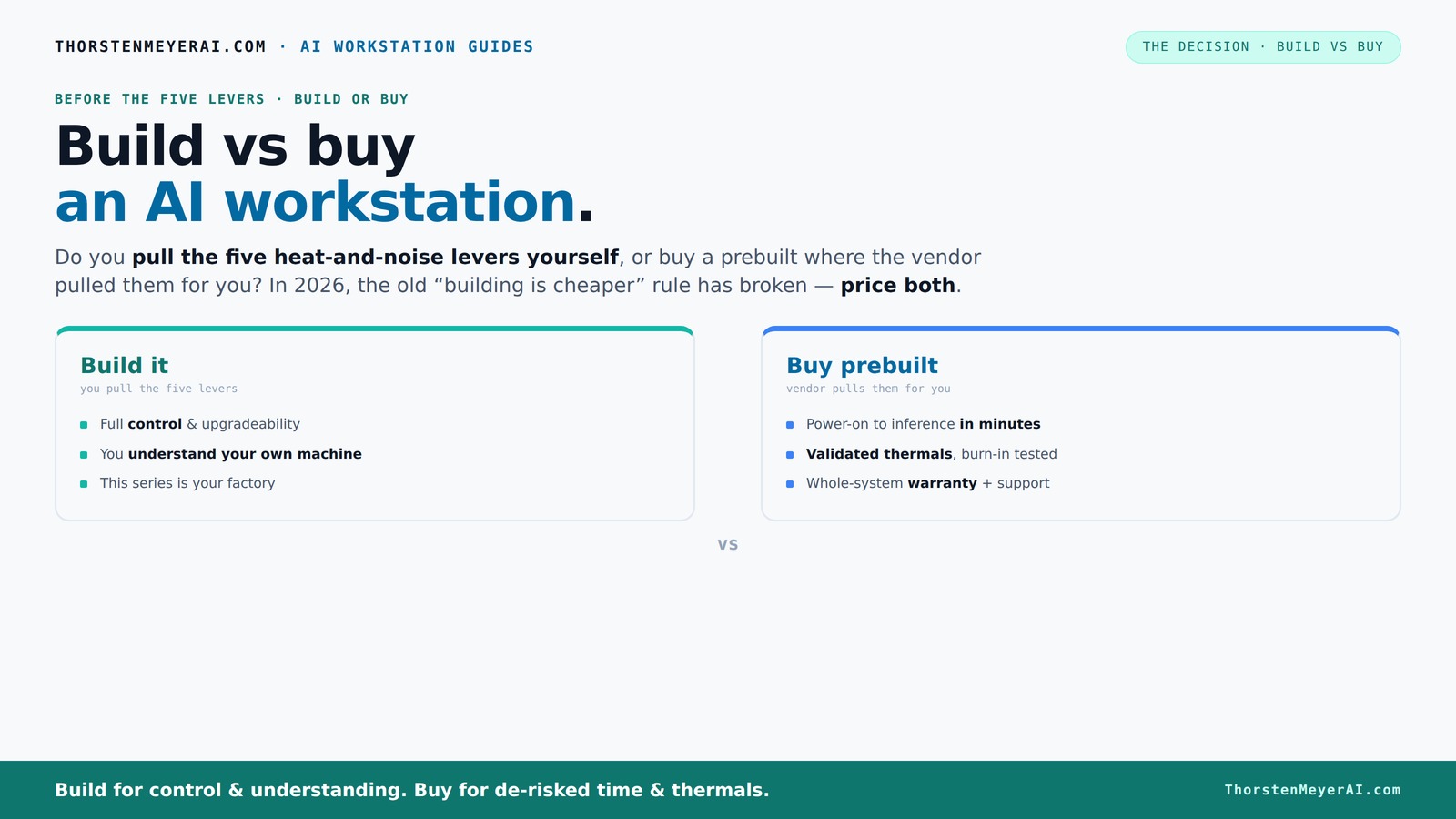
Build vs buy
an AI workstation.
The real question behind this whole series: do you pull the five heat-and-noise levers yourself, or buy a prebuilt where the vendor pulled them for you? And in 2026, the old “building is cheaper” rule has broken. Match your situation in Part 3.
Key Takeaways
- Component shortages in 2026 make prebuilt AI workstations often cheaper than DIY builds, especially for high-end specs.
- Prebuilts come with validated thermals, stability, and support, reducing setup time and risk of failure.
- Building your own offers unmatched control over parts, cooling, and future upgrades, ideal for long-term flexibility.
- Support and warranties are stronger with prebuilt systems, vital for mission-critical AI workloads.
- Your choice depends on whether you prioritize immediate deployment or long-term control and customization.
As an affiliate, we earn on qualifying purchases.
Why 2026 Changes the Build vs Buy Game
For years, building your own AI workstation was the clear winner on price. You picked every part, saved a few hundred bucks, and learned a ton. But now, shortages and inflation have hit the component market hard. DDR5 RAM, high-end GPUs, and SSDs have all doubled or tripled in price since 2024.
Meanwhile, big vendors like Dell, Lenovo, and Lambda have bought in bulk and locked in lower prices. For more insights, see build vs buy a prebuilt AI workstation. They’re passing those savings to customers—sometimes even beating DIY prices on the same specs. It’s no longer a given that building always saves money. Now, it’s essential to price both options for your exact needs.
Understanding these shifts is crucial because they influence your long-term value. If prebuilt systems are cheaper or comparable in cost, the decision isn't just about initial investment but also about the total cost of ownership, including support, upgrades, and potential downtime. The economic landscape is forcing a reevaluation of what "savings" really mean, emphasizing the importance of evaluating the full lifecycle of your system.
As an affiliate, we earn on qualifying purchases.
The Heat and Noise Levers: Who Pulls Them?
Building your own means you control the cooling, airflow, and noise levels. You pick a quiet GPU, undervolt it, choose a case with sound-dampening panels, and tune the fans just right. It’s like customizing a car engine for performance and silence.
Prebuilt vendors do this work for you. They validate thermal performance, run burn-in tests, and often include water-cooling or custom fans—saving you hours of trial and error. To explore options, check out build vs buy a prebuilt AI workstation. For example, BIZON claims systems that run 30% cooler and quieter right out of the box.
These thermal and acoustic considerations are more than just comfort—they directly impact system stability, longevity, and performance. For instance, excessive heat can throttle GPU performance or reduce component lifespan, leading to costly repairs or replacements. Noise levels matter too; a quieter system minimizes distractions in a busy workspace, which can improve focus and productivity. The choice between DIY and prebuilt often hinges on how much you value these factors and whether you’re willing to invest time optimizing thermal solutions yourself or prefer a plug-and-play setup that’s optimized from the start.
As an affiliate, we earn on qualifying purchases.
Quick-Start vs Custom Control: Which Fits You?
If you need to start training a model yesterday, a prebuilt is your best bet. It arrives with the OS, drivers, and AI software stack ready. Just plug in, and you're off to the races.
On the flip side, building your own gives unmatched control. You pick the exact GPU, CPU, RAM, cooling, and case. Want a 4,096-core CPU or a 4x RTX 4090 setup? You decide. Plus, you learn how each part works, which pays off if you need to troubleshoot or upgrade later.
This choice is about your workflow. Do you value speed or control? The decision reflects your priorities—if rapid deployment is essential, prebuilt systems are advantageous. But if you anticipate future needs or want to fine-tune performance, building provides a platform for customization that can adapt over time, potentially saving costs and effort in the long run.
As an affiliate, we earn on qualifying purchases.
Support, Warranty, and Reliability — What You Get
Prebuilt systems come with support and warranties. If something fails during a training run, you call the vendor. They troubleshoot, replace parts, or even ship a new system in days. Learn more about reliable AI hardware support at build vs buy a prebuilt AI workstation. Some, like Puget Systems, test every system under load for 48 hours before shipping.
Building your own means you rely on separate warranties for each part—GPU, motherboard, RAM. When something breaks, you fix it yourself or pay someone else. It’s more work, but also more control.
For professional AI work, support and reliability often justify the extra cost of a prebuilt. It’s peace of mind for mission-critical projects. The ability to quickly resolve hardware issues without extensive downtime can be the difference between meeting a project deadline and falling behind, especially when dealing with complex AI workflows that demand high system availability.
Cost and Total Value: Is DIY Still Cheaper?
On paper, building your own machine used to save money. But today, with component prices soaring, the gap shrinks or even flips. A DIY build that used to cost $1,200 might now run over $1,500, while prebuilt options can land at $1,400 or less.
Plus, consider hidden costs: troubleshooting, compatibility issues, parts that don’t fit, or late-night BIOS updates. Prebuilts include these tests and support, often saving you hours—or days—of frustration.
Beyond just initial costs, think about the value of your time. Troubleshooting hardware conflicts, waiting for parts, or dealing with compatibility issues can quickly outweigh any savings. For detailed guidance, visit build vs buy a prebuilt AI workstation. Prebuilts, with their tested configurations and dedicated support, reduce this risk, providing a more predictable and less stressful experience. In the end, the true value isn't just in dollars but also in peace of mind and operational efficiency.
Upgrade Paths and Future-Proofing
Building your own offers the best upgradeability. Want to swap in a new GPU in 2027? You probably can, if you choose a standard ATX case and motherboard. For more on future-proofing, see build vs buy a prebuilt AI workstation. RAM, storage, and power supplies are usually easy to upgrade too.
Prebuilt systems often use proprietary connectors or limited upgrade paths. Some OEMs restrict GPU size or use custom power cables that make future upgrades tricky or expensive.
Consider this: if you plan to keep your machine for five years or more, the ability to upgrade could save you thousands in the long run. The flexibility to adapt your hardware as technology evolves ensures your investment remains relevant and capable, avoiding premature obsolescence and costly replacements.
Recent Developments in AI Workstation Market
The market for AI PCs is changing fast. Dell and other OEMs now offer systems with AI-optimized hardware, like NPUs that offload AI tasks, making them faster and more efficient out of the box. Some even include features like deepfake detection or background offloading in real time.
Community chatter shows that prebuilt systems are often more capable and ready for AI workloads than ever before. Their improved value and performance make them a serious contender—even for hobbyists and small teams.
Meanwhile, building your own still offers the thrill of customization and learning, but the gap is narrowing. The latest hardware innovations are making prebuilt solutions more accessible and effective, reducing the need for extensive tinkering and enabling faster deployment of AI projects.
Frequently Asked Questions
Is it cheaper to build or buy a prebuilt AI workstation?
In 2026, component shortages have pushed up DIY costs, making prebuilt systems often just as affordable or even cheaper. Always compare prices for your exact specs before deciding.Which option offers better AI performance for the money?
Prebuilts often include optimized hardware and software tuned for AI workloads, providing better out-of-the-box performance. DIY can match or surpass this with custom tuning, but takes time.Can I upgrade a prebuilt later?
Many prebuilts use proprietary parts, limiting future upgrades. Check the model’s upgradeability if you plan to expand or refresh your system in the coming years.What support should I expect with a prebuilt?
Prebuilts come with manufacturer support and warranties, making troubleshooting easier and faster. DIY relies on separate warranties for each part, often requiring more effort on your part.When does building stop being worth it?
If your time is limited or you need a reliable, ready-to-run system immediately, buying prebuilt makes more sense. For maximum control and future flexibility, building remains valuable.Conclusion
In 2026, the old rule—"build for savings, buy for quick setup"—no longer holds universally. Price, support, and reliability are tilting the balance toward prebuilt systems, especially for demanding AI workloads.
If you value speed and peace of mind, a prebuilt can get you training models faster. But if you love tinkering and plan future upgrades, building your own still makes sense. The real trick is knowing what matters most for your project—and choosing accordingly.
Fall Picks
fall essentials
As an affiliate, we earn on qualifying purchases.