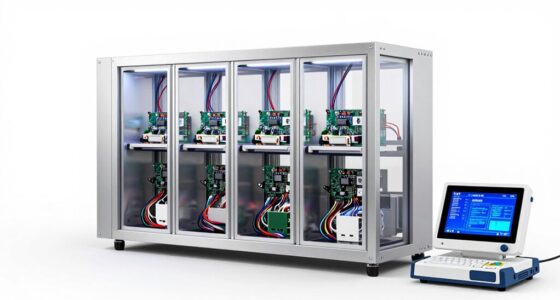

To build the best Proxmox server for labs, you need high-performance, reliable hardware with room to grow. Opt for multi-core, hyper-threaded CPUs like AMD Ryzen or Intel Xeon, and start with at least 32GB of RAM for responsiveness. Use SSDs for your OS and critical VMs, while HDDs handle bulk storage. Invest in high-speed networking and quality power supplies with UPS protection. Choosing hardware with expandability, support, and security features helps guarantee your lab runs smoothly as it scales—keep exploring to learn more.
Key Takeaways
- High-core, multi-threaded CPUs like Intel Xeon or AMD Ryzen ensure efficient VM performance and scalability.
- Solid-state drives (SSDs) combined with HDDs optimize speed for critical operations and bulk storage.
- Support for high-speed network interfaces (10Gbps NICs) and VLANs enhances connectivity and security.
- Reliable power supplies, UPS systems, and proper airflow prevent hardware failures and ensure continuous operation.
- Expandable, hot-swappable components and comprehensive warranties facilitate maintenance and future upgrades.
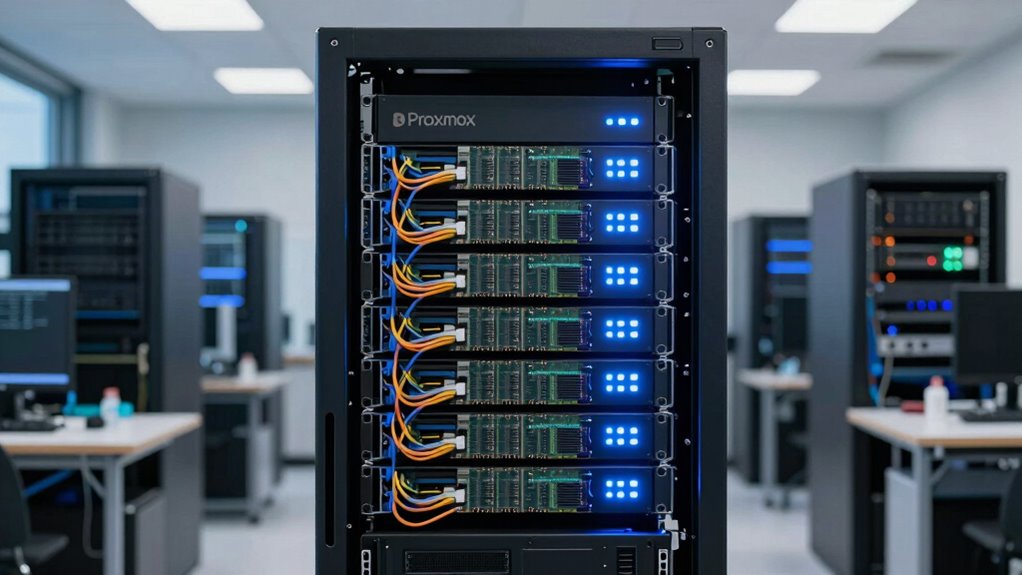
Setting up a Proxmox lab requires selecting the right hardware to guarantee reliable performance and scalability. Your hardware choices directly impact how smoothly your virtual environment runs, especially when it comes to network security and storage solutions. To optimize your setup, focus on components that support robust network connections and flexible storage options, assuring your lab can grow and adapt as needed.
Start with your processor. You need a CPU that offers multiple cores and hyper-threading capabilities, so your virtual machines perform efficiently without bottlenecks. Intel Xeon or AMD Ryzen processors are popular choices, providing the processing power necessary for running several VMs simultaneously. Adequate RAM is equally critical; aim for at least 32GB if you’re starting out, with room to expand. More memory helps keep your virtual environments responsive and reduces the risk of performance issues as your lab scales.
Choose multi-core, hyper-threaded CPUs like Intel Xeon or AMD Ryzen for efficient VM performance and scalability.
Storage solutions are pivotal in creating a resilient and flexible Proxmox environment. Combining fast SSDs for your operating system and critical VMs with larger HDDs for bulk storage strikes a good balance between speed and capacity. Using RAID configurations, such as RAID 10, enhances data redundancy and performance, safeguarding your data against drive failures. Consider setting up a dedicated storage server or NAS if you plan to manage substantial data, as this simplifies backups and disaster recovery while supporting advanced storage features like snapshots and thin provisioning. Additionally, choosing hardware with expandable storage options ensures your system can grow with your needs. Incorporating hardware with redundant power supplies** can further improve reliability, especially in a continuous operation environment. Investing in enterprise-grade drives can also help extend the lifespan of your storage solutions, minimizing downtime and maintenance. Moreover, selecting hardware with hot-swappable drives** can facilitate easier maintenance and upgrades without significant downtime. Regularly monitoring your storage health and performance can preempt potential failures and data loss.
Network security should be a top priority when selecting hardware. Invest in a managed switch that supports VLANs, enabling you to segment your network for different purposes—like isolating management traffic from VM traffic for added security. A reliable network interface card (NIC), preferably with 10Gbps support, ensures fast data transfer between your server and storage devices. Hardware firewalls or routers with advanced security features help control inbound and outbound traffic, protecting your virtual environment from external threats. Implementing features like network segmentation and access controls makes your lab more secure and easier to manage.
Finally, verify your hardware is reliable and capable of handling continuous operation. Quality power supplies with sufficient wattage, uninterruptible power supplies (UPS), and good airflow prevent hardware failures and overheating, keeping your lab running smoothly. When selecting components, balance performance, expandability, and security features, so your Proxmox lab remains reliable, scalable, and safe from cyber threats. Additionally, ensuring your hardware has comprehensive support and warranty can save time and money in case of failures or upgrades. With the right hardware in place, you’ll be better equipped to explore virtualization, test new configurations, and develop skills in a controlled environment.

Dell PowerEdge T140 Mini Tower Server with Intel Xeon 3.3GHz CPU, 32GB DDR4 RAM, 8TB HDD Storage, RAID (Renewed)
- Ideal for Small Businesses: Suitable for small offices and home use
- Powerful Intel Xeon CPU: Quad-Core 3.3GHz with Turbo up to 4.3GHz
- Ample Memory: 32GB DDR4 RAM for multitasking
As an affiliate, we earn on qualifying purchases.
As an affiliate, we earn on qualifying purchases.
Frequently Asked Questions
How Much RAM Is Optimal for a Proxmox Lab Server?
You should aim for at least 32GB of RAM for a Proxmox lab server, especially if you plan to run multiple VMs or containers. More RAM improves networking security by enabling you to isolate environments effectively. Make certain your hardware compatibility is solid, with support for high-performance memory modules. Adequate RAM helps maintain stability, scalability, and smooth operation as your lab grows, making it a vital investment for reliable testing.
What Is the Best Storage Type for Lab Environments?
You should choose SSDs for your lab environment because they offer fast read/write speeds, improving overall performance. Consider NVMe SSDs for even better latency and throughput, especially if you’re running multiple VMs. Look into different storage options like local disks or shared storage, and guarantee your network configurations support high-speed data transfer. This setup helps ensure your Proxmox lab runs smoothly, with quick access to all your virtual resources.
Can Consumer-Grade Hardware Run Proxmox Effectively?
Think of consumer-grade hardware as a sturdy but basic toolbox. It can run Proxmox effectively if you pay attention to hardware compatibility and network configuration. While it might not handle heavy workloads like enterprise gear, it’s perfect for small labs or testing environments. Just make certain your CPU, RAM, and storage meet Proxmox’s requirements, and you’ll be steering virtual environments smoothly, like a sailor charting familiar waters.
How Important Is CPU Virtualization Support?
CPU virtualization support is essential for maximum hardware compatibility and virtualization performance in your Proxmox server. Without features like Intel VT-x or AMD-V, your virtual machines may run slower or encounter stability issues. Activating these features guarantees smooth operation, better resource utilization, and reliable VM management. So, investing in a CPU with robust virtualization support directly impacts your lab’s efficiency and overall system stability.
What Are the Power Consumption Considerations for Lab Servers?
Your lab server’s power consumption is vital—you want it to sip energy, not gulp it like a roaring beast. Prioritize power efficiency to cut down on energy costs and reduce heat output, which can impact hardware longevity. Choose energy-efficient components, like low-power CPUs and SSDs, and consider power management features. Doing so keeps your lab eco-friendly, saves money, and guarantees your server runs smoothly without draining your budget.

SANDISK 2TB Extreme Portable SSD (Old Model) – Up to 1050MB/s, USB-C, USB 3.2 Gen 2, IP65 Water and Dust Resistance, Updated Firmware – External Solid State Drive – SDSSDE61-2T00-G25
- High-speed NVMe Performance: Up to 1050MB/s read, 1000MB/s write
- Durable and Water-resistant: IP65 rated, 3-meter drop protection
- Portable and Secure: Includes carabiner loop for attachment
As an affiliate, we earn on qualifying purchases.
As an affiliate, we earn on qualifying purchases.
Conclusion
In the end, choosing the right Proxmox server hardware can feel like wielding a magic wand—you’ll gain access to lightning-fast performance and rock-solid stability for your labs. Focus on powerful CPUs, ample RAM, and reliable storage to build a setup that’s practically unstoppable. When you get it right, your lab environment will run smoother than a spaceship soaring through the cosmos. So, don’t settle—craft a server that’s truly legendary and watch your virtual world thrive!

TP-Link TL-SX105, 5 Port 10G/Multi-Gig Unmanaged Ethernet Switch
- High-Speed 10G Ports: Five 10-Gigabit ports for fast connections
- Multi-Gig Compatibility: Auto-negotiates between 100Mb to 10G speeds
- Optimal Device Support: Compatible with WiFi 6, NAS, gaming, and more
As an affiliate, we earn on qualifying purchases.
As an affiliate, we earn on qualifying purchases.

TERRAMASTER D4-320 External Hard Drive Enclosure 4-Bay (Diskless)
- High-Speed Data Transfer: Up to 10Gbps via USB 3.2 Gen2
- High Capacity Support: Supports up to 120TB total capacity
- Versatile Drive Compatibility: Compatible with 3.5" and 2.5" SATA drives and SSDs
As an affiliate, we earn on qualifying purchases.
As an affiliate, we earn on qualifying purchases.