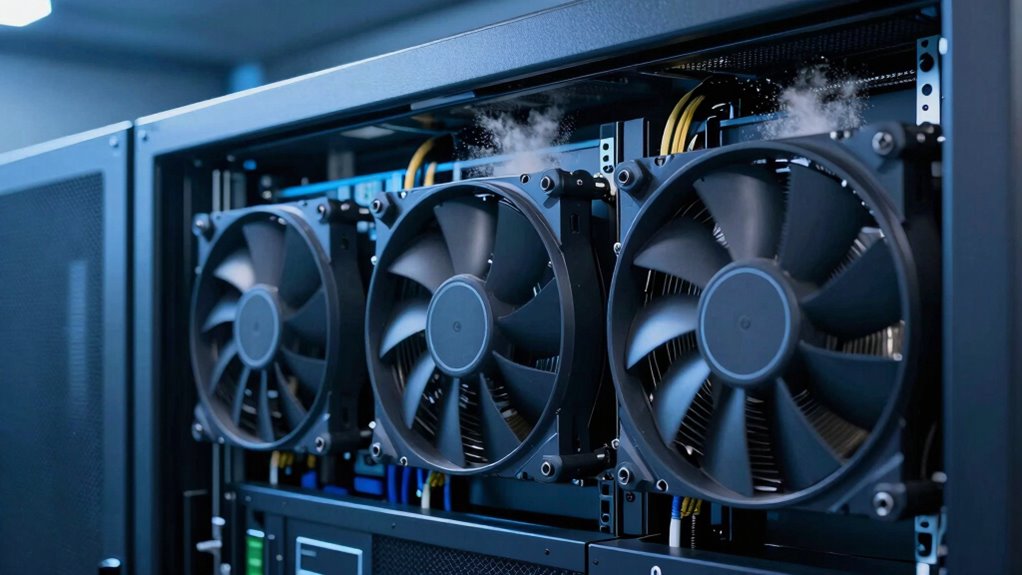

When it comes to maintaining optimal temperatures in server cabinets, choosing the right cooling fan is essential. The best overall pick for 2026 is the AC Infinity AIRCOM S7 for its quiet operation and effective airflow. The StarTech 120mm Axial Rack Muffin Fan stands out for its low noise level, making it perfect for noise-sensitive environments. However, tradeoffs exist—higher airflow fans may generate more noise, while quieter models might offer less cooling power. Continue reading for a detailed breakdown of these options, their strengths, and limitations.

Get business pricing on tech for your team
- Business-only prices and quantity discounts
- Tax-exempt purchasing
- Multiple users, one account, clear invoices
Key Takeaways
- Top-performing fans balance airflow capacity with noise levels, helping maintain server health without disturbing the environment.
- Installation ease varies significantly; models requiring no drilling or minimal setup are preferable for quick deployment.
- Size and compatibility are critical; selecting a fan that fits your cabinet‘s dimensions and power requirements is essential.
- Price ranges span from budget-friendly options to premium units, with higher costs often correlating with quieter operation and better build quality.
- Versatility matters; fans with adjustable speeds and multiple power options provide more control and flexibility in different setups.
| AC Infinity Rack Roof Fan Kit, Quiet Dual Fans with Speed Controller |  | Best Overall for Rack Mounting and Custom Control | Size: 120mm | Number of Fans: 2 | Airflow: 200 CFM | VIEW ON AMAZON | See Our Full Breakdown |
| Cabinet Cooling Fan – No Drilling Required, Slim and Quiet for Electronics and Server Racks |  | Best for Easy, No-Drill Installation in Tight Spaces | Size: 120mm | Power: 5V USB | Design: Ultra-slim, gap-flow | VIEW ON AMAZON | See Our Full Breakdown |
| AC Infinity AIRCOM S7 Quiet Cooling Fan System, 12-inch Top-Exhaust |  | Best for Electronics with Thermal Trigger and Variable Speed | Dimensions: 11.6 x 6.3 x 1.5 in | Exhaust: Top | Airflow: 140 CFM | VIEW ON AMAZON | See Our Full Breakdown |
| StarTech 120mm Axial Rack Muffin Fan, 115V AC, 107 CFM, Quiet |  | Best for Reliable Rack Cooling with Standard AC Power | Size: 120mm x 38mm | Voltage: 115V AC | CFM: 107 | VIEW ON AMAZON | See Our Full Breakdown |
| Pair of 120mm 4-inch 110V Network Cabinet Fans (2 Pack) |  | Best for Ready-to-Use Network and Media Cabinet Cooling | Fan Size: 120mm / 4 inches | Voltage: 110V | Airflow: 95/110 CFM | VIEW ON AMAZON | See Our Full Breakdown |
| AC Infinity MULTIFAN S7 Ultra-Quiet Dual 120mm USB Fan with Speed Controller |  | Best for Quiet, Flexible Electronics Cooling | Dimensions: 4.7 x 4.7 x 1 in. per fan | Total Airflow: 104 CFM | Noise Level: 19 dBA | VIEW ON AMAZON | See Our Full Breakdown |
| AC Infinity AIRPLATE S3 6-inch Quiet Cabinet Cooling Fan with Speed Controller |  | Best for Versatile, Quiet Cabinet Cooling | Dimensions: 6.3 x 6.3 x 1.3 inches | Airflow: 52 CFM | Noise: 18 dBa | VIEW ON AMAZON | See Our Full Breakdown |
| Rack Mount Fan – 4 Fans, 1U 19″ with Adjustable Temperature & Digital Display |  | Best for Precise, Rack-Integrated Cooling | Number of Fans: 4 | Size: 1U 19″ | Temperature Control: Adjustable | VIEW ON AMAZON | See Our Full Breakdown |
| AC Infinity AIRPLATE S1 Quiet Cabinet Cooling Fan 4″ with Speed Controller |  | Best for Compact, Adjustable Cabinet Cooling | Dimensions: 4.6 x 4.6 x 1.3 in | Airflow: 26 CFM | Noise: 17 dBA | VIEW ON AMAZON | See Our Full Breakdown |
| Computer Fan with AC Plug, 120mm Variable Speed Axial Fan with Controller, 120V/110V/220V |  | Best for Versatile, High-Performance AC Cooling | Size: 120 x 120 x 25 mm | Rated Voltage: 12V | Airflow: 95.8 CFM | VIEW ON AMAZON | See Our Full Breakdown |
| server cabinet cooling fan | Airflow | Size | Noise Level |
|---|---|---|---|
| AC Infinity Rack Roof Fan Kit | 200 CFM | 120mm | 26 dBA |
| Cabinet Cooling Fan | — | 120mm | — |
| AC Infinity AIRCOM S7 Quiet Co | 140 CFM | — | — |
| StarTech 120mm Axial Rack Muff | — | 120mm x 38mm | 45.7 dBA |
| Pair of 120mm 4-inch 110V Netw | 95/110 CFM | — | 45 dBA |
| AC Infinity MULTIFAN S7 Ultra- | — | — | 19 dBA |
| AC Infinity AIRPLATE S3 6-inch | 52 CFM | — | — |
| Rack Mount Fan | — | 1U 19" | — |
| AC Infinity AIRPLATE S1 Quiet | 26 CFM | — | — |
| Computer Fan with AC Plug | 95.8 CFM | 120 x 120 x 25 mm | <41dB |
More Details on Our Top Picks
AC Infinity Rack Roof Fan Kit, Quiet Dual Fans with Speed Controller
This fan kit stands out for its robust build quality and precise airflow management, making it ideal for users who need a reliable, quiet cooling solution directly on their server racks. Compared with the StarTech 120mm Axial Rack Muffin Fan, it offers adjustable PWM speed controls and a higher airflow of 200 CFM, giving users more control over noise and cooling efficiency. The heavy-duty steel construction ensures durability under continuous operation, a key advantage over less sturdy options. The tradeoff is its limited compatibility, designed specifically for 19-inch racks, and it requires some technical installation knowledge. It’s perfect for data centers or professional environments where customized airflow and durability matter most.
Pros:- Heavy-duty steel construction for durability
- PWM speed control allows tailored airflow
- High airflow capacity of 200 CFM
- Quiet operation at 26 dBA
Cons:- Limited to 19-inch rack compatibility
- Requires technical installation
- No smart or remote control features
Best for: IT professionals and data center managers needing durable, adjustable, rack-mounted cooling.
Not ideal for: Home users or small office setups without 19-inch racks, due to its installation complexity and specific design.
- Size:120mm
- Number of Fans:2
- Airflow:200 CFM
- Noise Level:26 dBA
- Bearings:Dual Ball
- Compatibility:Standard 19-inch racks
Our verdict“This kit is best suited for those who need a durable, customizable rack cooling solution with quiet operation and are comfortable with installation complexity.”
Cabinet Cooling Fan – No Drilling Required, Slim and Quiet for Electronics and Server Racks
This slim USB-powered fan excels at quick, tool-free installation, making it an attractive choice for users who want to enhance cooling without modifying their cabinets. Unlike the StarTech 120mm Axial Rack Muffin Fan, which requires standard AC power and is more suited for fixed installations, this fan uses a simple USB connection, offering flexibility for various environments. Its ultra-slim design allows it to fit into gaps or existing ventilation spaces, ideal for home theaters or gaming setups. The main tradeoff is its dependence on existing gaps and USB power, limiting its capacity for demanding cooling needs. It’s best for users seeking a discreet, easy-to-attach cooling solution in limited spaces.
Pros:- No drilling or hardware needed for installation
- Quiet operation suitable for home environments
- Universal USB power compatibility
- Ultra-slim profile for tight spaces
Cons:- Dependent on existing gaps or ventilation slots
- Limited to 5V USB power source
- Not suitable for high-heat or large cooling loads
Best for: Home entertainment enthusiasts or small office users who need quick, non-invasive cooling for electronics or media cabinets.
Not ideal for: Large server rooms or high-heat environments, as its cooling capacity and installation are limited by space and power source constraints.
- Size:120mm
- Power:5V USB
- Design:Ultra-slim, gap-flow
- Application:Electronics enclosures
Our verdict“This fan is perfect for users who need a quick, easy, and non-destructive cooling upgrade for small or media cabinets.”
AC Infinity AIRCOM S7 Quiet Cooling Fan System, 12-inch Top-Exhaust
The AC Infinity AIRCOM S7 offers a larger, 12-inch top-exhaust design, making it suitable for cooling larger electronics like routers, modems, or gaming consoles. Compared with the StarTech 120mm Axial Fan, it provides a significantly larger airflow at 140 CFM and features thermal trigger modes that activate fans only when needed, reducing noise and power consumption. Its quiet operation at 19 dBA makes it suitable for quiet office or media room environments. However, the top-exhaust configuration limits placement options, and it might be overkill for small devices. It’s a good choice for those who want a quiet, larger-scale cooling system with smart thermal responses.
Pros:- Quiet operation at 19 dBA
- Thermal trigger modes reduce unnecessary noise
- Large 12-inch size for effective cooling
- Multiple speed control options
Cons:- Limited to top-exhaust installation
- Size may be cumbersome in tight spaces
- More expensive than smaller fans
Best for: Home users or small office operators seeking efficient, quiet cooling for larger electronics and media devices.
Not ideal for: Rack mount environments or situations requiring ducted or multi-directional airflow, due to its top-exhaust setup and size.
- Dimensions:11.6 x 6.3 x 1.5 in
- Exhaust:Top
- Airflow:140 CFM
- Noise:19 dBA
Our verdict“Best suited for users needing quiet, large-scale cooling with smart thermal control for larger electronics.”
StarTech 120mm Axial Rack Muffin Fan, 115V AC, 107 CFM, Quiet
This 120mm metal-frame fan offers solid airflow and durability, making it suitable for continuous use in server racks and cabinets. Compared with the AC Infinity Rack Roof Fan Kit, it provides a lower airflow of 107 CFM but maintains quieter operation at 45.7 dBA, making it suitable for environments where noise levels are a concern. Its robust metal construction and straightforward AC connection make it a dependable choice for standard rack cooling. The tradeoff is the lack of variable speed control, which limits fine-tuning. It’s ideal for users who prioritize reliability and durability over adjustable airflow.
Pros:- Durable metal construction
- Reliable 115V AC power operation
- High airflow of 107 CFM
- Includes installation accessories
Cons:- No variable speed control
- Heavier metal frame may complicate installation
- Higher noise level compared to PWM fans
Best for: IT departments or data centers requiring consistent, reliable cooling with minimal fuss.
Not ideal for: Home users or those needing adjustable speed or smart features, as it offers no variable control and is relatively heavy.
- Size:120mm x 38mm
- Voltage:115V AC
- CFM:107
- Noise Level:45.7 dBA
- Operating Temperature:-10°C to 70°C
- Material:Metal
Our verdict“This fan is best for those who need durable, reliable cooling in rack environments without the need for fine airflow adjustments.”
Pair of 120mm 4-inch 110V Network Cabinet Fans (2 Pack)
This 2-pack of 120mm axial fans offers a straightforward solution for maintaining airflow in standard 19-inch network cabinets. Compared with the AC Infinity AIRCOM S7, which is larger and more feature-rich, these fans focus on simplicity and affordability, with airflow rates of 95/110 CFM at a noise level of 45 dBA. They include quick-mount silicone rubber screws and self-tapping screws, making installation straightforward. The main tradeoff is the lack of speed control, which limits tuning flexibility, and the steel frame adds weight, possibly complicating mounting in some setups. This set is well-suited for users who want reliable, quiet cooling without fuss or complex controls.
Pros:- Quiet operation at 45 dBA
- Effective airflow for cooling equipment
- Includes mounting hardware for quick setup
- Fits standard 19-inch cabinets
Cons:- No speed control options
- Requires 110V power supply, limiting geographical use
- Steel frame adds weight
Best for: Network administrators or media cabinet owners seeking easy, effective cooling for 19-inch racks with minimal setup.
Not ideal for: Environments requiring adjustable fan speeds or more sophisticated thermal management, due to fixed speed operation.
- Fan Size:120mm / 4 inches
- Voltage:110V
- Airflow:95/110 CFM
- Speed:2600-2800 rpm
- Noise Level:45 dBA
- Application:Network/media cabinets
Our verdict“This fan pack is ideal for users who need reliable, quiet cooling with easy installation in standard network cabinets without adjustable controls.”
AC Infinity MULTIFAN S7 Ultra-Quiet Dual 120mm USB Fan with Speed Controller
The AC Infinity MULTIFAN S7 excels in delivering low-noise operation, making it ideal for environments where noise is a concern. Compared to larger fans like the AC Infinity AIRPLATE S3, its dual 120mm design provides a modest 104 CFM airflow, which is suitable for small to medium electronic components but falls short for high-density server racks. Its multi-speed controller offers customizable airflow, but dependence on USB power limits its placement options, especially in setups without accessible USB ports. The dual-ball bearings ensure a long lifespan of 67,000 hours, supporting continuous operation. Its small size and flexible positioning make it a good choice for desktop or small cabinet cooling, but it may not handle large-scale server heat loads efficiently.
Pros:- Ultra-quiet operation with only 19 dBA noise level
- Multi-speed control for tailored airflow
- Long-lasting dual-ball bearings
- Flexible positioning options
Cons:- Limited to USB power, reducing placement flexibility
- Small size restricts cooling power for larger cabinets
Best for: Small office or home server setups where noise reduction is a priority.
Not ideal for: Large data centers or high-density server cabinets requiring high airflow capacities.
- Dimensions:4.7 x 4.7 x 1 in. per fan
- Total Airflow:104 CFM
- Noise Level:19 dBA
- Bearings:Dual Ball
- Power Source:USB
- Lifespan:67,000 hours
Our verdict“This fan is best suited for users needing quiet, flexible cooling for small electronic setups.”
AC Infinity AIRPLATE S3 6-inch Quiet Cabinet Cooling Fan with Speed Controller
The AC Infinity AIRPLATE S3 stands out for its sleek aluminum frame and quiet operation, making it a strong contender for cooling small to medium cabinets. In comparison to the AC Infinity MULTIFAN S7, it offers a larger 6-inch size with 52 CFM airflow, providing better performance for enclosed cabinets, but its size may not fit all spaces. Its multi-speed controller allows precise airflow adjustments, and the option to use a Turbo Adapter boosts performance by 25%, which is useful for more demanding environments. The fan’s modern design and dual-ball bearings ensure durability, but the need for an additional power adapter and size constraints can limit flexibility. It’s ideal for users seeking a quiet, stylish cooling solution with moderate airflow needs.
Pros:- Quiet operation at 18 dBa
- Adjustable speed with multi-speed control
- Modern aluminum frame with stylish finish
- Versatile power options including USB
Cons:- Limited to 6-inch size, restricting use in larger cabinets
- Performance boost depends on Turbo Adapter, not included
Best for: Home or small office users needing quiet, adjustable cooling with a sleek appearance.
Not ideal for: Large server environments or cabinets requiring high airflow or more aggressive cooling.
- Dimensions:6.3 x 6.3 x 1.3 inches
- Airflow:52 CFM
- Noise:18 dBa
- Bearings:Dual Ball
- Power Source:Wall outlet or USB
- Performance Boost:25%
Our verdict“This fan is ideal for users who prioritize quiet, stylish cooling in small to medium cabinets with moderate airflow needs.”
Rack Mount Fan – 4 Fans, 1U 19″ with Adjustable Temperature & Digital Display
The Rack Mount Fan offers an integrated cooling solution with adjustable temperature control and a digital LCD, making it highly suitable for server, network, or AV cabinets. Its 1U design allows easy installation in standard racks, and the four fans provide a balanced airflow. Unlike smaller, standalone fans, this model enables precise temperature management, but its fixed 1U size limits its use in larger or custom enclosures. The digital display adds convenience, although the lack of detailed energy efficiency info might concern power-conscious users. If your priority is integrated, automatic temperature regulation with minimal noise, this makes a compelling choice.
Pros:- Adjustable temperature control for optimal cooling
- Quiet operation with noise-controlled fans
- Compact 1U rack-mount design
- Easy-to-read digital LCD display
Cons:- Limited to 1U rack space, not suitable for larger enclosures
- No detailed info on energy efficiency or power source
Best for: Professionals managing server or network cabinets needing precise temperature control.
Not ideal for: Small or portable setups where rack mounting isn’t possible or preferred.
- Number of Fans:4
- Size:1U 19″
- Temperature Control:Adjustable
- Display:Digital LCD
Our verdict“This cooling fan is best for rack-mounted environments requiring precise, automated temperature regulation.”
AC Infinity AIRPLATE S1 Quiet Cabinet Cooling Fan 4″ with Speed Controller
The AC Infinity AIRPLATE S1 is a compact, stylish cooling fan that offers adjustable speed and quiet operation. Its 4-inch size makes it suitable for small cabinets or tight spaces, outperforming smaller fans like the AC Infinity MULTIFAN S7 in airflow, with 26 CFM at 17 dBA. The multi-speed controller allows users to fine-tune airflow, but its limited size can restrict its effectiveness for larger or high-heat environments. Its aluminum frame enhances durability and style, yet the performance increase depends on proper installation and configuration. This pick makes sense for users needing a sleek, quiet cooling option for small setups but not for demanding, high-heat applications.
Pros:- Ultra-quiet operation at 17 dBa
- Adjustable speed for noise and airflow control
- Modern aluminum frame with stylish finish
- Versatile power options including USB and wall outlet
Cons:- Limited to 4-inch size, restricting cooling capacity
- Performance gain may vary depending on setup
Best for: Home or small office users with tight spaces and moderate cooling needs.
Not ideal for: Large or high-density server cabinets requiring high airflow capacity.
- Dimensions:4.6 x 4.6 x 1.3 in
- Airflow:26 CFM
- Noise:17 dBA
- Bearings:Dual Ball
- Power:Wall outlet or USB
Our verdict“Ideal for small, quiet cooling tasks in confined spaces where moderate airflow suffices.”
Computer Fan with AC Plug, 120mm Variable Speed Axial Fan with Controller, 120V/110V/220V
The Computer Fan with AC Plug offers robust airflow of nearly 96 CFM at a variable speed range, making it suitable for larger server or equipment cooling. Its variable speed control from 700 to 2800 RPM provides flexibility to balance noise and performance, similar to the AC Infinity AIRPLATE S1 but with a higher maximum airflow. Its durable metal and plastic build ensure longevity, and the AC power plug allows straightforward setup in environments where AC outlets are accessible. However, the need for an outlet limits portability, and maximum noise at high speeds can be a concern. This model suits users who need high airflow and versatile performance control for demanding environments.
Pros:- High airflow at 95.8 CFM
- Wide RPM range for flexible control
- Durable metal and plastic construction
- Easy to connect via AC power plug
Cons:- Requires an AC outlet, limiting mobility
- Can be noisy at maximum speed
Best for: Users managing larger equipment or requiring high airflow in server or industrial settings.
Not ideal for: Small setups or environments where noise must be kept minimal at all costs.
- Size:120 x 120 x 25 mm
- Rated Voltage:12V
- Airflow:95.8 CFM
- Speed:700RPM to 2800RPM
- Power:3.3W
- Noise Level:<41dB
Our verdict“This fan is tailored for high-performance cooling needs where adjustable, high-volume airflow is essential.”

How We Picked
Products were evaluated based on airflow capacity (CFM), noise levels, ease of installation, build quality, and power options. We prioritized fans that strike a good balance between high performance and quiet operation, as these are key for server environments. Additional factors like durability, adjustability, and price were also considered to recommend options suitable for different needs. The ranking reflects a combination of user-friendly features, reliability, and value, ensuring that each pick serves a specific role in server cooling solutions.Factors to Consider When Choosing Server Cabinet Cooling Fans
Choosing the right server cabinet cooling fan involves more than just looking at airflow ratings. It’s vital to consider compatibility with your cabinet size, noise tolerance for your environment, and ease of installation. Additional features like adjustable speeds and power options can enhance usability, especially in varying load conditions. Understanding these factors helps prevent common mistakes such as buying underpowered fans or units that are incompatible, ultimately ensuring efficient and quiet server operation.Airflow Capacity (CFM) and Cooling Needs
Matching fan airflow with your server load is critical. A fan with too little CFM may not prevent overheating, while one with excessive airflow could generate unnecessary noise. Evaluate your cabinet size and the heat output of your equipment to choose a fan that provides adequate cooling without overdoing it. Remember that airflow needs can change as your setup evolves, so selecting a fan with adjustable speed options can offer future-proof flexibility.
Noise Levels and Environment
In environments where noise matters—such as offices or shared spaces—quiet fans are essential. Fans designed for low noise typically feature optimized blade designs or noise-reduction technologies. However, these quieter units may sometimes deliver slightly less airflow. Weigh your tolerance for noise against cooling requirements to find a balanced choice that keeps your server cool without disrupting your environment.
Installation and Compatibility
Ease of installation varies widely; some fans require no drilling, while others need custom mounting brackets. Always verify the size and power compatibility with your cabinet to avoid fitment issues. Fans with universal mounting options or plug-and-play designs can save significant setup time, especially for those unfamiliar with hardware modifications. Investing in adaptable mounting solutions reduces the risk of improper installation, which can compromise cooling efficiency.
Adjustability and Power Options
Fans with variable speed controls and multiple power input options provide greater control over cooling and noise. Adjustable speeds allow for fine-tuning based on temperature sensors or load conditions, preventing overcooling and saving energy. Multiple power options, such as USB or direct AC connections, enhance flexibility in different environments. Prioritize these features if you expect your cooling needs to fluctuate or if you want more precise control.
Price and Durability
Budget-friendly fans are attractive but often compromise on noise and durability. Higher-priced models tend to offer quieter operation and longer-lasting components, making them ideal for continuous use. Consider the total cost of ownership—sometimes paying more upfront results in fewer replacements and less maintenance over time. Assessing build quality and warranty coverage helps ensure your investment remains reliable for years to come.
Frequently Asked Questions
How do I know what airflow capacity I need for my server cabinet?
Determining your airflow needs starts with knowing your cabinet’s heat output and size. Typically, smaller setups require lower CFM fans, while larger or high-density servers need higher airflow capacity. Check your equipment specifications for recommended cooling levels, and consider installing fans with adjustable speeds to adapt as your setup changes. Proper airflow ensures your servers stay within safe temperature ranges, preventing overheating and downtime.
Are quieter fans less effective at cooling?
Not necessarily. Many quiet fans incorporate advanced blade designs and noise-dampening features that allow them to deliver sufficient airflow without excessive noise. The key is to match the fan’s CFM with your cooling needs; a quiet fan with adequate airflow can efficiently cool your servers while maintaining a peaceful environment. Always review noise ratings and airflow specs together to find the best balance for your situation.
Can I install these fans myself or do I need professional help?
Most server cabinet cooling fans are designed for straightforward installation and can be handled by someone with basic technical skills. Fans that require no drilling or complex wiring are especially user-friendly. However, ensuring proper mounting and electrical connections is important for safety and performance. If your setup involves custom modifications or if you’re unsure about electrical connections, seeking professional assistance can prevent issues and ensure optimal operation.
How often should I replace or upgrade my server fans?
The lifespan of a server fan varies depending on usage and quality but generally ranges from 3 to 5 years. Signs indicating it might be time for replacement include increased noise, reduced airflow, or failure to start. Upgrading to newer, quieter models can improve efficiency and reduce energy costs. Regular maintenance checks and monitoring fan performance help catch issues early, preventing potential overheating or hardware damage.
Does the size of the fan matter for my server cabinet?
Yes, fan size directly impacts compatibility and airflow. Larger fans, such as 120mm or 140mm units, typically move more air at lower speeds, reducing noise and vibration. Smaller fans may fit in tight spaces but often produce more noise and less airflow. Always measure your cabinet openings and verify compatibility before purchasing. Choosing the right size ensures effective cooling without unnecessary noise or installation challenges.
Conclusion
For those seeking an all-around reliable solution, the AC Infinity AIRCOM S7 stands out as the best overall choice thanks to its quiet operation and adjustable airflow. If budget is a concern, the StarTech 120mm Axial Rack Muffin Fan offers solid performance at a lower price point. For environments where noise reduction is critical, premium options like the AC Infinity MULTIFAN S7 deliver ultra-quiet operation with versatile control. Beginners will benefit from plug-and-play models that require minimal setup, while advanced users may prioritize high airflow units with customizable settings. Your ideal choice depends on your specific cooling needs, noise tolerance, and installation preferences—consider these factors carefully to optimize your server’s performance and lifespan.
Halloween Picks
halloween
As an affiliate, we earn on qualifying purchases.