
Choosing better hardware is essential for effective GPU scheduling in Kubernetes because it guarantees smooth integration, reduces driver conflicts, and boosts performance. When your hardware is compatible, you’ll face fewer troubleshooting issues and experience more reliable scaling across nodes. Up-to-date, future-proof hardware also keeps your system secure and prepared for upgrades. Investing in quality hardware lays a strong foundation for maximum GPU utilization and resilience—discover how to make smarter choices to improve your deployment.
Key Takeaways
- Compatible hardware ensures efficient GPU utilization and reduces scheduling conflicts in Kubernetes.
- Better hardware choices prevent driver issues that can hinder GPU workload management.
- Up-to-date and future-proof hardware supports scalable and reliable GPU scheduling.
- Validated hardware minimizes performance bottlenecks and ensures consistent job execution.
- Optimal hardware selection simplifies workload distribution and enhances overall system stability.
As machine learning and high-performance computing workloads become more common, efficiently scheduling GPUs in Kubernetes has become essential. The foundation of effective GPU scheduling starts with choosing the right hardware. Not all GPUs are created equal, and selecting hardware that offers strong compatibility with your Kubernetes setup can notably streamline deployment and performance. Hardware compatibility is critical because it ensures your GPUs can seamlessly integrate with your nodes, avoiding issues like driver conflicts or unsupported features that can cause delays or failures. When your hardware aligns well with your system’s requirements, it reduces the need for extensive troubleshooting and allows your team to focus on optimizing workloads rather than resolving hardware-software mismatches. Ensuring hardware compatibility often involves considering hardware specifications, which directly influence how well the GPU integrates with your existing infrastructure. Driver optimization is equally important in this process. The drivers act as the bridge between your hardware and the operating system, so their quality and configuration directly impact GPU performance. Outdated or poorly optimized drivers can cause bottlenecks, crashes, or degraded performance, undermining the benefits of GPU acceleration. By investing in the latest, well-supported drivers, you guarantee that your GPUs operate at peak efficiency, which translates to better resource utilization and quicker job completion times. Furthermore, driver optimization can improve stability, reducing downtime and the need for frequent reconfiguration. It’s worth noting that driver updates often include bug fixes and security patches, so maintaining an up-to-date driver environment is a proactive step towards a more reliable and secure Kubernetes infrastructure. Additionally, selecting hardware with future-proof features can help extend the lifespan of your investment by ensuring compatibility with upcoming software updates and advancements. Incorporating hardware testing and validation into your procurement process can further mitigate risks associated with hardware incompatibility. Proper hardware selection can also facilitate smoother integration with GPU virtualization, enabling more flexible and scalable deployments. When selecting hardware, considering compatibility with software updates ensures your infrastructure remains resilient to future changes. Choosing the right hardware and keeping drivers optimized go hand-in-hand, affecting not just performance but also scalability. When your hardware is compatible and your drivers are finely tuned, you’ll find it easier to scale workloads across multiple nodes without encountering unexpected errors or performance drops. This compatibility also simplifies the process of implementing features like GPU resource quotas and affinity rules, which are essential for effective scheduling. In essence, by starting with the right hardware choices—those that are compatible and well-supported—you lay a strong foundation for reliable, efficient GPU scheduling in Kubernetes. It’s a proactive approach that minimizes future complications, ensures smoother operations, and maximizes the value you get from your GPU investment. Ultimately, the effort you put into selecting compatible hardware and optimizing drivers pays off through better workload performance, reduced maintenance, and a more resilient infrastructure.

NCA-AIIO: AI Infrastructure and Operations (NVIDIA Certification Guides)
As an affiliate, we earn on qualifying purchases.
As an affiliate, we earn on qualifying purchases.
Frequently Asked Questions
How Does Hardware Choice Impact GPU Scheduling Efficiency in Kubernetes?
Your hardware choice directly impacts GPU scheduling efficiency in Kubernetes by ensuring hardware compatibility and optimizing power efficiency. When you select compatible GPUs, scheduling becomes smoother, reducing delays and resource conflicts. Power-efficient hardware helps minimize energy consumption and thermal issues, leading to more stable and reliable performance. By prioritizing these factors, you enable Kubernetes to allocate GPUs more effectively, improving overall workload management and system stability.
What Hardware Specifications Are Most Critical for Optimal GPU Performance?
You need a GPU with high compatibility and efficient thermal management to guarantee peak performance. Focus on GPUs that support the latest standards for compatibility, like CUDA or OpenCL, to maximize workload efficiency. Good thermal management prevents overheating, maintaining consistent speeds under load. Prioritize high memory bandwidth, robust cooling solutions, and power delivery systems to keep your GPU running smoothly and avoid bottlenecks in Kubernetes workloads.
Can Hardware Upgrades Alone Resolve GPU Scheduling Bottlenecks?
Upgrading hardware alone can’t fully resolve GPU scheduling bottlenecks because resource allocation and workload balancing also matter. Better hardware improves raw performance, but without proper management, tasks may still compete for resources, causing delays. To optimize GPU scheduling, you need a combination of quality hardware and effective scheduling strategies that balance workloads and allocate resources efficiently, ensuring smooth, high-performance operations.
How Do Different GPU Architectures Affect Kubernetes Workload Scheduling?
Imagine your workloads suddenly stalling — different GPU architectures can be the culprit. They influence scheduling by affecting GPU virtualization and driver compatibility, which are critical for seamless operation. Some architectures offer better support, reducing conflicts and improving performance. Others might require complex configurations, causing delays. Selecting the right GPU architecture guarantees your Kubernetes cluster runs smoothly, minimizes bottlenecks, and boosts efficiency, turning potential chaos into reliable, high-speed processing.
What Are the Cost Implications of Selecting High-End GPU Hardware?
Choosing high-end GPU hardware impacts your costs considerably. You’ll need to conduct a thorough cost analysis, considering both the upfront investment and ongoing expenses like power and cooling. While higher-quality hardware often offers better hardware longevity, it can also mean increased initial costs. Balancing performance gains with budget constraints is essential, ensuring you optimize your resources without overspending on hardware that may surpass your workload needs.

Private AI Engineering with Ollama and Linux: Build Local LLM Servers, Private RAG, GPU Workstations, and Self-Hosted AI Platforms (Production AI Engineering Series)
As an affiliate, we earn on qualifying purchases.
As an affiliate, we earn on qualifying purchases.
Conclusion
Choosing better hardware sets the foundation for seamless GPU scheduling in Kubernetes. While smart algorithms and efficient resource management are essential, they’re no substitute for robust hardware that can handle intensive workloads. Think of it like building a house—you need a strong foundation before adding the finishing touches. By investing in quality hardware first, you’ll find that scheduling becomes smoother, more reliable, and ultimately more effective, ensuring your workloads perform at their best.
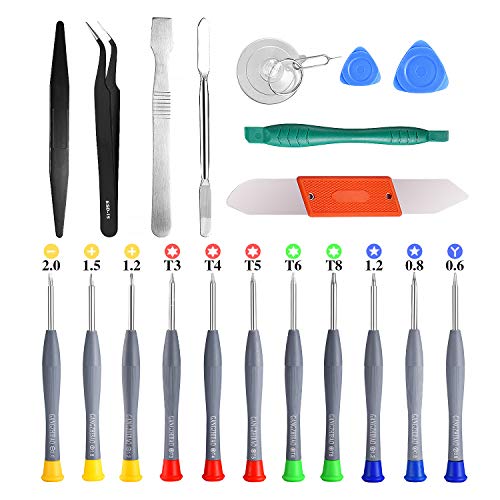
21pcs Precision Screwdriver Set Magnetic,GangZhiBao Repair Tools Kit for Fix Phone/iphone,Computer/PC,Tablet/Pad,Watch,PS4 – Replace Screen Battery Camera Small Electronics Open Pry Tool Kits Sets DIY
- Complete Precision Screwdriver Set: 21-piece magnetic repair tools kit
- Specialized Pentalobe and Phillips Drivers: Includes P5, T5, T6, PH000 screwdrivers
- Apple Device Compatibility: Suitable for MacBook, iPhone, iPad, and more
As an affiliate, we earn on qualifying purchases.
As an affiliate, we earn on qualifying purchases.

The AI Data Center Engineering Handbook: Designing High-Performance GPU Clusters, AI Networks, and Scalable Cloud Infrastructure
As an affiliate, we earn on qualifying purchases.
As an affiliate, we earn on qualifying purchases.