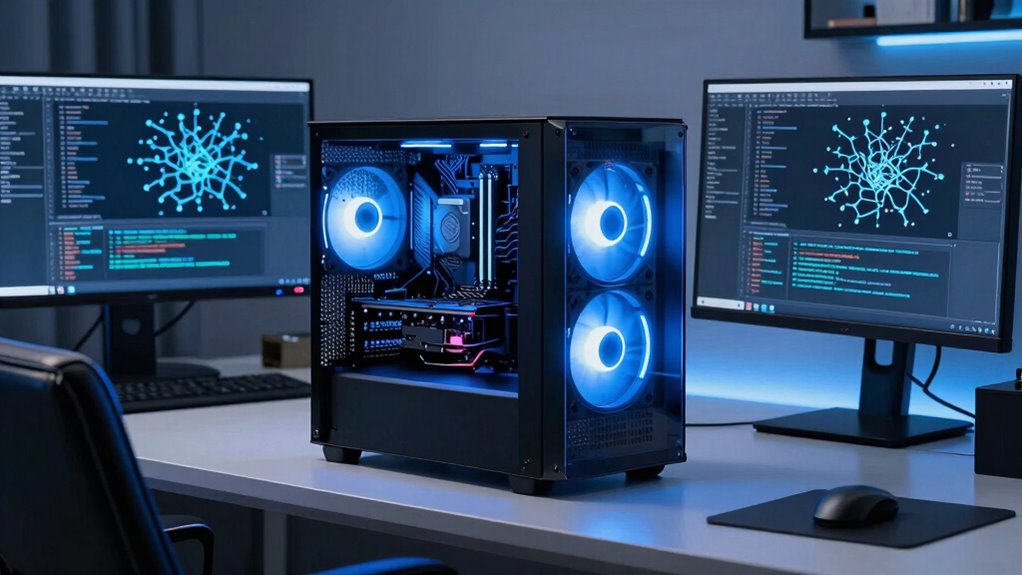

When choosing a gpu workstation for machine learning, the key factors are raw processing power, memory capacity, and scalability. The PNY RTX PRO 6000 96GB stands out as the best overall pick, offering a balance of high performance and reliability. For those on a budget, the MINISFORUM MS-S1 MAX provides impressive specs at a more accessible price, while the ASUS ESC8000A-E13 caters to enterprise-level needs with its extensive GPU support. The main challenge lies in balancing power, scalability, and cost—high-end GPUs deliver top speeds but often come with significant price tags, while more affordable options may limit future expansion. Continue reading for a detailed breakdown of each workstation to find the best fit for your machine learning projects.

Get business pricing on tech for your team
- Business-only prices and quantity discounts
- Tax-exempt purchasing
- Multiple users, one account, clear invoices
Complete the kit



Key Takeaways
- High-memory GPUs like the RTX PRO 6000 are essential for large models and datasets, but come with premium pricing.
- Scalability and support for multiple GPUs vary widely, impacting future-proofing and project complexity.
- Workstation form factors differ; compact models suit limited spaces but may sacrifice some expandability.
- The choice between professional-grade and consumer-grade GPUs significantly influences performance and cost.
- Budget options can handle smaller workloads, but often lack the scalability needed for extensive machine learning tasks.
| ASRock Intel Arc Pro B70 Creator 32GB Workstation Graphics Card |  | Best for Multi-GPU Linux Workstations | GPU Architecture: Intel Xe2-HPG | Xe Cores: 32 | XMX Engines: 256 | VIEW ON AMAZON | See Our Full Breakdown |
| PNY RTX PRO 6000 96GB GDDR7 Graphics Card |  | Best for High-End Rendering and AI Tasks | Memory: 96GB GDDR7 ECC | Memory Bandwidth: 1,792 GB/s | CUDA Cores: 24,064 | VIEW ON AMAZON | See Our Full Breakdown |
| HPE NVIDIA Tesla V100 32GB HBM2 PCIe 3.0 x16 Passive GPU Accelerator (Renewed) |  | Best for Enterprise HPC and Scientific Computing | CUDA Cores: 4,608 | Memory: 32GB HBM2 ECC | Bandwidth: 900 GB/s | VIEW ON AMAZON | See Our Full Breakdown |
| MINISFORUM MS-S1 MAX Mini AI Workstation PC, AMD Ryzen AI Max+ 395, 128GB LPDDR5x RAM, 2TB SSD |  | Best Compact AI Workstation for Local LLMs | Processor: AMD Ryzen AI Max+ 395 | Total AI Performance: 126 TOPS | Memory: 128GB LPDDR5x | VIEW ON AMAZON | See Our Full Breakdown |
| NVIDIA RTX PRO 6000 Blackwell Max-Q Workstation Edition 96GB GDDR7 ECC GPU |  | Best for High-Performance AI and 8K Workflows | Memory: 96GB GDDR7 ECC | Memory Bandwidth: 1,792 GB/s | CUDA Cores: 24,064 | VIEW ON AMAZON | See Our Full Breakdown |
| PNY NVIDIA RTX PRO 6000 Blackwell Max-Q Workstation Edition Dual Fan 96GB GDDR7 |  | Best Overall for High-End Professional Workloads | Memory: 96GB GDDR7 | Cooling: Dual Fan | GPU Architecture: NVIDIA Blackwell | VIEW ON AMAZON | See Our Full Breakdown |
| NVIDIA RTX PRO 4000 SFF Blackwell 24GB GDDR7 ECC AI Workstation GPU |  | Best for Compact Professional Workstations | Memory: 24GB GDDR7 ECC | Architecture: NVIDIA Blackwell | Interface: PCIe 5.0 x8 | VIEW ON AMAZON | See Our Full Breakdown |
| MES2X Dual GPU AI Workstation with AMD Ryzen 9-9950X3D and Dual GeForce RTX 5090 |  | Best for High-Performance, Custom AI Workstations | Processor: AMD Ryzen 9-9950X3D, 16 cores, 4.3GHz | RAM: 256GB DDR5 | Graphics: Dual GeForce RTX 5090, 64GB total | VIEW ON AMAZON | See Our Full Breakdown |
| ASUS ESC8000A-E13 4U AI GPU Server Barebones with Dual AMD EPYC Processors and Support for Eight GPUs |  | Best for Enterprise-Scale AI and Deep Learning Clusters | Design Type: Barebone | GPU Support: Up to 8 dual-slot GPUs | Processor Count: 2 | VIEW ON AMAZON | See Our Full Breakdown |
| gpu workstation for machine learning | Memory |
|---|---|
| ASRock Intel Arc Pro B70 Creat | 32GB GDDR6 |
| PNY RTX PRO 6000 96GB GDDR7 Gr | 96GB GDDR7 ECC |
| HPE NVIDIA Tesla V100 32GB HBM | 32GB HBM2 ECC |
| MINISFORUM MS-S1 MAX Mini AI W | 128GB LPDDR5x |
| NVIDIA RTX PRO 6000 Blackwell | 96GB GDDR7 ECC |
| PNY NVIDIA RTX PRO 6000 Blackw | 96GB GDDR7 |
| NVIDIA RTX PRO 4000 SFF Blackw | 24GB GDDR7 ECC |
| MES2X Dual GPU AI Workstation | — |
| ASUS ESC8000A-E13 4U AI GPU Se | — |
More Details on Our Top Picks
ASRock Intel Arc Pro B70 Creator 32GB Workstation Graphics Card
The ASRock Intel Arc Pro B70 Creator stands out for its large 32GB GDDR6 VRAM, making it suitable for handling big AI models and datasets locally. Compared to the NVIDIA Tesla V100, it offers modern PCIe 5.0 support and four DisplayPort 2.1 outputs, catering well to multi-GPU Linux setups. However, its blower-style cooling can be louder under load, and the absence of HDMI limits compatibility with some displays. It’s best suited for users who need high VRAM capacity and modern connectivity in a multi-GPU environment, but those requiring quiet operation or HDMI outputs should look elsewhere.
Pros:- Large 32GB GDDR6 VRAM handles big models and datasets locally
- Advanced vapor chamber cooling supports sustained performance
- PCIe 5.0 interface and four DisplayPort 2.1 outputs for modern systems
Cons:- Requires 12V-2×6-pin power connector and compatible chassis
- No HDMI outputs, limiting display options
- Blower-style cooling may be louder than open-fan designs
Best for: AI researchers and visualization specialists building Linux-based multi-GPU workstations requiring high VRAM and modern I/O.
Not ideal for: Small form factor users or those prioritizing quiet operation, as blower cooling can be noisy and no HDMI is available.
- GPU Architecture:Intel Xe2-HPG
- Xe Cores:32
- XMX Engines:256
- Memory:32GB GDDR6
- Memory Bus:256-bit
- Cooling:Blower, vapor chamber
Our verdict“This card suits those needing high VRAM and modern multi-GPU Linux setups but may be less ideal for quiet or HDMI-dependent environments.”
PNY RTX PRO 6000 96GB GDDR7 Graphics Card
The PNY RTX PRO 6000 excels in environments demanding extensive VRAM, with 96GB of GDDR7 memory, surpassing most competitors like the NVIDIA RTX PRO 6000 Blackwell Max-Q. Its advanced ray tracing and AI cores enable demanding rendering and AI workloads, making it ideal for professional visualization and scientific computing. The PCIe Gen 5 interface ensures fast data transfer, although its size and weight may require a suitable high-performance chassis. Its high price and power consumption make it less suitable for budget-conscious setups or typical desktops. This card is best for enterprise or research labs needing maximum VRAM and top-tier AI features.
Pros:- Massive 96GB GDDR7 ECC memory eliminates VRAM bottlenecks
- Advanced ray tracing and AI capabilities enhance rendering and simulation
- Next-gen PCIe Gen 5 interface for fast data transfer
Cons:- Very expensive, possibly overkill for everyday tasks
- Large and heavy, requiring high-end chassis
- No retail packaging, ships OEM/bulk only
Best for: Large-scale AI, scientific computing, and rendering professionals with high-performance workstations.
Not ideal for: Casual users or small offices due to the high cost, size, and power requirements.
- Memory:96GB GDDR7 ECC
- Memory Bandwidth:1,792 GB/s
- CUDA Cores:24,064
- Power Consumption:300W
- Interface:PCIe 5.0
- Outputs:4x DisplayPort 2.1
Our verdict“This GPU is tailored for users who need maximum VRAM and cutting-edge AI features in a high-end workstation environment.”
HPE NVIDIA Tesla V100 32GB HBM2 PCIe 3.0 x16 Passive GPU Accelerator (Renewed)
The NVIDIA Tesla V100 offers formidable double-precision compute power, with 14 TFLOPS FP32 and 112 TFLOPS in deep learning, making it ideal for scientific workloads. Its 32GB HBM2 ECC memory and high bandwidth (900 GB/s) support large datasets, but its PCIe 3.0 interface and passive cooling mean it’s less suited for modern high-throughput environments compared to PCIe 5.0 options like the PNY RTX PRO 6000. Its enterprise focus and refurbished status make it less appealing for those seeking the latest hardware or plug-and-play simplicity. This card’s strength lies in large-memory scientific computing rather than cutting-edge AI training or high-speed data transfer.
Pros:- High 32GB HBM2 ECC memory with 900 GB/s bandwidth
- Excellent for large datasets and scientific computing
- Supports NVLink for scaling up to 96GB unified memory
Cons:- Passive cooling requires enterprise chassis airflow
- Older PCIe 3.0 interface limits transfer speeds
- Renewed (refurbished) status may be a concern for some buyers
Best for: Research labs and HPC environments needing reliable, high-memory GPU acceleration in enterprise server chassis.
Not ideal for: Small workstations or users requiring PCIe 4.0/5.0 compatibility and active cooling for sustained workloads.
- CUDA Cores:4,608
- Memory:32GB HBM2 ECC
- Bandwidth:900 GB/s
- Interface:PCIe 3.0
- NVLink:Yes
Our verdict“This GPU is a strong choice for enterprise HPC applications requiring high memory bandwidth and reliability over modern PCIe standards.”
MINISFORUM MS-S1 MAX Mini AI Workstation PC, AMD Ryzen AI Max+ 395, 128GB LPDDR5x RAM, 2TB SSD
The MINISFORUM MS-S1 MAX delivers impressive AI performance in a tiny form factor, thanks to its AMD Ryzen AI Max+ 395 APU with 126 TOPS system AI throughput. Its 128GB LPDDR5x memory offers a unique advantage over discrete GPU-based setups by eliminating VRAM bottlenecks, making it ideal for local large language models and inference tasks. Compared to traditional GPU-heavy workstations like the NVIDIA RTX PRO 6000, this unit sacrifices discrete GPU power for a compact, energy-efficient solution with extensive expandability, including dual M.2 slots and PCIe x16. The high price and thermal limits in such a small chassis are tradeoffs, but the system’s cluster capability opens new possibilities for distributed AI workloads.
Pros:- Powerful AMD Ryzen AI Max+ 395 with 126 TOPS system AI performance
- 128GB LPDDR5x memory enables large models without VRAM bottlenecks
- Compact size with extensive expandability and cluster support
Cons:- Limited thermal headroom for continuous max load in small chassis
- No discrete GPU, relying solely on integrated RDNA 3.5 graphics
- High cost for a mini PC without discrete GPU
Best for: AI researchers and developers needing a small, scalable solution for local LLM deployment and inference without discrete GPUs.
Not ideal for: Users requiring high-end graphics or intensive training workloads that depend on discrete GPU acceleration.
- Processor:AMD Ryzen AI Max+ 395
- Total AI Performance:126 TOPS
- Memory:128GB LPDDR5x
- Storage:2TB SSD
- Expansion:PCIe x16, dual M.2
Our verdict“This mini AI workstation excels for local inference and large models in space-constrained environments, but not for GPU-intensive training.”
NVIDIA RTX PRO 6000 Blackwell Max-Q Workstation Edition 96GB GDDR7 ECC GPU
The NVIDIA RTX PRO 6000 Blackwell Max-Q is a dual-slot, high-performance GPU designed for demanding AI workloads, 8K video processing, and real-time rendering. Its 96GB GDDR7 ECC memory on a 512-bit bus provides massive VRAM capacity, comparable to the PNY RTX PRO 6000, but with a Max-Q design that improves efficiency at a 300W power cap. Its 24,064 CUDA cores and 188 4th-gen ray tracing cores make it suitable for complex AI models and visualization tasks, with PCIe 5.0 support ensuring fast throughput. Its high cost and power draw make it more appropriate for enterprise workstations than casual or entry-level setups.
Pros:- Massive 96GB GDDR7 ECC memory enables large models and datasets
- High AI performance with 24,064 CUDA cores and 188 ray tracing cores
- Supports multi-GPU scaling and PCIe 5.0 for fast data transfer
Cons:- High price point and large physical size
- Requires high-capacity power supply and robust chassis
- OEM/bulk packaging limits retail availability
Best for: Data scientists and AI specialists working on large models, real-time rendering, or 8K workflows in high-end workstations.
Not ideal for: Budget-conscious buyers or those without robust power supplies, as this GPU demands significant energy and investment.
- Memory:96GB GDDR7 ECC
- Memory Bandwidth:1,792 GB/s
- CUDA Cores:24,064
- Power Consumption:300W
- Outputs:4x DisplayPort 2.1
Our verdict“This GPU delivers exceptional VRAM and AI capabilities for specialized high-end workstations but demands substantial system resources and budget.”
PNY NVIDIA RTX PRO 6000 Blackwell Max-Q Workstation Edition Dual Fan 96GB GDDR7
The PNY NVIDIA RTX PRO 6000 Blackwell Max-Q stands out as the top choice for those needing extreme GPU power in a compact form. Its massive 96GB GDDR7 memory and latest NVIDIA Blackwell architecture make it ideal for demanding AI, simulation, and rendering tasks, outperforming more modest options like the NVIDIA RTX PRO 4000 in raw capacity. Its Max-Q design offers a sleek profile suitable for professional workstations where space is limited. The main tradeoff is its premium price, which can be prohibitive for smaller budgets, and it might be overkill for users with simpler needs. With early reviews rating it highly, this card suits those who prioritize top-tier performance in a relatively small package.
Pros:- Massive 96GB GDDR7 memory for handling large datasets and AI models
- Latest NVIDIA Blackwell architecture ensures cutting-edge performance
- Max-Q design enables a compact, space-efficient workstation build
Cons:- Premium pricing places it outside the budget range of many users
- Overkill for non-professional or gaming purposes
- Limited customer reviews may obscure long-term reliability insights
Best for: AI researchers and simulation professionals needing a compact, high-memory GPU for intensive workloads.
Not ideal for: Budget-conscious users or gamers seeking a versatile card for gaming and general use, as the price and specialization make it less suitable.
- Memory:96GB GDDR7
- Cooling:Dual Fan
- GPU Architecture:NVIDIA Blackwell
- Form Factor:Max-Q Workstation Edition
- Product Dimensions:3.1 x 14.2 x 0.1 inches
- Weight:3.34 pounds
Our verdict“This card is best suited for professionals needing maximum memory and performance in a compact workstation, despite its high cost.”
NVIDIA RTX PRO 4000 SFF Blackwell 24GB GDDR7 ECC AI Workstation GPU
The NVIDIA RTX PRO 4000 SFF is designed for users who need powerful GPU capabilities within a small form factor. Unlike the larger RTX PRO 6000, it offers a more modest 24GB GDDR7 ECC memory but still leverages the latest Blackwell architecture and ray tracing support. Its low-profile, dual-slot design makes it ideal for cramped cases where space is at a premium, such as in compact AI or workstation setups. Compared to the RTX PRO 6000, it sacrifices some memory capacity but provides PCIe 5.0 bandwidth and four mini DisplayPort outputs. The main limitation is its x8 PCIe interface, which may bottleneck data transfer in some scenarios, and its premium price reflects its professional-grade features. It makes the most sense for those needing high performance in small, specialized systems.
Pros:- Compact low-profile design fits small cases easily
- 24GB GDDR7 ECC memory ensures reliable, professional-grade operations
- Supports PCIe 5.0 for high bandwidth data transfer
- Ray tracing and latest architecture offer advanced graphics features
Cons:- x8 PCIe interface could limit performance in data-heavy workloads
- Premium price may be high for some users
- Limited to single GPU configurations in most setups
Best for: Engineers and AI specialists working within small or space-constrained workstations who need ECC memory for reliability.
Not ideal for: Users requiring maximum GPU memory or expanding to a multi-GPU setup, as its x8 PCIe interface limits bandwidth compared to full x16 cards.
- Memory:24GB GDDR7 ECC
- Architecture:NVIDIA Blackwell
- Interface:PCIe 5.0 x8
- Form Factor:Low-profile, dual-slot
- Video Outputs:4x mini DisplayPort 2.1b
- Type:AI Workstation GPU
Our verdict“This GPU delivers professional performance in small form factors, ideal for engineers needing reliability and space efficiency despite some bandwidth limitations.”
MES2X Dual GPU AI Workstation with AMD Ryzen 9-9950X3D and Dual GeForce RTX 5090
This custom-built MES2X workstation combines a powerful AMD Ryzen 9-9950X3D with dual GeForce RTX 5090 GPUs, creating a machine tailored for intense AI and deep learning tasks. With 256GB DDR5 RAM and a fast 8TB NVMe SSD, it provides ample memory and storage for large models and datasets, outperforming single GPU setups like the NVIDIA RTX PRO 6000 in raw compute power. The robust 1600W power supply and liquid cooling ensure stability under heavy loads, though the high-end components come with a significant price tag and large physical size. This setup is ideal for those who need maximum GPU throughput and memory capacity, but less suited for smaller or budget-conscious environments.
Pros:- Dual GeForce RTX 5090 GPUs deliver unmatched AI processing power
- Large 256GB DDR5 RAM supports complex models and multitasking
- Fast 8TB NVMe SSD with RAID offers quick data access and redundancy
- Preloaded with Windows 11 Pro and latest drivers for immediate use
Cons:- Very high cost due to premium components
- Large footprint requiring significant workspace
- High power consumption with 1600W PSU
Best for: AI researchers and data scientists working on large-scale projects requiring dual GPUs and massive memory capacity.
Not ideal for: Casual users or small offices with limited space or budget constraints, as this system demands substantial space and investment.
- Processor:AMD Ryzen 9-9950X3D, 16 cores, 4.3GHz
- RAM:256GB DDR5
- Graphics:Dual GeForce RTX 5090, 64GB total
- Storage:8TB NVMe SSD (2x4TB RAID)
- Power Supply:1600W
- Cooling:360mm liquid cooler
Our verdict“This workstation excels for AI professionals needing maximum GPU and memory resources, with tradeoffs in size and cost.”
ASUS ESC8000A-E13 4U AI GPU Server Barebones with Dual AMD EPYC Processors and Support for Eight GPUs
The ASUS ESC8000A-E13 is a formidable server chassis designed for large-scale AI and machine learning deployments. Supporting up to eight dual-slot GPUs like the Pro 6000 or RTX PRO 6000 Blackwell, it provides unmatched scalability compared to single or dual GPU workstations. Its enterprise-grade features, including hot-swap fans, liquid cooling support, and dual AMD EPYC processors, make it suitable for continuous, heavy workloads. The heavy weight and the need for additional components mean this is a specialized solution, not for casual or small-scale use. It is perfect for data centers or research labs that require high redundancy and maximum throughput, but less practical for smaller teams or individual users.
Pros:- Supports up to eight high-performance GPUs for maximum scalability
- Enterprise-grade cooling and redundancy ensure high uptime
- Dual AMD EPYC CPUs provide substantial processing power
- Flexible storage options for data-intensive workloads
Cons:- Heavy weight (90 pounds) and complex setup requiring specialized handling
- Barebones design requires additional components for a complete system
- High energy consumption and operational costs
Best for: Large AI research facilities or enterprise data centers needing scalable GPU compute capacity.
Not ideal for: Small offices or individual researchers with limited space and less need for multiple GPUs, due to its size and complexity.
- Design Type:Barebone
- GPU Support:Up to 8 dual-slot GPUs
- Processor Count:2
- Power Supply:3+1 3200W Titanium CRPS
- Cooling:Independent airflow tunnels, liquid cooling support
- Storage Support:Gen5 NVMe, SAS, SATA
Our verdict“This server is ideal for large-scale AI and deep learning projects demanding extensive GPU resources and enterprise reliability, at the cost of size and complexity.”
How We Picked
These products were evaluated based on their GPU performance, memory capacity, expandability, build quality, and value for machine learning workloads. We prioritized systems that support large datasets, offer reliable hardware, and provide room for future upgrades. Cost-effectiveness was also considered, especially for users balancing budget and performance needs. The ranking reflects a blend of high-end powerhouses for intensive tasks and more affordable options suitable for entry-level or smaller projects, helping buyers identify which systems align best with their project scope and budget.Factors to Consider When Choosing Gpu Workstation For Machine Learning
Choosing the right GPU workstation for machine learning involves balancing multiple factors. Beyond raw performance, consider how the workstation’s scalability, compatibility, and build quality will impact your workflow. Making the wrong choice can lead to bottlenecks, wasted investment, or hardware compatibility issues. Here are key considerations to guide your decision-making process.GPU Performance and Memory Capacity
The core of any machine learning workstation is its GPU. Higher-end GPUs like the RTX PRO 6000 or Tesla V100 provide more CUDA cores and greater VRAM, essential for training large models or working with extensive datasets. Be cautious of underpowered GPUs if your projects involve complex neural networks, as this can significantly slow down your training times. Conversely, investing in top-tier GPUs means higher costs, so assess your actual workload needs carefully to avoid overspending.
Scalability and Multi-GPU Support
If your projects require multiple GPUs, ensure the workstation supports multi-GPU configurations. Workstations like the ASUS ESC8000A-E13 are designed explicitly for scaling, but often at a higher price. Smaller or more compact models may only support a single GPU, limiting future growth. Think about your future needs—buying a system that can handle more GPUs later can save costs and hassle over time.
Form Factor and Space Considerations
The physical size of the workstation impacts where you can place it. Compact models like the MINISFORUM are ideal for tight spaces but might compromise on expandability. Larger, rack-mounted units like the ASUS ESC8000A-E13 support more GPUs but require dedicated server environments. Consider your workspace setup and whether you prefer a portable desktop or a fixed server chassis.
Budget and Total Cost of Ownership
While high-performance GPUs and robust workstations come with hefty price tags, remember to factor in long-term costs such as power consumption, maintenance, and potential upgrades. Cheaper systems might seem appealing initially but could incur higher costs later if they lack scalability or durability. Balance your immediate budget against projected project requirements to avoid bottlenecks or costly replacements.
Compatibility and Ecosystem Support
Ensure the workstation’s hardware components are compatible with your preferred machine learning frameworks and software. Professional GPUs often come with better driver support and stability, which can improve your workflow. Also, check for adequate cooling and power supply to prevent hardware throttling or failures. This compatibility reduces downtime and enhances productivity over the system’s lifespan.
Frequently Asked Questions
Can I use consumer-grade GPUs for machine learning instead of professional GPUs?
Consumer-grade GPUs like the GeForce series can handle many machine learning tasks, especially smaller models or less complex datasets. However, they often lack the ECC memory, driver stability, and sustained performance needed for large-scale projects. Professional GPUs like the RTX PRO 6000 or Tesla V100 are optimized for continuous heavy workloads, offering better reliability and error correction, which is vital for critical research or production environments.
Is it worth investing in a multi-GPU workstation for machine learning?
For large models, extensive datasets, or training multiple neural networks simultaneously, a multi-GPU setup can drastically reduce training times and improve efficiency. Although initial costs are higher, the productivity gains often justify the investment. However, if your projects are smaller or less complex, a single high-performance GPU may suffice, saving money without sacrificing results.
What is the ideal amount of VRAM for machine learning tasks?
Most serious machine learning projects benefit from at least 24GB of VRAM, especially when working with large datasets or complex neural networks. GPUs like the RTX PRO 6000 with 96GB VRAM are suited for very demanding workloads, but smaller projects or early-stage development can often get by with 12-24GB VRAM. Always match your hardware to your dataset size and model complexity to avoid bottlenecks.
How important is cooling and power supply in selecting a workstation?
Proper cooling is essential to maintain performance and prevent hardware throttling during intensive training sessions. Many high-end GPUs generate significant heat, requiring advanced cooling solutions. Similarly, a robust power supply ensures stability during peak loads. Overlooking these factors can lead to hardware failures or reduced lifespan, making them key considerations for a reliable setup.
Should I prioritize performance or expandability when choosing a workstation?
This depends on your current needs and future plans. If you anticipate scaling up your projects or working with larger models, investing in a system with greater expandability makes sense. However, if your workload is fixed and modest, a powerful but less expandable system might be more cost-effective. Consider your growth trajectory carefully to avoid costly upgrades later.
Conclusion
For users seeking the best overall performance, the PNY RTX PRO 6000 96GB offers unmatched power and reliability. Those on a budget or starting out should consider the MINISFORUM MS-S1 MAX for its solid specs at a lower price point. Enterprise or research teams needing extensive scalability will find the ASUS ESC8000A-E13 ideal, despite its larger footprint. Beginners and casual hobbyists should aim for systems that balance performance with ease of use, while professionals requiring maximum throughput should prioritize high-end, multi-GPU solutions. Match your project size, future plans, and budget to find the perfect workstation.Fall Picks
fall essentials
As an affiliate, we earn on qualifying purchases.