
🔍 Read the full analysis: What Can An AI Home Automation Hub Do For Your Smart Home? on ThorstenMeyerAI.com

Get business pricing on tech for your team
- Business-only prices and quantity discounts
- Tax-exempt purchasing
- Multiple users, one account, clear invoices
TL;DR
A product roundup from ThorstenMeyerAI.com compares 11 home automation hubs, with Hubitat Elevation C-8 Pro rated the strongest overall option for protocol support and automation flexibility. The products differ in device compatibility, camera features, local control and setup demands; the source cautions that an “AI” label does not describe one consistent capability.
As detailed in the original comparison, ThorstenMeyerAI.com named the Hubitat Elevation C-8 Pro its top overall pick among 11 home automation hubs for broad protocol support and flexible automations. The roundup finds that the products grouped under the “AI hub” label vary substantially: some prioritize device compatibility and local control, while others focus on a particular brand or camera features.
The guide ranks hubs by stated protocol support, compatibility across ecosystems, local control options, camera and storage features, and the effort needed to configure and maintain a system, complementing this roundup of AI smart home devices. It says Hubitat combines Zigbee, Z-Wave and Matter support, making it the most adaptable option in the lineup for households with devices from multiple systems. The source describes the ranking as a buyer’s assessment, not an independent lab test.
Other highlighted choices serve narrower needs, as do these AI-powered home automation devices. The SwitchBot AI Hub Bundle pairs a hub with a PTC Plus 5MP camera and offers Home Assistant and Matter bridging, according to the source. Its camera-free version may suit buyers seeking a smaller setup. The iSG Box SE is presented as an option with Home Assistant ready to run, while the HomeClaw gateway is another customizable-platform choice.
The comparison also includes Philips Hue Bridge Pro, AduroSmart ERIA and a MOES Tuya gateway, which the source characterizes as better fits for households centered on the respective supported ecosystems. It advises buyers to verify device compatibility and feature availability before purchase, since product names and advertised capabilities do not guarantee that every device or function will work in every setup.
The 11 picks
- 1
 SmartThings Hub 3rd Generation [GP-U999SJVLGDA] Smart Home Automation HubView on Amazon →
- 2
 SwitchBot AI Hub Bundle with PTC Plus 5MP Camera, Smart Home Hub with OpenCla…View on Amazon →
- 3
 SwitchBot AI Hub + Security Indoor Camera 2KView on Amazon →
- 4
 SwitchBot AI Hub with OpenClaw Support and Local Camera StorageView on Amazon →
- 5
 Hubitat Elevation C-8 Pro Smart Home Automation Hub – Matter 1.5, Z-Wave 800…View on Amazon →
- 6
 Philips Hue Bridge Pro Smart Lighting HubView on Amazon →
- 7
 iSG Box SE ZB Smart Home Hub with Preinstalled Home AssistantView on Amazon →
- 8
 HomeClaw Smart Home Gateway with Home Assistant & OpenClaw AIView on Amazon →
- 9
 SONOFF Bridge Max Smart Home Hub (Bridge-M)View on Amazon →
- 10
 AduroSmart ERIA Smart Home Hub/GatewayView on Amazon →
- 11
 MOES Tuya ZigBee 3.0 Hub/Wired Gateway, Smart Home Bridge Remote ControllerView on Amazon →
Choosing Between Control and Convenience
The practical question for buyers is less whether a hub calls itself AI-enabled and more whether it can run the devices and routines they already use. A mismatch can mean purchasing extra bridges, losing access to particular functions or spending time troubleshooting integrations. The guide’s emphasis on protocols and device lists gives shoppers a way to compare products against their actual home rather than relying on broad marketing language.
The roundup also highlights a tradeoff between simplicity and flexibility. A focused brand bridge may be easier to set up if a household mainly uses that brand’s products. An open or customizable system may accommodate a wider mix and more tailored automations, but can require greater owner involvement. That difference matters over time: someone needs to manage settings, updates and connections when a device stops responding.
Privacy and reliability also depend on the specific functions in use. The source advises checking whether routines run locally, whether a feature relies on an internet connection or outside service, and how camera footage is stored. Local control may help keep some routines working during an outage, but the guide cautions that local operation of one function does not mean every integration is cloud-independent.
Products Worth Considering

Apple AirPods Pro 3 Wireless Earbuds with Active Noise Cancellation

LG UltraGear 27-inch QHD OLED Gaming Monitor, 240Hz, 0.03ms, G-SYNC Compatible, FreeSync Premium Pro, HDMI 2.1, DisplayPort 1.4, Black
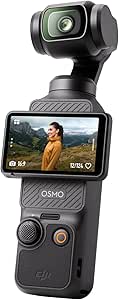
DJI Osmo Pocket 3 Vlogging Camera with 1-Inch CMOS Sensor and 4K/120fps Video
As an affiliate, we earn on qualifying purchases.
What the 11 Hubs Are Being Compared On
The source frames its list as a buyer’s guide rather than a claim that all 11 products provide the same kind of artificial intelligence. It says “AI” may refer to different features, including camera-based detection, natural-language controls or assistance with creating automations. It recommends identifying the particular task a buyer wants handled, then checking whether that feature is included and whether it runs locally or depends on an account or cloud service.
Its selection criteria also reflect different types of smart-home systems. Mixed-device households may need several wireless protocols and broad integration support. Homes built around one lighting or device brand may get what they need from a more specialized bridge. Home Assistant-ready products, meanwhile, are aimed at people who want customization and are prepared to handle configuration. The source does not provide a dated testing methodology or a complete, independently verified compatibility inventory.
“My best overall pick is the Hubitat Elevation C-8 Pro for its broad protocol support and automation flexibility.”
— ThorstenMeyerAI.com, on its overall pick
Compatibility and AI Features Need Checking
The source material does not identify the publication date, provide full specifications for all 11 products, or document independent tests of their performance. It is also not clear from the supplied material which particular AI functions are available on each device, whether those features require subscriptions, or how every model handles data and outages. Product capabilities and compatibility can change, so buyers should confirm current details with manufacturers and check support for the exact devices they own.
The guide’s ranking is an editorial judgment, not proof that Hubitat will be the best choice for every home. A top-ranked hub may still be a poor fit if it lacks support for a household’s existing devices or requires more configuration than the owner wants to manage. Likewise, a brand-specific gateway’s narrower scope may be sufficient for a home built around that ecosystem.
Check Devices Before Buying
The immediate next step for shoppers is to make an inventory of their existing devices, protocols and required routines, then compare that list with each hub’s current compatibility information. Buyers considering cameras should check detection features, storage options and any network or subscription requirements. Those who value local operation should confirm which specific routines continue without internet access, rather than assuming all hub functions work offline.
The source does not announce a scheduled follow-up or product test. Any later decision should account for software updates and changes in supported integrations, particularly for customizable platforms that may require ongoing maintenance.
Key Questions
What does an AI home automation hub do?
Capabilities differ by product. The roundup says the term may describe camera-based detection, natural-language controls or help building automations. Buyers should check which specific functions a hub offers instead of treating “AI” as a standard feature set.
Which hub does the source rank highest?
ThorstenMeyerAI.com names the Hubitat Elevation C-8 Pro its best overall pick, citing its stated Zigbee, Z-Wave and Matter support and its automation flexibility. That is the source’s assessment, not a universal recommendation.
Will a hub with local control work without internet?
Some routines may continue locally, but local control does not guarantee that every device, integration or remote-access feature works during an outage. Check the specific functions and integrations you rely on.
Should I choose a broad hub or a brand-specific bridge?
A broad hub may better suit a home with devices from several ecosystems. A brand-focused bridge may be simpler if most devices belong to one supported system. In either case, verify compatibility with the exact devices you own.
Source: ThorstenMeyerAI.com